8 bedste gratis og freemium slideshow-værktøjer online og offline

Et slideshow er en præsentation af en række stillbilleder på en skærm eller et display, typisk i en forudbestemt rækkefølge. Det er en fantastisk måde at indsamle, se og administrere dine fotobiblioteker med de samme emner. For at oprette et slideshow skal du bruge et gratis diasshow makerDet giver dig mulighed for at sætte dine billeder på storyboardet, arrangere dem og anvende et tema og baggrundsmusik. Denne artikel identificerer en topliste.
SIDEINDHOLD:
Del 1: Sammenligning af gratis slideshow-værktøjer
Metode
Vi har testet de populære slideshow-programmer på markedet for at identificere de bedste gratis lister. Derudover har vi indsamlet hundredvis af brugerrapporter. Når vi gennemgår dem, fokuserer vi på et par aspekter, såsom outputformater, slideshow-kvalitet, bonus-fotoredigeringsprogram og mere.
| Inputformater | Outputformater | Understøttede enheder | |
| Apeaksoft Video Converter Ultimate | Alle foto-, video- og lydformater | MP4, M4V, MOV, MKV, SWF, WMV, AVI, FLV osv. | Windows 11/10/8/7/XP/Vista Mac OS X 10.12 eller over |
| ThunderSoft gratis slideshow-værktøj | Populære fotoformater | FLV, MP4, MPG, AVI, WMV, MKV, MOV | Windows 11/10/8/7/XP/Vista |
| iMovie | JPG, PNG, HEIC | MP4 og MOV | MacOS |
| Flexclip | PNG, JPG, WebP, GIF, BMP, PSD, RAW, HEIC og mere | MP4 og GIF | Online |
| Google Slides | Populære fotoformater | PPTX | Online |
| adobe express | JPG, PNG, GIF, SVG | MP4 | Online |
| Videoshop | JPG, PNG, HEIC og mere | MP4 | iOS og Android |
| Google Fotos | JPG, PNG, HEIC og mere | MP4 | iOS og Android |
Del 2: Top 3 gratis diasshowproducenter på skrivebordet
Top 1: Apeaksoft Video Converter Ultimate
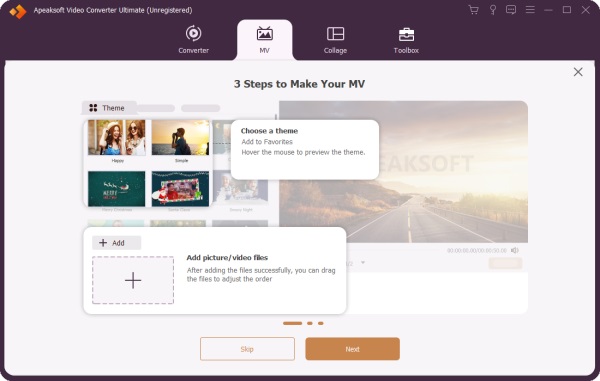
Apeaksoft Video Converter Ultimate er et gratis AI-slideshowprogram til begyndere. Det tilbyder næsten alt til at lave slideshows med fotos, videoklip og lydspor. Derudover giver de indbyggede temaer, musikbiblioteket og andre elementer dig mulighed for at lave slideshows som en professionel.
Sikker download
Sikker download
- Lav gratis slideshows med musik og billeder.
- Medtag en videoredigerer.
- Tilbyder temaer og et musikbibliotek.
- Forhåndsvis slideshows med en medieafspiller.
- Understøtt en bred vifte af outputformater.
- Det tager et stykke tid at gengive resultatet.
Her er trinene til at lave et slideshow med musik:
Trin 1 Tilføj fotos
Start slideshow-værktøjet, når du har installeret det på din computer. Gå til MV fanebladet og klik på knappen Tilføj menuen for at importere billederne. Arranger disse billeder på storyboardet efter indlæsning.
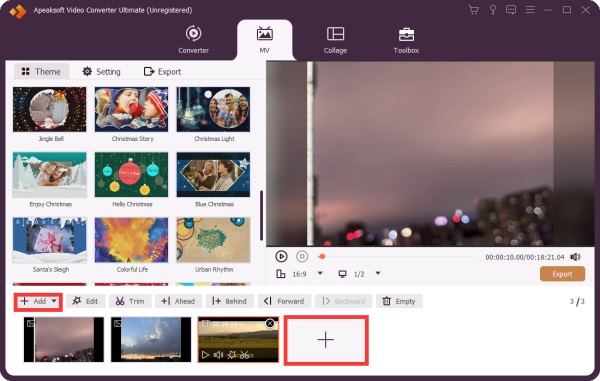
Trin 2 Lav et slideshow
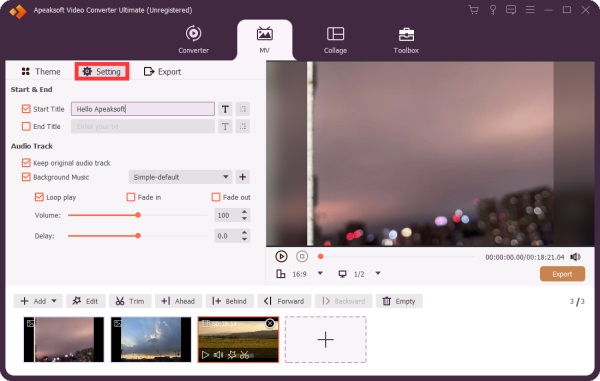
Vælg et passende tema i Tema fanen. Gå derefter til Indstillinger fanen, og skriv eventuelt en titel. Markér feltet ud for Baggrunds musik, og vælg et spor fra biblioteket eller klik på Tilføj knappen for at tilføje en sang. Anvend Fade i og Svinde bort virkninger.
Trin 3 Eksport af slideshow
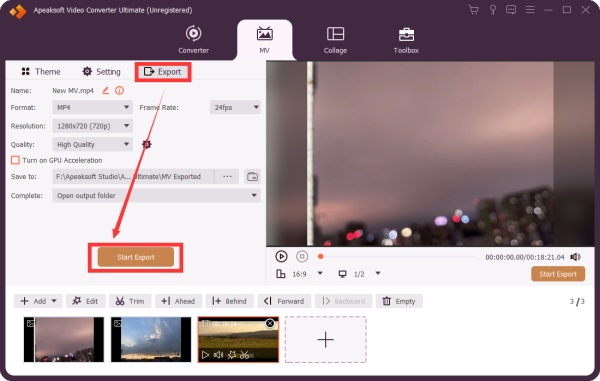
Klik på knappen Leg knappen under medieafspilleren for at se slideshowet. Hvis du er tilfreds, skal du gå til eksport fanen og indstil outputformat og outputmappe. Klik til sidst på Start Export .
Yderligere læsning
Top 2: ThunderSoft gratis slideshow-værktøj
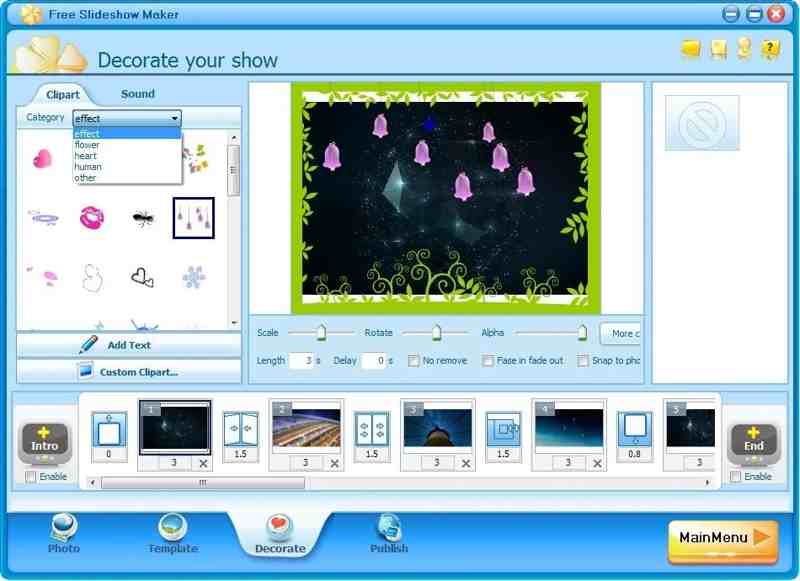
ThunderSoft Free Slideshow Maker er et gratis program til at lave slideshows til Windows. Det giver dig mulighed for at lave slideshows til YouTube og andre sociale medier. Det tilbyder både en gratis og en premium-version.
- Lav et slideshow med op til 500 billeder.
- Tilføj overgange, billedtekster og musik.
- Inkluder 70 animerede skabeloner.
- Opret slideshows til HTML5.
- Grænsefladen er forældet.
- Den er ikke blevet opdateret i et stykke tid.
Top 3: iMovie
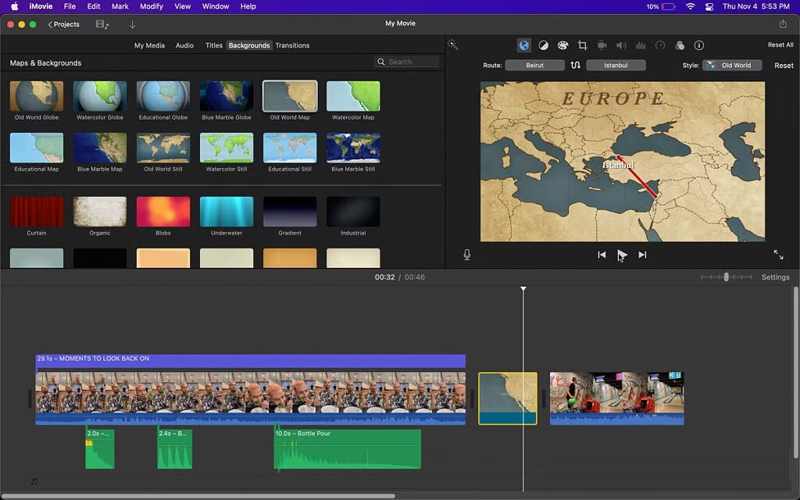
iMovie er det gratis program til diasshows på macOS. Du kan oprette et projekt, tilføje billeder og videoer og lave et diasshow på din MacBook. Selvom det tilbyder et videoredigeringsprogram på begynderniveau, er det nok til at lave et diasshow. Du kan også tilføj stemmenotater til iMovie for at lave et levende slideshow.
- Integrer en intuitiv GUI.
- Tilbyd fremragende skabeloner.
- Arbejd med andre apps på Mac.
- Tilbyd et videoredigeringsprogram.
- Det mangler avancerede funktioner.
- Den er kun tilgængelig på Mac.
Del 3: Top 3 gratis producenter af lysbilledshow online
Top 1: Flexclip
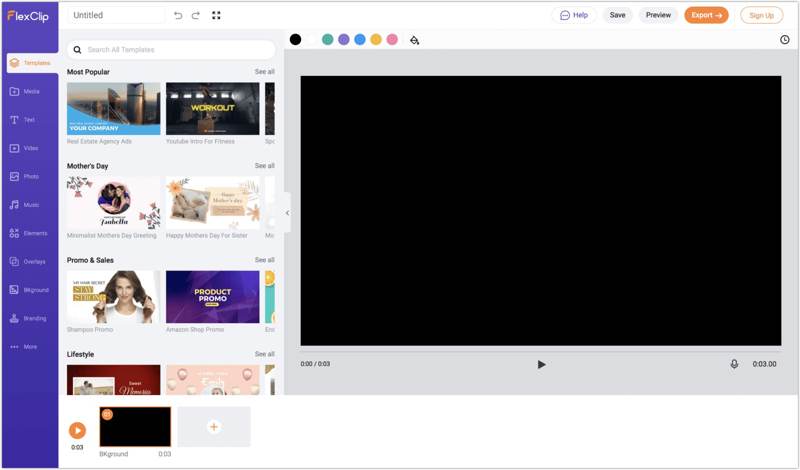
Flexclip er et gratis online slideshow-program med musik. Det giver dig mulighed for at uploade billeder og lave et slideshow med baggrundsmusik uden at downloade noget til din computer. Alt du behøver er en konto.
- Let at bruge.
- Tilbyd AI-værktøjer.
- Inkluder omfattende skabeloner.
- Tilbyd cloud-lagring.
- Det tilføjer vandmærker til slideshows.
- Avancerede kontroller er begrænsede.
Top 2: Google Slides
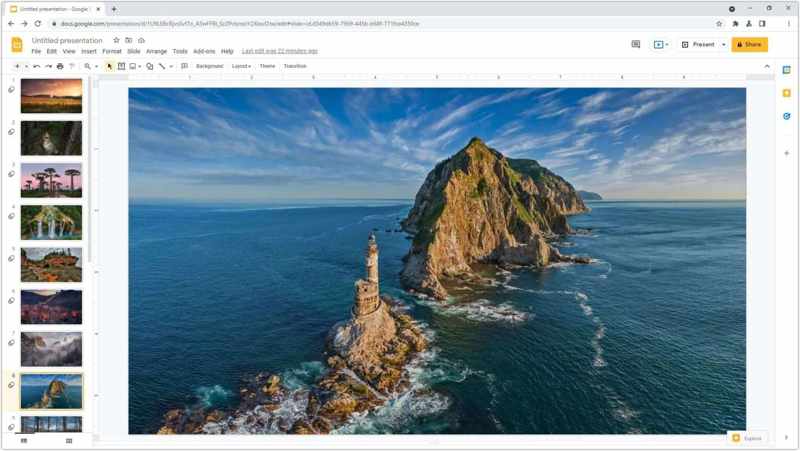
Google Slides er et andet gratis online slideshow-værktøj. Det giver dig mulighed for at oprette præsentationer online med en Google-konto. Den intuitive brugerflade og de avancerede funktioner gør det populært til samarbejde.
- Gratis adgang for alle.
- Problemfri og effektiv.
- Lav slideshows online.
- Gem slideshows i skyen.
- Premium-præsentationsfunktioner kræver et Google Workspace-abonnement.
Top 3: Adobe Express
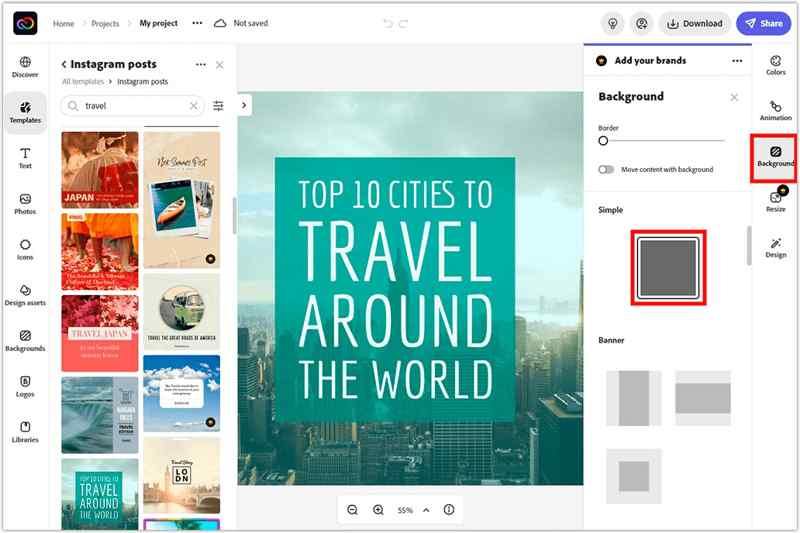
Adobe Express er en hurtig måde at lave et slideshow online gratis. Selvom de avancerede funktioner og cloud-lagring kræver et betalt abonnement, kan du prøve den gratis version med en Adobe-konto.
- Inkluder flydende skabeloner.
- Tilbyd AI-værktøjer.
- Tilbyd et videoredigeringsprogram.
- Integrer ChatGPT.
- Nogle AI-værktøjer er enten en succes eller en fiasko.
- Det er dyrt.
Del 4: Top 2 gratis apps til at lave slideshows
Top 1: Videoshop
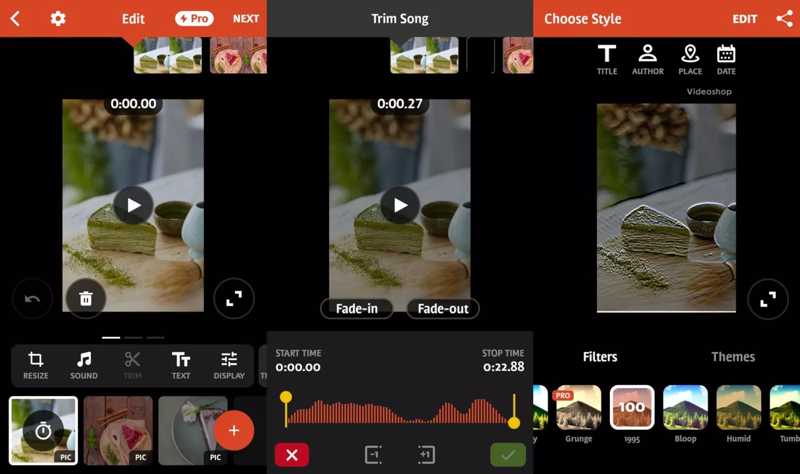
Videoshop er et af de bedste gratis slideshow-værktøjer til iPhone- og Android-brugere. Faktisk er det et komplet videoredigeringsprogram med slideshow-værktøjer og mange andre funktioner, såsom filtre og effekter.
- Lav nemt slideshows.
- Tilføj tekst og overgange.
- Rediger slideshows problemfrit.
- Del slideshows på sociale medier.
- Brugere rapporterede stabilitetsproblemer.
- Der er et vandmærke i gratisversionen.
Top 2: Google Fotos
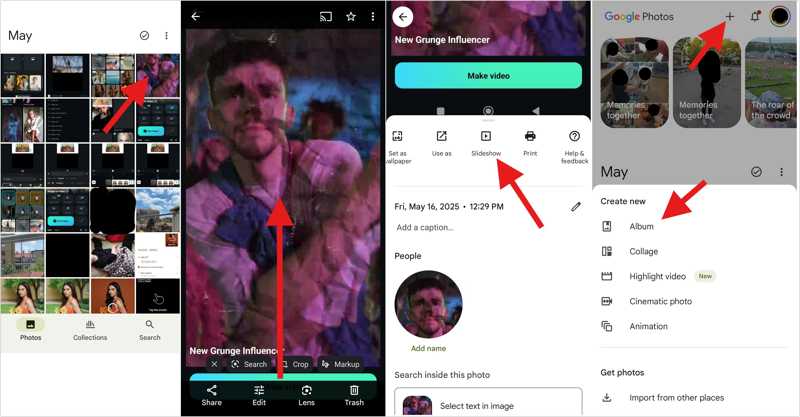
Google Fotos er en anden mulighed for at lave slideshows med musik gratis. Som fotolagring har det en indbygget slideshow-opretter og grundlæggende fotoredigeringsfunktioner. Derudover tilbyder det 15 GB gratis lagerplads.
- Organiser fotos med AI.
- Sikkerhedskopier fotos og videoer.
- Lav hurtigt et slideshow
- Del slideshows direkte.
- Gratis lagerplads er begrænset.
- Det mangler avancerede funktioner.
Konklusion
Nu skal du lære de 8 bedste gratis slideshow med musikproducenter online, på din computer og mobilenhed. Nogle af dem er helt gratis at bruge. Andre tilbyder en gratis version eller en gratis demo. Du kan vælge en passende version baseret på vores anmeldelse og din situation. Apeaksoft Video Converter Ultimate er en god mulighed for begyndere.
Relaterede artikler