

Los 10 mejores programas de recuperación de tarjetas de memoria para Windows y Mac

Hoy en día, la pérdida de datos es un problema común. Según nuestra encuesta, casi uno de cada dos encuestados ha sufrido una pérdida de datos. Más específicamente, la pérdida de datos en tarjetas de memoria puede ser frustrante. Muchas personas almacenan copias de seguridad, fotos, documentos y más en tarjetas de memoria, tarjetas SD, MicroSD, etc. La buena noticia es que una buena herramienta de recuperación de tarjeta de memoria Puede ayudarle a resolver este problema. Este artículo identifica y revisa la lista de los 10 principales.
CONTENIDO DE LA PAGINA:
Parte 1: Comparación de los mejores programas de recuperación de tarjetas de memoria
| Precio | Tipos de tarjetas de memoria | Tasa de éxito | |
| Recuperación de datos de Apeaksoft | $22.45 mensuales, $55.96 anuales, $71.96 de por vida | SD, MicroSD, CF, SDHC, SDXC y más | un 99% |
| Disk Drill | Comience en $ 89.99 | SD, MicroSD, CF, SDHC, SDXC | un 95% |
| R-studio | Comience en $ 49.99 | SD, MicroSD | un 78% |
| Rescate de datos | Gratis y desde $79 | SD, MicroSD | un 75% |
| discogenio | Comience en $ 69.9 | SD, MicroSD | un 73% |
| DiskDigger | Gratis y $14.99 | SD, MicroSD | un 70% |
| Explorador de UFS | Gratis y desde $24.95 | SD, MicroSD | un 80% |
| Recuva | Gratis y $49.95 | SD, MicroSD | un 60% |
| Recuperar IObit | Free | SD, MicroSD, CF, SDHC, SDXC | un 60% |
| PhotoRec | Free | SD, MicroSD, CF, SDHC, SDXC | un 60% |
Parte 2: Las 10 mejores aplicaciones para recuperar tarjetas de memoria
Top 1: Recuperación de datos de Apeaksoft
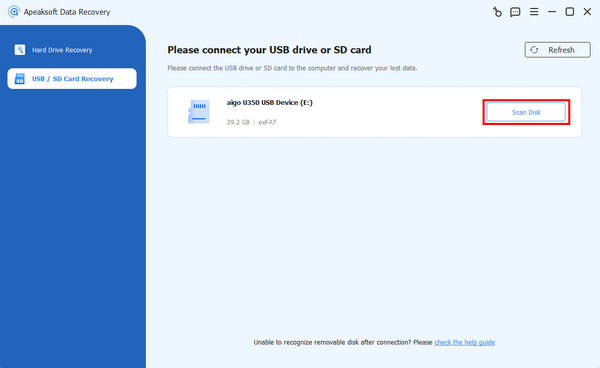
Como uno de los mejores programas de recuperación de tarjetas de memoria SD, Recuperación de datos de Apeaksoft Puede satisfacer casi todas sus necesidades. Ofrece una alta tasa de éxito. La interfaz intuitiva es fácil de usar, incluso para principiantes. Funciona en diversas situaciones, como borrado accidental, formateo de tarjeta y más.
Descarga segura
Descarga segura
- Recupere todos los tipos de archivos en tarjetas de memoria.
- Recupere datos de casi todas las tarjetas de memoria.
- Disponible para una amplia gama de situaciones.
- Proporciona una alta tasa de éxito y velocidad de recuperación.
- Fácil de utilizar para la gente común.
- Puede tardar un poco si tiene muchos archivos en su tarjeta de memoria.
Top 2: Disk Drill
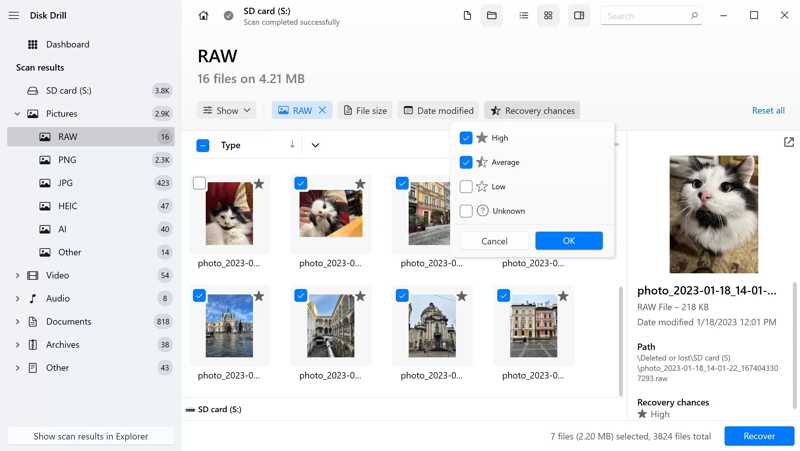
Disk Drill es una solución de recuperación de tarjetas de memoria de confianza. Presenta una interfaz de usuario clara e intuitiva. Los usuarios pueden probar la versión gratuita, pero solo la versión premium permite recuperar datos de tarjetas de memoria.
- Ofrece una función avanzada de recuperación de cámara.
- Recupere datos de hasta 100 MB gratis.
- Conseguir una alta tasa de éxito.
- Obtenga una vista previa de los archivos que se recuperarán.
- Solo ofrece soporte por correo electrónico.
- No admite la reparación de fotografías.
Top 3: R-Estudio
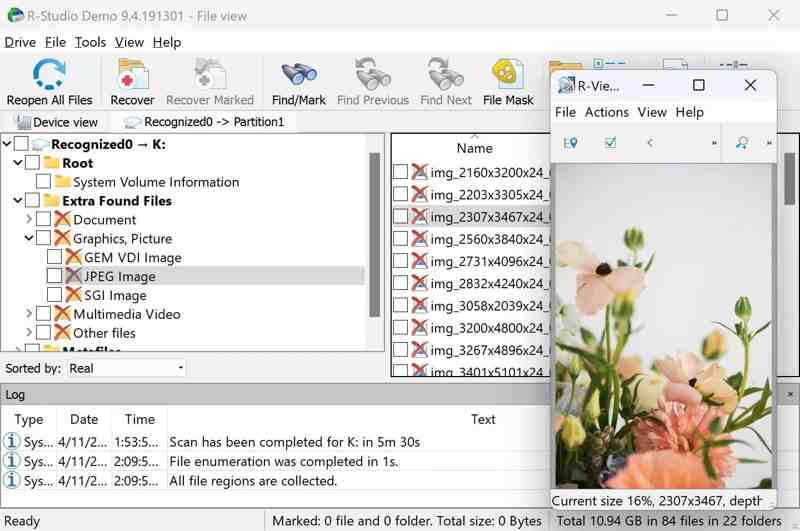
R-Studio es un estudio profesional software de recuperación de datos Para tarjetas de memoria. Recupera datos perdidos de tarjetas de memoria en Windows, Mac y Linux. Además, ofrece amplias opciones de recuperación para diferentes escenarios de pérdida de datos.
- Admite sistemas de archivos extensos.
- Funciona en todos los sistemas operativos principales.
- Escanee una parte específica de su tarjeta SD.
- Trabajar en formatos de archivos personalizados.
- La interfaz desordenada es difícil de navegar.
- Las capacidades de vista previa de archivos son limitadas.
Top 4: Rescate de datos
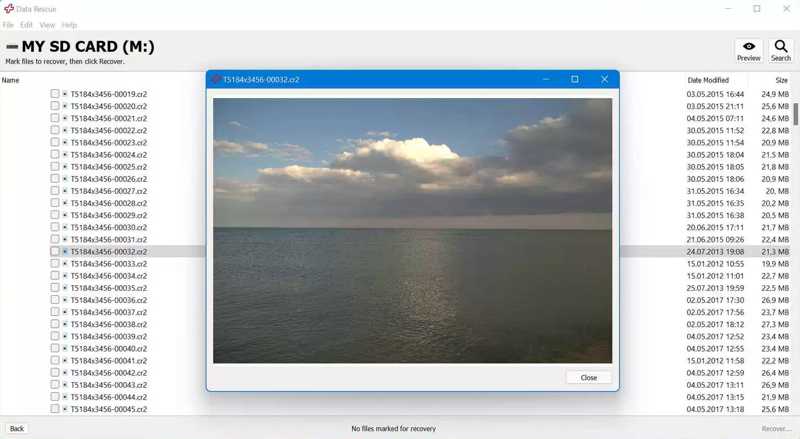
Data Rescue es una excelente aplicación para recuperar tarjetas de memoria. Funciona en diversos equipos, especialmente en PC y Mac antiguos. Además, cuenta con dos modos de uso, tanto para usuarios comunes como avanzados.
- Incluye dos modos para diferentes usuarios.
- Ven con funciones adicionales.
- Haga un trabajo sólido para recuperar la tarjeta de memoria.
- Recupere archivos de hasta 1 GB gratis.
- La función de vista previa es incómoda.
- Requiere una conexión a Internet.
Los 5 mejores: DiskGenius
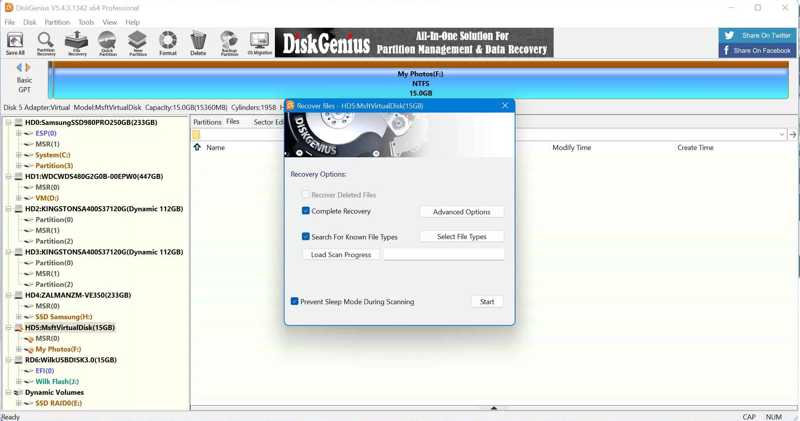
DiskGenius es mucho más que un simple programa de recuperación de tarjetas de memoria. Muchos usuarios destacan resultados satisfactorios tras usar esta herramienta para recuperar datos de sus tarjetas de memoria. Además, incluye funciones adicionales, como la gestión de discos.
- Recuperación de datos en tarjetas de memoria.
- Ofrece un rendimiento rápido de recuperación de datos.
- Arranque en una versión modificada de WinPE.
- Viene con funciones de ahorro de datos.
- Integra una interfaz de usuario complicada.
- No funciona en Mac y Linux.
Top 6: DiskDigger
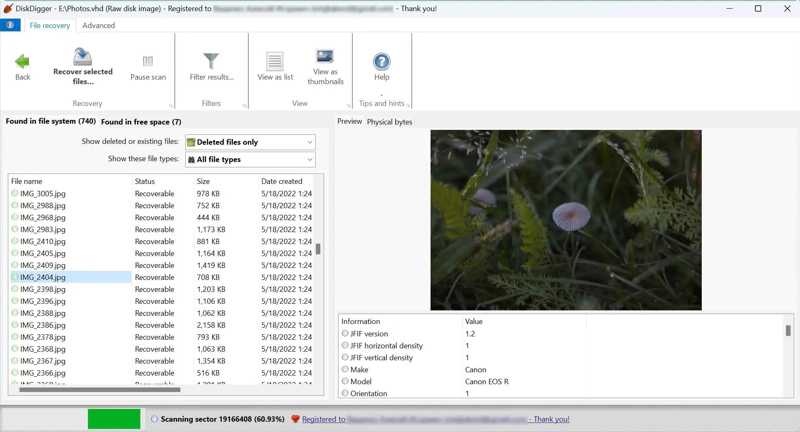
DiskDigger es una herramienta de recuperación de tarjetas de memoria para Windows. Es compatible con múltiples sistemas de archivos y dispositivos de almacenamiento, incluyendo fotos, documentos, vídeos, música y más. Puede analizar su tarjeta de memoria a fondo.
- Admite múltiples formatos de archivo.
- Escanee su tarjeta de memoria a un nivel profundo.
- Obtenga una vista previa de los archivos recuperables.
- Ofrecer precios razonables.
- Ofrece opciones de escaneo de datos limitadas.
- Solo está disponible en Windows.
Los 7 mejores: UFS Explorer
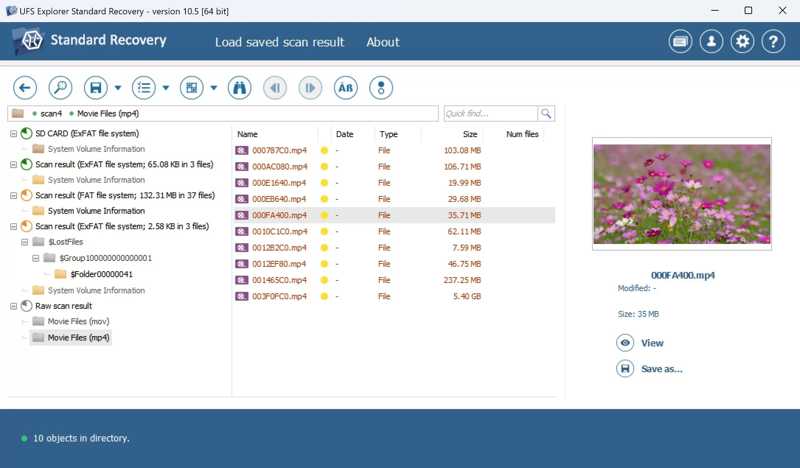
UFS Explorer es un programa de recuperación de tarjetas de memoria SD para Mac, Windows y Linux. Permite recuperar archivos de diversos sistemas de archivos, como NTFS, FAT, exFAT, HFS+, XFS y más. Esto significa que puede recuperar archivos de tarjetas de memoria con metadatos.
- Admite sistemas de archivos de tarjetas SD.
- Recupera archivos perdidos con sus metadatos.
- Escanee una parte específica de la tarjeta SD.
- Ofrecer funciones avanzadas.
- La versión gratuita no puede recuperar nada.
- Viene con una curva de aprendizaje más pronunciada.
Top 8: Recuva
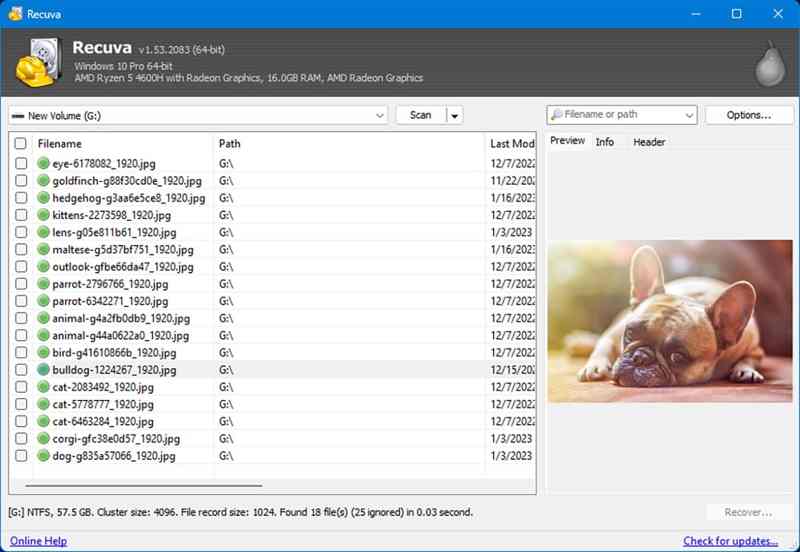
Recuva Es una herramienta gratuita de recuperación de tarjetas de memoria SD para PC. Permite recuperar imágenes y vídeos de tarjetas de memoria. Si bien su tasa de éxito es baja, es completamente gratuita gracias a su código abierto.
- Proporcione una versión portátil.
- Completamente gratuito.
- Recupere imágenes y vídeos rápidamente.
- Vista previa de archivos antes de la recuperación.
- Las predicciones de posibilidades de recuperación de datos son inexactas.
- No se ha actualizado en años.
Los 9 mejores: IObit Undelete
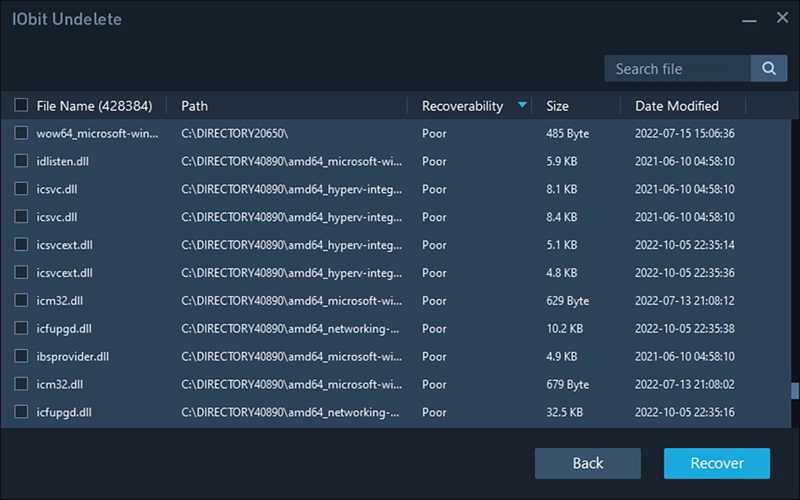
IObit Undelete es otra solución gratuita para recuperar tarjetas de memoria en Windows 10 y versiones anteriores. Permite extraer documentos, vídeos, imágenes y archivos de audio de una tarjeta de memoria rápidamente. Es una herramienta excelente para usuarios principiantes.
- Admite recuperación con un solo clic.
- Ofrecer un modo portátil.
- Ligero y trabajo rápido.
- Trabajar en formatos de archivos estándar.
- Carece de opciones avanzadas.
- No proporciona la función de vista previa.
Top 10: PhotoRec
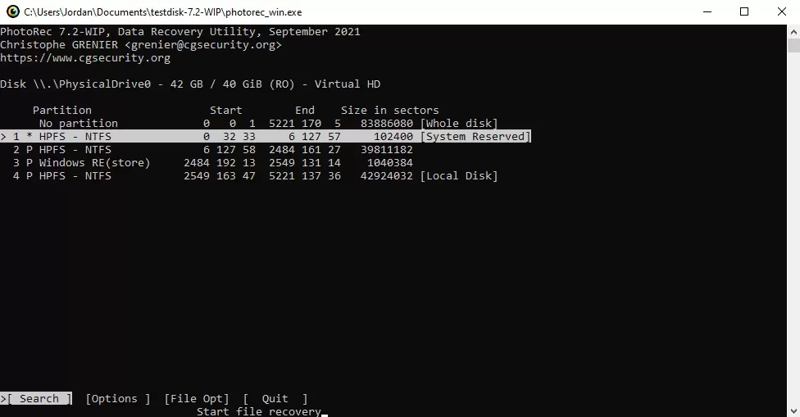
PhotoRec es una herramienta gratuita de recuperación de tarjetas de memoria para expertos en tecnología. Carece de interfaz de usuario. Como alternativa, los usuarios deben recuperar datos mediante líneas de comandos. Funciona en una amplia gama de formatos de archivo y sistemas operativos.
- Recupere más de 480 formatos de archivos.
- Funciona en Windows, macOS y Linux.
- Gratis y de código abierto.
- Reparar el sistema de archivos.
- Los usuarios no pueden obtener una vista previa de los archivos.
- Requiere habilidades técnicas.
Parte 3: Cómo recuperar datos de una tarjeta de memoria
Paso 1: Instalar la herramienta de recuperación de la tarjeta de memoria
Ejecute el mejor software de recuperación de tarjetas de memoria después de instalarlo en su computadora. Usamos Apeaksoft Data Recovery como ejemplo. Inserte la tarjeta de memoria en su computadora.
Paso 2: Escanee su tarjeta de memoria
Vaya a la Recuperación de tarjeta USB/SD en la barra lateral y el software debería detectar su tarjeta de memoria. Haga clic en el escanear disco Botón para comenzar a escanear su tarjeta de memoria.
Paso 3: Recuperar datos de la tarjeta de memoria
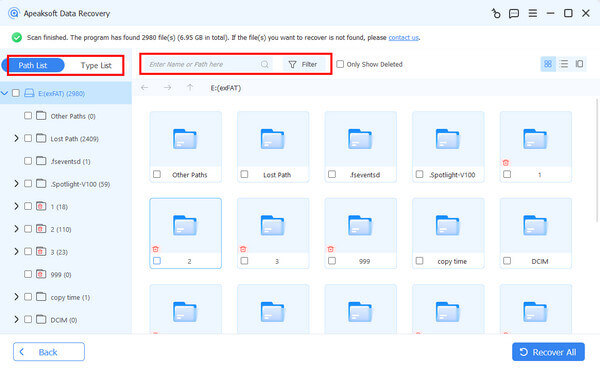
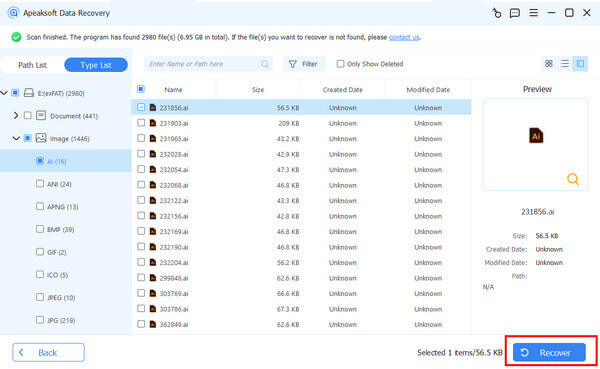
Al finalizar el escaneo, puede previsualizar los archivos perdidos por tipo o ubicación. Además, puede usar el Filtrar Opción para localizar rápidamente archivos específicos. Seleccione los archivos deseados y haga clic en el botón Recuperar Botón. Establezca una carpeta de salida y confirme la recuperación de datos.
Conclusión
Ahora, deberías aprender al menos los 10 mejores software de recuperación de tarjetas de memoriaAlgunos son gratuitos o ofrecen una versión gratuita. Otros requieren la compra de una licencia para la recuperación de datos. Puede elegir el que mejor se adapte a sus necesidades según nuestra reseña. Recuperación de datos de Apeaksoft Es el mejor tanto para usuarios comunes como avanzados.
Artículos Relacionados
Si ha vaciado su Papelera de reciclaje, puede recuperar archivos de la Papelera de reciclaje en Windows y Mac siguiendo nuestra guía concreta.
Cuando estás listo para ver un video y lo encuentras dañado, puede ser bastante molesto. Sin embargo, la recuperación de MP4 puede ayudarte a solucionar este problema.
¿Tiene tarjetas SDHC con contenido esencial pero tiene problemas con los datos? No se preocupe. Este artículo le ayudará con la recuperación de datos SDHC.
Si su tarjeta CF contiene datos importantes, además de realizar copias de seguridad, también necesitará aprender de antemano cómo recuperar datos de memoria flash compacta.



