Kuinka tallentaa DirecTV-suoratoistoon parhaalla mahdollisella laadulla

DirecTV on suosittu online-suoratoistoalusta. Voit katsoa suosikki-tv-sarjojasi ja -elokuviasi verkossa PC:lläsi tai Macillasi. Videoiden katselun lisäksi Voitko tallentaa DirectTV-suoratoistoon?Lyhyt vastaus on kyllä! Et enää tarvitse fyysistä DVR-boksia televisiosi alla. DirecTV Stream käyttää pilvipohjaista järjestelmää suosikkiviihteesi tallentamiseen.
Tässä oppaassa näytämme tarkalleen, miten tallennetaan Directv Streamiin, selitämme DirecTV:n ja siihen liittyvät tallennusvaihtoehdot ja -asetukset.
SIVUN SISÄLTÖ:
Osa 1: Voitko tallentaa ohjelmia DirecTV-suoratoistoon?
Ennen kuin tarkastelemme vaiheita, selvitetään yleinen kysymys: voiko DirecTV Streamiin tallentaa ohjelmia aivan kuten tavalliseen kaapeliin?
Kyllä voit. Se on kuitenkin pilvitallennin; tallennettuja ohjelmiasi ei tallenneta varsinaiseen televisioosi tai laitteeseesi. Sen sijaan ne tallennetaan internetiin (pilveen). Tämä tarkoittaa, että voit katsoa tallennettuja ohjelmiasi televisiostasi, puhelimestasi, tabletistasi tai tietokoneeltasi milloin tahansa.
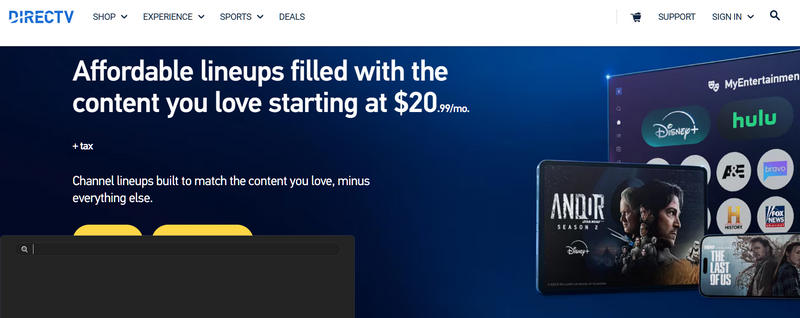
Voit myös maksaa enemmän saadaksesi lisää pilvitallennustilaa heidän paketeillaan. Tämä tarkoittaa, että sinun ei tarvitse huolehtia tilan loppumisesta riippumatta siitä, kuinka monta elokuvaa tai TV-ohjelmaa tallennat.
Osa 2: Osa 2: Kuinka tallentaa DirecTV-suoratoistoon
Suorassa televisiossa
Jos katsot ohjelmaa juuri nyt ja haluat tallentaa sen, tallennus on hyvin yksinkertaista. Näin voit tallentaa DirectTV-suoratoistoon, kun katsot suoraa TV-lähetystä:
Vaihe 1. Etsi DirecTV:stä mieleisesi tv-sarja tai elokuva.
Vaihe 2. Napauta ennätys kaukosäätimen -painiketta aloittaaksesi ohjelman tallennuksen. Napauta sitä kahdesti tallentaaksesi koko sarjan DirecTV:hen.
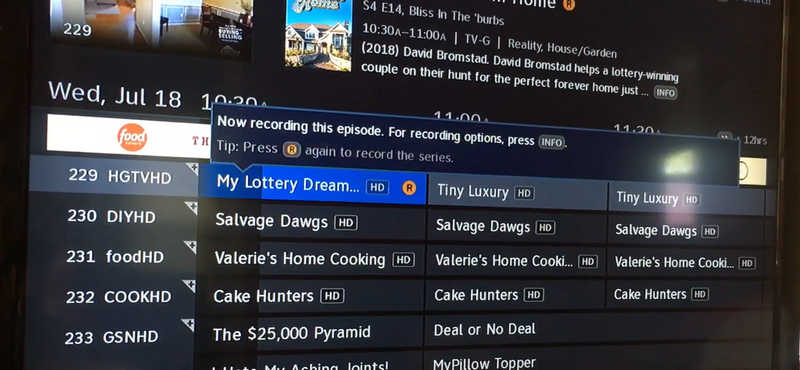
Vaihe 3. Voit lopettaa tallennuksen napauttamalla Tiedot kaukosäätimen painiketta.
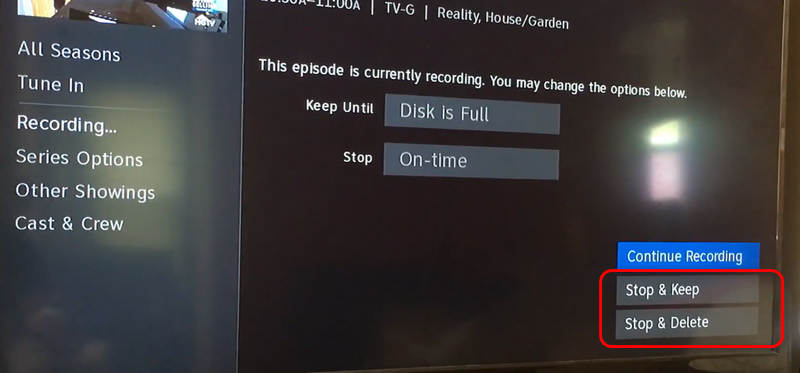
Vaihe 4. Sitten voit valita Pysähdy ja pysy or Pysäytä ja poista pysäyttääksesi DirecTV-tallennuksen.
Tietokoneella tai puhelimella
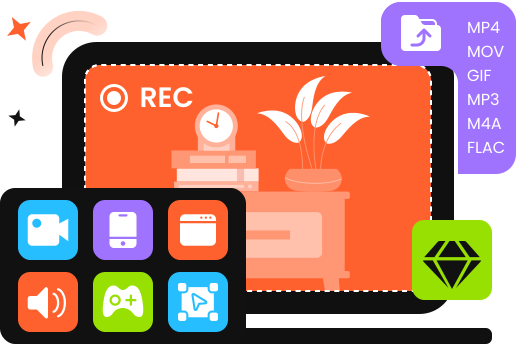
Jos käytät DirecTV:tä tietokoneellasi tai matkapuhelimellasi ja haluat tallentaa suosikki-TV-ohjelmasi ja -elokuvasi, sinun ei tarvitse käyttää monimutkaista sisäänrakennettua tallennusominaisuutta; turvaudu vain Apeaksoft Screen RecorderSe voi tallentaa Windows-, Mac-, Android- ja iPhone-näyttöjä alkuperäisellä laadulla ja FPS:llä ja jopa skaalata ne 4K-tarkkuuteen ja 144 FPS:ään.

Ladannut yli 1,000,000 Käyttäjät
- Tukee pitkäaikaista tallennusta ilman viivettä tai nykimistä.
- Säilytä alkuperäinen näytön resoluutio ja jopa skaalaa se 4K:hon.
- Tukee AV1- ja HEVC-koodekkeja tallennuksen pienentämiseksi säilyttäen samalla parhaan mahdollisen laadun.
- Tue videonmuokkausohjelmaa DirecTV-tallenteiden leikkaamiseen ja kiillottamiseen.
Suojattu lataus
Suojattu lataus
Vaihe 1. Aloita DirecTV:n tallennus
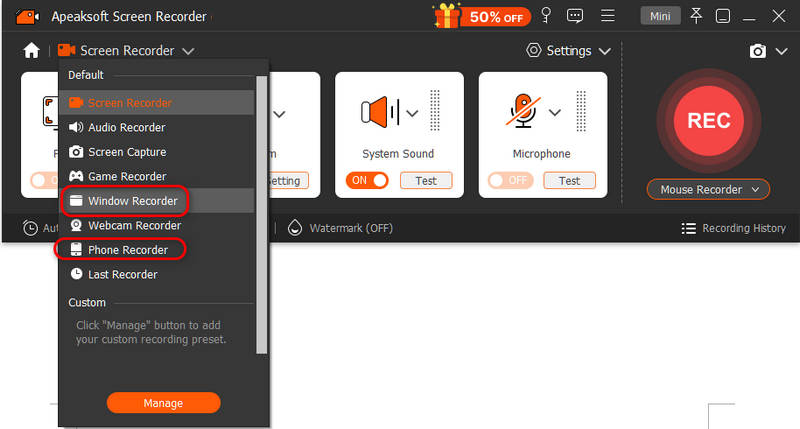
Lataa, asenna ja käynnistä Apeaksoft Screen Recorder tietokoneellasi. Voit valita Ikkunan tallennin or Puhelimen tallennin. Jos valitset Puhelinnauhurin, liitä Android- tai iOS-puhelimesi tietokoneeseen. Ja seuraa sitten näytön ohjeita puhelimen tunnistamiseksi.
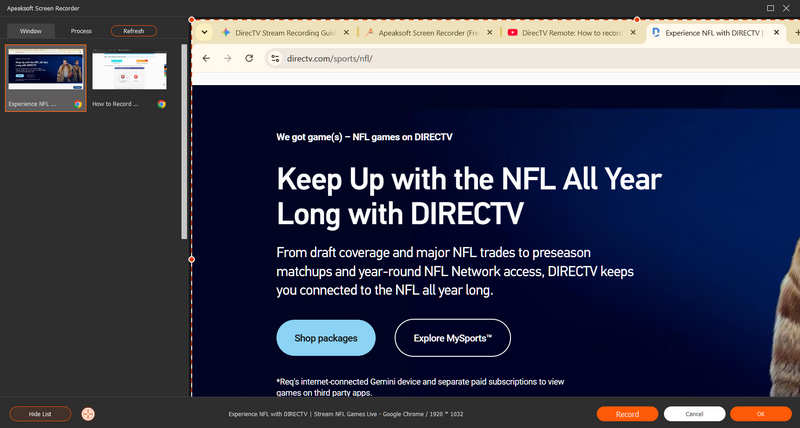
Valitse sitten DirecTV-suoratoistosi ikkuna ja napsauta ennätys -painiketta aloittaaksesi DirecTV-tallennuksen.
Vaihe 2. Tarkista ja tallenna DirecTV-suoratoiston tallennus
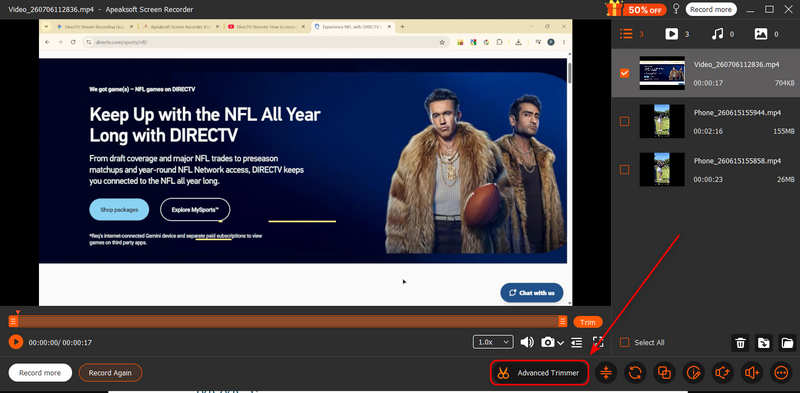
Valitse ennätys -painiketta uudelleen pysäyttääksesi tallennuksen. Sitten näet DirecTV-suoratoiston tallennushistoriasi. Voit myös käyttää Edistyksellinen trimmeri ominaisuus videon muokkaamiseen ja hiomiseen.
Kirjallisuutta
Osa 3: Kuinka tallentaa tulevia ohjelmia ja elokuvia
Haluatko asettaa tallennuksen tulevalle TV-ohjelmalle? Sinun ei tarvitse katsoa ohjelmaa tallentaaksesi sen. Voit ajoittaa tallennuksen ohjelmalle, joka esitetään myöhemmin tänä iltana, huomenna tai ensi viikolla.
Vaihe 1. Avaa DirecTV Stream -sovellus ja siirry kohtaan Ohje.
Vaihe 2. Selaa kanavia ja päivämääriä löytääksesi tallennettavan ohjelman tai elokuvan.
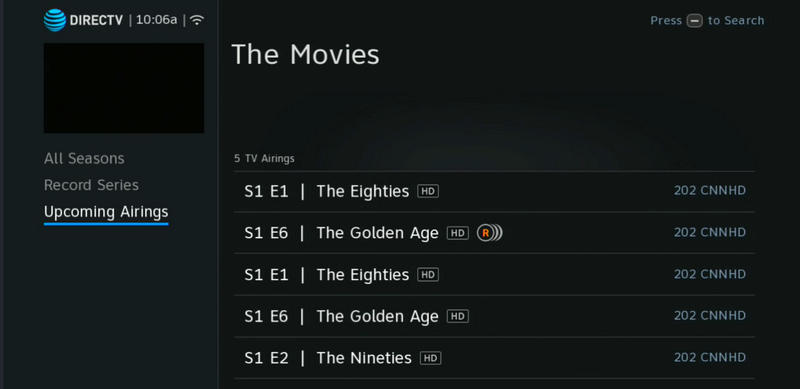
Vaihe 3. Etsi Tulevat esitykset, napsauta esityksen otsikkoa ja valitse sitten ennätys tietonäytöltä.
Osa 4: DirecTV-suoratoiston tallennusasetusten selitys
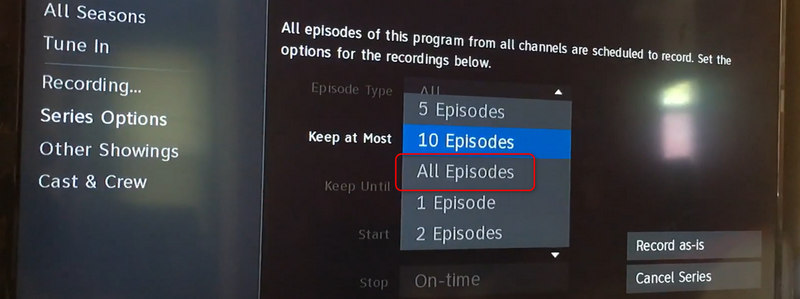
Kun haluat tallentaa TV-ohjelman, näet muutamia erilaisia DirecTV-suoratoiston tallennusvaihtoehtoja. Sukelletaanpa tarkemmin, mitä nämä vaihtoehdot tarkoittavat.
- Levysarja: Tämä sopii parhaiten viikoittaisille suosikkiohjelmillesi. Kun valitset tämän vaihtoehdon, pilvitallennin tallentaa automaattisesti jokaisen uuden DirecTV:ssä esitetyn jakson. Sinun ei tarvitse aloittaa tallennusta joka viikko.
- Nauhoita yksi jakso: Tämä sopii parhaiten elokuviin, live-urheiluotteluihin, erikoistapahtumiin tai jos haluat vain katsoa yhden jakson keskusteluohjelmasta.
- Tallennuksen lisäasetukset: Voit määrittää järjestelmän tallentamaan vain uudet jaksot, jotta kirjastosi ei täyty vanhoista uusinnoista. Voit myös tallentaa kaikki jaksot, jos yrität katsoa ohjelmaa alusta alkaen DirecTV:llä.
Osa 5: Vinkkejä DirecTV:llä tallentamiseen
Live-urheilun tallentaminen DirecTV:hen voi joskus olla hankalaa, koska pelit kestävät usein kauan jatkoajan tai viivästysten vuoksi.
Hyvä uutinen on, että DirecTV Stream on varsin älykäs. Suurten urheilutapahtumien kohdalla pilvitallennin pidentää tallennusaikaa automaattisesti, jos ottelun aikataulun mukainen päättymisaika ylittyy. Asian parantamiseksi on kuitenkin suositeltavaa tarkistaa sovelluksen joukkuesivu ja valita Levytiimi joten et koskaan missaa yhtäkään suosikki baseball-, jalkapallo- tai koripallopeliäsi.
Yhteenveto
Tämä viesti näyttää sinulle miten tallentaa DirecTV-suoratoistoon televisiossa ja tietokoneella. DirecTV-sovelluksessa on sisäänrakennettu tallennustoiminto, jonka avulla voit tallentaa suoraan tai ajastaa tallennuksen. Mutta jos haluat tallentaa TV-ohjelmia tai elokuvia tietokoneellesi, voit käyttää Apeaksoft Screen Recorder aloittaaksesi tallennuksen helposti. Se voi tallentaa DirecTV-sisällön alkuperäisen videonlaadun ja jopa skaalata sen 4K-tarkkuuteen. Voit nauttia suosikkivideoistasi offline-tilassa saumattomalla ja terävällä kuvanlaadulla.
 Apeaksoft Screen Recorder
 Tallenna mitä tahansa videota ja ääntä puhelimen ja tietokoneen näytölle.
Suojattu lataus
Suojattu lataus
Aiheeseen liittyvät artikkelit