CellUnlocker.net - Does It Work to Unlock a Carrier-Locked Phone

This post tests and reviews CellUnlocker.net in terms of its process, effectiveness, pros & cons, and offers notes to consider before placing an order. Check this CellUnlocker review to see whether it works for carrier-locked phones.
SIVUN SISÄLTÖ:
Part 1: What Is CellUnlocker
| Luokka | Tuloksemme |
| Pääpalvelu | Carrier/network unlocking |
| Näytön lukituksen poistaminen | Ei |
| Tuetut laitteet | Samsung, iPhone, LG, Motorola, Alcatel, Sony Xperia, ZTE, Huawei, and more |
| Tuetut operaattorit | AT&T, T-Mobile, Rogers, Fido, Bell, Telus, and other GSM networks |
| GSM carrier requirement | Yes, according to its instructions |
| Tilausprosessi | 3 vaiheet |
| Avausaika | Vaihtelee |
| Hinta | Not free. The CellUnlocker.net price varies depending on the device, carrier, and unlocking service. |
| Palautusoikeus | 100% money-back guarantee if it fails |
| Tuki | 10 am-6 pm Pacific Time |
| Tuomme | Worth considering for carrier unlocking, but check service availability first |
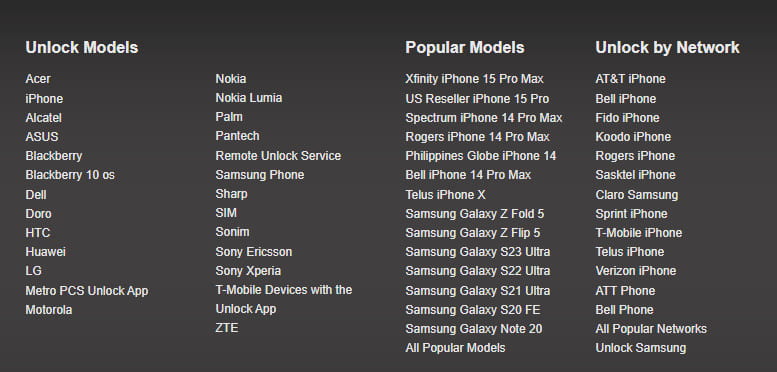
CellUnlocker is an online, IMEI-based service for unlocking carrier and network restrictions on mobile phones. It allows users to remove carrier restrictions without sending their devices to a repair center. It supports various brands and GSM networks, including Samsung, iPhone, LG, Motorola, Alcatel, Sony Xperia, ZTE, Huawei, AT&T, T-Mobile, Rogers, Fido, Bell, Telus, and other GSM networks. It is also worth noting that CellUnlocker lists Samsungin FRP-ohitus and CellUnlocker iCloud removal among its separate remote unlocking services.
Part 2: How Does CellUnlocker Work
CellUnlocker provides a relatively simple unlocking process, which can be summarized into 3 steps.
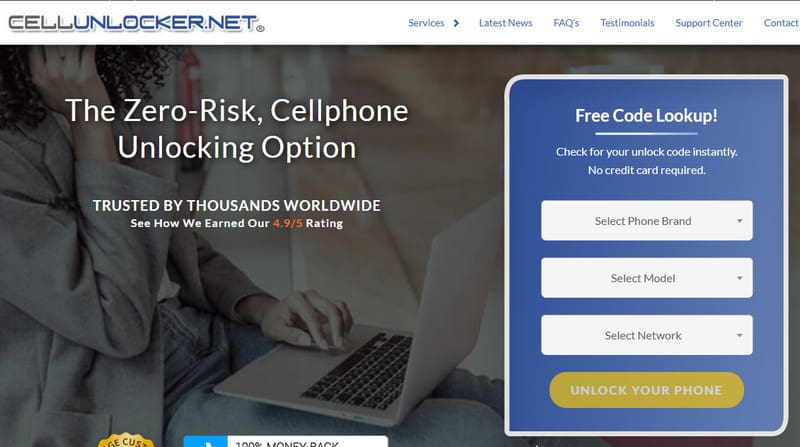
Vaihe 1. Select Your Phone and Network
Siirry CellUnlocker website and fill in the form. Select your phone brand, model, and the network.
Vaihe 2. Enter Your IMEI and Place the Order
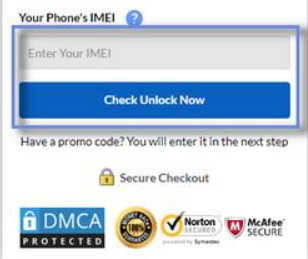
Enter your phone's IMEI number and complete the order. You can dial * # 06 # on your phone to display the IMEI number. Then, click Valitse Avaa nyt.
Vaihe 3. Receive the Unlock Result by Email
Then, you will see the order details. Fill in your relevant information and pay the bill.
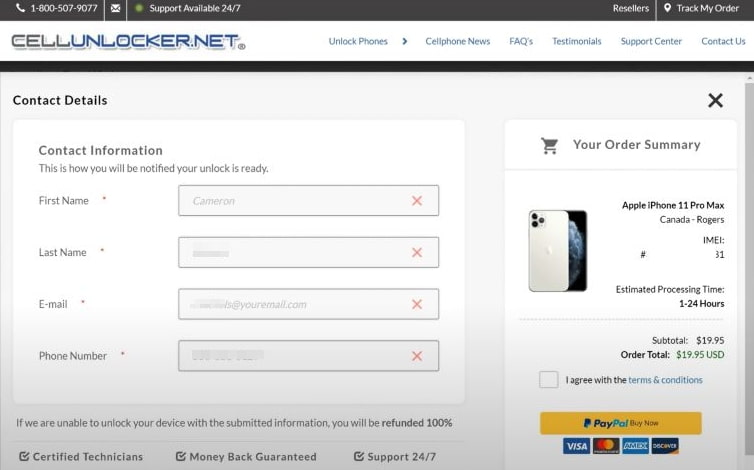
Once payment is finished, you will receive an email containing the delivery time, usually 1-24 hours. After that, CellUnlocker will process your request and send the unlock result by email. You can perform an iPhonen lukituksen avaamisen tarkistus. For some devices, you will receive an unlock code by email. You need to insert a SIM card from another carrier and enter the code manually to unlock the phone.
Part 3: CellUnlocker Compatibility and Requirements
Before placing an order, make sure you are fully informed of CellUnlocker's policies. Here, we have summarized some key points to keep in mind:
- Make sure your phone model and the carrier you want to switch to are supported. If you are unsure, you can contact CellUnlocker.net via live chat or email.
- Your phone must not have been previously attempted to be unlocked.
- Make sure the new SIM card is compatible with your device. CellUnlocker.net does not offer a refund if the device is unlocked, but the SIM card is incompatible.
- Double-check all order information before submitting it. Once an order has entered processing, it cannot be canceled.
- Although CellUnlocker.net offers a "100% Money Back Guarantee", the refund policy is relatively strict. Certain conditions must be met, such as receiving a "Not Found" code, providing photos or videos showing the failed unlock, and more. In addition, the site states that refunds may not be available if you did not contact CellUnlocker.net before placing the order.
- The stated 1-24-hour delivery time is an average estimate and is not guaranteed.
Part 4: Our CellUnlocker Test
- Testaa laite: iPhone 17 Pro with a carrier lock, using its original carrier SIM card
- Avaa prosessi: We place an order through CellUnlocker, provide the required device and carrier information, and follow its instructions.
- Menestyskriteerit: We check whether the phone is successfully unlocked and can make calls, send texts, and use mobile data with a SIM card from another carrier.
Testauskokemuksemme
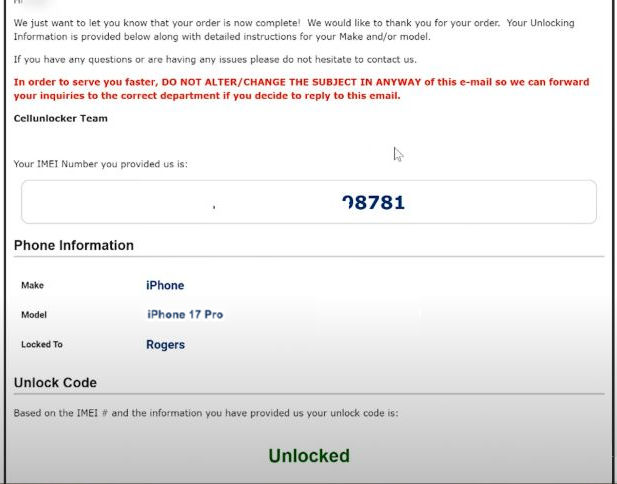
We strictly followed CellUnlocker's requirements, and we contacted CellUnlocker's support to confirm that our iPhone 17 Pro meets the unlocking requirement. The result was successful. The iPhone worked normally when we insert another carrier's SIM card. However, the actual processing time was much longer than the stated 24 hours, taking more than 6 days.
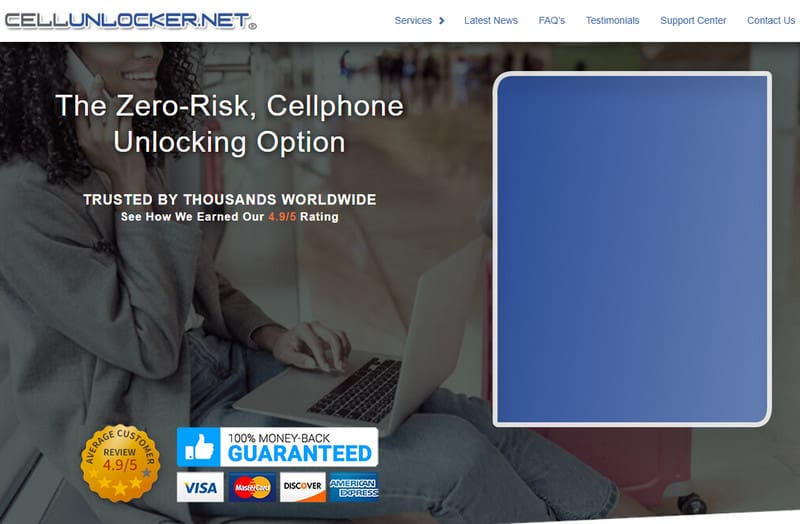
We also found that the order entry on the CellUnlocker website was not clickable at the time of the test. If you want to place an order, you need to contact CellUnlocker's support team by email.
What Other Users Say
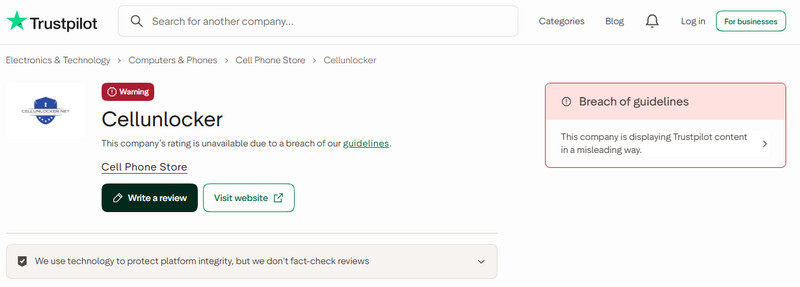
Online feedback about CellUnlocker is mixed. So, is CellUnlocker.net safe? On Trustpilot, its profile is currently flagged with warnings, including a guideline-breach notice.
Reviews range from complaints about failed unlocks to positive reports of successful unlocking. Some users call it a scam over failed unlocks and poor support, while others report successful unlocking on their first attempt.
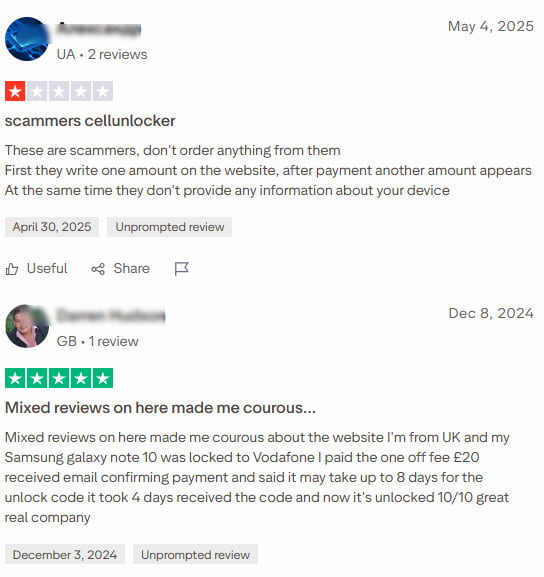
It is also worth noting that the 2,888 Trustpilot reviews currently shown are not recent. The latest review is dated May 4, 2025.
Part 5: A Better Alternative to CellUnlocker
If you worry about the long waiting time or the uncertainty of online reviews, you can consider third-party tools, such as Apeaksoft iFoneKit iOS:n lukituksen avaaja, to unlock the iPhone carrier lock yourself without waiting for a third-party service to process the request.
| Ominaisuus | CellUnlocker | Apeaksoft iFoneKit iOS:n lukituksen avaaja |
| SIM/Carrier Lock | Kyllä | Kyllä |
| Tuetut laitteet | Multiple brands, including iPhone and Android | vain iPhone |
| Self-Service Unlocking | Ei | Kyllä |
| Additional Unlocking Features | rajallinen | Screen passcode, Apple Account, MDM, Screen Time, Activation Lock, and more |
| Palautusoikeus | Kyllä | Kyllä |
| Hinnasto: | Varies by device/carrier | Läpinäkyvä hinnoittelu |
| Ylimääräiset maksut | May vary by service | Ei lisämaksuja |
Vaihe 1. Download and install this tool for free from the download button below.
Suojattu lataus
Suojattu lataus
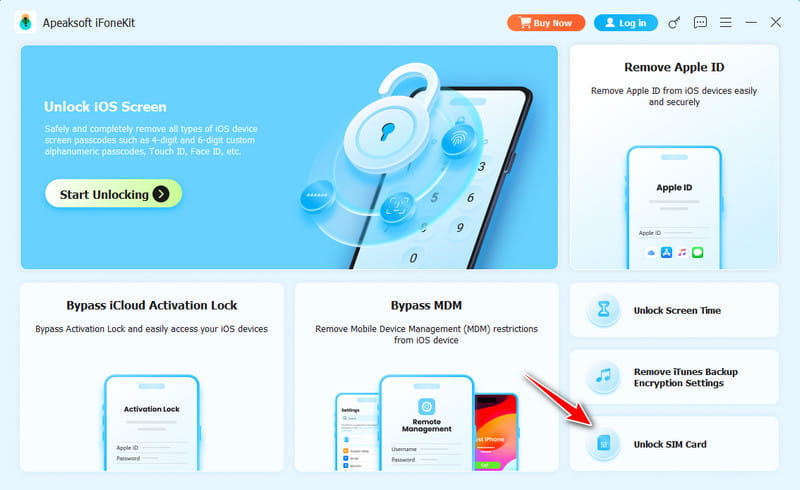
Vaihe 2. Valita SIM-kortin lukituksen avaaminen pääliittymästä.
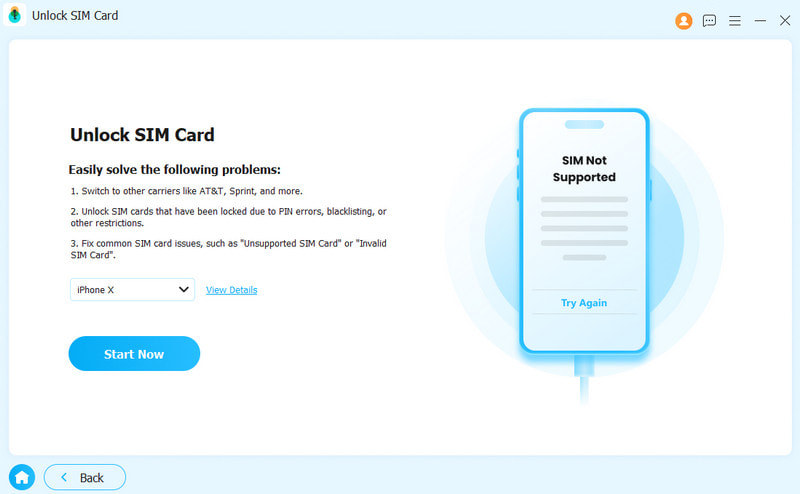
Vaihe 3. Check your iPhone information and click Aloita nyt.
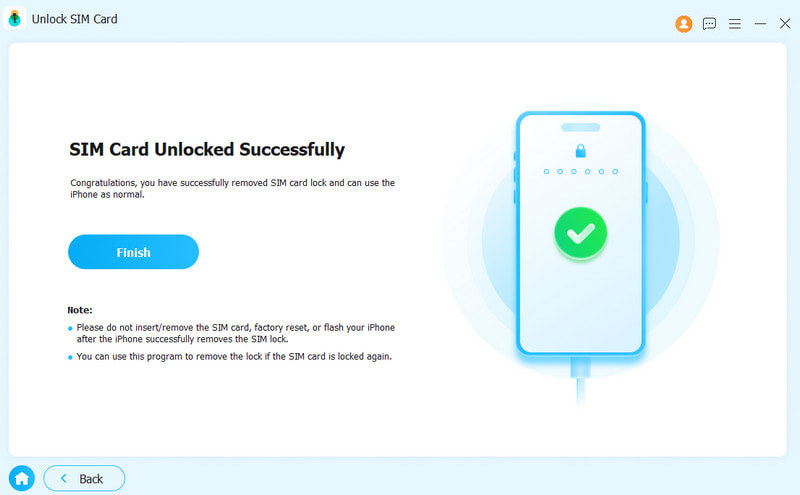
Vaihe 4. Follow the on-screen instructions and your carrier restrictions will be removed successfully.
Yhteenveto
All in all, CellUnlocker may be worth considering for carrier locks, but it has longer waiting times. If you prefer to unlock your iPhone yourself and have more control over the process, a self-service tool such as Apeaksoft iFoneKit iOS:n lukituksen avaaja voi olla parempi istuvuus.
 Apeaksoft iFoneKit
Avaa kaikentyyppiset iOS-salasanat iPhonesta, iPadista ja iPodista.
Suojattu lataus
Suojattu lataus
Aiheeseen liittyvät artikkelit