

Få Motorola FRP til å låse opp enkelt med 4 FRP Bypass-verktøy

Hver mynt har to sider, funksjonen Google Factory Reset Protection (FRP) er intet unntak. På den ene siden kan denne innebygde Google-sikkerhetsfunksjonen holde din tapte eller stjålne Motorola-telefon fra uautorisert tilbakestilling og bruk. På den annen side, når du bare vil tilbakestille Motorola til fabrikkstandard for det andre salget. I dette tilfellet bør du bruke noen Motorola FRP bypass-verktøy for å hjelpe deg med å låse opp Motorola FRP uten Google-kontoinformasjon. Heldigvis vil dette innlegget gi deg 4 verktøy og introdusere deres bruk, fordeler og ulemper for å hjelpe deg med å ta et bedre valg.
Del 1. 4 Motorola FRP Bypass-verktøy
Topp 1. Apeaksoft Android-opplåser
Hvis du leter etter de beste Motorola FRP-bypassverktøyene, Apeaksoft Android Unlocker må være ditt førstevalg.
- Omgå Motorola FRP enkelt uten passord.
- Med en høy suksessrate på 99.8 %.
- Støtter de fleste Android-telefoner som Motorola, Samsung, Google osv.
- Noen enheter, som Samsung, kan trenge mer kompliserte operasjoner.
Sikker nedlasting
Slik får du en Motorola FRP-omgåelse ved hjelp av Apeaksoft Android Unlocker:
Trinn 1. Last ned og installer Apeaksoft Android Unlocker ved å klikke på knappen ovenfor.
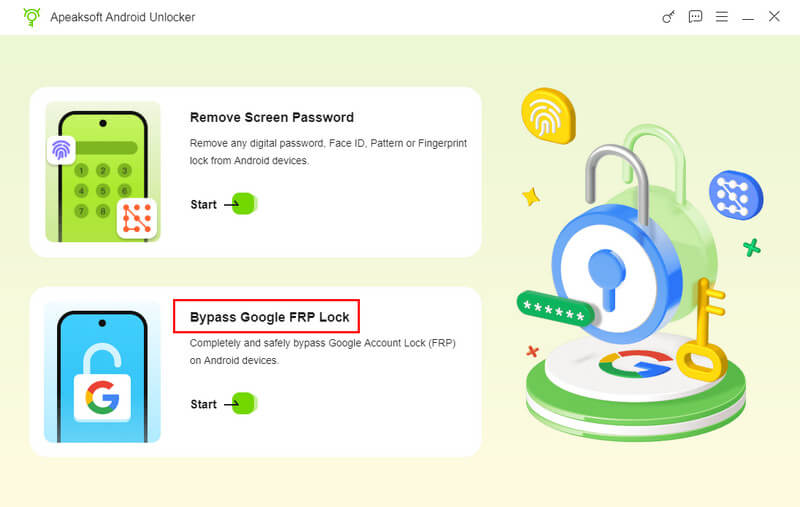
Trinn 2. Velg Omgå Google FRP-lås alternativet på hovedgrensesnittet og koble enheten til datamaskinen med en USB-kabel.
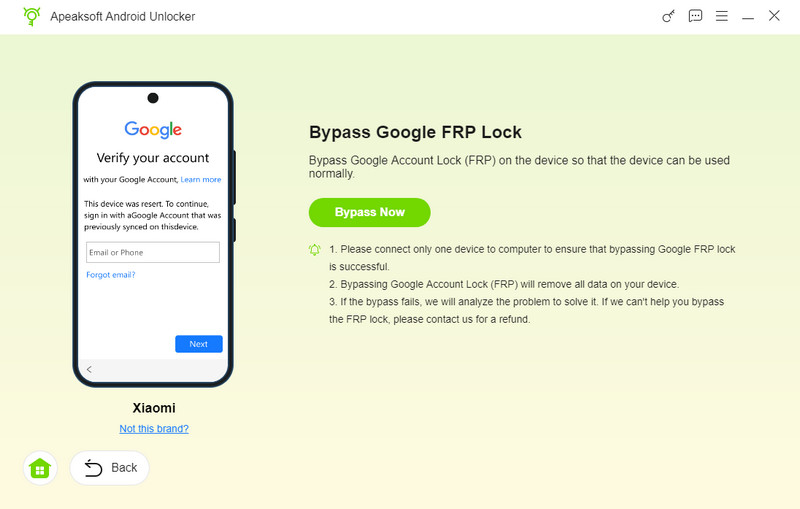
Trinn 3. Velg telefonens merke på neste side, og klikk deretter på Omgå nå.
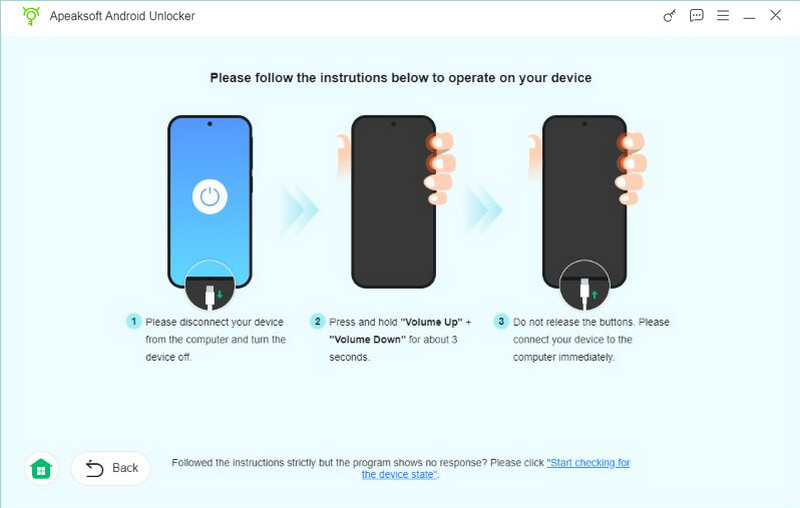
Trinn 4. Vent på miljøkonfigurasjonen, og følg deretter instruksjonene i grensesnittet for å aktivere den. Vent deretter i noen sekunder til den er fjernet.
Topp 2. iToolab UnlockGo Android
iToolab UnlockGo Android brukes til å omgå Google FRP på Android-telefoner og fjerne alle skjermlåser fullstendig. Denne programvaren tilhører et omfattende nettsted hvor du også kan få tilgang til andre nyttige produkter i forskjellige kategorier, for eksempel Data Management.
- Det er et trygt og brukervennlig Motorola FRP-bypass-verktøy for nybegynnere.
- Dette Moto FRP bypass-verktøyet støtter tusenvis av Android-telefoner og -nettbrett.
- Du kan nyte den høye suksessraten til denne programvaren.
- Du kan ikke bruke Google FRP-opplåsingsfunksjonen uten å abonnere på et abonnement.
Slik bruker du UnlockGo Android for å gjøre FRP-omgåelse av Moto G Pure:
Trinn 1. Gå til iToolab-nettstedet og velg UnlockGo Android under Unlocker-menyen. Klikk på nedlastingsknappen basert på operativsystemet ditt. Start den og klikk på Omgå Frp på andre merker trekk. Koble deretter til din låste Moto G Pure-telefon via en USB-kabel.
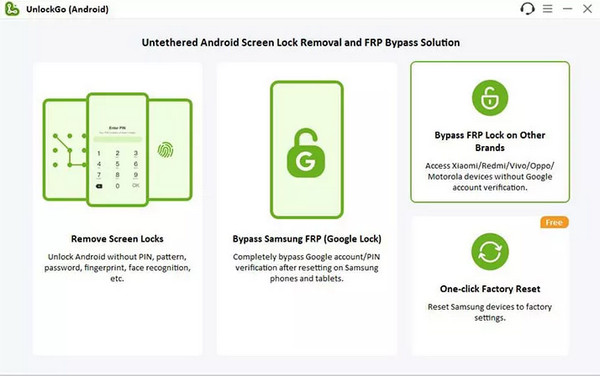
Trinn 2. Velg Motorola i det nye grensesnittet og klikk på neste knapp.
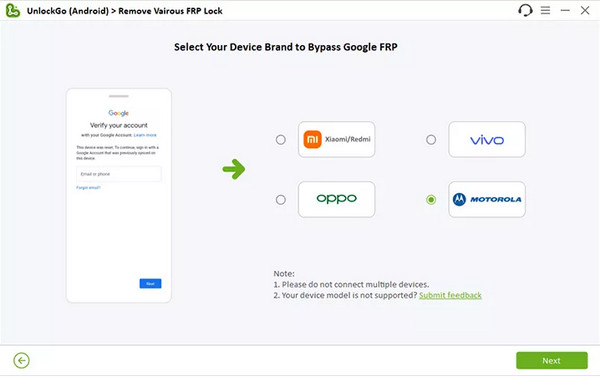
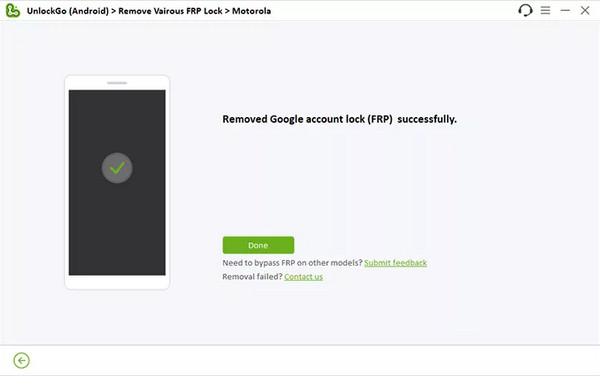
Trinn 3. Deretter kan du følge de intuitive instruksjonene på skjermen for å lage en Moto G Pure FRP-bypass med Android 12.
Topp 3. iMyFone LockWiper Android
iMyFone LockWiper Android er et effektivt Google FRP-fjernerverktøy utviklet av iMyFone. Dette verktøyet har også en iOS-versjon kalt iMyFone LockWiper, kan du bruke det motsatte verktøyet til å låse opp alle slags låste iOS-enheter uten passord.
- Denne multifunksjonelle programvaren kan hjelpe deg med å låse opp Motorola-telefoner.
- Det kan også omgå FRP på BLU-telefon, Samsung, Google, osv.
- Det er trygt å laste ned Moto FRP bypass-verktøyet.
- Du kan bare bruke Moto FRP-opplåsingsfunksjonen med fullversjonen.
Slik lager du en FRP-bypass på Moto G Stylus/G Play/G Power ved å bruke LockWiper Android:
Trinn 1. Last ned iMyFone LockWiper Android fra den offisielle nettsiden. Koble Moto G Stylus/G Play/G Power til datamaskinen din via en USB-kabel og velg Fjern Google Lock (FRP).
Trinn 2. Vennligst velg Moto-informasjonen din før du klikker på neste knapp.
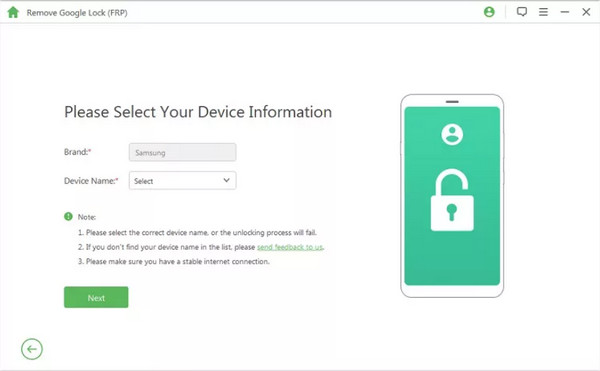
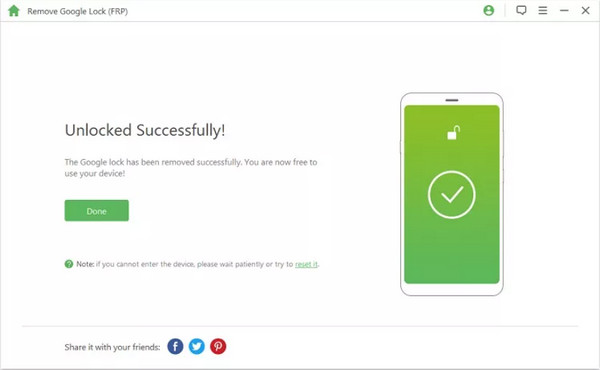
Trinn 3. Last ned datapakken for Moto G Stylus/G Play/G Power-telefonen din og installer den. Etter klargjøring av fastvarepakken kan du låse opp Motorola FRP i løpet av minutter.
Topp 4. iMobie DroidKit
iMobie DroidKit lar deg omgå FRP-lås på en rekke Android-merker, som Motorola, Samsung, OPPO, Xiaomi, Redmi, etc. Men med denne programvaren må du utføre en Motorola FRP-bypass med en datamaskin.
- Hjelp deg enkelt å fjerne Motorola FRP-låsen.
- Denne programvaren kan fjerne alle typer skjermlåser fra tusenvis av Android-enheter.
- Dette Moto FRP bypass-verktøyet er tilgjengelig på Windows- og Mac-systemer.
- Du må kjøpe forskjellige lisenser for å låse opp FRP bypass-funksjonen.
Hvordan realisere Moto E6 FRP bypass via iMobie DroidKit
Trinn 1. Last ned iMobie DroidKit på datamaskinen. Klikk på FRP Omkjøring delen i hovedgrensesnittet etter lanseringen.
Trinn 2. Koble Moto E6 til datamaskinen med en USB-kabel og klikk Start. Kryss av Motorola merkevare.
Trinn 3. Klikk Begynn å omgå etter at konfigurasjonsfilen er klargjort. Du må sette opp Moto E6-telefonen din ved å følge veiledningen. Deretter vil programvaren hjelpe deg med å fjerne Google FRP-låsen fra Motorola-enheten din.
Del 2. Vanlige spørsmål om å omgå Motorola FRP
Er Motorola FRP bypass APK sikker å bruke?
I de fleste tilfeller er Motorola FRP bypass APK ikke veldig sikker å bruke fordi nedlastingsressursen til Motorola FRP bypass APK er ukjent og sannsynligvis virusbærende.
Kan jeg omgå Motorola FRP uten en datamaskin?
Ja, du kan omgå Motorola FRP uten en datamaskin ved å bruke alternativet Vision Settings. Denne metoden er imidlertid super kompleks og vanskelig å utføre, det kan hende du må omgå Motorola FRP uten en datamaskin med over 20 trinn. Eller du kan bruke Finn min Android å omgå Motorola FRP med en annen mobilenhet.
Hvordan kan jeg deaktivere Google FRP før jeg tilbakestiller Motorola til fabrikkstandard?
Gå til innstillinger app på din Motorola. Trykk på Brukere og kontoer or kontoer. Naviger til Google-kontoene dine og velg Fjern konto. Her kan du deaktivere Google FRP på din Motorola.
Konklusjon
Hvis du har problemer med Moto Frp bypass, kan du lese dette verdifulle innlegget og skaffe deg fire Motorola FRP-bypassverktøy. Med bruksområder, fordeler og ulemper kan du enkelt velge mellom dem. I tillegg til verktøyene vi nevnte i dette innlegget, kan du også prøve andre verktøy som FRP hijacker.
Relaterte artikler




