
What to Do When You Forgot the Pattern Lock on Android

Czy zapomniałeś wzoru zabezpieczającego telefon? To może być częstsze, niż myślisz. Wielu użytkowników desperacko szuka odpowiedzi, zadając pytania takie jak „zapomniałeś wzoru blokady Androida” lub „zapomniałem wzoru blokady na moim AndroidzieNiezależnie od tego, czy korzystasz ze smartfona, czy tabletu, brak dostępu do urządzenia może być stresujący, zwłaszcza gdy potrzebujesz natychmiastowego dostępu do plików, aplikacji i kontaktów.
The good news is that there are several effective solutions you can try. In this guide, you can see what to do if you forgot your Android lock pattern, how to unlock your phone or tablet, and how to prevent this issue in the future.
TREŚĆ STRONY:
Part 1: Unlock Android Phone When You Forgot Pattern Lock
What to do if I forgot my Android lock pattern? Before trying complicated factory reset, you can try a you can try some simple third-party Android unlockers, such as Apeaksoft DroidAide Odblokowujący Androida. It can help you easily unlock all popular Android mobile devices without a pattern, PIN, Touch ID, or Face ID. You will quickly regain access to your Android when you forgot the pattern lock.

Pobrano przez ponad 1,000,000 już nam zaufało
- Remove pattern, PIN, and password locks from your Android phone.
- Support Samsung, Google, LG, OnePlus, and more.
- Remove a forgotten pattern lock with simple steps.
- Provide step-by-step unlocking guidance.
Bezpieczne pobieranie
How to unlock Android pattern with Apeaksoft DroidAide Android Unlocker:
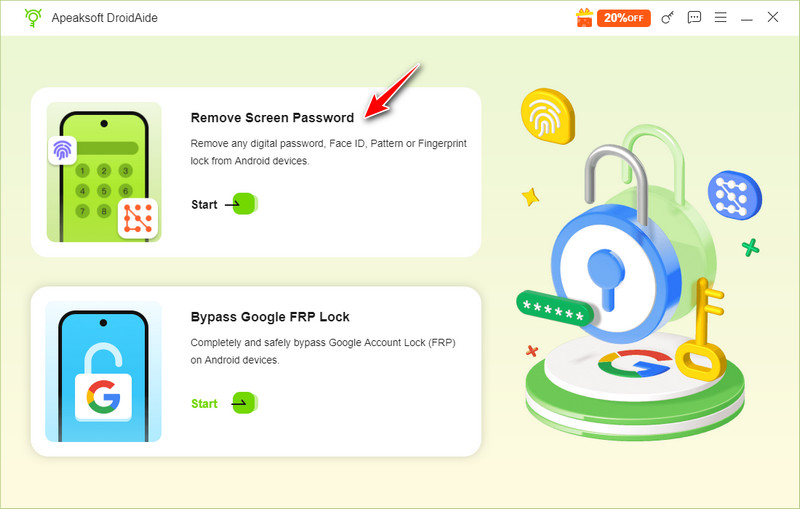
Krok 1. Pobierz, zainstaluj i uruchom Apeaksoft DroidAide Odblokowujący Androida na swoim komputerze. Podłącz telefon z systemem Android do komputera. Następnie kliknij Usuń hasło ekranowe przycisk.
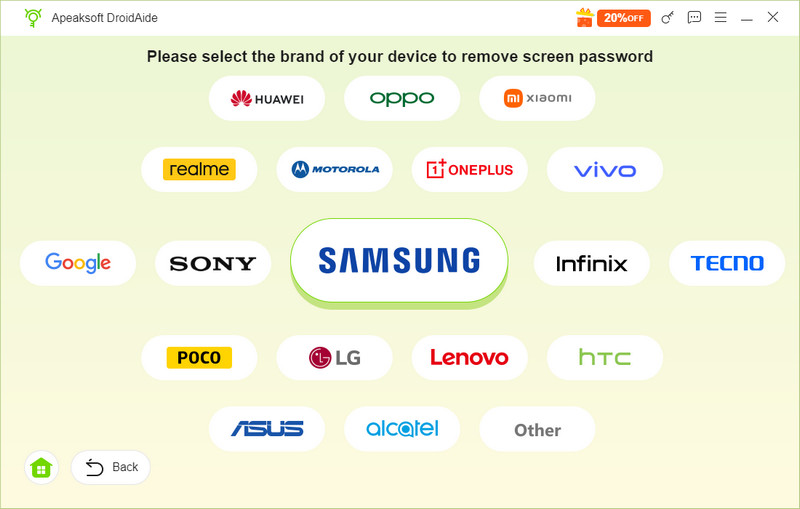
Krok 2. This program will detect your device automatically. Or, you can choose your phone brand. This program supports Samsung, Sony, LG, OnePlus, and many popular brands.
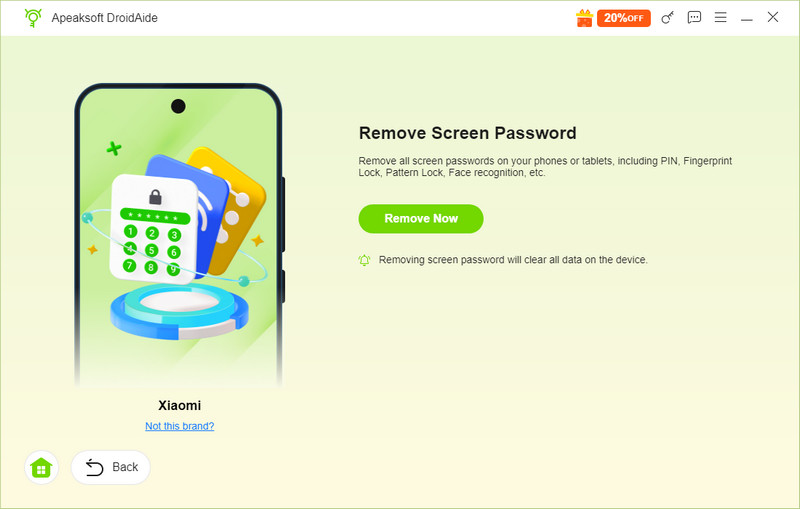
Krok 3. Na koniec kliknij przycisk Usuń teraz Przycisk do odblokowania urządzenia z Androidem. Dzięki temu programowi możesz łatwo korzystać, gdy zapomnisz wzoru blokady na tablecie lub telefonie z Androidem.
Part 2: Erase Android Phone with Google Find Hub
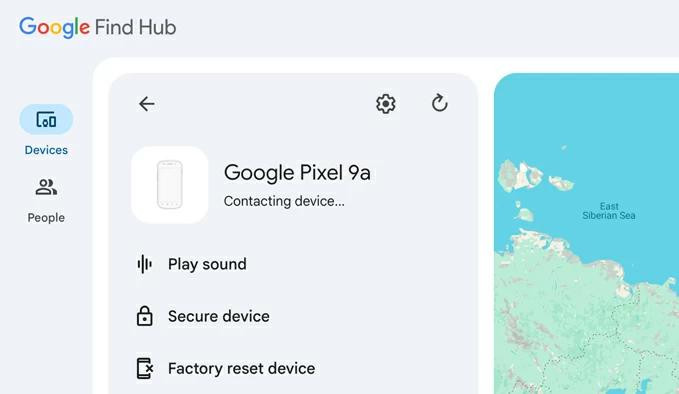
If you prefer not to use a third-party Android unlocker, you can try Google's built-in tools instead when you forgot your Android pattern lock. Google Find Hub (previously Find My Device) can help you remotely erase your Android phone if you forgot the pattern lock. After the reset, you can set up your Android phone again and create a new screen lock. You don't need to access your phone during the whole process. However, this feature will przywracanie ustawień fabrycznych Twoje urządzenie.
Krok 1. Go to Google Find Hub on another device. Then, enter your Google account and password to log in.
Krok 2. Select your device from the device list. Click Ustawienia (the gear pattern), and choose Urządzenie zresetowane do ustawień fabrycznych. Follow the on-screen instructions to reset your phone.
Krok 3. After the reset, set up your Android phone again and create a new screen lock.
Part 3: Factory Reset Android Phone with Recovery Mode
If you don't have a Google account and cannot use Google Find Hub when you forgot the Android pattern passcode, you can reset your Android phone through Recovery Mode. This feature will factory reset your device, but you can regain access to your phone if you forgot the pattern lock on your Android.
Krok 1. Wyłącz tablet lub telefon z Androidem, przytrzymaj Maksymalna objętość oraz Zasilanie buttons to enter Recovery Mode.
Porady: The button combination for entering Recovery Mode varies by device manufacturer and model. Check your manufacturer's instructions to enter Tryb odzyskiwania systemu Android prawidłowo.
Krok 2. Use the volume buttons to select an option like Usuń dane / przywróć ustawienia fabryczne.
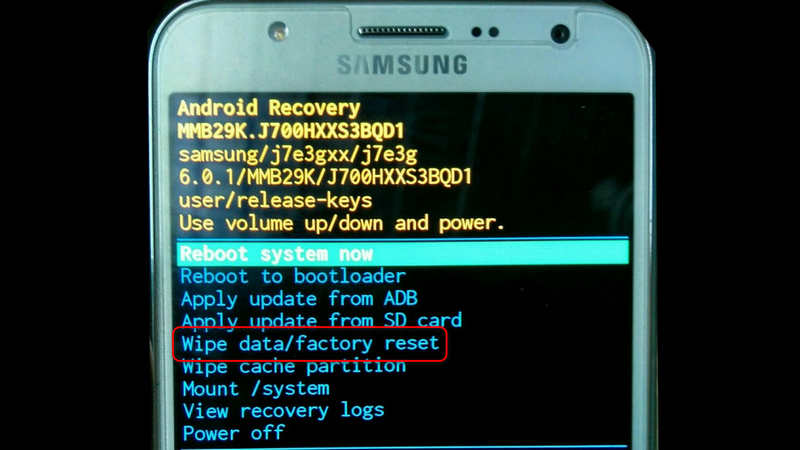
Krok 3. Naciśnij Zasilanie button to confirm and follow the on-screen instructions to complete the reset.
Krok 4. Restart your device and set it up again.
Part 4: Use Forgot Pattern to Unlock Android Phone on Android 4.4 or Earlier
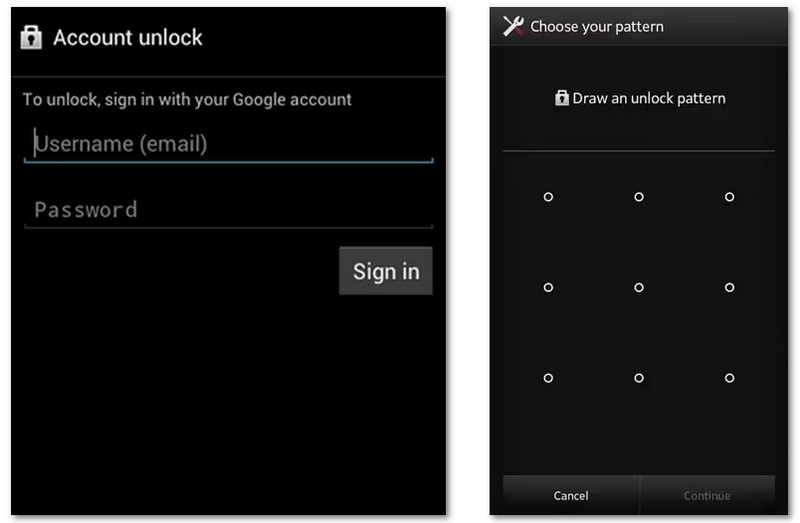
If your Android phone runs Android 4.4 or earlier, you may be able to use the Forgot pattern option to reset your screen lock. After you verify your identity with the Google Account previously added to your device, you can create a new pattern, so you can easily fix it when you are locked out of your Android phone due to a forgotten pattern.
Krok 1. Enter the wrong pattern several times until you see the Zapomniałeś wzoru? opcja.
Krok 2. Tutaj powinieneś stuknąć Zapomniałeś wzoru?. Następnie musisz wpisać hasło do swojego konta Google.
Krok 3. After that, you can create a new pattern. With this new one, you can easily get into your phone when you forgot the pattern lock on Android.
Wniosek
Bycie zamkniętym, ponieważ zapomniałem wzoru blokady Android can be frustrating, but solutions exist. Whether you forgot your pattern lock on your Android, have an Android phone with a forgotten lock pattern, or need to know how to unlock Android phone if forgot pattern lock, these methods can help. Apeaksoft DroidAide Odblokowujący Androida is your best solution if you want to remove the screen lock right away on your phone.
 Apeaksoft DroidAide
 Odblokuj hasła Androida i łatwo omiń blokadę FRP.
Bezpieczne pobieranie
Powiązane artykuły