關於我們

8 Best Free and Freemium Slideshow Makers Online and Offline

A slideshow is a presentation of a series of still pictures on a screen or display, typically in a prearranged sequence. It is a great way to collect, view, and manage your photo libraries with the same topics. To create a slideshow, you need a 免費幻燈片製作器. It allows you to put your photos on the storyboard, arrange them, and apply a theme and background music. This article identifies a top list.

Part 1: Comparison of Free Slideshow Makers

方法

We have tested the popular slideshow makers on the market to identify the top free list. Moreover, we collected hundreds of users’ reports. When reviewing them, we focus on a few aspects, like output formats, slideshow quality, bonus photo editor, and more.

輸入格式 輸出格式 支持的設備
Apeaksoft Video Converter Ultimate All photo, video, and audio formats MP4, M4V, MOV, MKV, SWF, WMV, AVI, FLV, etc Windows 11 / 10 / 8 / 7 / XP / Vista
Mac OS X 10.12或更高版本
ThunderSoft Free Slideshow Maker Popular photo formats FLV, MP4, MPG, AVI, WMV, MKV, MOV Windows 11 / 10 / 8 / 7 / XP / Vista
iMovie中 JPG, PNG, HEIC MP4和MOV MacOS
彈性夾 PNG, JPG, WebP, GIF, BMP, PSD, RAW, HEIC and more MP4 和 GIF Online
Google幻燈片 Popular photo formats PPTX Online
Adobe 快遞 JPG, PNG, GIF, SVG MP4 Online
Videoshop JPG, PNG, HEIC, and more MP4 iOS和Android
谷歌圖片 JPG, PNG, HEIC, and more MP4 iOS和Android

第2部分:台式機上排名前3位的免費幻燈片製作工具

最佳1:Apeaksoft Video Converter Ultimate
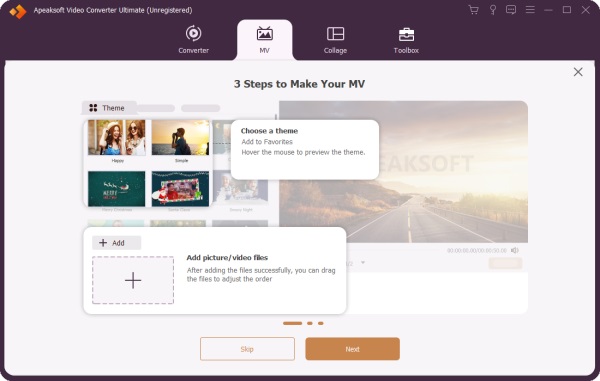
Select Mv Tab

Apeaksoft Video Converter Ultimate is a free AI slideshow maker for beginners. It offers almost everything for creating slideshows with photos, video clips, and audio tracks. Moreover, the built-in themes, music library, and other items allow you to create slideshows like a professional.

免費下載

安全下載

免費下載

安全下載

優點:
  • Make free slideshows with music and pictures.
  • 包括一個視頻編輯器。
  • Offer themes and a music library.
  • Preview slideshows with a media player.
  • 支持多種輸出格式。
缺點:
  • It takes a while to render the result.

Here are the steps to make a picture slideshow with music:

步驟二 添加照片

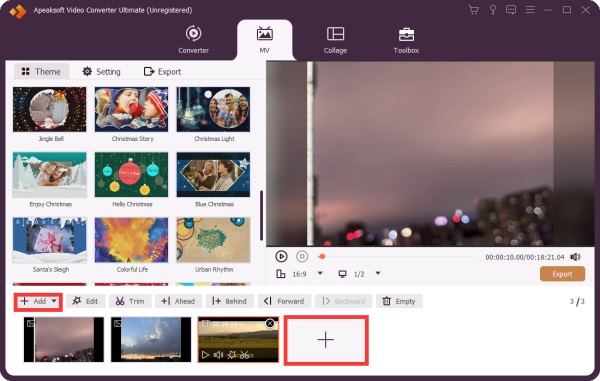
Launch the slideshow maker after you install it on your computer. Go to the MV 標籤並點擊 新增 menu to import the photos. After loading, arrange these photos on the storyboard.

Add Images Videos Mv

步驟二 Make a slideshow

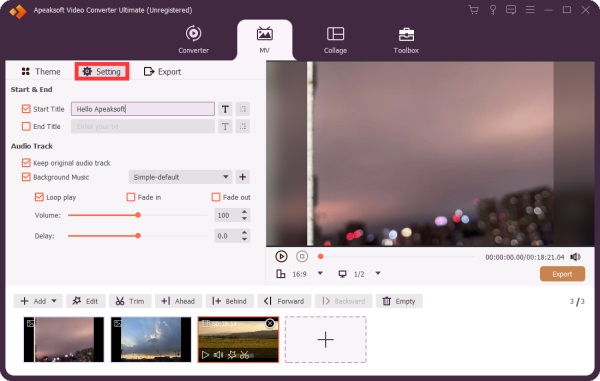
Choose a proper theme in the 主題 tab. Then, head to the 設定 tab, and optionally type in a title. Check the box next to 背景音樂, and select a track from the library or click the 新增 button to add a song. Apply the 淡入 以及 消退 效果。

Settings Mv

步驟二 導出幻燈片

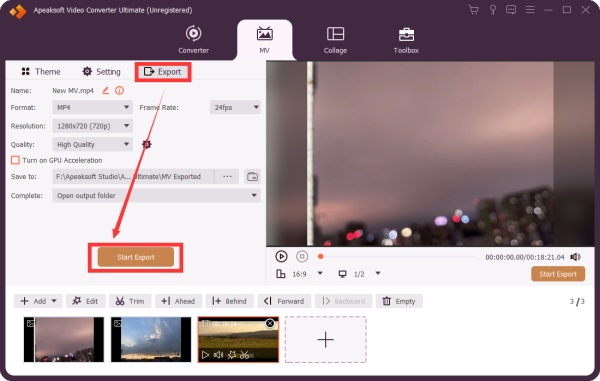
在操作欄點擊 播放 button under the media player to view the slideshow. If you are satisfied, go to the 導出模板 tab and set the output format and output folder. Finally, click the 開始出口 按鈕。

Export Mv

Top 2: ThunderSoft Free Slideshow Maker

Thundersoft Software

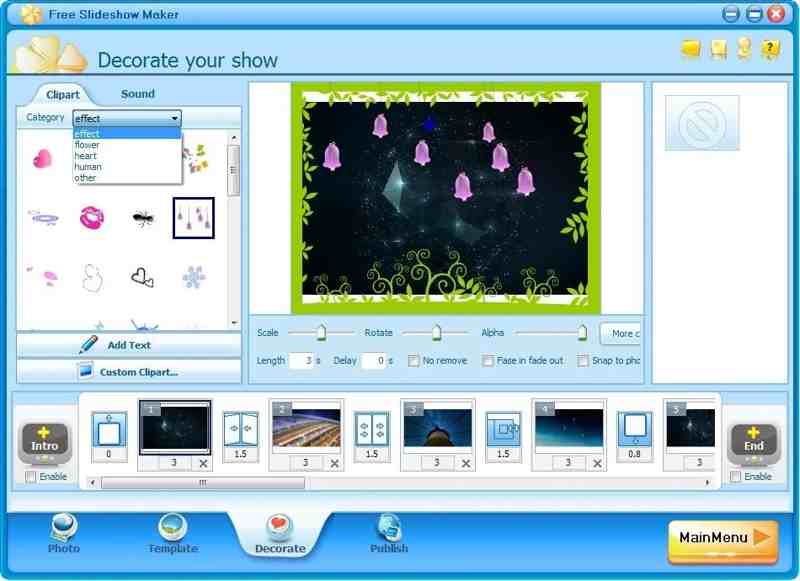
ThunderSoft Free Slideshow Maker is a free picture slideshow maker for Windows. It lets you make slideshows for YouTube and other social media. It offers both a free and a premium version.

優點:
  • Make a slideshow with up to 500 images.
  • Add transitions, captions, and music.
  • Include 70 animated templates.
  • Create slideshows for HTML5.
缺點:
  • 接口已經過時。
  • It hasn’t been updated in a while.

熱門3:iMovie

Imovie App

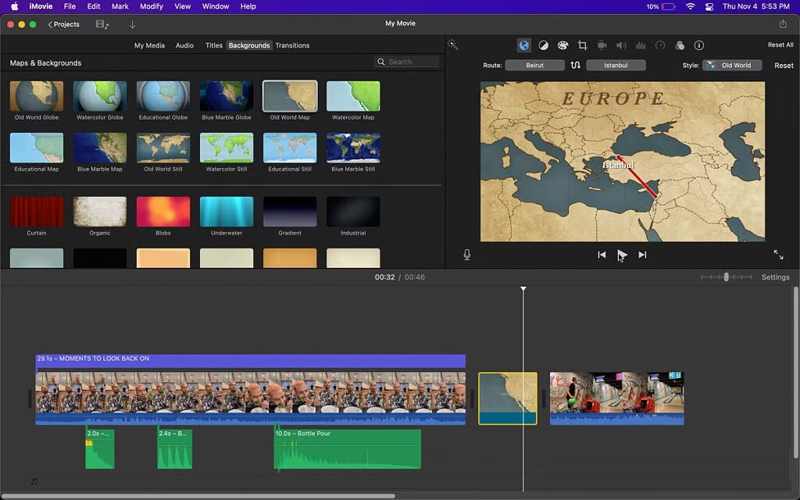
iMovie is the free image slideshow maker on macOS. You can create a project, add photos and videos, and make a slideshow on your MacBook. While it offers an entry-level video editor, it is enough for making a slideshow. You can also add voice memos to iMovie to make a vivid slideshow.

優點:
  • Integrate an intuitive GUI.
  • Offer excellent templates.
  • Work with other apps on Mac.
  • Provide a video editor.
缺點:
  • 它缺少高級功能。
  • 它僅適用於Mac系統。

第3部分:在線排名前3位的免費幻燈片製作工具

前三名:Flexclip
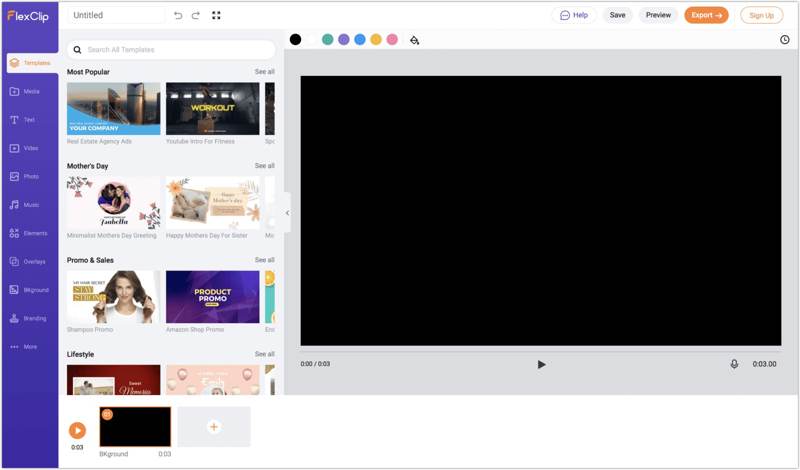
Flexclip App

Flexclip is a free slideshow with music maker online. It enables you to upload photos and make a slideshow with background music without downloading anything on your desktop. All you need is an account.

優點:
  • 易於使用。
  • Offer AI tools.
  • Include extensive templates.
  • Provide cloud storage.
缺點:
  • It adds watermarks to slideshows.
  • Advanced controls are limited.

前2名:Google幻燈片

Slideshow Google Slides

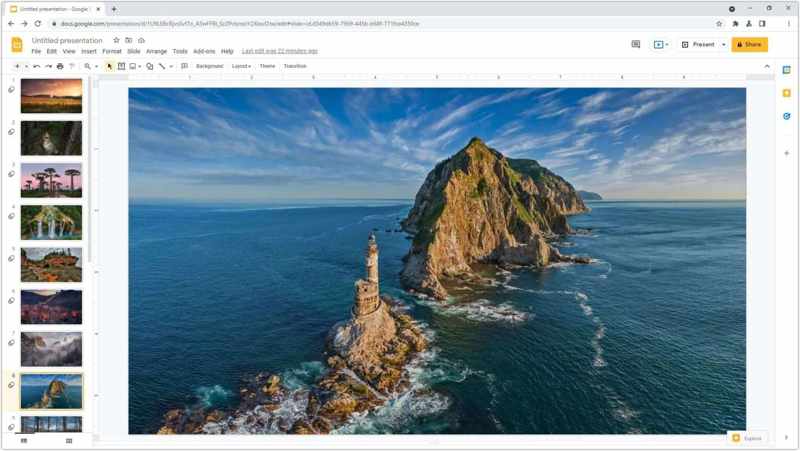
Google Slides is another free online slideshow maker. It allows you to create presentations online with a Google account. The intuitive interface and advanced features make it popular for collaboration.

優點:
  • Free access for anyone.
  • Seamless and efficient.
  • Make slideshows online.
  • Save slideshows in the cloud.
缺點:
  • Premium presentation features require a Google Workspace subscription.

排名第一:Adobe Express

Adobe 快遞

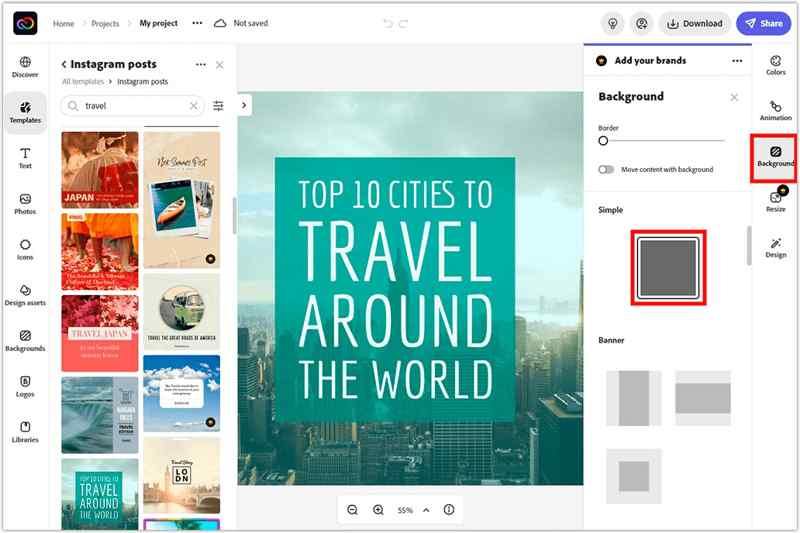
Adobe Express is a quick way to make a slideshow online for free. While the advanced features and cloud storage require a paid subscription, you can try the free version with an Adobe account.

優點:
  • Include fluid templates.
  • Offer AI tools.
  • Provide a video editor.
  • Integrate ChatGPT.
缺點:
  • Some AI tools are hit-or-miss.
  • 它是昂貴的。

Part 4: Top 2 Free Slideshow Maker Apps

熱門1:Videoshop

視頻商店應用程序

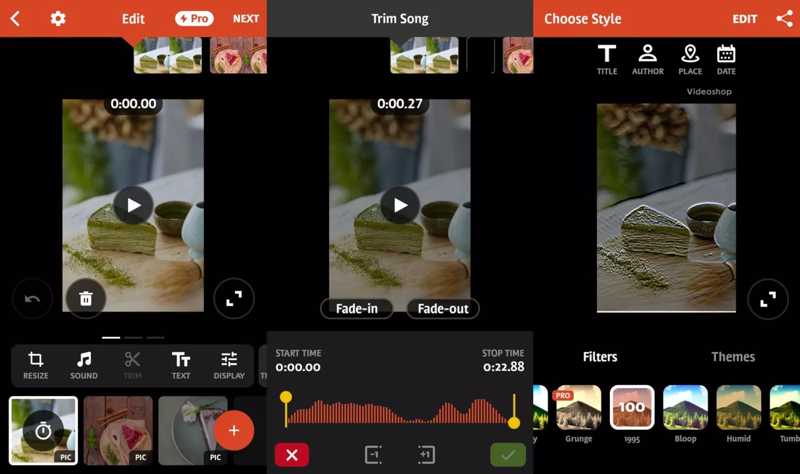
Videoshop is one of the top free slideshow makers for iPhone and Android users. In fact, it is a full-featured video editor with slideshow-making tools and many other features, like filters and effects.

優點:
  • Make slideshows easily.
  • Add text and transitions.
  • Edit slideshows smoothly.
  • Share slideshows to social media.
缺點:
  • Users reported stability issues.
  • 免費版本中有浮水印。

熱門2:Google相冊

Google 相冊幻燈片

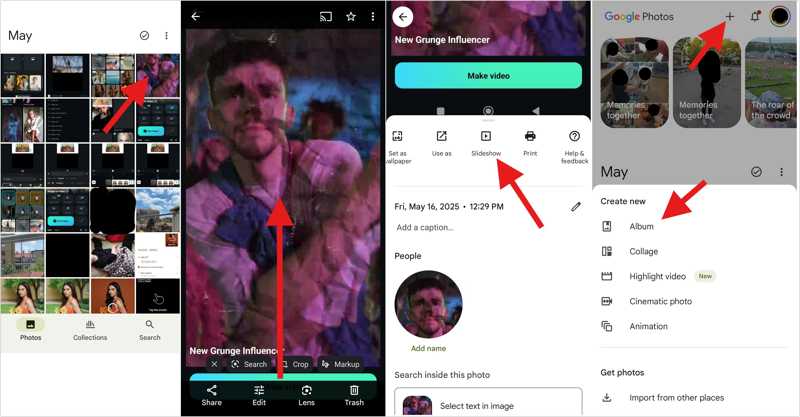
Google Photos is another option to make slideshows with music for free. As a photo storage, it comes with a built-in slideshow maker and basic photo editing features. Plus, it offers 15GB of free storage.

優點:
  • Organize photos with AI.
  • 備份照片和影片。
  • Create a slideshow quickly.
  • Share slideshows directly.
缺點:
  • Free storage is limited.
  • 它缺少高級功能。

結語

現在,你應該學習前五名。 free slideshow with music makers online, on your desktop and mobile device. Some of them are completely free to use. Others offer a free version or a free demo. You can pick an appropriate one based on our review and your situation. Apeaksoft Video Converter Ultimate 對於初學者來說是個不錯的選擇。

相關文章

Theodore Tong
Theodore Tong

專長: 編輯照片 · 編輯影片 · 編輯PDF · 播放影片和音頻

Theodore Tong是Apeaksoft的高級編輯,專長於多媒體編輯和數位內容工具。他擁有多年影片、照片和PDF軟體測試經驗,並撰寫實用教程,幫助用戶提升多媒體工作流程。