La localisation simulée est un moyen qui permet aux utilisateurs de simuler leur localisation avec un emplacement personnalisé de leur choix. Apparemment, vous avez besoin d'une application pour faire le travail sur votre iPhone ou votre téléphone Android. Pour vous aider à découvrir les meilleures applications, cet article partage une liste des meilleures applications de localisation simulées pour iOS et Android. Ils peuvent vous aider à modifier votre emplacement réel en un faux sans vous déplacer. Si vous êtes prêt, commençons le voyage.

- Partie 1. Top 2 des applications de localisation simulées pour iOS
- Partie 2. 3 meilleures applications de localisation simulée sur Android
- Partie 3. FAQ sur l'application de localisation simulée
Partie 1. Top 2 des applications de localisation simulées pour iOS
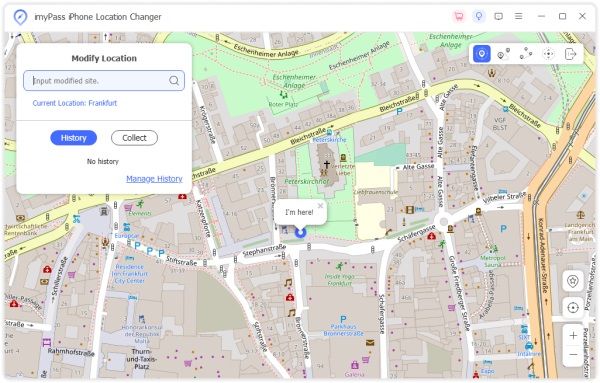
Haut 1. Changeur d'emplacement iPhone Apeaksoft
Pour des raisons de sécurité, Apple n'autorise pas les utilisateurs à simuler des emplacements sur les iPhones et iPads. Cependant, la meilleure façon de masquer votre position est d’usurper votre position. Changeur d'emplacement iPhone Apeaksoft est la meilleure option pour simuler la localisation avec un faux GPS sur votre iPhone ou iPad.
- AVANTAGES
- Emplacement simulé sur iOS sans jailbreak.
- N'installera aucune application sur votre combiné.
- Conservez vos données et paramètres dans leur état d'origine.
- Facile à utiliser ;
- Prend en charge les derniers iOS, iPhone et iPad.
- INCONVENIENTS
- Il faut un ordinateur pour changer de lieu.
Comment simuler une localisation sur iPhone avec cette application de localisation simulée ?
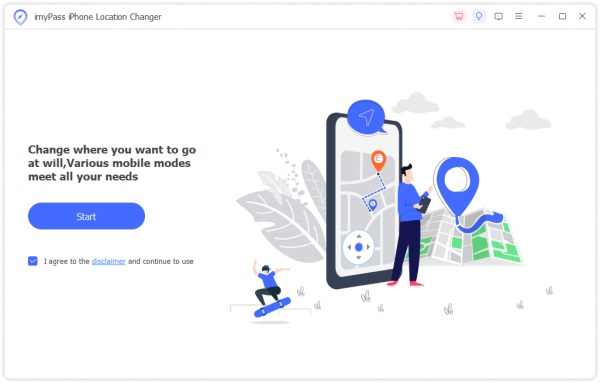
Étape 1 Lancez la meilleure application de localisation fictive pour iOS après l'avoir installée sur votre ordinateur. Connectez votre iPhone à votre ordinateur avec un câble Lightning. Frappez le Commencer bouton pour avancer.
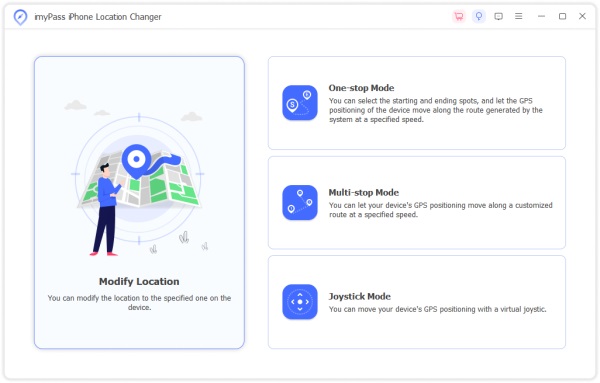
Étape 2 Choisissez Modifier l'emplacement dans l'interface de mode. Les trois autres servent à réaliser des itinéraires virtuels.
Étape 3 Saisissez une adresse sur le Modifier l'emplacement ou cliquez sur la position cible sur la carte. Clique le Confirmer Modifier bouton pour le compléter.
Top 2 : iSpoofer
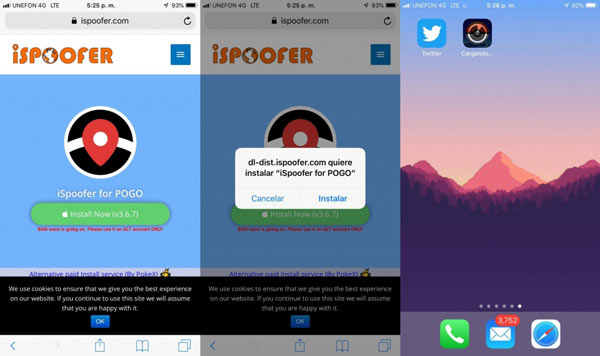
iSpoofer est l'une des meilleures applications de localisation fictive pour les appareils iOS. Il usurpe les emplacements sur iPhone et iPad pour Pokemon Go et d'autres jeux mobiles. En raison de sa facilité d’utilisation et du grand nombre de fonctionnalités, il est populaire parmi les utilisateurs iOS.
- AVANTAGES
- Usurer des emplacements et des itinéraires sur iOS.
- Prend en charge les jeux mobiles populaires.
- Sûr à utiliser.
- Compatible avec une large gamme d'iPhone.
- INCONVENIENTS
- Vous devez jailbreaker votre iPhone.
- Il n'est pas disponible pour toutes les applications.
Partie 2. 3 meilleures applications de localisation simulée sur Android
Top 1 : Faux professionnel de la localisation GPS
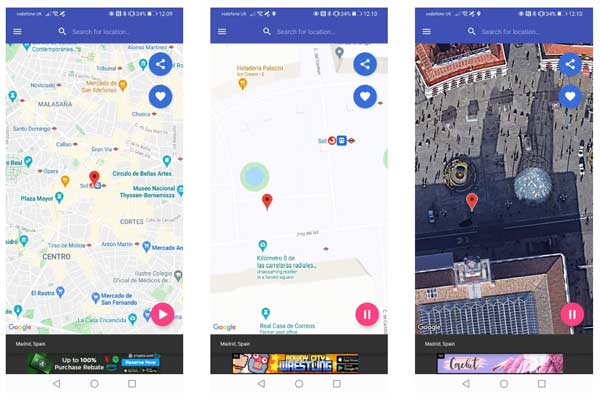
Comme son nom l'indique, Fake GPS Location Professional est l'une des meilleures applications de localisation simulées pour les appareils Android. La version gratuite est livrée en standard avec un joystick, afin que vous puissiez contrôler vos données de localisation.
- AVANTAGES
- Téléchargement gratuit sur Play Store.
- Facile à naviguer.
- Intégrez avec une interface utilisateur simple.
- Usurpez votre position avec précision.
- INCONVENIENTS
- Il n'inclut pas la vue satellite.
- Il y a des publicités ennuyeuses.
Top 2 : faux GPS
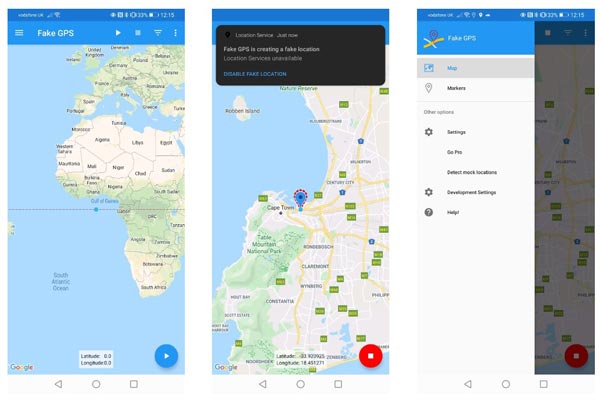
Fake GPS est une application de localisation simulée pour Android qui vous permet d'usurper la localisation GPS sur les smartphones. L'interface concise en fait une excellente option pour les débutants. Vous pouvez le télécharger gratuitement sur le Play Store.
- AVANTAGES
- Faux GPS avec coordonnées ou sélection d'un emplacement sur la carte.
- Disponible pour une large gamme d’applications.
- Facile à naviguer.
- Faux un chemin GPS pour simuler rapidement la localisation.
- INCONVENIENTS
- Cela ne fonctionnera pas avec Pokemon Go.
- Les fonctionnalités avancées nécessitent un achat intégré à l'application.
Top 3 : fausse localisation GPS
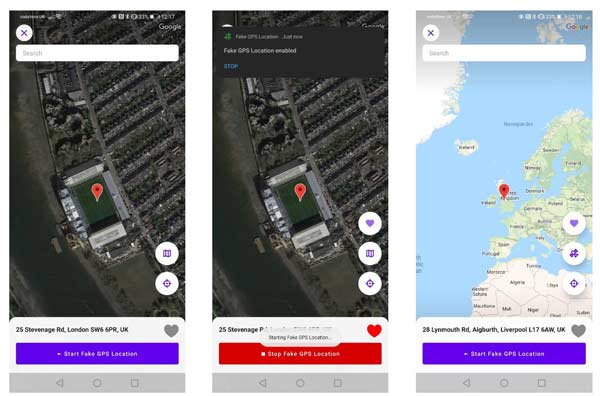
Si vous avez besoin d'un outil simple pour simuler votre position sur un appareil Android afin de tromper les services dans une autre zone géographique, Fake GPS Location peut répondre à vos besoins. Il est très facile à configurer et à utiliser grâce aux instructions à l’écran.
- AVANTAGES
- Fausse localisation GPS sur Android rapidement.
- Affichez les adresses avec précision.
- Venez avec des instructions à l’écran.
- Enregistrez un faux historique de localisation.
- INCONVENIENTS
- Il n’a pas de fonction joystick.
- Il ne peut pas partager de faux emplacements.
Plus connexes
Comment changer l'emplacement IP
Comment simuler un GPS pour les légendes mobiles
Comment arrêter de partager la position sur les appareils iOS
Partie 3. FAQ sur l'application de localisation simulée
À quoi sert une application de localisation fictive ?
Une application de localisation fictive est une application permettant de définir des emplacements virtuels pour différents besoins sur un appareil mobile. Il peut modifier la position GPS de votre combiné et remplacer votre position réelle par une fausse adresse. Pour que vous puissiez accéder à certains services non disponibles dans votre région, comme les services de streaming.
Est-il sécuritaire d’utiliser un emplacement fictif ?
Oui. Bien que l'emplacement fictif soit généralement utilisé par les développeurs internationaux pour tester des applications dans plusieurs régions, vous pouvez également utiliser cette fonctionnalité. Il vous permet de masquer votre position et de conserver vos informations de localisation en sécurité.
La localisation fictive est-elle illégale ?
Il est illégal d’usurper l’appareil de quelqu’un d’autre et de se moquer de son emplacement sans le consentement du propriétaire. Mais ce n'est pas grave si vous souhaitez simplement vous moquer de votre position pour empêcher les autres de collecter vos données de localisation.
Conclusion
Cet article a identifié le top 5 meilleures applications de localisation simulées pour les appareils iPhone, iPad et Android. Certains sont totalement gratuits et d’autres nécessitent l’achat d’une licence. Changeur d'emplacement iPhone Apeaksoft est la meilleure option pour les utilisateurs iOS. Si vous avez d'autres recommandations, veuillez les noter ci-dessous.