

6 legjobb Samsung fájlátviteli szoftver és alkalmazás

Köztudott, hogy a Samsung kiadott néhány módszert a fájlok átvitelére és biztonsági mentésére Galaxy eszközökön, mint például a Smart Switch és a Samsung Cloud. Ezek azonban nem minden Samsung eszközön érhetők el, különösen a régebbi telefonokon. Ráadásul bizonyos esetekben túl egyszerűvé teszik a fájlok átvitelét. Szerencsére vannak fejlett... Samsung fájlátviteli alkalmazások és szoftverekA tesztünk alapján meghatározzuk a toplistát, és mindegyiket áttekintjük.
OLDAL TARTALMA:
1. rész: A Samsung fájlátviteli eszközeinek összehasonlítása
| Ár: | Támogatott adattípusok | A legjobb | |
| Apeaksoft MobieTrans | 17.95 dollár havonta, 49.96 dollár életre szólóan | Fotók, zene, videók, névjegyek és egyebek | Specifikus adatátvitel a Samsungon |
| Samsung Kies | Ingyenes | Névjegyek, zene, fényképek, videók és podcastok | Fájlátvitel régi Samsung eszközökön |
| Dr.Fone | 29.95 dollár havonta, 39.95 dollár évente, 49.95 dollár életre szólóan | Médiafájlok, SMS-ek, névjegyek, emlékeztetők stb. | Fájlok szinkronizálása a Samsung és az iOS között |
| Oszd meg | Ingyenes, 2.99 dollár a prémium verzióért | Médiafájlok, dokumentumok és egyebek | Fotók átvitele Samsungon |
| Google Drive | 15 GB-ig ingyenes, 100 GB-ért már 1.99 dollártól kapható | Névjegyek, fényképek, üzenetek, videók, hangfájlok stb. | Fájlok biztonsági mentése a Samsungon |
| AirDroid | 3.99 $ havonta | Médiafájlok és dokumentumok | Fotók átvitele a Samsung és a számítógép között |
Hogyan teszteljük a legjobb Samsung fájlátviteli eszközöket
A legjobb Samsung adatátviteli eszközök azonosításakor és áttekintésekor több mint száz alkalmazást teszteltünk laboratóriumunkban, és több száz felhasználói véleményt gyűjtöttünk össze. Néhány szempontra összpontosítunk:
1. Kapcsolattípusok. Egy jó fájlátvitelnek rugalmas lehetőségeket kell biztosítania az eszközök csatlakoztatására.
2. Támogatott eszközök, beleértve a Samsung eszközöket és a céleszközöket.
3. Támogatott adattípusok.
4. Mennyibe került a szerszám.
5. Fájlminőség-védelem.
6. Könnyen navigálható és használható-e a dizájn.
2. rész: Top 3 Samsung fájlátviteli szoftver
Top 1: Apeaksoft MobieTrans
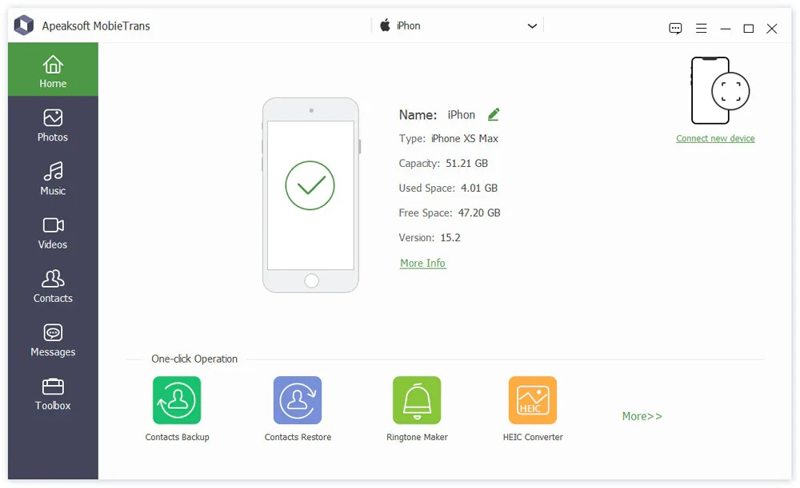
Ha szüksége van egy könnyen használható Samsung telefonátviteli eszközre, Apeaksoft MobieTrans jó választás. Lehetővé teszi bármilyen fájl átvitelét Samsung és számítógép, iOS vagy Android között. Ráadásul a felhasználóbarát felület könnyű navigációt biztosít, különösen a hétköznapi emberek számára.
- Médiafájlok, SMS-ek, névjegyek és egyebek átvitele.
- Fájlok kezelése Samsung készüléken számítógéppel.
- Támogassa az eszközök széles skáláját.
- Kompatibilis a Samsung Galaxy számos modelljével.
- Bónusz funkciókat kínál.
- Sok nagy fájl átvitele eltart egy ideig.
A Samsung telefonon történő fájlátvitel lépései a következők:
Lépés 1. A telefon észlelése
Indítsd el a MobieTrans programot, miután telepítetted a számítógépedre. Csatlakoztasd Samsung telefonodat a számítógépedhez USB-kábellel. A szoftver azonnal felismeri az eszközödet.
Tipp: Fájlok Samsung és egy másik mobileszköz közötti átviteléhez csatlakoztassa azokat kábelekkel a számítógépéhez.
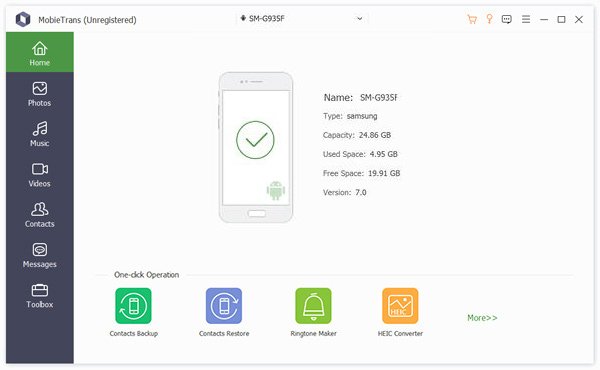
Lépés 2. Adatok előnézete
Válasszon egy kívánt adattípust az oldalsávon, például képekEzután megtekintheti az összes fényképet a Samsung telefonon.
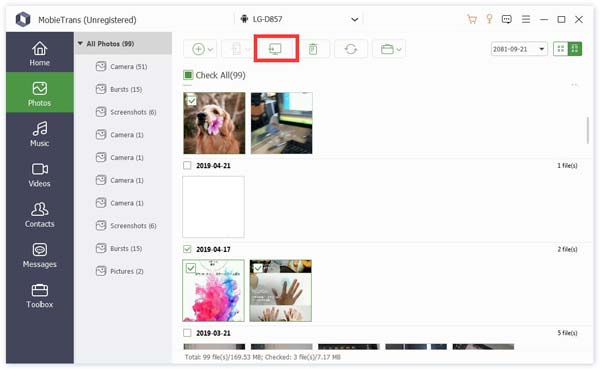
Lépés 3. Fájlok átvitele a Samsungra
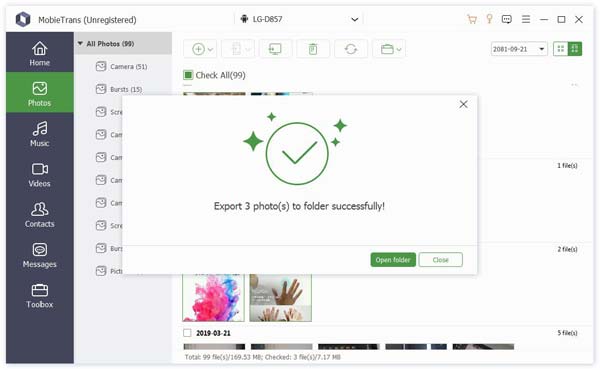
Jelölje ki az áthelyezni kívánt fájlokat, majd kattintson a PC gombra a fájlok számítógépre való átviteléhez. Fájlok másik eszközre való szinkronizálásához kattintson a Telefon gombra, és válassza ki a céltelefont. Samsung átvitele iPhone-ra ezzel a programmal.
Top 2: Samsung Kies
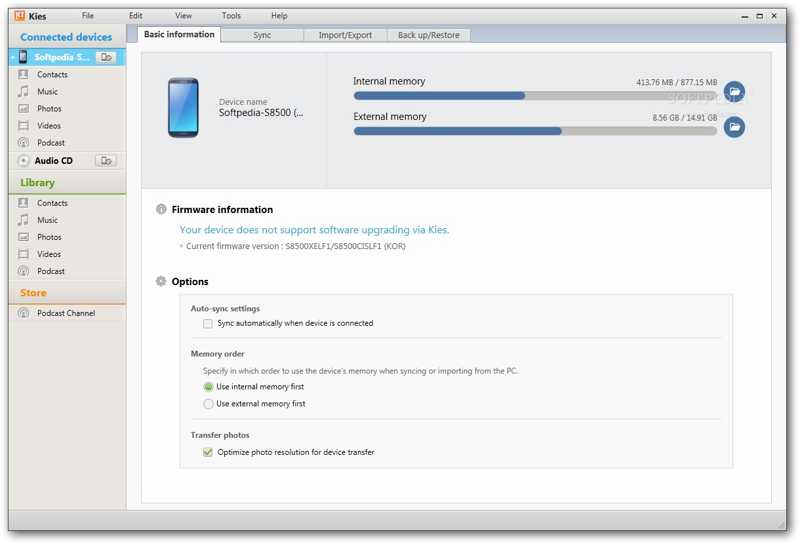
A Samsung Kies a Samsung fájlátviteli alkalmazása. 2009-ben indult, és PC-alapú alkalmazásként tervezték, Samsung eszközök, különösen régebbi Samsung készülékek kezelésére.
- Névjegyek, naptár és médiafájlok átvitele.
- Vigye át a Samsung fájlokat a számítógépre vagy fordítva.
- Biztonsági másolat készítése a Samsung-ról eszközök.
- Frissítsd a Samsung firmware-t.
- Új Samsung készülékeken nem érhető el.
- Csak korlátozott adattípusokat támogat.
Top 3: Dr.Fone
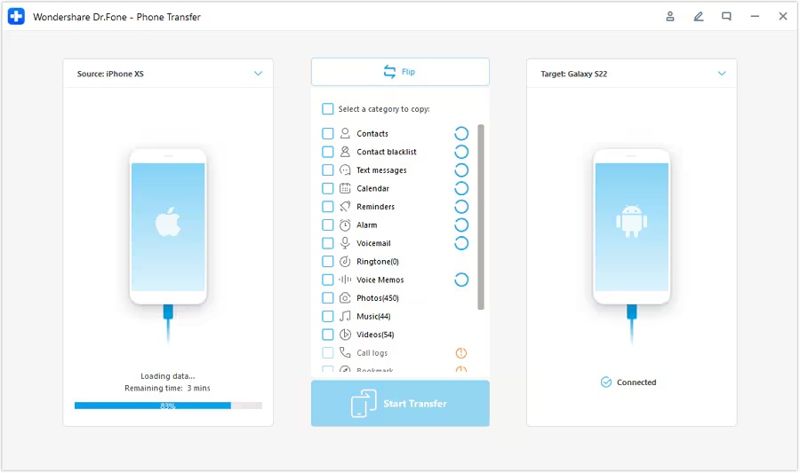
A Dr.Fone egy professzionális Samsung eszközátviteli eszköz, amelyet a Wondershare adott ki. Amikor adatokat visz át egy Samsung eszköz és más mobiltelefonok között, a könnyűség, a hatékonyság és a biztonság keverékét kínálja.
- Könnyen használható.
- Rugalmas vásárlási lehetőségeket kínál.
- Működik Windows és Mac rendszeren is.
- Őrizze meg a fájl minőségét az átvitel során.
- Ez drága.
- Túl sok funkciót integrál.
3. rész: A 3 legjobb Samsung fájlátviteli alkalmazás
1. felső: SHAREit
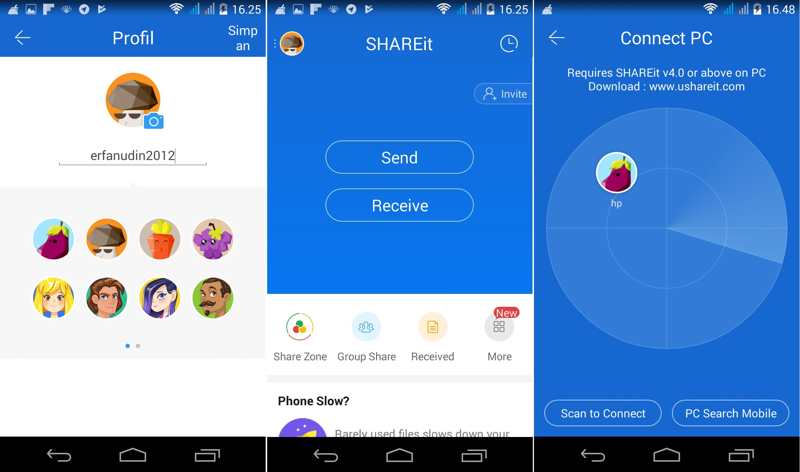
A SHAREit egy fájlátviteli alkalmazás Samsung-felhasználók számára. Néhány nagyszerű funkcióval rendelkezik. Ami még fontosabb, az adatátviteli sebessége is hihetetlen. Lehetővé teszi fájlok, például fényképek, zenék, filmek és egyebek átvitelét. Ráadásul számos platformon működik.
- Ingyenes, hirdetésekkel ellátott verziót kínál.
- Fájlok átvitele operációs rendszerek között.
- Nincs adatkorlát a fájlátvitelhez.
- Streaming funkciókat kínál.
- A felhasználóknak fizetniük kell a hirdetések eltávolításáért.
- A csatlakozási folyamat valahogy bonyolult.
2. legnépszerűbb: Google Drive
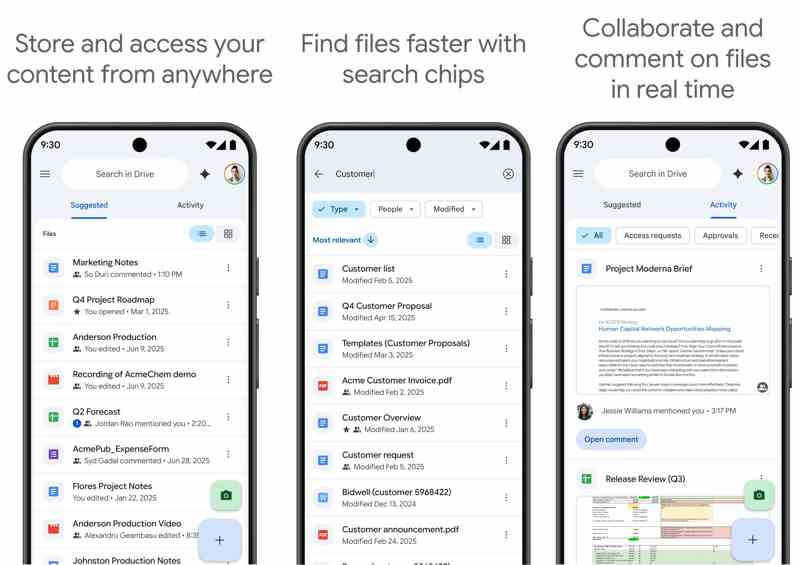
A Google Drive egy felhőalapú, Samsung-Samsung átviteli alkalmazás. A Google minden fiókhoz 15 GB ingyenes tárhelyet biztosít a fájlok biztonsági mentéséhez és átviteléhez Samsung eszközökön. Ha több tárhelyre van szüksége, előfizethet egy csomagra.
- Védje adatait a spam és a rosszindulatú programok ellen.
- Fájlok átvitele Samsung eszközökön vezeték nélkül.
- Több ember számára is lehetővé teszi a dokumentumon való munkát.
- Készítsen biztonsági másolatot az adatokról a Samsung eszközökön.
- A naponta feltölthető fájlméret korlátozott.
- Stabil internetkapcsolatra van szükség.
Top 3: AirDroid
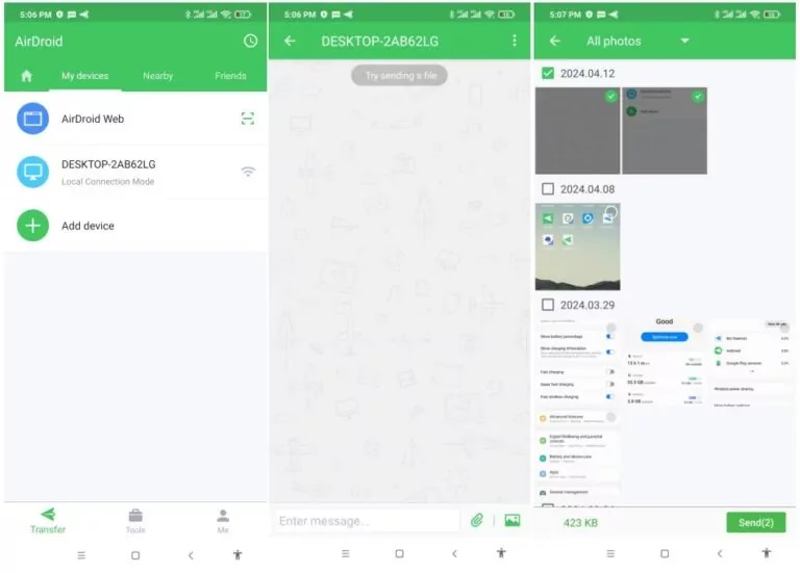
Az AirDroid egy jó Samsung telefonátviteli alkalmazás, amelyet 2011-ben alapítottak az intelligens és hordozható eszközök vezeték nélküli adatátvitelének megoldására. Jelenleg népszerű választás a mobileszköz-felhasználók körében.
- Nagyon könnyű csatlakoztatni.
- Titkosítsa és védje a csatlakoztatott eszközöket.
- Gyorsan csatlakoztathatod az eszközöket, és zökkenőmentesen átviheted a fájlokat.
- Átlátható felhasználói felülettel és utasításokkal.
- A speciális funkciókhoz prémium előfizetés szükséges.
- Bizonyos adattípusok nem támogatottak.
Összegzés
Most meg kell tanulnod a legjobb 6 legjobbat Samsung átviteli alkalmazások és szoftverprogramok. Némelyikük teljesen ingyenesen használható. Mások licencet vagy előfizetést igényelnek. Áttekintésünk és tesztünk alapján megtalálhatja a Samsung Galaxy készülékéhez megfelelő fájlátviteli eszközt. Apeaksoft MobieTrans jó választás a hétköznapi emberek és a több eszközt használók számára. Továbbá képes megvédeni és újrakódolni a fájljait, miközben azokat a Samsung és más platformok között viszi át.
Kapcsolódó cikkek
Megpróbálhatja visszaállítani a Samsung jegyzeteket a Samsung felhőalapú biztonsági mentéséből. Ha nem, akkor harmadik féltől származó szoftvert használhat a Samsung jegyzetek biztonsági mentés nélküli visszaállításához.
Itt négy módszert tanulhatsz meg az adatok helyreállítására egy Samsung telefonról, még akkor is, ha a telefon képernyője nem kapcsol be vagy eltört.
Ez a bejegyzés részletesen ismerteti a Samsung zárolási képernyőjét. Megtanulhatod, hogyan állíthatod be, szabhatod testre és távolíthatod el egyszerűen.
A Samsung üzeneteinek biztonsági mentéséhez használhatja az Apeaksoft Android Data Backup & Restore, a Samsung Cloud szolgáltatást vagy a mobilalkalmazásokat.



