6 beste software en apps voor het overzetten van bestanden op Samsung

Het is algemeen bekend dat Samsung verschillende manieren heeft uitgebracht om bestanden over te zetten en een back-up te maken op Galaxy-apparaten, zoals Smart Switch en Samsung Cloud. Deze zijn echter niet beschikbaar voor alle Samsung-apparaten, met name oudere telefoons. Bovendien zijn ze in sommige gevallen te simpel om bestanden over te zetten. Gelukkig zijn er geavanceerdere oplossingen. Samsung-apps en -software voor bestandsoverdrachtWe stellen de top 10 samen op basis van onze test en beoordelen ze stuk voor stuk.
PAGINA-INHOUD:
Deel 1: Vergelijking van Samsung-bestandsoverdrachtstools
| Methode | Prijs | Ondersteunde gegevenstypen | Best voor |
| Apeaksoft MobieTrans | $17.95 per maand, $49.96 voor een levenslang abonnement | Foto's, muziek, video's, contactgegevens en meer. | Specifieke gegevensoverdracht op Samsung |
| Samsung Kies | Gratis | Contactgegevens, muziek, foto's, video's en podcasts | Bestanden overzetten op oude Samsung-apparaten |
| Dr.Fone | $ 29.95 per maand, $ 39.95 per jaar, $ 49.95 levenslang | Mediabestanden, sms'jes, contacten, herinneringen, enz. | Bestanden synchroniseren tussen Samsung en iOS |
| Deel het | Gratis, $2.99 voor de Premium-versie | Mediabestanden, documenten en meer | Foto's overzetten naar Samsung |
| Google Drive | 15 GB is gratis, vanaf $1.99 voor 100 GB. | Contacten, foto's, berichten, video's, audiobestanden, enz. | Maak een back-up van je bestanden op je Samsung. |
| AirDroid | $ 3.99 per maand | Mediabestanden en documenten | Foto's overzetten tussen Samsung en pc |
Hoe we de beste Samsung-tools voor bestandsoverdracht testen
Bij het identificeren en beoordelen van de beste tools voor gegevensoverdracht van Samsung-telefoons hebben we in ons lab meer dan honderd applicaties getest en honderden gebruikerservaringen verzameld. We richten ons op een aantal aspecten:
1. Verbindingstypen. Een goede bestandsoverdracht moet flexibele manieren bieden om apparaten met elkaar te verbinden.
2. Ondersteunde apparaten, waaronder Samsung-apparaten en de beoogde apparaten.
3. Ondersteunde gegevenstypen.
4. Wat de kosten van het gereedschap zijn.
5. Bescherming van de bestandskwaliteit.
6. Of het ontwerp gemakkelijk te navigeren en te gebruiken is.
Deel 2: De 3 beste Samsung-programma's voor bestandsoverdracht
Top 1: Apeaksoft MobieTrans
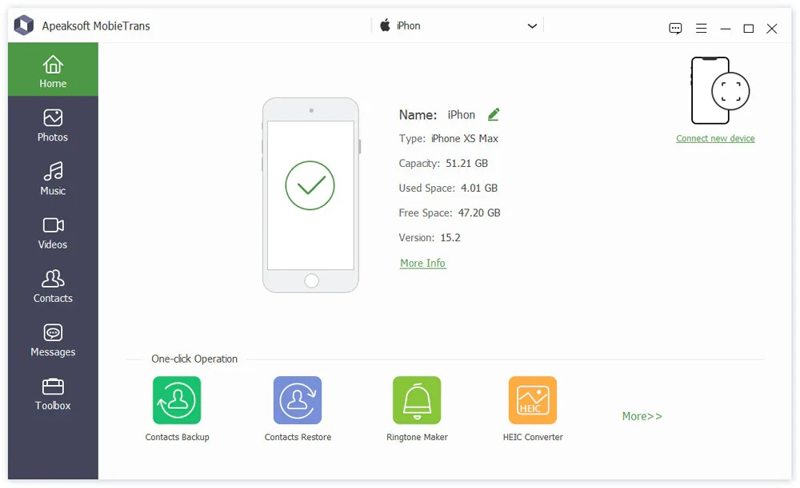
Als je een gebruiksvriendelijke tool nodig hebt voor het overzetten van gegevens van je Samsung-telefoon, Apeaksoft MobieTrans is een goede optie. Hiermee kun je bestanden overzetten tussen een Samsung-apparaat en een computer, iOS-apparaat of Android-apparaat. Bovendien maakt de gebruiksvriendelijke interface het navigeren gemakkelijk, vooral voor de gemiddelde gebruiker.
- Mediabestanden, sms-berichten, contacten en meer overzetten.
- Beheer bestanden op een Samsung-apparaat met een computer.
- Ondersteuning van een breed scala aan apparaten.
- Compatibel met diverse Samsung Galaxy-modellen.
- Bied bonusfuncties aan.
- Het duurt even als je veel grote bestanden overdraagt.
Hieronder volgen de stappen om bestanden over te zetten op een Samsung-telefoon:
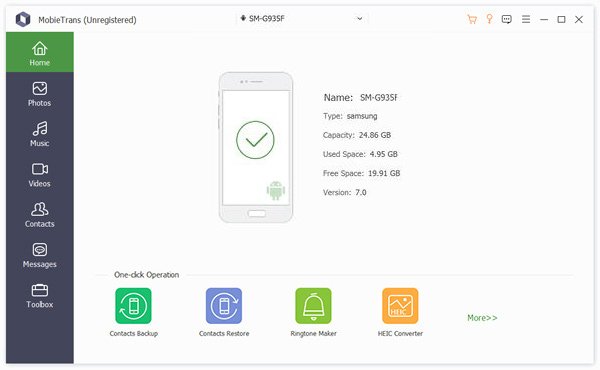
Stap 1. Detecteer uw telefoon
Start MobieTrans zodra je het op je pc hebt geïnstalleerd. Verbind je Samsung-telefoon met je pc via een USB-kabel. De software zal je apparaat direct detecteren.
Tip: Om bestanden over te zetten tussen een Samsung-apparaat en een ander mobiel apparaat, sluit je ze met kabels aan op je pc.
Stap 2. Bekijk een voorbeeld van uw gegevens
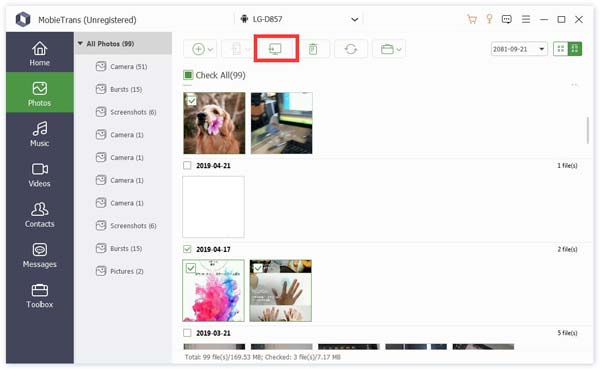
Kies het gewenste gegevenstype in de zijbalk, bijvoorbeeld Foto'sVervolgens kun je alle foto's op je Samsung-telefoon bekijken.
Stap 3. Bestanden overzetten naar Samsung
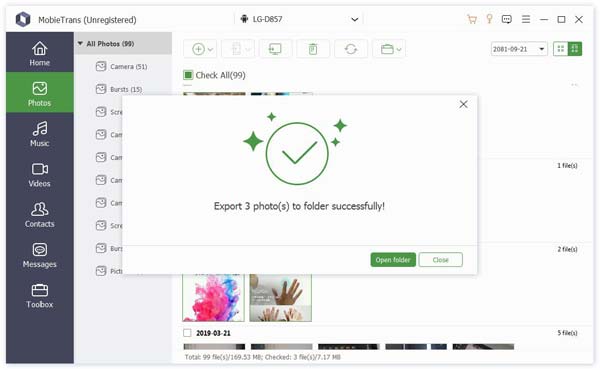
Selecteer de bestanden die u wilt overzetten en klik op de PC Klik op de knop om bestanden naar uw pc over te zetten. Om bestanden naar een ander apparaat te synchroniseren, klikt u op de knop. Telefoonnummer klik op de knop en kies de gewenste telefoon. Je kunt ook Samsung-gegevens overzetten naar iPhone met dit programma.
Top 2: Samsung Kies
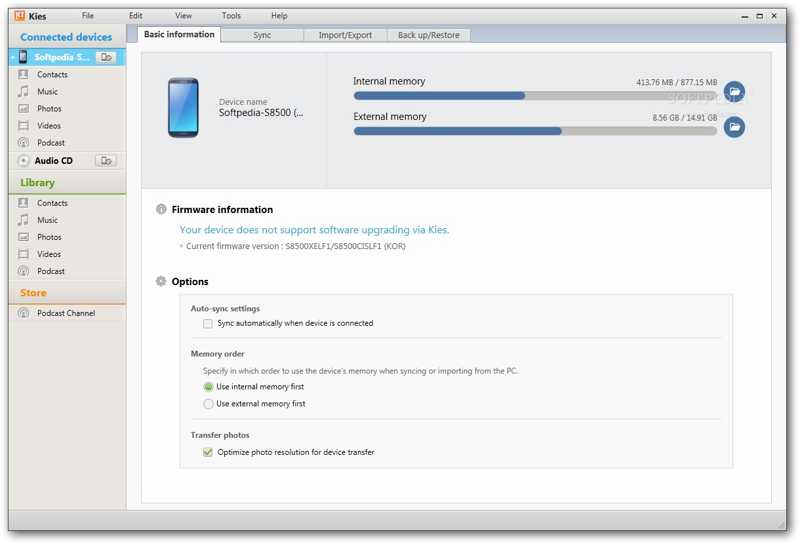
Samsung Kies is de applicatie voor bestandsoverdracht van Samsung. Het werd gelanceerd in 2009 en is ontworpen als een pc-applicatie voor het beheren van Samsung-apparaten, met name oudere Samsung-modellen.
- Contacten, agenda en mediabestanden overzetten.
- Verplaats Samsung-bestanden naar de computer of andersom.
- Maak een back-up van Samsung toestellen.
- Update de Samsung-firmware.
- Het is niet beschikbaar voor nieuwe Samsung-apparaten.
- Het ondersteunt slechts een beperkt aantal gegevenstypen.
Top 3: Dr.Fone
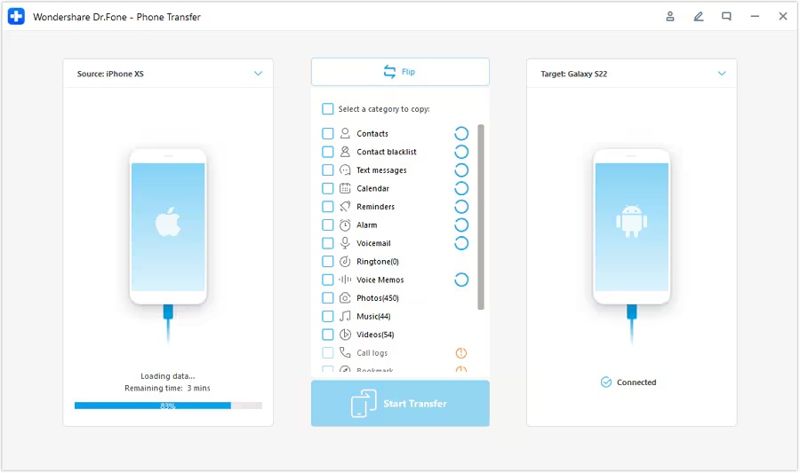
Dr.Fone is een professionele tool van Wondershare voor het overzetten van gegevens tussen Samsung- en Android-apparaten. Het biedt een combinatie van gebruiksgemak, efficiëntie en beveiliging bij het overzetten van data tussen een Samsung-apparaat en andere mobiele telefoons.
- Makkelijk te gebruiken.
- Bied flexibele aankoopmogelijkheden aan.
- Werkt zowel met Windows als met Mac.
- Behoud de bestandskwaliteit tijdens het overzetten.
- Het is duur.
- Het bevat te veel functies.
Deel 3: De 3 beste Samsung-apps voor bestandsoverdracht
Top 1: DELEN
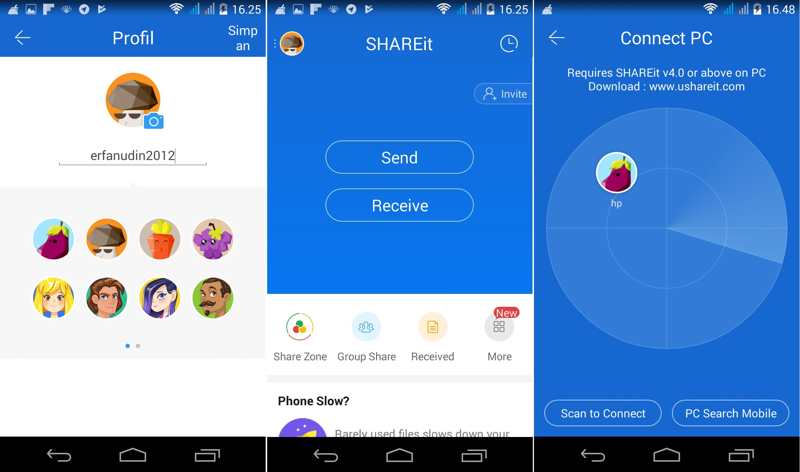
SHAREit is een app voor bestandsoverdracht voor Samsung-gebruikers. De app heeft een aantal handige functies. Belangrijker nog, de snelheid waarmee gegevens worden overgedragen is uitstekend. Je kunt er bestanden mee overzetten, zoals foto's, muziek, films en meer. Bovendien werkt de app op verschillende platforms.
- Het biedt een gratis versie met advertenties.
- Bestanden overzetten tussen besturingssystemen.
- Er is geen datalimiet voor het overdragen van bestanden.
- Bied streamingfuncties aan.
- Gebruikers moeten betalen om advertenties te laten verwijderen.
- Het verbindingsproces is nogal ingewikkeld.
Bovenste 2: Google Drive
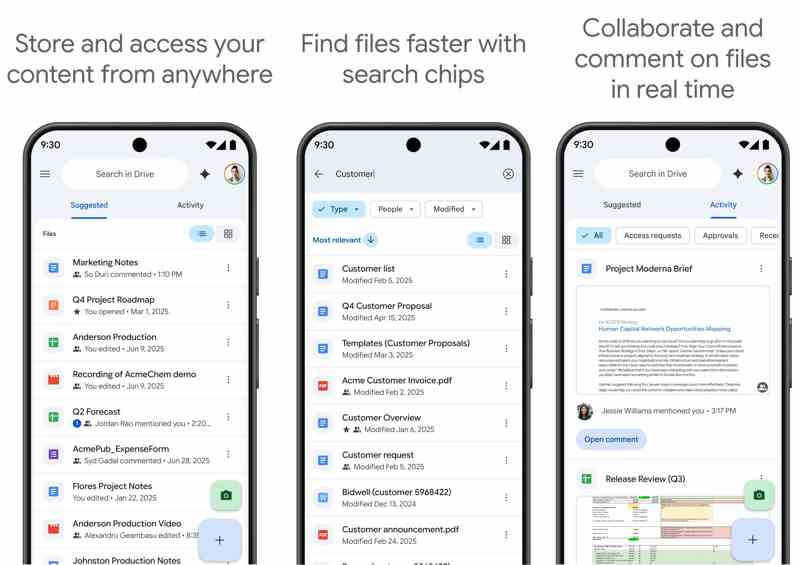
Google Drive is een cloudgebaseerde app voor het overzetten van bestanden tussen Samsung-apparaten. Google biedt elk account 15 GB gratis opslagruimte voor het maken van back-ups en het overzetten van bestanden op Samsung-apparaten. Als je meer ruimte nodig hebt, kun je een abonnement afsluiten.
- Bescherm uw gegevens tegen spam en malware.
- Bestanden draadloos overzetten op Samsung-apparaten.
- Sta toe dat meerdere personen aan een document kunnen werken.
- Maak een back-up van de gegevens op Samsung-apparaten.
- De maximale bestandsgrootte die je per dag kunt uploaden is beperkt.
- Het vereist een stabiele internetverbinding.
Top 3: AirDroid
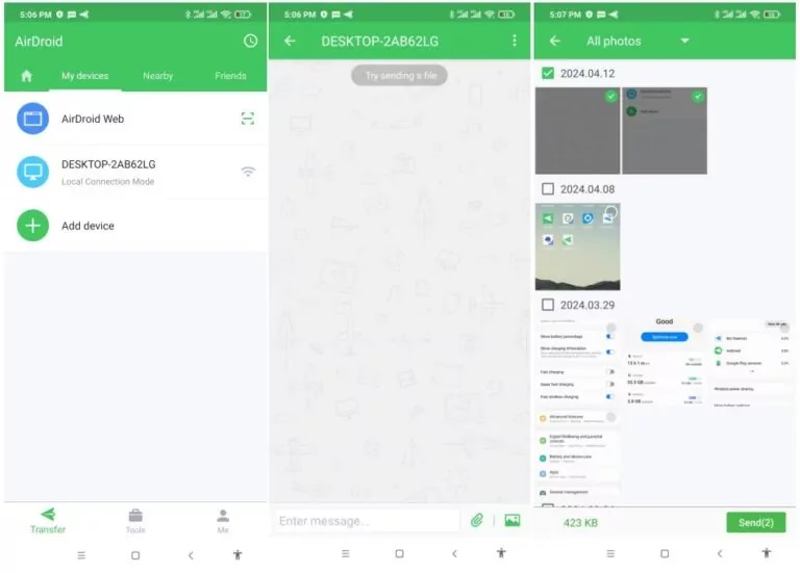
AirDroid is een goede app voor het overzetten van gegevens van Samsung-telefoons, opgericht in 2011 om draadloze datamigratie tussen smartphones en mobiele apparaten mogelijk te maken. Het is momenteel een populaire keuze onder gebruikers van mobiele apparaten.
- Zeer eenvoudig aan te sluiten.
- Versleutel en bescherm verbonden apparaten.
- Verbind apparaten snel en breng bestanden probleemloos over.
- Wordt geleverd met een duidelijke gebruikersinterface en instructies.
- Voor geavanceerde functies is een premium-abonnement vereist.
- Sommige gegevenstypen worden niet ondersteund.
Conclusie
Nu zou je de top 6 beste moeten leren Samsung overdrachtsapps en softwareprogramma's. Sommige zijn volledig gratis te gebruiken. Voor andere is een licentie of abonnement vereist. Je kunt een geschikte tool voor bestandsoverdracht voor je Samsung Galaxy-apparaat vinden aan de hand van onze review en test. Apeaksoft MobieTrans Het is een goede keuze voor gewone mensen en gebruikers met meerdere apparaten. Bovendien kan het uw bestanden beschermen en opnieuw coderen tijdens het overzetten tussen Samsung en andere platforms.
Gerelateerde artikelen