Vad är Minecraft Motion Blur och hur man aktiverar det

Som en visuell effekt introducerade Minecraft rörelseoskärpa, vilket påverkar den övergripande spelupplevelsen för spelarna. Rörelseoskärpan är utformad för Minecraft-spelare för att förändra spelets distinkta blockiga och pixelkonst-inspirerade estetik. Men om den inte implementeras noggrant kommer denna effekt att kollidera med den visuella designen och introducera viss oskärpa som förringar spelets pixelutseende och känsla. Den här artikeln delar med sig av hur man använder rörelseoskärpa-mod i Minecraft.
SIDINNEHÅLL:
Del 1: Förstå rörelseoskärpa i Minecraft
Rörelseoskärpa är inte unikt för Minecraft. Istället integrerar många spel denna visuella effekt som simulerar oskärpa av snabbt rörliga objekt eller kamerarörelser. Genom att tillämpa rörelseoskärpa kan spel skapa en mer filmisk och visuellt tilltalande presentation, vilket förmedlar en större känsla av fart och flyt.
Nackdelen är att dåligt implementerad rörelseoskärpa kan minska den visuella skärpan, påverka precisionen i spelet och leda till ögonansträngning. Till exempel kan effekten kollidera med Minecrafts blockiga visuella stil och minska skärpan.
Har Minecraft rörelseoskärpa? Ja. Även om Minecraft är ett sandlådespel och välkänt för sin distinkta blockiga grafik och minimalistiska estetik, kan du lägga till rörelseoskärpemodden till den grundläggande Minecraft-upplevelsen. Du måste dock se till att din enhet har möjlighet att kontrollera och hantera förändringen och smidigheten.
Del 2: Hur man slår på eller av rörelseoskärpa i Minecraft
Som tidigare nämnts kan du aktivera rörelseoskärpa direkt i Minecraft. Dessutom finns det andra tekniker för att hantera rörelseoskärpa i ditt spel. Vi demonstrerar processerna.
Hur man får rörelseoskärpa i Minecraft
Steg 1. Öppna Minecraft på din dator.
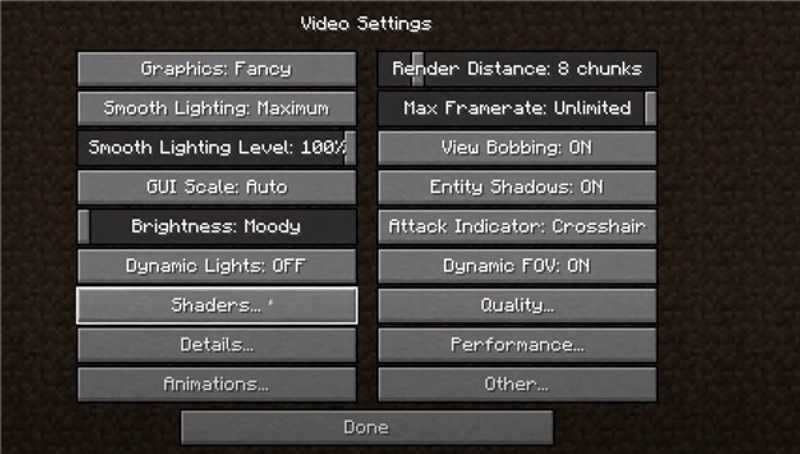
Steg 2. Klicka Montering Och välj video~~POS=TRUNC.
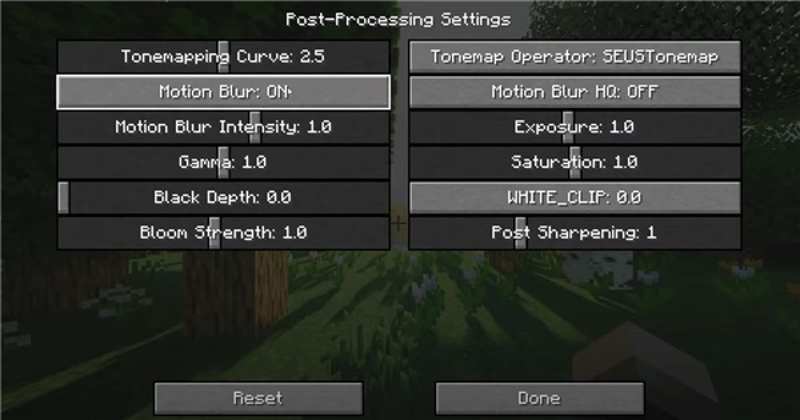
Steg 3. Klicka på Shader-alternativ alternativ och välj Inställningar för efterbehandling.
Steg 4. Hitta Rörelseoskärpa alternativet och slå på eller av rörelseoskärpa i Minecraft.
Ytterligare läsning
Hur man lägger till rörelseoskärpa i Minecraft med Motion Blur FX
Steg 1. Ladda ner och installera Optifine eller Fabric från den officiella webbplatsen.
Steg 2. Ladda ner Motion Blur FX shader-paketet.
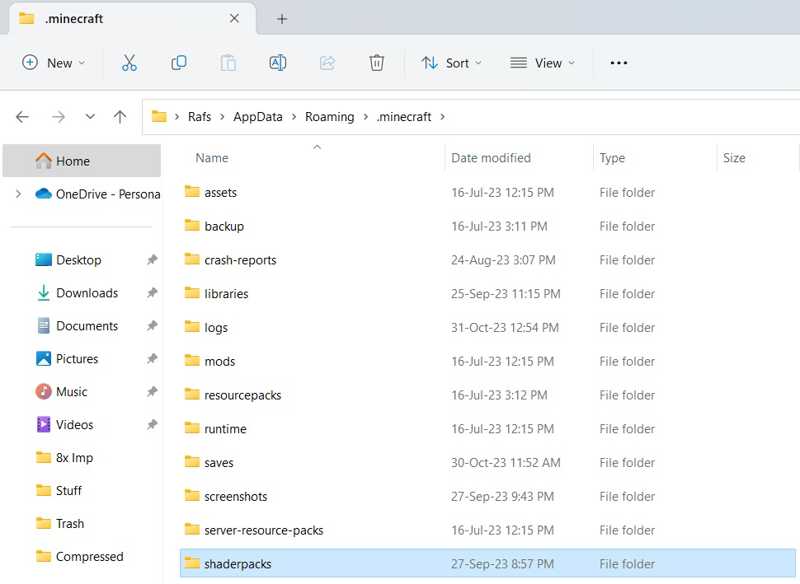
Steg 3. Flytta shader-pack.zip-filen till shaderpacks-mappen i din Minecraft-katalog.
Steg 4. Öppna Minecraft på din dator.
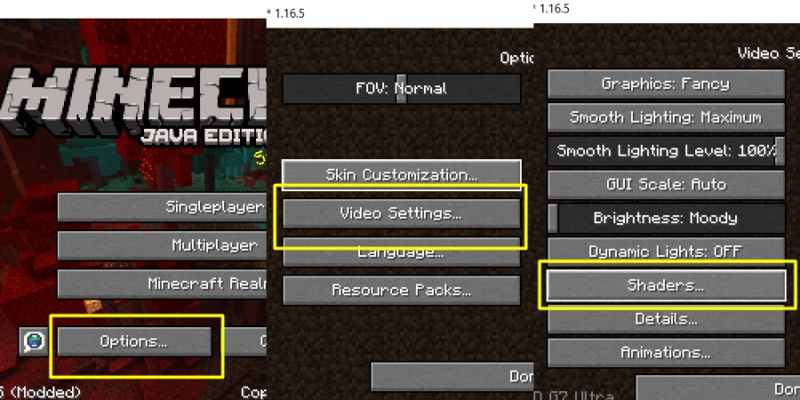
Steg 5. Klicka Montering, video~~POS=TRUNCoch shaders.
Steg 6. Välj shader pack.zip-filen för att lägga till rörelseoskärpa i Minecraft.
Hur man aktiverar rörelseoskärpa i Minecraft med hjälp av PVP-klienter
Steg 1. Installera en PVP-klient på din dator, som Lunar Client eller Badlion.
Steg 2. Öppna klienten och välj versionen av Minecraft.
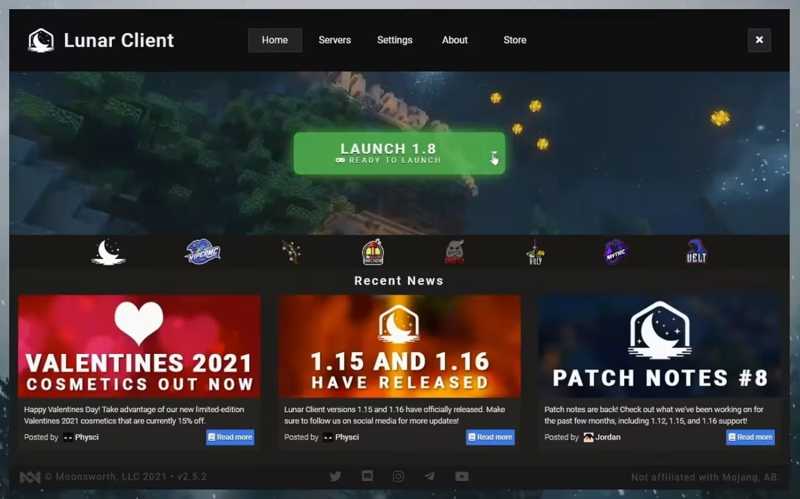
Steg 3. Flytta till Montering och video~~POS=TRUNC.
Steg 4. Välj Prestanda alternativet och stäng av Snabb rendering.
Steg 5. Tryck på höger shift tangenten på tangentbordet för att komma åt klientmenyn.
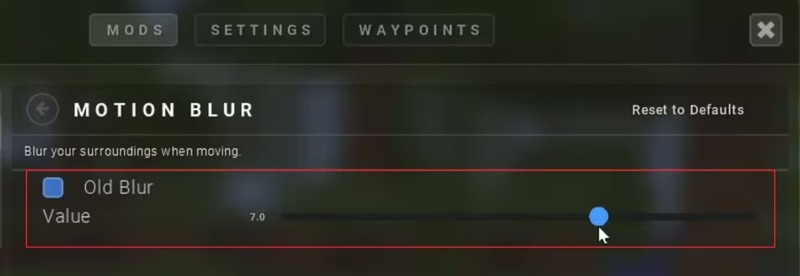
Steg 6. Ställ in intensiteten för den visuella effekten.
Tips: Om du vill inaktivera rörelseoskärpa i Minecraft, skala ner intensiteten.
Del 3: Hur man tar bort rörelseoskärpa i Minecraft-spelvideo
Som tidigare nämnts kan Minecraft-modden för rörelseoskärpa generera otydligt spelupplägg. Lyckligtvis, Apeaksoft Video Converter Ultimate kan hjälpa dig att förbättra dina spelvideor och minska oskärpa. Det intuitiva gränssnittet låter dig enkelt retuschera dina spelvideor.

Nedladdad av över 1,000,000 användare
- Minska och ta bort rörelseoskärpa från Minecraft-spelvideor.
- Skydda din videokvalitet under processen.
- Stöder nästan alla videoformat.
- Förhandsgranska retuscherade videor med mediaspelaren.
- Erbjud bonusfunktioner, som konvertering av videoformat.
Hur man tar bort rörelseoskärpa från en Minecraft-spelvideo
Steg 1. Importera en video
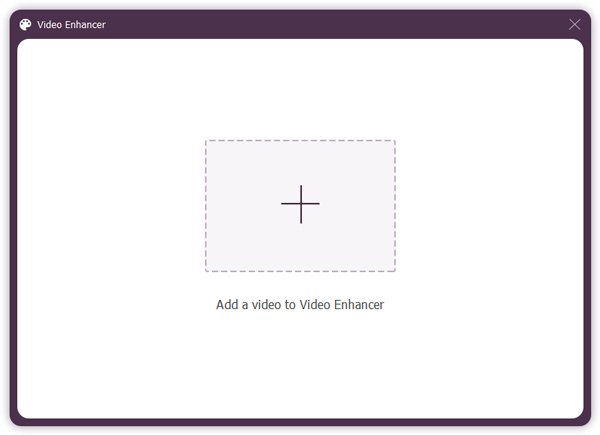
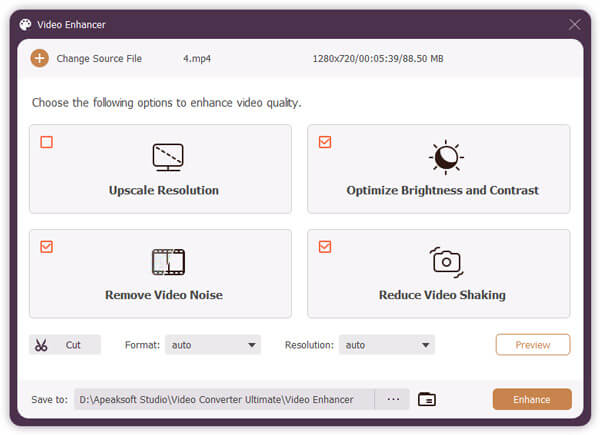
Starta videoredigeringsprogramvaran när du har installerat den på din dator. Den är kompatibel med Windows 11/10/8/7/XP/Vista. Det finns en annan version för Mac OS X 10.12 eller senare. Växla till Verktygslåda fliken högst upp och välj Videoförstärkare verktyg. Klicka på Lägg till knappen för att importera en Minecraft-spelvideo.
Steg 2. Minska rörelseoskärpa
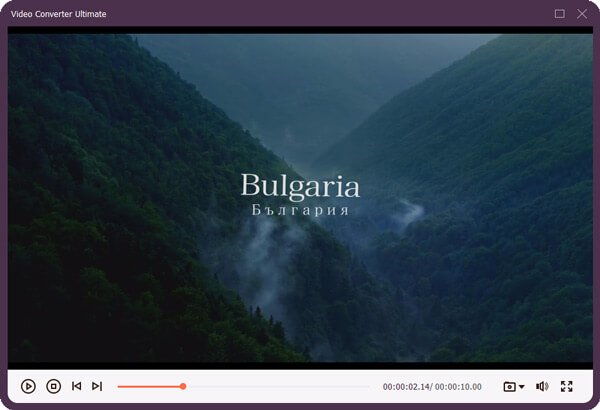
När videon har laddats, markera kryssrutorna för Minska video skakning och andra alternativ. Klicka sedan på Förhandsvisning knappen för att se resultatet. Om du är nöjd med det stänger du den inbyggda mediaspelaren.
Steg 3. Exportera spelvideo
Klicka på mapp knappen längst ner och välj en utdatamapp för att spara den förbättrade videon. Klicka slutligen på Förbättra knappen längst nere till höger för att exportera Minecraft-videon utan rörelseoskärpa.
Tips: Det finns flera videoredigeringsverktyg i verktygslådan som väntar på att du ska utforska.
Slutsats
Den här guiden förklarade vad Minecraft-rörelseoskärpa mod är, hur den fungerar och hur man aktiverar effekten. Du kan följa våra metoder och detaljerade steg för att använda den visuella effekten när du spelar ditt Minecraft-spel. Den inbyggda effekten är begränsad till specifika versioner. Tredjepartsklienten erbjuder anpassade alternativ. Apeaksoft Video Converter Ultimate är ett enkelt sätt att ta bort rörelseoskärpa från dina spelvideor och förbättra dina videor utan tekniska kunskaper.
Relaterade artiklar