Hur du effektivt återställer ditt Apple ID-konto

Även om ett Apple ID-konto är avgörande i Apples ekosystem kan det låsas eller inaktiveras när Apple upptäcker säkerhetsproblem. Dessutom är användare utelåsta från sina konton om de glömmer sina lösenord. Den goda nyheten är att Apple har släppt metoder för att återställa Apple ID-konton. Den här guiden delar med sig av beprövade metoder för att få tillbaka ditt Återställning av Apple ID-konto med eller utan det betrodda telefonnumret.
SIDINNEHÅLL:
Del 1: Vad är Apple ID-kontoåterställning
Enligt Apple låter kontoåterställningsprocessen dig återställa ditt lösenord och få åtkomst till ditt konto igen. Om du har glömt lösenordet till ditt Apple-konto, se till att du har provat möjliga lösenord innan du påbörjar kontoåterställningen. Återställ till exempel ditt konto från en annan enhet som du redan är inloggad på.
Del 2: Hur man återställer Apple ID-lösenordet
Som tidigare nämnts kan du återställa ditt Apple ID-konto utan ett telefonnummer på din betrodda enhet om du har konfigurerat tvåfaktorsautentisering för ditt konto. Vi delar processerna på iPhone, iPad och Mac nedan.
förutsättningar:
- 1.Din iPhone eller Mac är tillgänglig.
- 2.Du har konfigurerat tvåfaktorsautentisering för ditt konto.
Hur man återställer ett Apple ID-konto på en iPhone
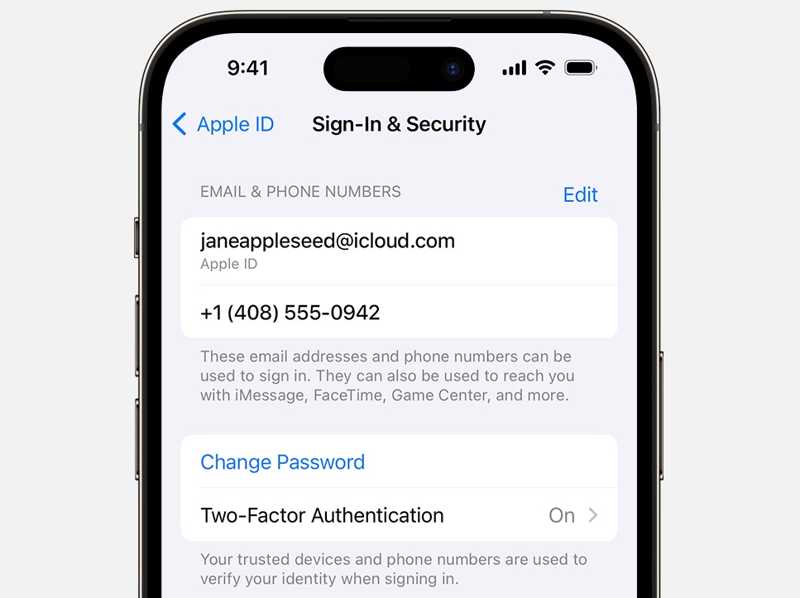
Steg 1. Öppna Inställningar appen och tryck på din profil.
Steg 2. Gå till Inloggning och säkerhet.
Steg 3. Tryck på Byt lösenord knapp.
Steg 4. Ange ditt iPhone-lösenord när du uppmanas att göra det.
Steg 5. Skriv sedan in ett nytt lösenord och verifiera det för att återställa ditt Apple-ID-lösenord.
Hur man återställer ett Apple ID-konto på en Mac
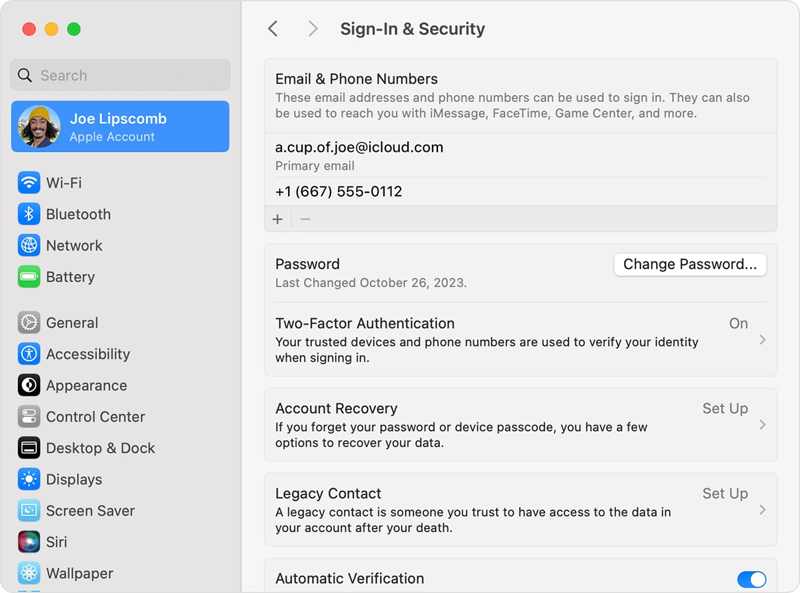
Steg 1. Klicka på Apple menyn och välj Systeminställningar.
Steg 2. Tryck på ditt Apple-konto i sidofältet.
Steg 3. Klicka på Ändra lösenord knapp.
Steg 4. När du uppmanas anger du ditt Mac-inloggningslösenord.
Steg 5. Skriv sedan in ett nytt lösenord och bekräfta det.
Del 3: Hur man återställer Apple-ID utan telefonnummer på iForgot
Om du inte har konfigurerat tvåfaktorsautentisering eller om de betrodda enheterna inte är åtkomliga måste du utföra en återställning på sidan för Apple ID-kontoåterställning. Detta kräver en stabil internetanslutning.
Steg 1. Gå till www.iforgot.apple.com i en webbläsare.
Steg 2. Klicka på Återställ lösenord knapp.
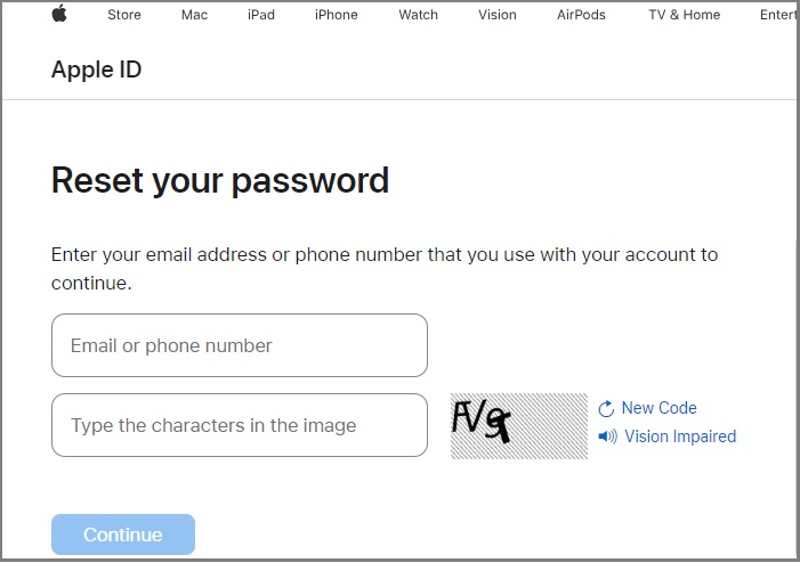
Steg 3. Ange din Apple-ID-e-postadress eller ditt telefonnummer.
Steg 4. Skriv in tecknen i bilden och klicka Fortsätta.
Steg 5. Om du angav e-postadressen kommer du att bli ombedd att ange det tillhörande telefonnumret eller vice versa.
Steg 6. Klicka på Fortsätta knappen för att fortsätta.
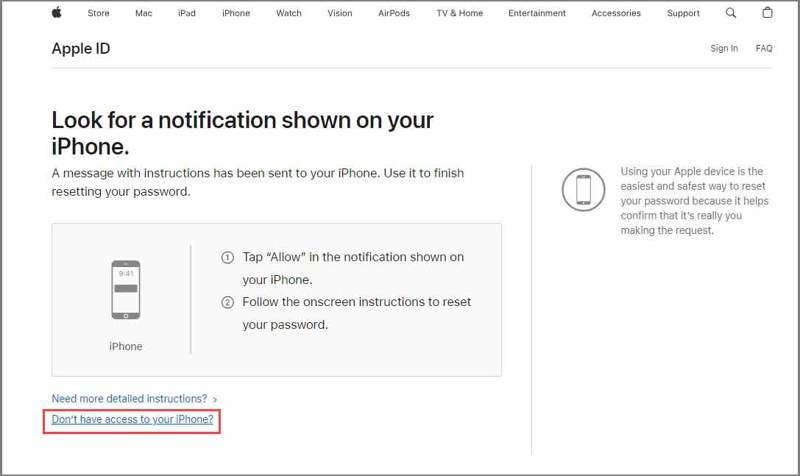
Steg 7. Tryck sedan på länken Har inte tillgång till din iPhone.
Steg 8. Tryck sedan på länken Kan inte använda något av dessa alternativ.
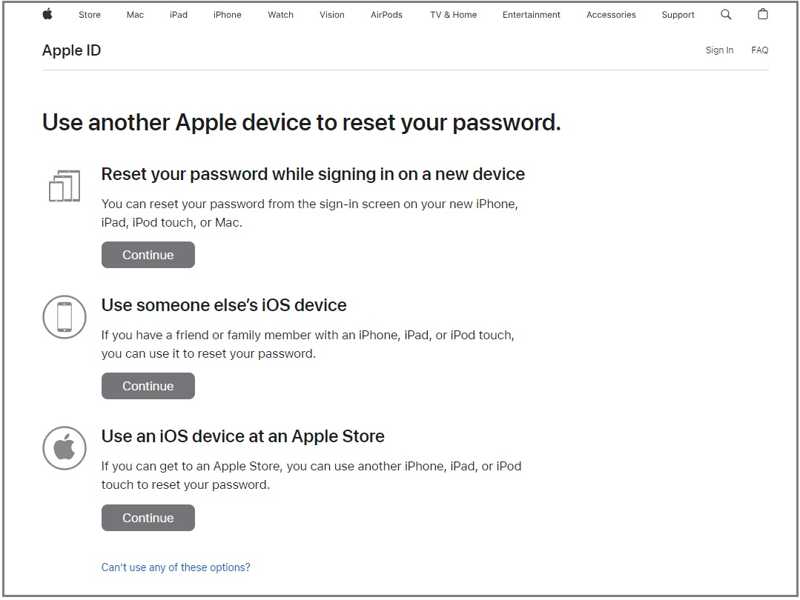
Steg 9. Följ sedan instruktionerna på skärmen för att lämna en tillgänglig e-postadress.
Steg 10. När du får verifieringsmejlet klickar du på länken och återställer ditt Apple-ID-lösenord.
Obs: Det tar några dagar att få verifieringsmejlet. Använd inte dina Apple-enheter under processens gång. Annars kommer återställningen av Apple-ID-kontot att avbrytas.
Del 4: Hur man återställer Apple ID-kontot på iPhone/iPad/Mac
Ett annat sätt att starta återställning av Apple ID-konto efter att du glömt ditt telefonnummer är direkt på din Apple-enhet. Använd inte andra Apple-enheter när du har startat processen. Annars kommer återställningsprocessen att avbrytas eller försenas.
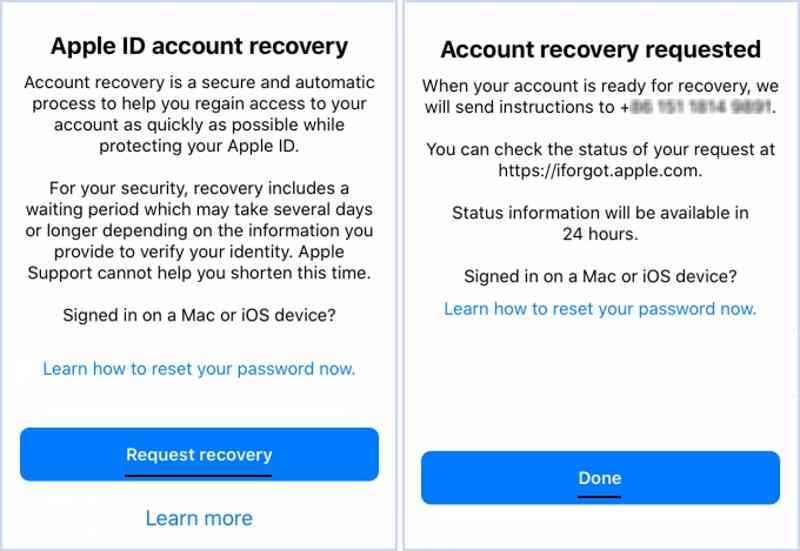
Steg 1. Kör Inställningar eller systeminställningar app på en Apple-enhet.
Steg 2. Försök att logga in med ditt Apple ID-konto.
Steg 3. Om du har glömt ditt lösenord får du möjlighet att starta kontoåterställning.
Steg 4. Tryck på Begär återställning knapp.
Steg 5. Erbjud den information som krävs enligt instruktionerna.
Steg 6. Slutligen knacka på Färdig knappen för att skicka din begäran.
Obs: Under processen kan du kontrollera statusen för din begäran på Apples iForgot-webbplats.
Ytterligare läsning
Del 5: Alternativt alternativ för att återställa Apple-ID på iPhone
Lyckandefrekvensen för återställning av Apple ID-konto varierar beroende på vilken information du kan tillhandahålla. Enligt vår forskning är lyckandefrekvensen hög om du kan få ett verifieringsmeddelande via ett betrott telefonnummer. Annars är lyckandefrekvensen låg.
En alternativ lösning är faktiskt att ge upp det gamla Apple-kontot och skapa ett nytt om återställningen av Apple ID-kontot misslyckas. Från och med nu rekommenderar vi Apeaksoft iFoneKit iOS-upplåsareDen kan ta bort gamla konton från din iOS-enhet utan några begränsningar. Dessutom gör den enkla designen den tillgänglig för nybörjare.

Nedladdad av över 1,000,000 användare
- Ta bort det gamla Apple-ID:t utan lösenord.
- Lätt att använda och slutför processen i tre steg.
- Arbeta med de låsta och inaktiverade Apple-kontona.
- Stöd ett brett utbud av iPhone- och iPad-modeller.
Så här återställer du ditt Apple ID-lösenord på din iPhone
Steg 1. Installera Apple ID-upplåsningsprogram
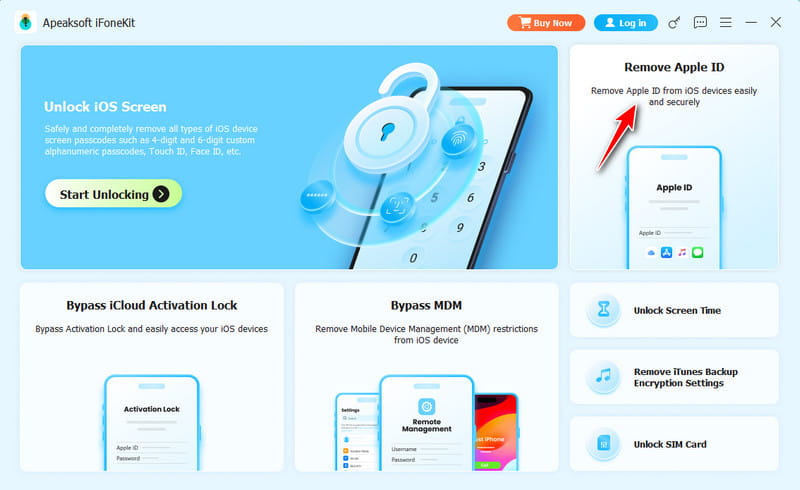
Starta programvaran för återställning av Apple ID efter att du har installerat den på din dator. Den är tillgänglig på Windows 11/10/8/7/XP/Vista och macOS 10.7 eller senare. Välj Ta bort Apple ID läge för att fortsätta.
Steg 2. Ladda din iPhone
Anslut din iPhone till datorn med en Lightning-kabel. Se till att du litar på den här datorn, så kommer programvaran att upptäcka din enhet. Sedan kommer den att ladda din iPhone-information.
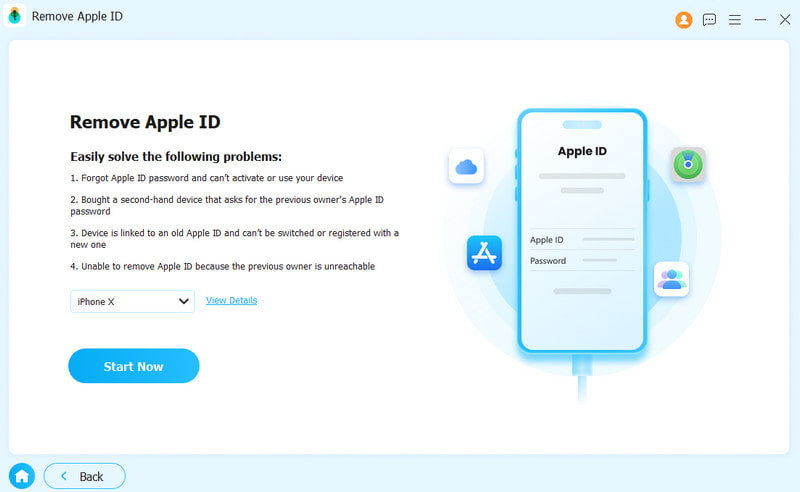
Steg 3. Återställ lösenordet för Apple ID
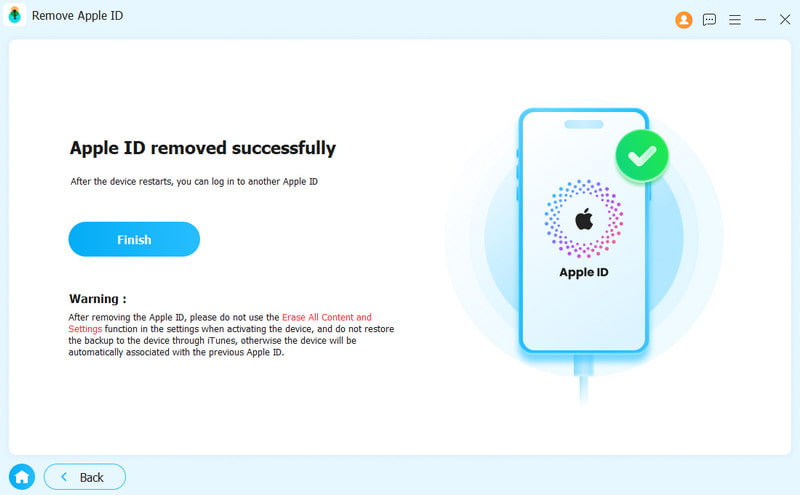
Klicka på Börja nu knappen för att börja ta bort ditt Apple-ID från enheten om Hitta min är inaktiverat. Om Hitta min är aktiverat följer du instruktionerna på skärmen för att återställa alla inställningar. Oroa dig inte; det är inte en fabriksåterställning och kommer inte att radera din iPhone. Klicka sedan OK i programvaran och tryck på Bekräfta igen för att starta processen. När enheten startas om, konfigurera ett nytt Apple-ID-konto.
Slutsats
Den här guiden delade metoderna och processerna för Återställning av Apple ID-konto utan ett betrott telefonnummer. Du kan försöka återställa ditt kontolösenord på en betrodd iPhone eller Mac om 2FA är aktiverat. Dessutom kan du utföra kontoåterställningsprocessen på Apples iForgot. Apeaksoft iFoneKit iOS-upplåsare är den ultimata lösningen för att återställa ditt konto och lösenord utan tekniska kunskaper.

Relaterade artiklar