Vad är ett Advance Turbo Flasher Tool och hur använder man det?

Till skillnad från Apples ekosystem erbjuder Google inte en mängd olika verktygslådor för Android-användare, delvis för att det finns för många Android-märken och tillverkare. Lyckligtvis har utvecklare släppt verktygslådor från tredje part för Android-användare. Avancerad turboblinkare Tool är till exempel ett viktigt verktyg för Nokia-telefoner, särskilt de enheter som drivs av BB5-, MeeGo- och MediaTek-chipset. Den här artikeln granskar Nokias verktygssats och delar den information du bör lära dig.
SIDINNEHÅLL:
Del 1: Vad är Advance Turbo Flasher-verktyget
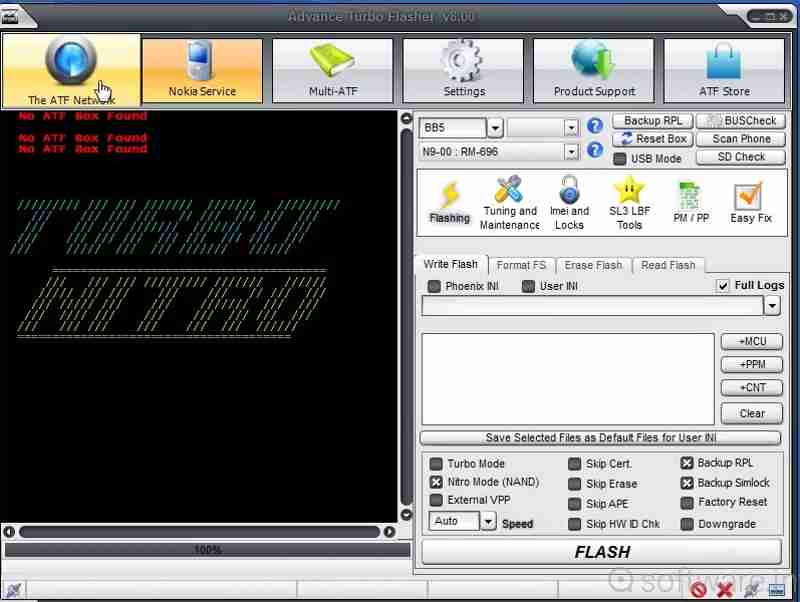
Som tidigare nämnts är Advance Turbo Flasher utformad för Nokia-användare för att åtgärda problem och låsa upp skärmen. Förutom Nokia-mobiltelefoner stöder den Windows-telefoner. Den senaste versionen är Advance Turbo Flasher v12.70, som kom ut 2017.
Huvudfunktioner hos Advance Turbo Flasher Tool
- 1.Installera standard-firmware på Nokia-telefoner.
- 2.Lås upp SIM-kortlåsen och byt till andra operatörer.
- 3.Återställ Android-telefonen och operativsystemet.
- 4.Uppdatera firmware till den senaste versionen.
- 5.Stöd för både officiell och anpassad firmware.
- 6.Uppgradera eller ominstallera Android OS.
- 7.Laga trasiga Nokia-telefoner.
- 8.Lås upp Nokias funktionstelefoner.
- 9.Kompatibel med BB5, MeeGo, MediaTek och NXPlatform.
Recension av Advance Turbo Flasher Tool
- Erbjuder heltäckande lösningar för flashing, upplåsning och reparation av Nokia-telefoner.
- Även om den är designad för Nokia, fungerar den för Samsung, HTC, LG och fler.
- Tillgänglig på Windows 11/10/8/7/XP.
- Det kräver en betald licens för att låsa upp alla funktioner, men priset för Advance Turbo Flasher är inte högt.
- Den stöder inte nyare modeller.
- Gränssnittet ser rörigt ut.
Del 2: Så här konfigurerar du Advance Turbo Flasher
För att låsa upp eller reparera din Nokia-telefon måste du ladda ner Advance Turbo Flasher. Det finns dock ingen officiell webbplats för att hämta verktyget. Alternativt måste du ladda ner det från en tredjepartskälla.
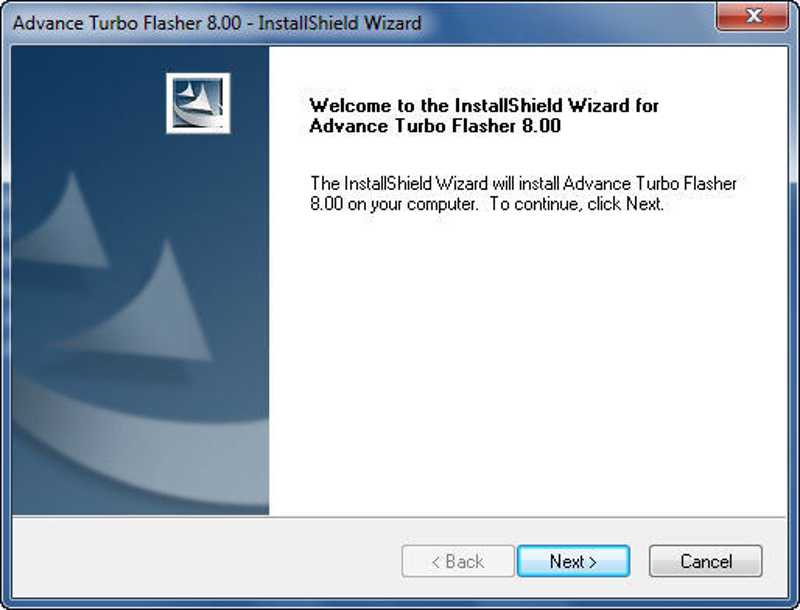
Steg 1. Ladda ner installationsfilen för Advance Turbo Flasher från en betrodd plattform.
Steg 2. Extrahera zip-filen och kör exe-filen.
Steg 3. Klicka på Nästa knappen och följ anvisningarna för att installera den på din dator.
Steg 4. Hitta USB-drivrutinen som medföljer paketet och installera den. Annars kan ATF-verktyget inte känna igen din telefon.
Ytterligare läsning
Del 3: Hur man använder Advance Turbo Flasher
Hur man flashar firmware på en Nokia-telefon
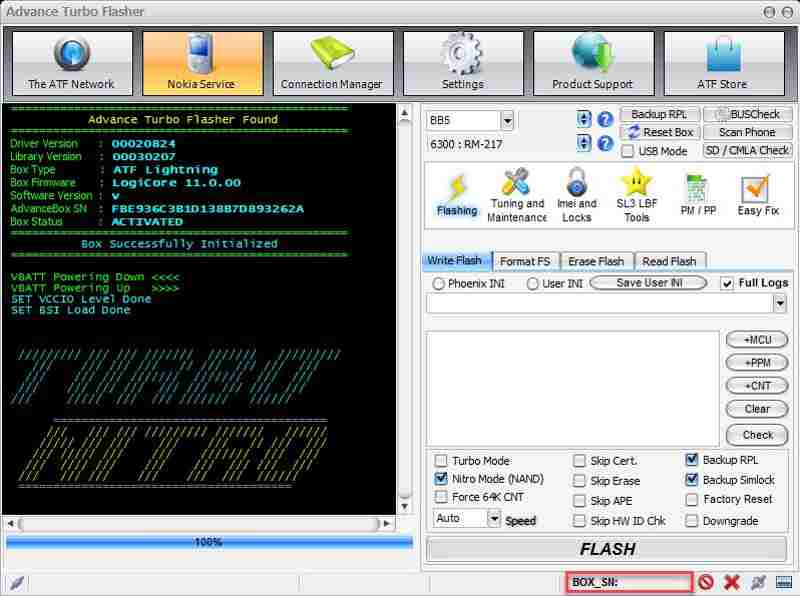
Steg 1. Öppna Advance Turbo Flasher Tool efter installationen.
Steg 2. Välj enhetens modell från rullgardinsmenyn.
Steg 3. Anslut din telefon till din dator med en USB-kabel.
Steg 4. Gå till Blinkande fliken och välj önskad firmwarefil.
Steg 5. Klicka på FLASH knappen längst ner för att starta processen för att flasha den inbyggda programvaran.
Hur man låser upp skärmen utan lösenord
Steg 1. Om din telefon är låst, gå till Service fliken i Advance Turbo Flasher.
Steg 2. Anslut din telefon till din dator med en kompatibel kabel.
Steg 3. Klicka på Återställ (användarkod) knappen för att starta upplåsningsprocessen.
Del 4: Ett alternativ till avancerad turboflash
Advance Turbo Flasher är endast tillgängligt för vissa telefonmärken. Dessutom är det inte tillgängligt för alla telefonmodeller. Därför kan du behöva en alternativ verktygslåda. Från och med nu rekommenderar vi Apeaksoft DroidAide Android UnlockerDen kan ta bort skärmlås från din telefon och kringgå FRP-låset utan lösenord.

Nedladdad av över 1,000,000 användare
- Lås upp Android-telefonens skärm utan lösenord.
- Ta bort PIN-koder, lösenord, mönster, fingeravtryck med mera.
- Lås upp gamla Samsung-telefoner utan dataförlust.
- Omgå Google FRP-lås utan ett Google-konto.
- Stöder nästan alla Android-telefonmärken och -modeller.
Säker nedladdning
Hur man låser upp sin telefon med ett alternativ till Advance Turbo Flasher
Steg 1. Installera upplåsningsverktyget
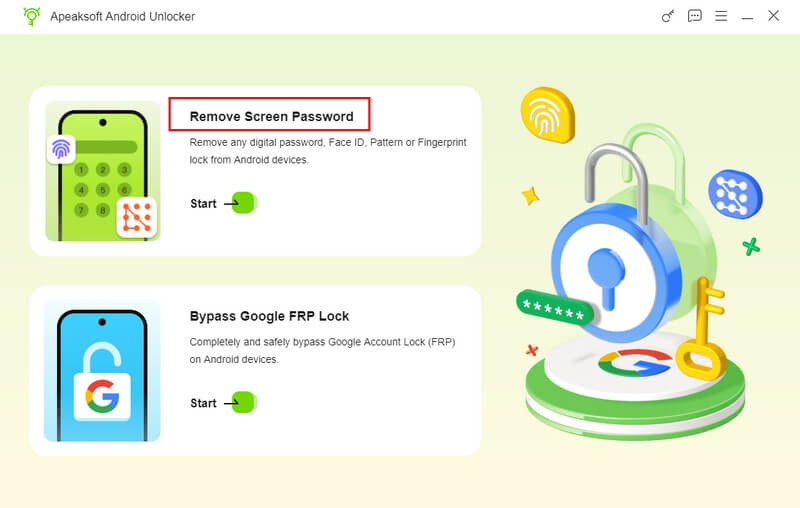
Starta programvaran för att upplåsa telefonen efter att du har installerat den på datorn. Välj Ta bort skärmlösenord läge för att gå vidare. Om du behöver kringgå FRP-låset från din enhet väljer du Förbigå Google FRP-lås läge istället.
Steg 2. Anslut till din telefon
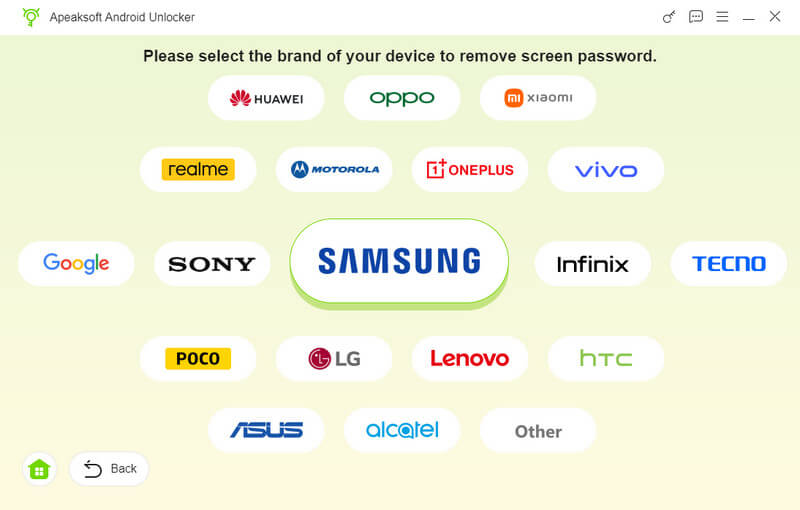
Välj ditt telefonmärke i fönstret. Anslut din telefon till din dator med en kompatibel USB-kabel. Om du uppmanas till det, se till att du litar på den här datorn. Då kommer programvaran att identifiera din enhet omedelbart.
Steg 3. Lås upp din telefon
Klicka på Ta bort nu knappen för att börja låsa upp telefonen utan lösenord. När det är klart startas telefonen om automatiskt. Koppla sedan bort enheten och konfigurera den igen.
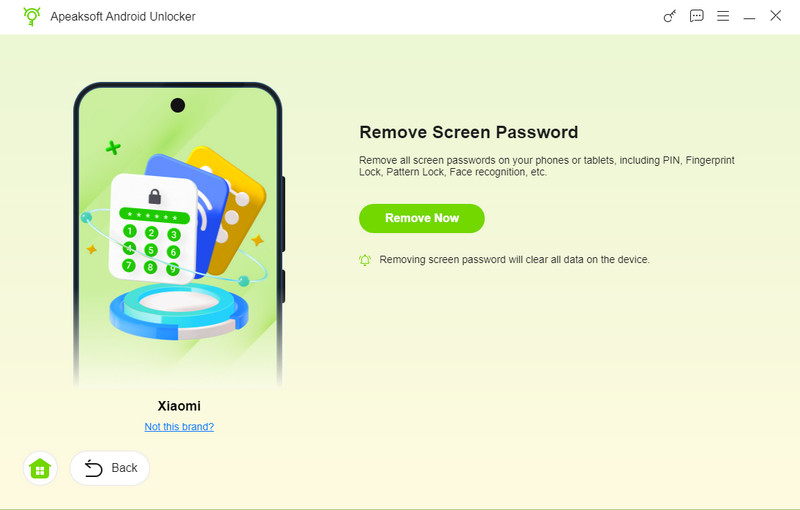
Tips: Processen rensar all data på din enhet, så det är bäst att säkerhetskopiera din telefon först.
Slutsats
Den här artikeln delade och recenserade en av Android-verktygslådorna, Avancerad turboblinkare Verktyg. Det låter dig flasha och låsa upp din Nokia-telefon eller andra märken med en dator när den fryser, är blockerad eller låst. Du kan följa våra detaljerade steg för att slutföra processen. Den här artikeln rekommenderar också Apeaksoft DroidAide Android Unlocker för att hjälpa dig att låsa upp din telefon utan lösenord eller kringgå Google FRP-låset.
Relaterade artiklar