How to Recover Video Files from Your SD Card Quickly
“I formatted my SD card and forgot to back up my videos. How can I recover videos from an SD card?” SD cards and memory cards are widely used to store media files and expand the storage of digital cameras. However, video loss is a common problem due to the vulnerability of SD cards. The good news is that there are multiple ways to get back your lost media data from your SD card in various situations.
页面内容:
Part 1: How to Recover Lost Videos from an SD Card
Apeaksoft数据恢复 is the ultimate way to recover lost videos from an SD card after you accidentally deleted them, formatted your card, or your video files are corrupted. More importantly, it is easy to use and doesn’t require technical skills.
- Recover videos from the SD card quickly.
- Support almost all video formats, including MP4, MKV, MOV, ProRes, AVI, and more.
- Preview lost videos for selective recovery.
- 适用于内部和外部硬盘。
- 与 Windows 和 macOS 兼容。
How to Recover Lost Videos from Your SD Card
步骤 1。 扫描您的 SD 卡
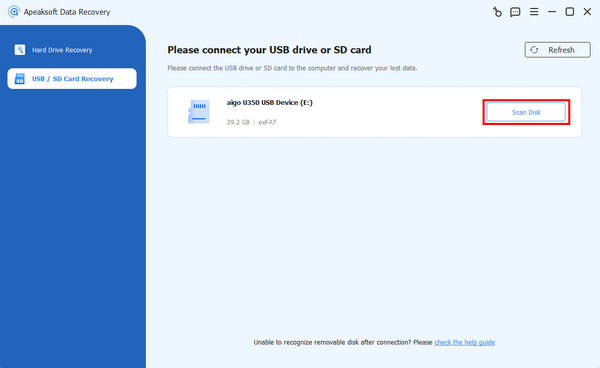
Launch the video recovery software after you install it on your PC. There is another version for Mac. Go to the USB/SD卡恢复 mode. Insert the SD card into your computer, select it from the drop-down option, and click the 扫描磁盘 按钮。
步骤 2。 预览视频
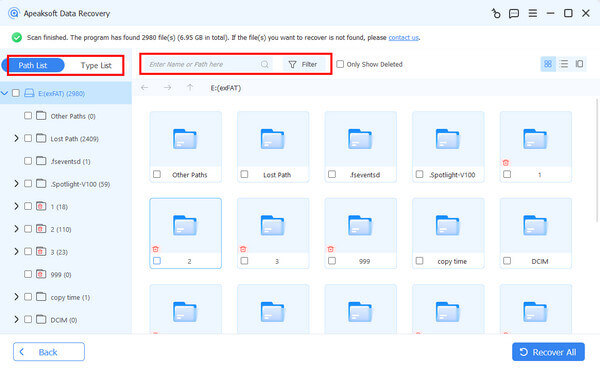
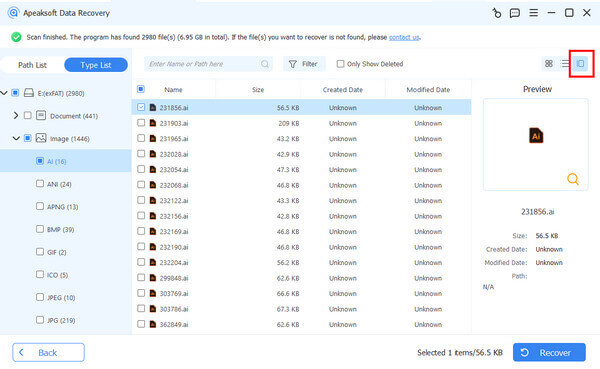
快速扫描后,软件将自动执行深度扫描。然后,前往 类型列表 标签并选择 视频. Now, you can view all videos on your SD card. Use the Filter option to quickly locate specific videos.
步骤 3。 Recover lost videos
Select the video files you wish to retrieve and click the 恢复 button. Then, set an output folder and confirm video recovery from the SD card.
Part 2: How to Recover Deleted Videos from SD Card in Recycle Bin or Trash
If you open your SD card on your computer and accidentally delete videos, chances are that you can recover deleted videos from the SD card in the Recycle Bin or Trash. The easy methods are worth trying.
How to Recover Deleted Videos from an SD Card in the Recycle Bin
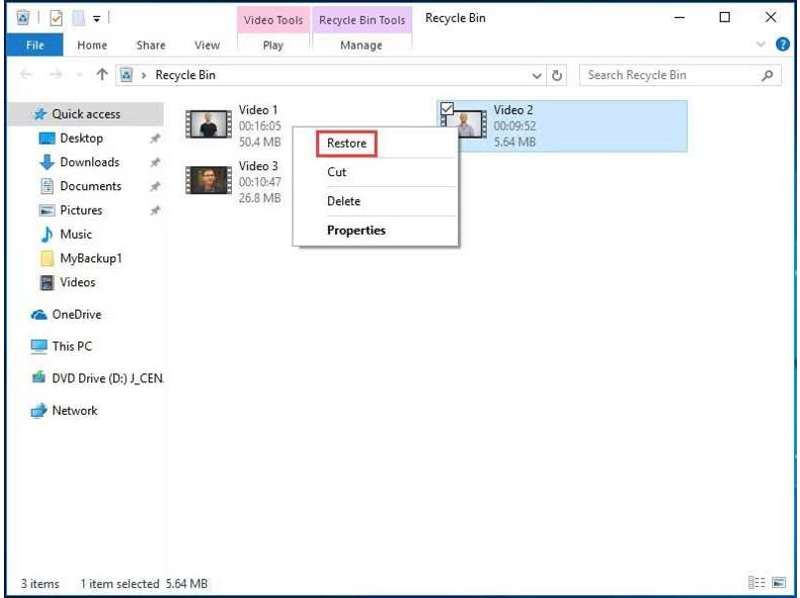
步骤 1。 Open the Recycle Bin from your desktop or File Explorer.
步骤 2。 Search for the video you want to recover.
步骤 3。 右键单击文件并选择 恢复.
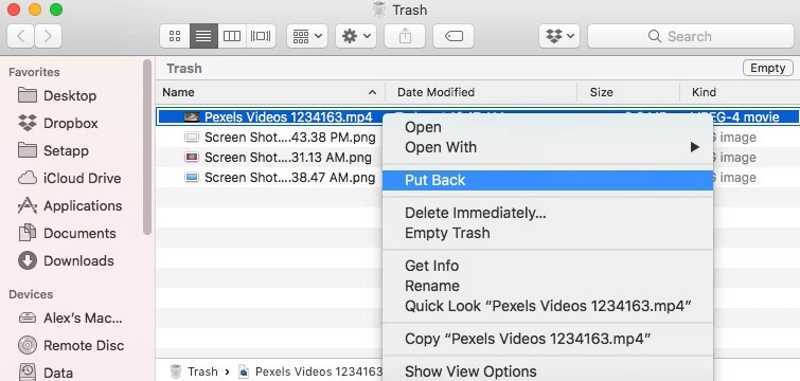
How to Recover Deleted Videos from an SD Card in Trash
步骤 1。 可选 垃圾桶 来自 码头 酒吧。
步骤 2。 Find the video file you intend to recover.
步骤 3。 Right-click on the video file and choose 放回去.
注意: These methods will restore deleted videos to the original location. You can also select them and drag them to your desktop if your SD card is inaccessible.
Part 3: How to Recover Videos from a Formatted SD Card Using a Backup
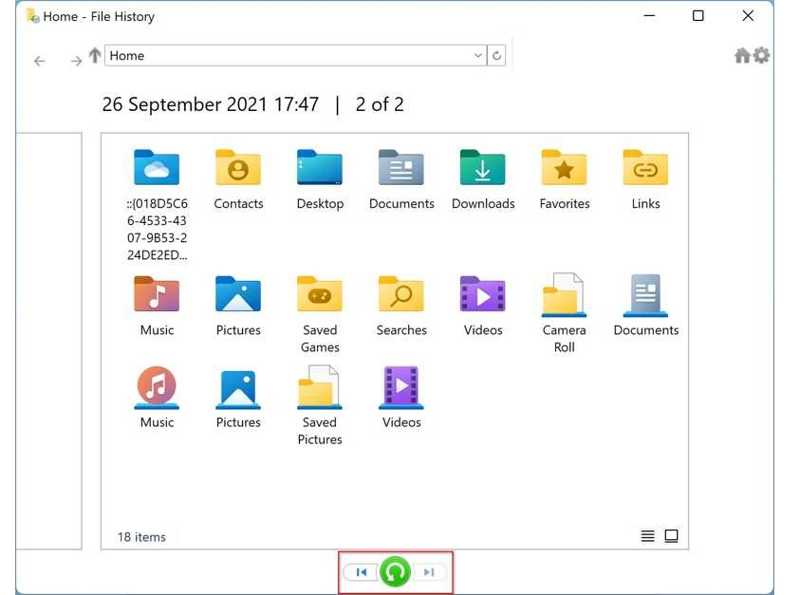
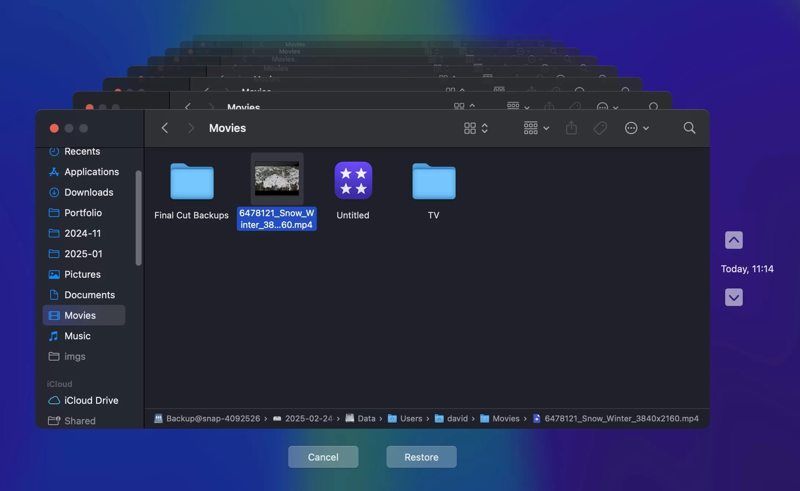
Backup is a good option to avoid data loss. In other words, you can recover videos from a formatted SD card if you have backed up your videos using the built-in File History and Time Machine features.
How to Recover Videos from an SD Card via File History
步骤 1。 Open a File Explorer and find the SD card.
步骤 2。 Right-click on your card and choose 物业.
步骤 3。 切换到 以前的版本 标签。
步骤 4。 选择正确的版本,点击 箭头 按钮旁边 可选,并选择 在文件历史记录中打开.
步骤 5。 Click the video file and drag it to your desktop.
How to Recover Videos from an SD Card with Time Machine
步骤 1。 Insert the backup medium into your Mac.
步骤 2。 打开你的 发现者 and locate where your video is stored.
步骤 3。 点击 时间机器 顶部功能区上的按钮,然后选择 进入Time Machine.
步骤 4。 按 向上 以及 向下 buttons until you find the right version.
步骤 5。 Select the desired video file, copy and paste it to the destination folder.
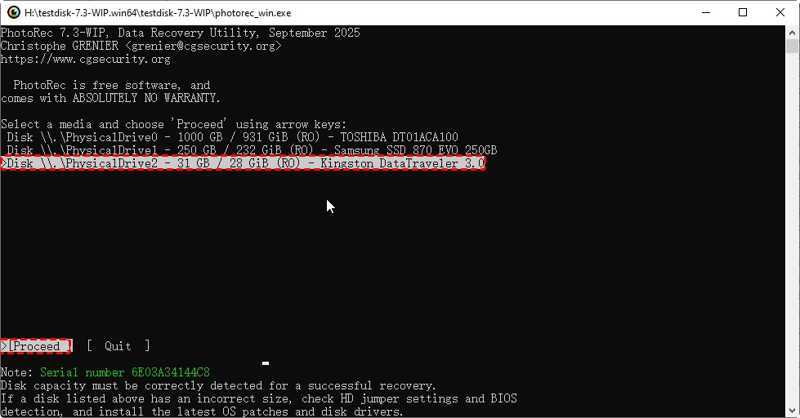
Part 4: How to Recover Corrupted Videos from an SD Card with PhotoRec
PhotoRec is a free and open-source file recovery program. It is able to repair and recover corrupted videos from the SD card. However, it works with command lines and requires technical skills.
步骤 1。 Download TestDisk to your hard disk.
步骤 2。 Open the archive, right-click on the photorec.exe file, and choose 以管理员身份运行“.
步骤 3。 Use the arrow keys on your keyboard to select your SD card.
步骤 4。 按 输入 or 回程 键。
步骤 5。 Next, select and perform 继续.
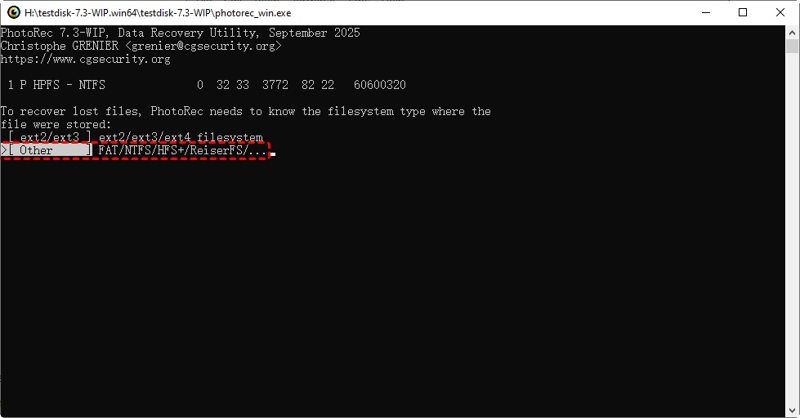
步骤 6。 Then, select the file system of your SD card.
步骤 7。 选择 自由 or 全 根据你的需求。
步骤 8。 Select the destination folder and begin file recovery.
结语
本指南分享了多种方法 recover deleted videos from an SD card in various situations. You can pick an appropriate method and follow our steps to get back your video files quickly. Apeaksoft数据恢复 is the ultimate way to retrieve video files from internal and external hard drives.