How to Recover Data from a Broken Phone (Android & iPhone)

A broken phone can happen to anyone. A broken screen, black display, or water damage may make your phone unusable. Rather than worrying about the phone itself, most users may be more concerned about the important data stored on it.
Fortunately, your data is stored on the phone's internal storage, not on the screen or touch system. Therefore, in most cases, you can recover data from broken phones as long as the storage and main motherboard are still intact. This guide introduces πώς να ανακτήσετε δεδομένα από ένα χαλασμένο τηλέφωνο for both Android and iPhone users, ranging from free DIY fixes to professional tools.
ΠΕΡΙΕΧΟΜΕΝΟ ΣΕΛΙΔΑΣ:
Can I Recover Data from a Broken Phone
As mentioned above, you can usually recover data from a broken phone as long as its storage and motherboard are still intact. Different conditions support different data recovery solutions. Below is a clear reference for quick judgment:
| Phone Damage Situation | Possible Recovery Methods |
| Cracked screen or unresponsive touch, but the display still works | USB transfer, OTG control, cloud backup, data recovery software |
| Black screen, but the phone still powers on or vibrates | Cloud backup, USB transfer if recognized, external display on supported devices, professional software |
| Severe water damage, with the phone completely dead or unable to boot | Professional repair or data recovery service |
Method 1: Recover Data from Broken Phone via USB Connection
This is the simplest free solution to recover data from a phone with a broken screen. However, there are strict prerequisites. Your phone must be able to turn on, and you have trusted the connected computer beforehand. Otherwise, this method isn't viable.
Για αντρόιντ
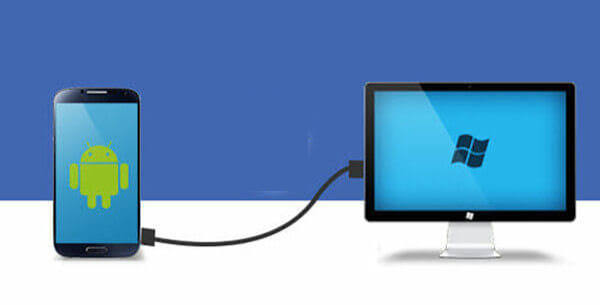
Βήμα 1. Connect your Android phone to a computer with a USB cable.
Βήμα 2. Select File Transfer on your Android phone if prompted.
Βήμα 3. Open the phone's storage folder on your computer and copy the important data to your local folder.
για το iPhone
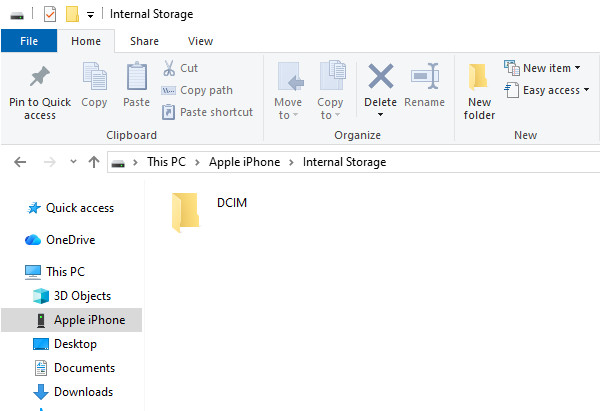
Βήμα 1. Connect the broken iPhone to a previously trusted computer.
Βήμα 2. Open the iPhone's internal storage in Εξερεύνηση αρχείων on Windows and copy available photos and videos from the DCIM folder to the computer.
Method 2: Recover Broken Phone Data via OTG & External Monitor
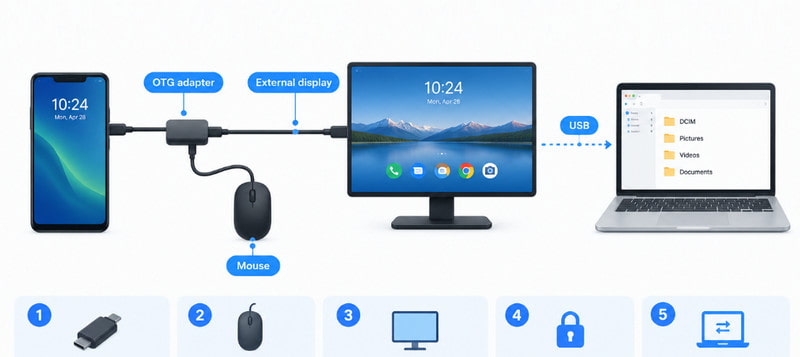
This method only works for Android phones with broken or unresponsive screens that can still be turned on. With OTG and a compatible external display, you can control your Android phone and recover your data.
Βήμα 1. Prepare an OTG adapter and a wired mouse.
Βήμα 2. Connect the mouse to your broken Android phone via the OTG adapter. If the screen is black, you need to connect the phone to an external display.
Βήμα 3. A cursor will appear on the screen, allowing you to enter the password and unlock the device. Then, you can control the phone freely and transfer all files to a computer.
Method 3: Restore Broken Phone Data from Cloud Backup
If you have the habit of backing up your phone regularly before it is damaged, it will be much easier for you to recover broken phone data. This method is the most reliable one and is suitable for all damage levels.
Για αντρόιντ
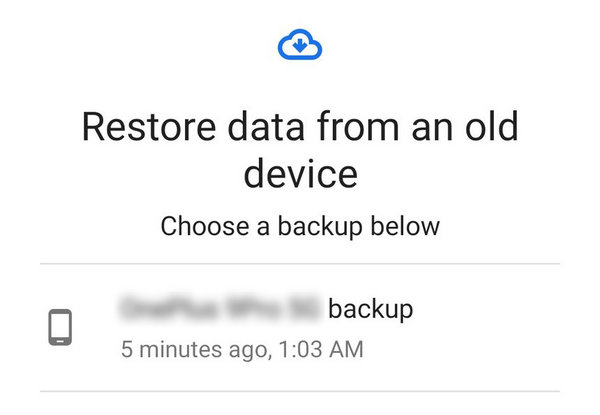
Βήμα 1. Sign in to your Google Account on a new Android phone.
Βήμα 2. Choose to restore data from your Google backup during the phone setup.
Βήμα 3. Select a backup and follow the on-screen instructions to finish the broken phone data recovery.
για το iPhone
Βήμα 1. Sign in to your Apple Account on a new iPhone.
Βήμα 2. Επιλέξτε Από το iCloud Backup στη διαδικασία ρύθμισης.
Βήμα 3. Select the corresponding backup and follow the on-screen instructions to restore your available data.
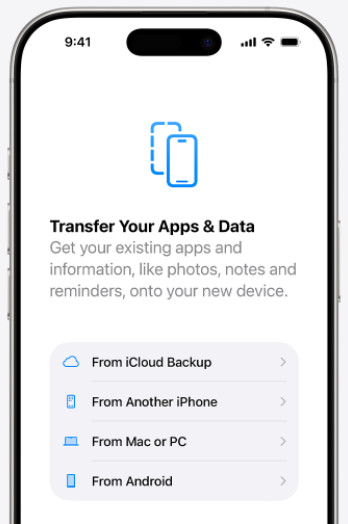
Συμβουλές: If you have backed up your iPhone to a computer using iTunes, you can also restore your iPhone from iTunes backup.
Method 4: Recover Broken Phone Data via Professional Recovery Software
If all the above methods don't work, you can try professional data recovery software to recover data from broken phones that can still be detected by a computer and have accessible internal storage. The software can scan through your device more thoroughly for recoverable data such as photos, videos, contacts, messages, and more.
Για αντρόιντ

Λήψη από πάνω από 1,000,000 Χρήστες
- Recover data from an Android phone with a broken screen.
- Recover broken Android phone data in 3 simple steps.
- Preview and recover data selectively.
- Supports all popular Android phones and Android 17.
Ασφαλής λήψη
Ασφαλής λήψη
Βήμα 1. Download this tool from the button above. Install and run it.
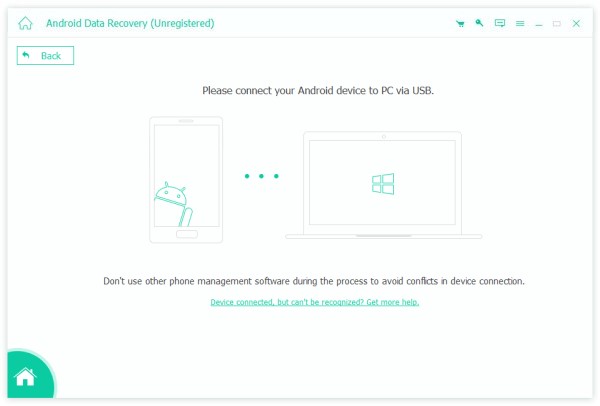
Βήμα 2. Connect your Android phone to your computer. Choose Transfer Files mode on the Android phone.
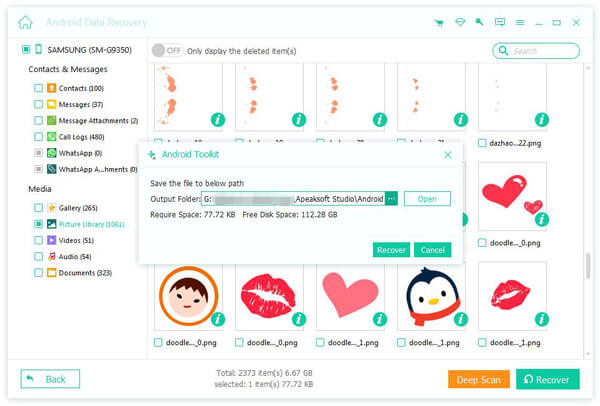
Βήμα 3. After scanning, you will see all recoverable files. Check the files you need, and click Ανάκτηση.
για το iPhone
Λήψη από πάνω από 1,000,000 Χρήστες
- Recover iPhone data from a broken phone.
- Preview all recoverable data before the recovery.
- Selectively recover only the data you need.
- Υποστηρίζει την τελευταία σειρά iPhone 18 και iOS 27.
Ασφαλής λήψη
Ασφαλής λήψη
Βήμα 1. Download and install this software.
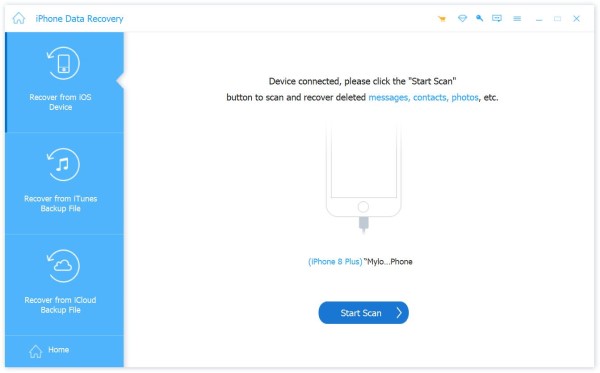
Βήμα 2. Connect your iPhone to your computer and click έναρξη σάρωσης.
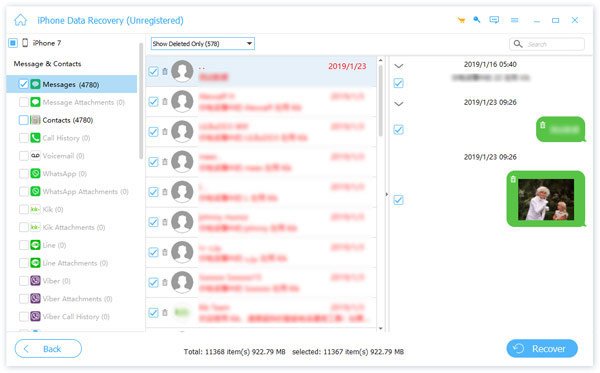
Βήμα 3. Once the scan finishes, choose your target files. You can quickly locate them according to the data type in the left panel. Then, click the Ανάκτηση button and choose a saving path.
Συμβουλές: Αυτό το εργαλείο σας δίνει επίσης τη δυνατότητα να επαναφέρετε από το iCloud επιλεκτικά.
Συμπέρασμα
Συμπέρασμα
When your phone is broken, don't worry. It is still possible to ανάκτηση δεδομένων από χαλασμένο τηλέφωνο. This post provides 4 practical ways. Hope you can successfully get your data back from a broken phone!
 Apeaksoft Android Data Recovery
 Ανακτήστε διάφορα διαγραμμένα ή χαμένα δεδομένα από όλες τις δημοφιλείς συσκευές Android.
Ασφαλής λήψη
Ασφαλής λήψη
Σχετικά άρθρα