iOS 27 -yhteensopivat laitteet: Onko iPhonesi tuettu?

Apple on virallisesti esitellyt uusimman mobiilikäyttöjärjestelmänsä: iOS 27. Tällä hetkellä saatavilla beta-versiona. Tämä päivitys tuo mukanaan valtavan määrän uusia ominaisuuksia, älykkäämpiä järjestelmätyökaluja, Siri-tekoälyn ja muita tekoälyominaisuuksia. Jos olet iPhonen käyttäjä, ensimmäinen kysymyksesi on ehdottomasti: Saako puhelimeni uuden päivityksen?
Tässä kattavassa oppaassa tarkastelemme lähemmin iOS 27 -tuetut laitteet, tarkista, ovatko vanhemmat mallit, kuten iPhone 11 ja iPhone 12, edelleen turvallisia, tutustu ominaisuuksien yhteensopivuuteen ja näytämme tarkalleen, miten saat beetan laitteellesi jo tänään.
SIVUN SISÄLTÖ:
Osa 1: iOS 27 -yhteensopivuus: Virallinen laiteluettelo
Tarkistetaanpa suoraan iOS 27:n tukemien laitteiden luettelo:
- iPhone 17 -sarja: iPhone 17, iPhone 17e, iPhone Air, iPhone 17 Pro, iPhone 17 Pro Max.
- iPhone 16 -sarja: iPhone 16, iPhone 16e, iPhone 16 Plus, iPhone 16 Pro, iPhone 16 Pro Max.
- iPhone 15 -sarja: iPhone 15, iPhone 15 Plus, iPhone 15 Pro, iPhone 15 Pro Max.
- iPhone 14 -sarja: iPhone 14, iPhone 14 Plus, iPhone 14 Pro, iPhone 14 Pro Max.
- iPhone 13 -sarja: iPhone 13, iPhone 13 mini, iPhone 13 Pro, iPhone 13 Pro Max.
- iPhone 12 -sarja: iPhone 12, iPhone 12 mini, iPhone 12 Pro, iPhone 12 Pro Max.
- iPhone 11 -sarja: iPhone 11, iPhone 11 Pro, iPhone 11 Pro Max.
- iPhone SE: 2. sukupolvi ja myöhemmät.
Näin ollen voit nähdä, että iOS 27 tukee iPhone 11:tä ja iPhone 12:ta. Voimme myös päätellä, että jos sinulla on vuonna 2020 tai myöhemmin julkaistu iPhone-malli, puhelimesi on iOS 27 -yhteensopivien laitteiden luettelossa.
Osa 2: iOS 27:n uusien ominaisuuksien yhteensopivuus kussakin mallissa
Vaikka iOS 27:ää tukevat monet iPhone-tilat, se ei tarkoita, että kaikki jännittävät uudet ominaisuudet olisivat saatavilla niissä. Vanhemmissa sarjoissa, kuten iPhone 11:ssä, iPhone 12:ssa ja iPhone SE:ssä, tuettuja ominaisuuksia on vähemmän kuin uusissa iPhone 17- ja 16-sarjoissa.
Mitkä iPhone-mallit tukevat edistynyttä Siri-tekoälyä iOS 27:ssä?
Vain iPhone 17 Pro Max, iPhone 17 Pro ja iPhone Air tukevat Siri AI:ta. Myös tuleva iPhone 18 -sarja ja sitä seuraavat mallit tukevat edistynyttä Siri AI -ominaisuutta, ellei ominaisuutta poisteta.
Huomautus: Valitettavasti iPhone 17 ei tue Siri-tekoälyä.
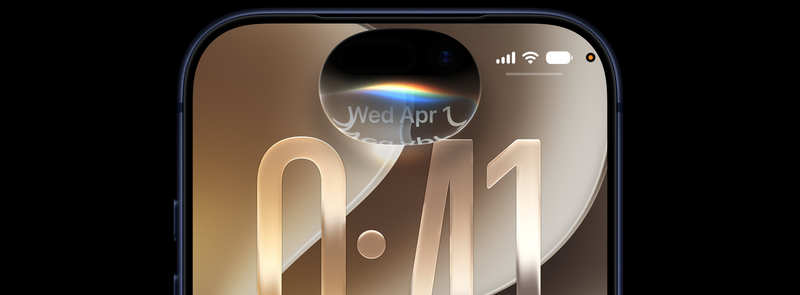
Mitkä iPhone-tilat tukevat Applen älykkyyttä ja Siri-tekoälyä?
Koko iPhone 17 -sarja, iPhone 16 -sarja, iPhone 15 Pro Max ja iPhone 15 Pro tukevat yksinkertaisia Siri AI- ja Apple Intelligence -ominaisuuksia. Yleisesti ottaen Siriä voi käyttää ChatGPT:nä tai OpenClawina. Se voi vastata kysymyksiisi älykkäämmin ja suorittaa toimia sovelluksissa sen perusteella, mitä teet kulloinkin.
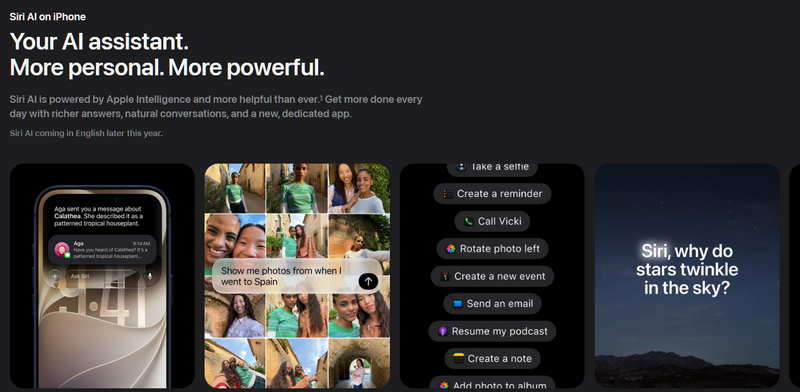
Mitkä iPhone-mallit tukevat iOS 27:ää ilman tekoälyominaisuuksia?
iPhone 15 tai vanhemmat iPhone-mallit eivät tue tekoälyominaisuuksia, vaikka ne voivat käyttää iOS 27:ää. Lisäksi Applen uutishuonekaikki Kiinan-version iPhonet ja EU:n-version iPhonet (mukaan lukien iPadit) eivät tue Siri AI- ja Apple Intelligence -ominaisuuksia sääntelyongelmien vuoksi.
Entä iPad-mallit?
- iPadOS mini 6. sukupolvi tai uudempi tukee iOS 27:ää.
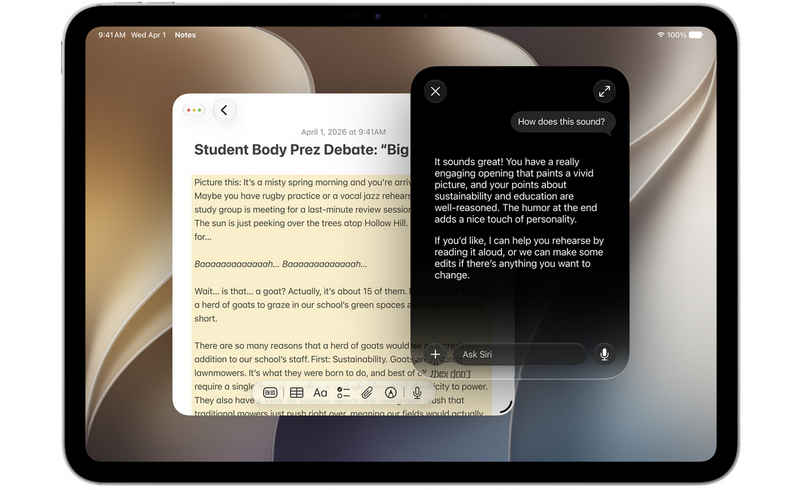
- iPad mini (A17 Pro) ja iPad-mallit, joissa on M1 tai uudempi, voivat tukea uusimpia Siri AI- ja Apple Intelligence -ominaisuuksia.
- iPadOS mini 6. sukupolvi iPad miniin (A17 Pro) tukee yksinkertaisia tekoälyominaisuuksia.
Osa 3: Kuinka saada iOS 27 Beta heti
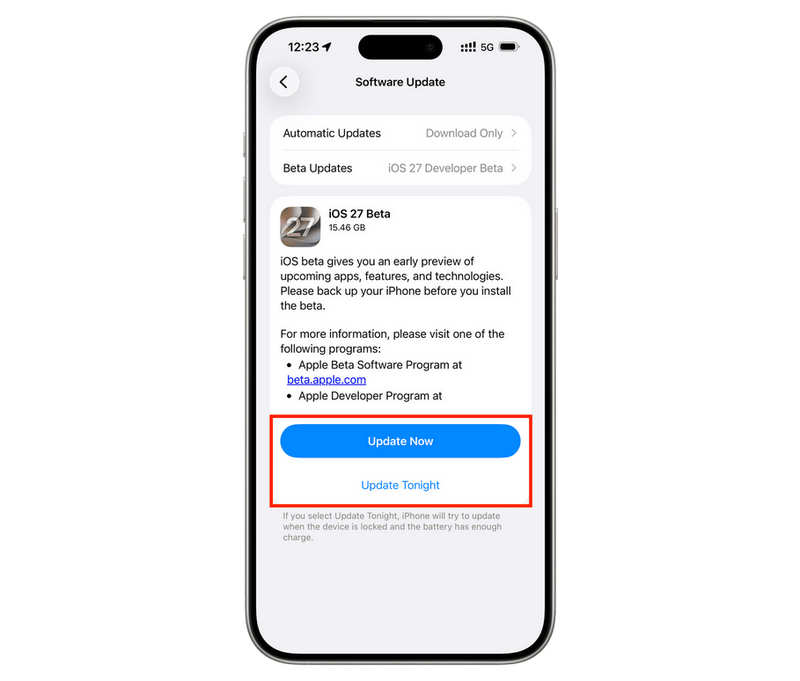
iOS 27 Betan hankkiminen on todella helppoa, mutta edellytyksenä on, että iPhonessasi on tällä hetkellä uusin iOS 26 -versio, tai et saa päivitysilmoitusta. Asetukset sovellus> general > ohjelmistopäivitysKun näet iOS 27 Beta -vaihtoehdon, voit päivittää siihen.
Osa 4: Kuinka palata iOS 27 Beta -versiosta alempaan versioon
iOS 27 Beta on kuitenkin vain beta-versio. Jos huomaat siihen päivittäessäsi virheitä tai järjestelmävirheitä, sinun on päivitettävä iOS 26:een. Apeaksoft iOS System Recovery voi auttaa sinua siinä. Lisäksi se voi myös korjata kohtaamasi ongelmat suoraan.

Ladannut yli 1,000,000 Käyttäjät
- Liitä iPhone tietokoneeseesi päivittääksesi iOS:n aiempaan versioon.
- Hanki virallinen iOS 26 iPhonellesi turvallisesti ja siististi.
- Korjaa järjestelmävirheet, jumiutuneet ongelmat ja muut bugit iPhonessasi tai iPadissasi.
- Pystyy korjaamaan iPhoneja ja iPadeja, joissa on kaikki iOS- ja iPadOS-versiot.
Suojattu lataus
Suojattu lataus
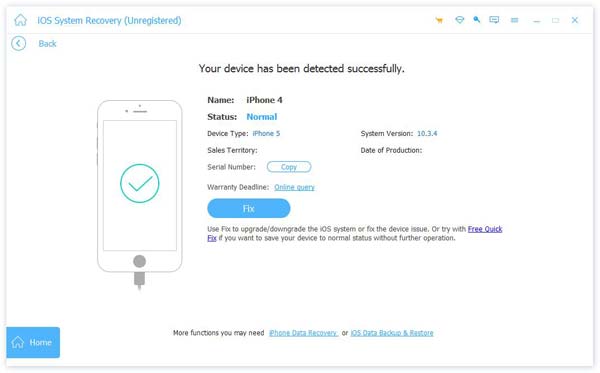
Vaihe 1. Valitse iOS:n päivitys-/alennusominaisuus
Lataa, asenna ja käynnistä Apeaksoft iOS System Recovery tietokoneellasi. Liitä iPhone tietokoneeseen. Valitse sitten iOS-järjestelmän palauttaminen ja valitse iOS-päivitys/alennus.
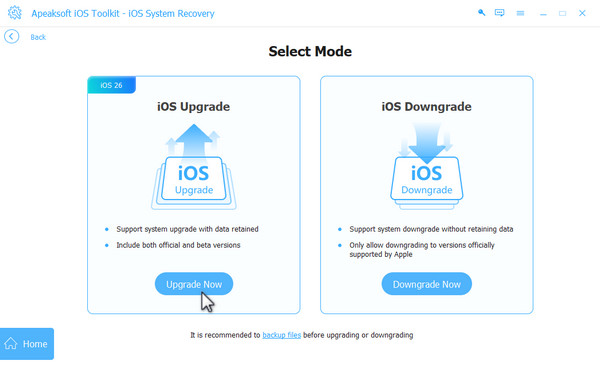
Koska sinun on päivitettävä iOS 27 Betasta iOS 26:een, sinun tulee valita downgrade iOS Ja napsauta Alenna nyt painiketta.
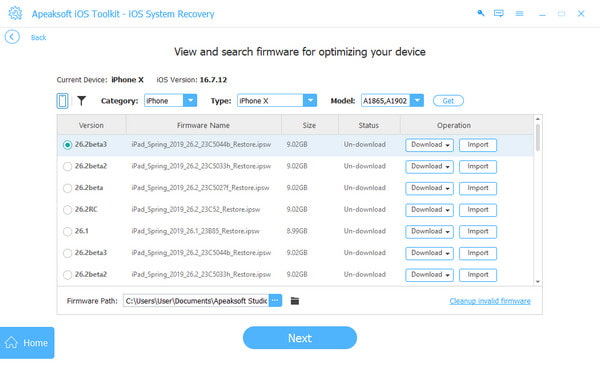
Vaihe 2. Aloita iOS 27:n alentaminen versioon 26
Nyt voit valita iOS 26 -version ja napsauttaa Lataa -painiketta ladataksesi järjestelmän laiteohjelmistopaketin. Lopuksi napsauta seuraava -painiketta käynnistääksesi prosessin.
Kirjallisuutta
Yhteenveto
Tämä artikkeli on näyttänyt sinulle iOS 27 -yhteensopivat laitteetVoit päivittää iOS 27:ään Asetuksissa. Voit myös ladata iOS 27 Betan Applen kehittäjäkeskuksesta. iOS 27 Betassa saattaa kuitenkin olla virheitä tai järjestelmäongelmia. Jos sinun on palautettava iOS 26:si, voit käyttää Apeaksoft iOS System RecoveryTämä tehokas ohjelma voi antaa sinun valita haluamasi iOS-version ja korjata kaikenlaisia järjestelmäongelmia. Se suojaa iPhoneasi/iPad-laitettasi ja antaa sinun käyttää laitettasi huoletta.
 Apeaksoft iOS System Recovery
 Korjaa viraaliset iOS-järjestelmäongelmat iPhonessa, iPadissa ja iPodissa.
Suojattu lataus
Suojattu lataus
Aiheeseen liittyvät artikkelit