

8 legjobb duplikált fotótisztító mobilon és számítógépen

Ahogy a vizuális technológia fejlődik, okostelefonjainkkal és digitális fényképezőgépeinkkel szuperminőségű fotókat készíthetünk. Érthető, hogy digitális eszközeink tárhelye gyorsan elfogy, mivel a kiváló minőségű fotók sok helyet foglalnak. A duplikált fotók keresése és törlése jó lehetőség a hely felszabadítására adatvesztés nélkül. Besoroltuk és áttekintettük a 8 legjobb fotót. másolat tisztítószerekSegítenek megkeresni a duplikált fényképeket iOS, Android, Windows és Mac rendszereken.
OLDAL TARTALMA:
1. rész: A legjobb duplikált fotótisztítók összehasonlítása
Amikor a legjobb duplikált fotókeresőket kutatjuk, néhány tényezőre összpontosítunk: az árra, a sikerességi arányra, a támogatott platformokra, a könnyű használatra, a támogatott fotóformátumokra, az előnézeti kép minőségére és egyebekre.
| Szerszám | Ár: | Támogatási formátumok |
| Apeaksoft iPhone Eraser | 14.95 dollár havonta, 39.96 dollár életre szólóan | Minden fotóformátum |
| Remo Duplicate Photos Remover | Ingyenes, alkalmazáson belüli vásárlás | HEIC, JPG, PNG, GIF stb. |
| Slidebox – Fotótisztító | 4.99 dollár havonta, 49.99 dollár évente | HEIC, JPG, PNG, GIF stb. |
| Apeaksoft Mac Cleaner | 12.00 dollár havonta, 39.96 dollár életre szólóan | Minden képformátum |
| fényképseprő | $9.99 | JPG, PNG, HEIC és RAW formátumok |
| Ismétlődő fotók rögzítő Pro | $71.90 | HEIC, JPG, PNG, GIF stb. |
| VisiPics | Ingyenes | JPG, PNG, RAW, GIF, TIFF, TGA és BMP formátumok |
| Gyors fotókereső | Ingyenes, 39.95 USD | JPG, PNG és RAW formátumok |
2. rész: Top 3 Duplicate Photo Cleaner alkalmazás iOS/Android rendszeren
Top 1: Apeaksoft iPhone Eraser
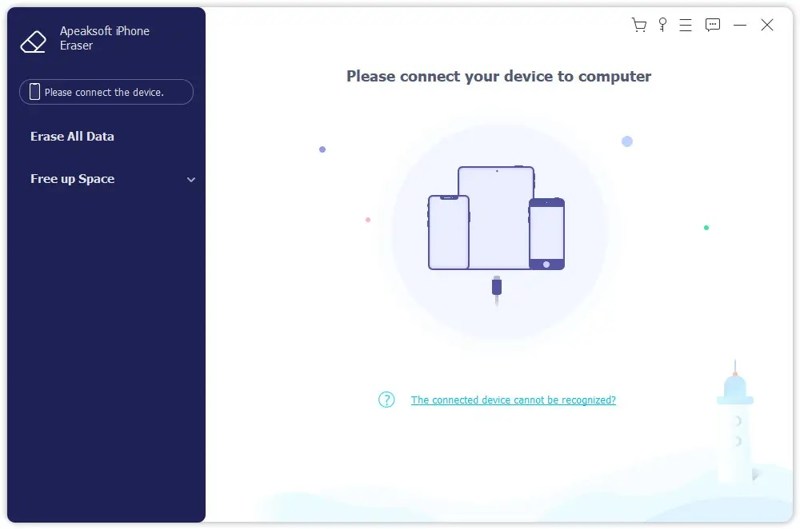
Apeaksoft iPhone Eraser az egyik legjobb alkalmazás a duplikált fotók törlésére iOS-eszközökön. Képes beolvasni az eszköz memóriáját, megkeresni az összes fotót, rendezni őket, és gyorsan törölni a duplikált elemeket.
Biztonságos letöltés
Biztonságos letöltés
- vki használni.
- egy fényképet bármilyen iOS-eszközön.
- iPhone-fotók megtekintése és rendezése.
- több fotót is készíthet egyszerre.
- Támogatja az iOS és iPadOS legújabb kiadásait.
- eltarthat egy ideig, ha sok fotód van.
Íme a lépések, hogyan találhat ismétlődő fényképeket iPhone-ján:
Lépés 1. Csatlakozzon iPhone-jához
Futtassa a duplikált fotó eltávolítót a számítógépére telepítés után. Van egy másik verzió is Mac-re. Csatlakoztassa iPhone-ját a számítógépéhez egy Lightning-kábellel.
Lépés 2. iPhone fotók előnézete
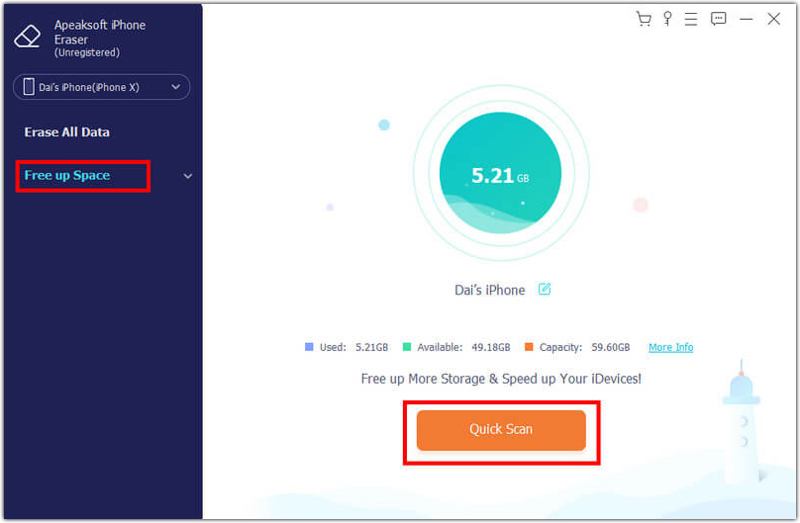
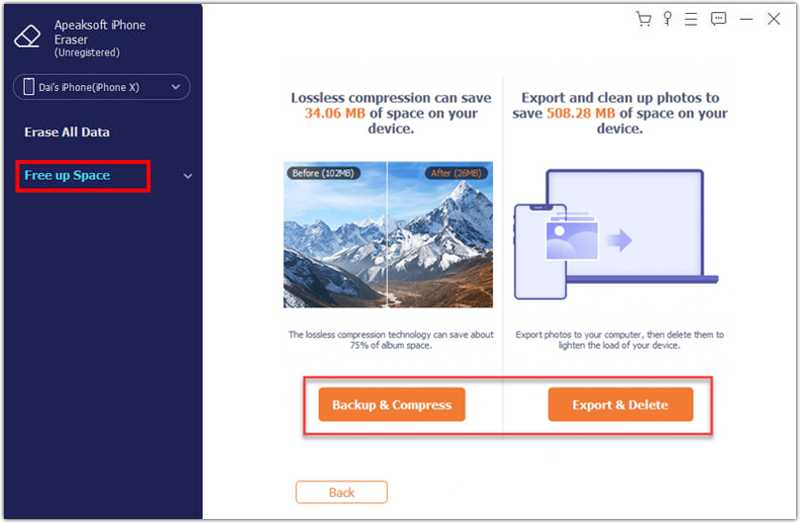
Kattintson az Szabadítson fel helyet opciót az oldalsávon, és kattintson a Gyors vizsgálat. Ezután kattintson a Törli gomb mellett Tisztítsuk meg képek választási lehetőség. Kattints a Exportálás és törlés gombra az eszközön található összes fénykép megjelenítéséhez.
Lépés 3. Törölje az ismétlődő fényképeket
Az alkalmazás automatikusan rendszerezi a fényképeidet, és megjeleníti a másolatokat. Jelöld ki a nem kívánt fényképeket, majd kattints a Törölni .
Top 2: Remo Duplicate Photos Remover
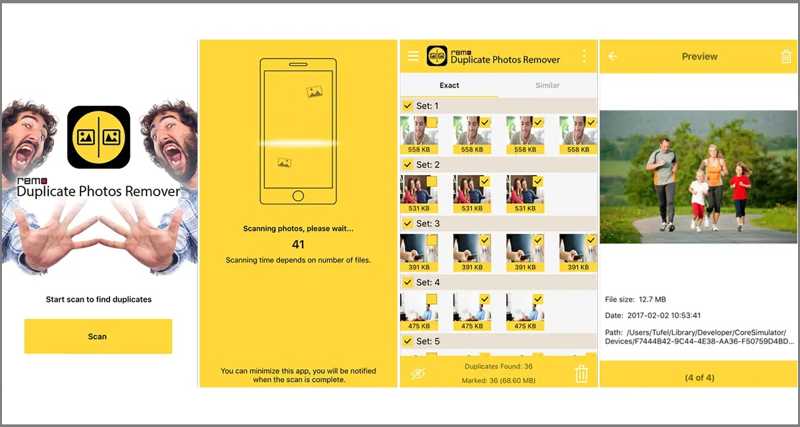
A Remo Duplicate Photos Remover egy ingyenes duplikált fotó kereső alkalmazás iPhone-ra és Androidra. Segít a felhasználóknak megszabadulni a duplikált fotóktól a memóriájukból és helyet szabadítani fel mindössze néhány koppintással.
- Lete duplikált képek.
- ismerj fel hasonló fotókat.
- Jelöld be és távolítsd el a duplikált fotók jelölését.
- új képrészletek.
- csak angol nyelven érhető el.
- nem integrálja a mesterséges intelligenciát.
Top 3: Slidebox - Fotótisztító
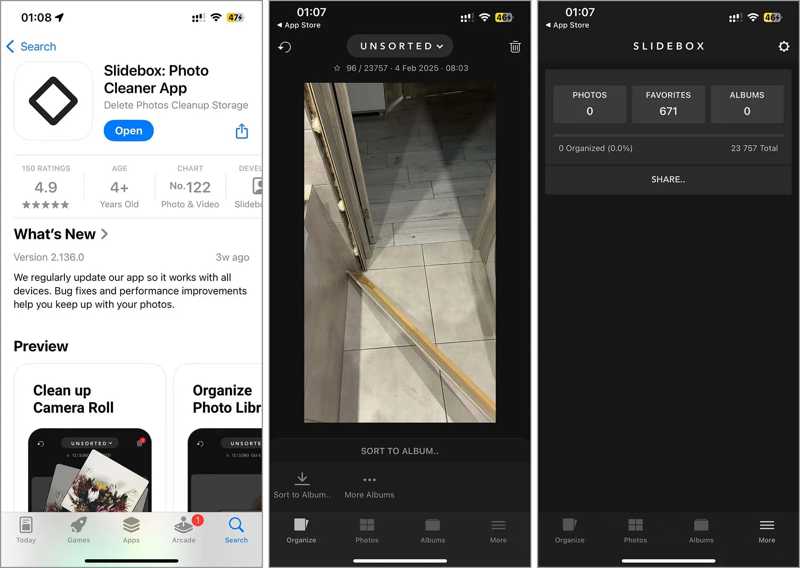
A Slidebox egy másik duplikált fotótisztító alkalmazás iPhone és Android felhasználók számára. Gyorsá és egyszerűvé teszi a fotók kezelését. Összehasonlítja a duplikált fotókat és könnyedén eltávolítja a nem kívánt elemeket.
- Távolítsa el a nem kívánt fényképeket.
- Fotók albumokban való rendszerezése és sorba rendezése.
- Hasonlítsa össze a fényképeket a duplikációk megtalálásához.
- Kedvenc legjobb pillanatok.
- IOS 15 és újabb verziót igényel.
- Hiányzik belőle az ingyenes verzió.
3. rész: Top 5 duplikált fotókereső PC-n/Mac-en
Legjobb 1: Apeaksoft Mac Cleaner
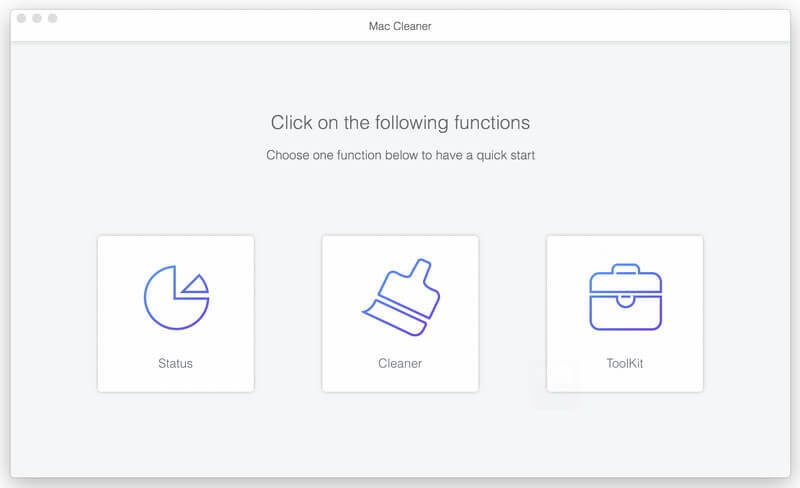
Apeaksoft Mac Cleaner az egyik legjobb duplikált kép eltávolító Mac-re. Lehetővé teszi a fotókönyvtár beolvasását, a duplikátumok felfedezését és a nem kívánt fényképek eltávolítását egyetlen kattintással. A felhasználóbarát felület könnyen navigálható.
- Hasonló fotók keresése mesterséges intelligenciával.
- Töröld a nem kívánt képeket.
- Több fotó törlése egyszerre.
- Tartalmazzon bónusz funkciókat.
- Könnyű és gyors.
- Telepítenie kell a merevlemezére.
A duplikált fotók eltávolításának lépései Mac számítógépen:
Lépés 1. Telepítse a duplikált képek eltávolítóját
Indítsa el a duplikált fotó eltávolítót a Mac gépére telepítés után. Kattintson a tisztító opciót a kezdőlapon, és válassza a Hasonló fotó.
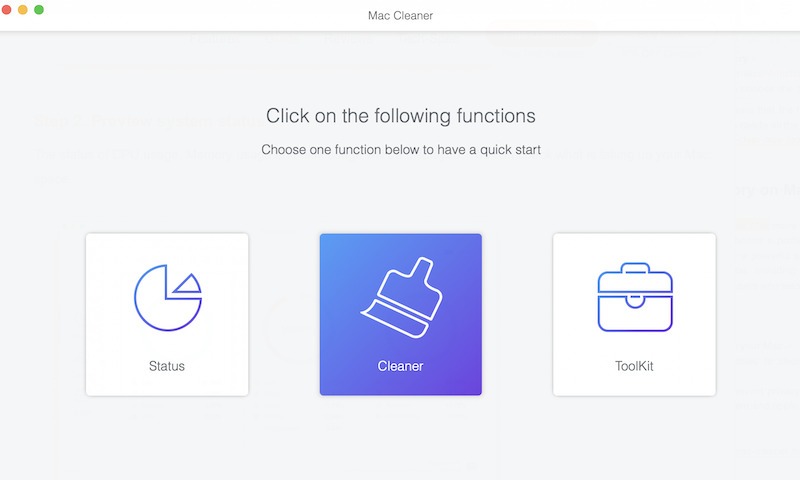
Lépés 2. Szkennelje be az ismétlődő fényképeket
Kattintson az Keresés gombra a merevlemezen található másolatok beolvasásának megkezdéséhez. Ez eltarthat egy ideig, és türelmesnek kell lennie.
Lépés 3. Törölje az ismétlődő fényképeket
Amikor a szkennelés befejeződött, kattintson a gombra Kilátás gombra. Ezután jelölje ki a nem kívánt fényképeket, és kattintson a Tiszta gombot. Ha a rendszer kéri, erősítse meg a műveletet.
További olvasnivalók
Top 2: PhotoSweeper
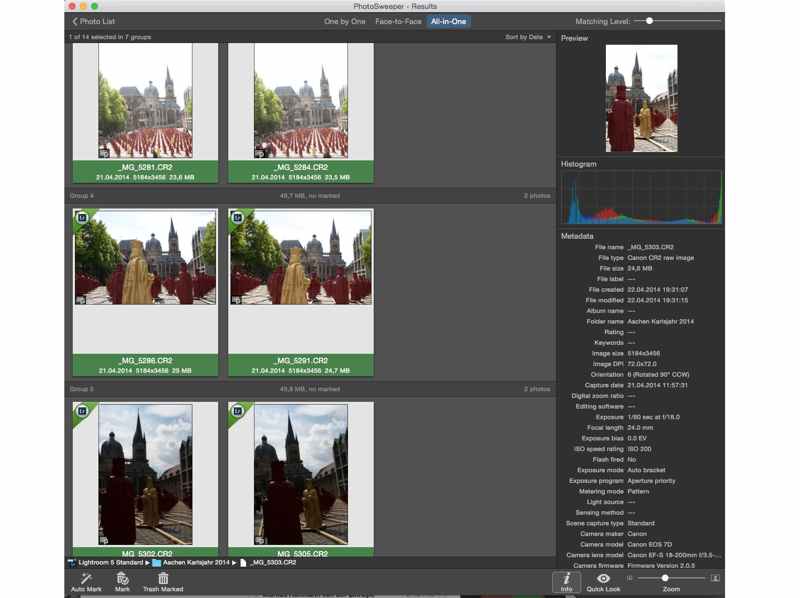
A PhotoSweeper egy robusztus, duplikált fotótisztító MacBookokhoz. Számos hatékony funkcióval és intuitív felülettel rendelkezik. Képes beolvasni az egyes fényképek metaadatait, és felfedezni a duplikátumokat.
- Törölje a duplikált fényképeket algoritmusokkal.
- Több összehasonlítási módot is tartalmazzon.
- Több fotó feldolgozása egyszerre.
- Intuitív felülvizsgálati folyamatot kínál.
- Ez nem szabad.
- Csak Macen érhető el.
Top 3: Duplicate Photos Fixer Pro
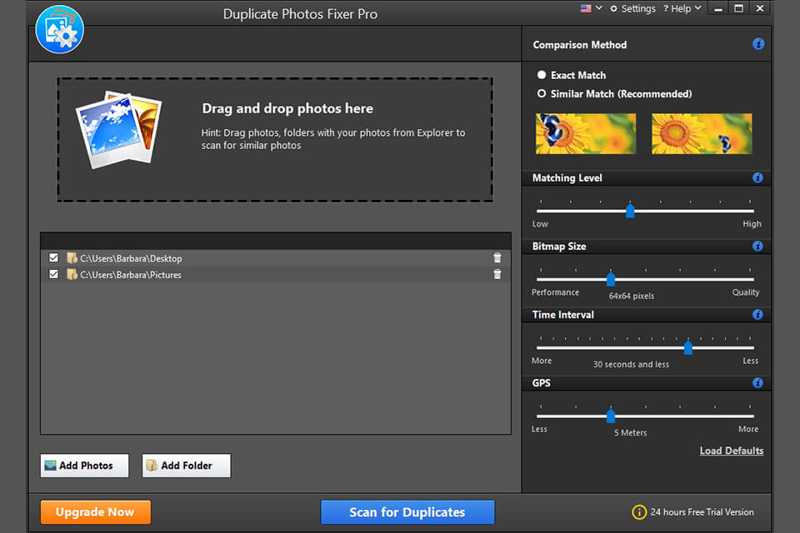
Ahogy a neve is mutatja, a Duplicate Photos Fixer Pro egy professzionális duplikált fényképek keresője Windows és Mac rendszerre. Lehetővé teszi az azonos fényképek gyors beolvasását és a duplikátumok eltávolítását néhány másodperc alatt.
- Állítsa be az egyezési szintet.
- Gyorsan beolvashatja a fényképeket.
- Fotók előnézete és megjelölése.
- Kompatibilis a Windows és a Mac rendszerrel.
- Az ingyenes demó legfeljebb 15 ismétlődést tud eltávolítani.
- A felület elavultnak tűnik.
Top 4: VisiPics
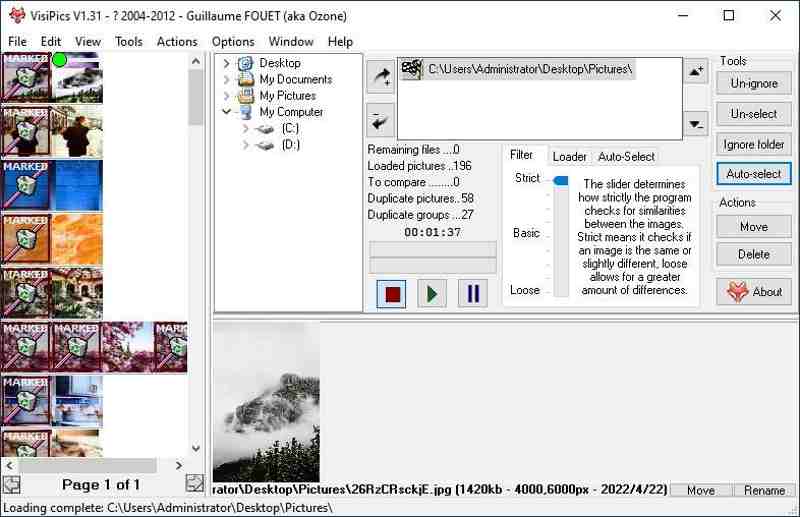
A VisiPics egy 2007-ben megjelent duplikált fotók eltávolító program. Bár ingyenes, a szoftver teljesen biztonságosan használható. Össze tudja hasonlítani a fotók tartalmát, és hasonlóságokat kereshet a fényképek között.
- Három összehasonlítási módot tartalmaz.
- Automatikus kiválasztás támogatása.
- Működik a főbb képformátumokkal.
- Rengeteg keresési szűrőt kínál.
- Az előnézeti funkció nehezen használható.
- Csak Windows rendszeren működik.
Top 5: Gyors fotókereső
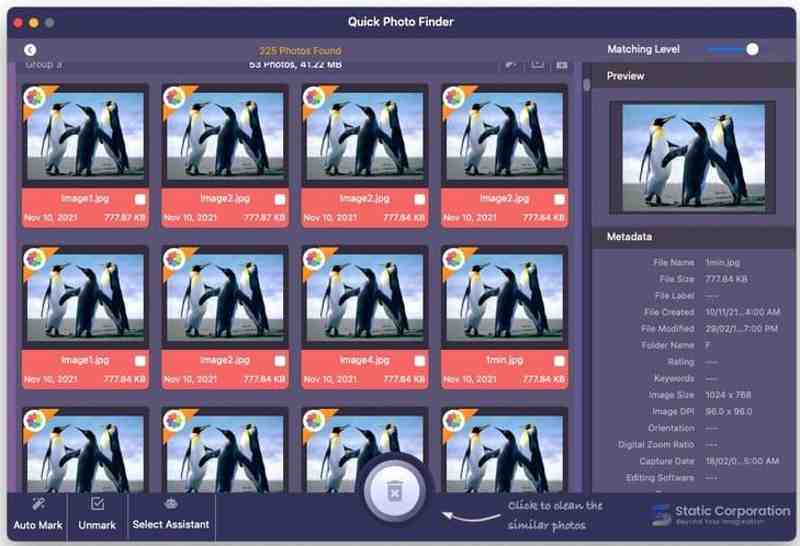
A Quick Photo Finder egy ingyenes duplikált fotótisztító számítógépekhez. Bár ingyenes, frissítették Windows 11-re. Gyorsan megoldja a számítógépen a duplikált képek problémáját. Ráadásul ingyenes verzióban is elérhető.
- Szkennelje be gyorsan az ismétlődő fényképeket.
- Metaadatok megjelenítése.
- Testreszabhatja az egyezési szintet.
- Támogassa a kiválasztott asszisztenst.
- Vannak idegesítő hirdetések.
- Lassú.
Összegzés
Most legalább a legjobb 8-öt meg kell tanulnod legjobb duplikált fotókeresők iPhone, Android, Windows és Mac rendszerekhez. Kövesd az értékeléseinket, hogy kiválaszd a helyzetednek megfelelőt. Az Apeaksoft iPhone Eraser egy gyors megoldás iPhone-felhasználók számára. Az Apeaksoft Mac Cleaner segít könnyedén megtalálni a hasonló fényképeket Macen.
Kapcsolódó cikkek




