

What Is an IMEI Number - Meaning, Significance, and How to Find It

Tudod what an IMEI number is?
The IMEI number is about 15 digits long and plays a crucial role in mobile devices. You can block your stolen phone from the mobile network or identify the new phone you bought.
Today, we will introduce the IMEI number in detail. Just keep reading and get the helpful things you need from this article.
OLDAL TARTALMA:
Best Tool to Unlock SIM-Locked iPhone
- Unlock SIM-locked iPhone and switch carriers easily.
- Support carriers like Verizon, AT&T, and T-Mobile.
- Safe and user-friendly interface with simple steps.
- Compatible with most iPhone and iPad models.
Biztonságos letöltés
Biztonságos letöltés
1. rész: Mi az IMEI-szám?
For those who don't know much about IMEI numbers, you may have a question: What is an IMEI number, anyway?
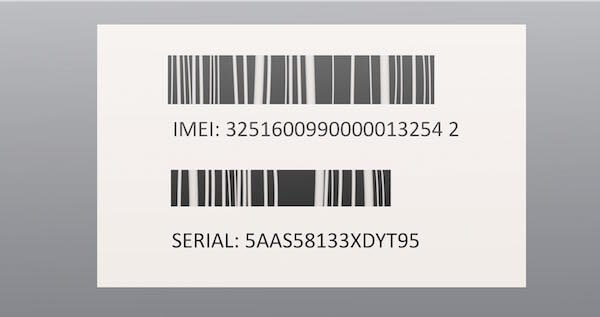
Actually, an IMEI number is the International Mobile Equipment Identity, which helps identify your phone and other devices. It is a unique 15-digit code that is assigned to all mobile devices, similar to a serial number. And you can keresse meg az IMEI számot különböző helyeken.
Part 2: What Do the Digits in an IMEI Number Mean
Apart from what an IMEI number is, you may also wonder what each digit represents. This section will introduce the structure of an IMEI number.
IMEI structure is defined by GSMA standards. It consists of 15 digits.
An IMEI number is divided into three main parts:
Type Allocation Code - First 8 digits
The first 8 digits of the IMEI number are the Type Allocation Code (TAC) which identifies the brand and model of your mobile phone. Devices of the same model share the same TAC.
Serial Number - Next 6 digits
The following 6 digits are a unique serial number assigned by the manufacturer to distinguish individual devices of the same model.
Check Digit - Last Digit
The final digit is a check digit calculated using the Luhn algorithm. It is used to check whether an IMEI number is valid.
For example, an IMEI number like 35780502 alkalmazott, 35780502 indicates the manufacturer and brand. 398494 is the serial number, and 2 is the checking digit.
Part 3: Significance of IMEI Number
Actually, an IMEI number plays an important role when a phone is lost or stolen. You can use the IMEI number to identify the specific device that is used on a mobile network.
Advantages of the IMEI number:
- If your phone is stolen, you can contact your mobile network provider and ask them to disable the phone using its IMEI number, so the thief cannot change the SIM card on your phone and still keep the phone.
- Because the IMEI number is embedded in the device hardware, it cannot be easily altered without causing serious damage to the phone. This makes it a reliable way to track and manage devices on mobile networks.
- In addition, the IMEI number can help verify a device’s authenticity. When you want to buy a new phone, you may meet some people who deceive you and sell you counterfeit phones. You can check the IMEI number through an official database to confirm whether the device is genuine, blacklisted, or previously reported as lost or stolen.
Therefore, when you buy a new phone, you should check the IMEI number first. Besides, you can check whether your phone is real or fake by entering its IMEI number into an IMEI checker site. Then the site will provide all the information about your phone, so you can tell whether it is a fake.
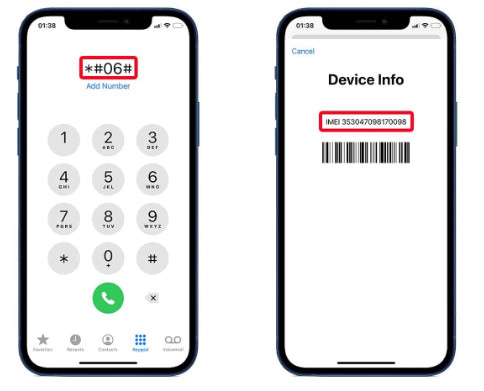
4 rész: IMEI szám keresése
Tárcsázza * # 06 #
The easiest way to know your IMEI number is to dial the code 06 * # # on the Phone app. You don't need to tap any other button, and the IMEI number will appear as soon as you finish dialing the code.
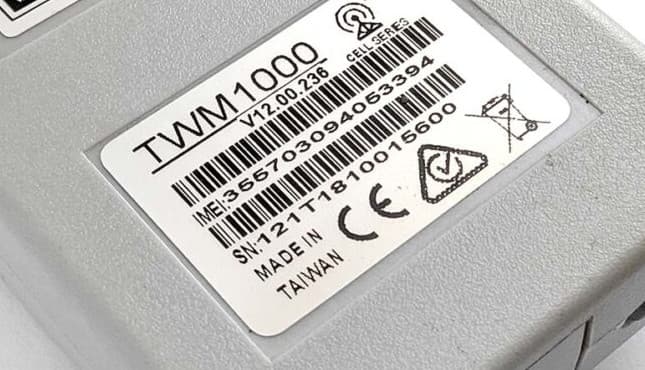
On the device body
Generally speaking, you can find the IMEI number on the phone. Maybe it is on the back of the phone casing, or just on the battery. For example, if you are using an iPhone, you can find the IMEI number on the back of the phone or in the SIM card tray. If you are using those phones with batteries, you can remove the batteries and find the IMEI number on each.
On the package box
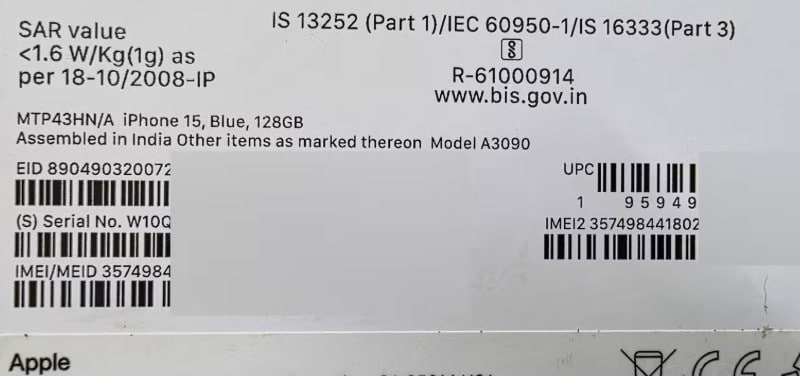
If you still have the original packaging for your mobile device, you can find the IMEI number on the barcode label stuck to the box.
A Beállításokban
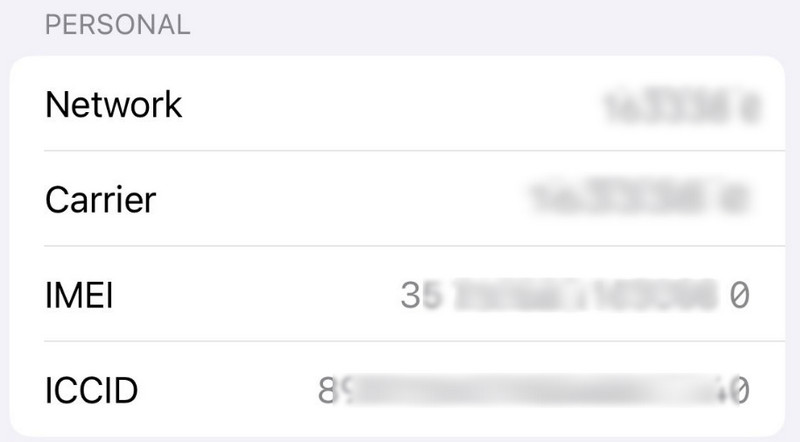
In addition to checking the phone's IMEI number, you can also find it in Settings, one of your phone's apps. Both Android and iPhone users can find out their IMEI number.
Az iTunesból
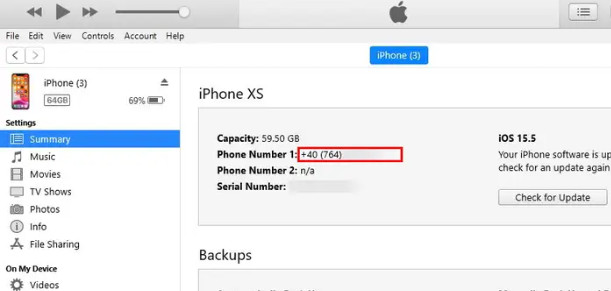
iPhone users can also get their phone's IMEI number in iTunes. Connect your phone to the computer, then open iTunes. Click the Összegzésként majd kattintson a gombra Telefonszám, then you will see what your IMEI number is.
Összegzés
In this article, we explain the question of mi az az IMEI number for you in detail. Learn the functions of the IMEI number and how to find it. When your phone is stolen, you can use its IMEI number to disable it. Or you can use the IMEI number to iPhone gyári feloldása. Hope you can gain what you need from this article and share it with your friends.
Kapcsolódó cikkek
Kattints ide, hogy megnézd, hogyan módosíthatod az IMEI-számot és milyen kockázatokkal jár, valamint hogy mit kell tenned az IMEI-szám módosítása előtt és után.
Szeretné feloldani az iPhone IMEI-t, hogy hozzáférjen egy tetszőleges hálózathoz? Olvassa el ezt a bejegyzést az iPhone IMEI ellenőrzéséről és a zárolás feloldásáról az iPhone szokásos használatához.
Ez a cikk azonosítja és áttekintést nyújt az 5 legjobb weboldalról, amelyekkel hatékonyan feloldhatja az iPad Pro/Air/mini SIM-zárát IMEI-számmal.
Az iPhone IMEI-számmal történő ingyenes feloldása nem nehéz feladat, és a megfelelő módszerrel könnyen elvégezhető, technikai háttér nélkül.



