

IMEI番号の変更:可能性、リスク、制限

携帯電話の IMEI 番号を変更できるかどうか疑問に思ったことはありませんか?
しかし、プライバシー上の理由から、携帯電話のIMEI番号を変更する方法が本当にないのか、そしてどのように変更するのか疑問に思うユーザーもいるかもしれません。もしあなたがそのようなユーザーの一人なら、この記事はまさにうってつけです。この記事では、IMEI番号を変更する理由と手順を包括的にご紹介します。 IMEI番号を変更する スマートフォンで。
ページコンテンツ:
パート1:IMEI番号とは何か
IMEI番号とは何ですか?IMEI番号は、国際移動体装置識別番号(International Mobile Equipment Identity Number)の略称です。GSMネットワークは、IMEI番号を使用して、盗難された携帯電話がネットワークにアクセスできないように、有効なデバイスを識別します。IMEI番号はチップ上に記録されており、通常、携帯電話の製造後は変更できません。
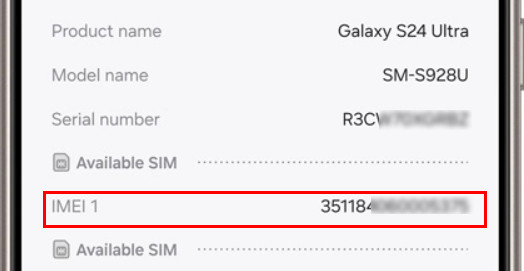
IMEI番号を見つけるにはどうすればいいですか?通常、ユーザーは IMEI番号を探す スマートフォンのバッテリーケース内に記載されています。もちろん、ユーザーはスマートフォン本体のダイヤルプレートに「*#06#」と入力するか、オペレーティングシステムの設定メニューで他のシステム情報と一緒にIMEI番号を確認することもできます。
パート2:IMEI番号を変更することは可能ですか?
IMEI番号は変更できますか?状況によります。一般的に、IMEI番号は変更できません。ただし、一部の古いAndroidデバイスでは技術的に可能です。IMEI番号が保存されているチップの開発段階では、開発者は通常、特別なツールを使用して変更しますが、通常、これらのソフトウェアは切断されています。
したがって、IMEI 番号を変更する必要がある場合は、スタックがオンのときに、基礎となるプロトコル スタックに挿入することで変更することができます。
デバイスのIMEI番号を変更できると謳うアプリが市場に出回っていることがありますが、これらのアプリは携帯電話のIMEI番号を画面に表示するだけで、実際に変更するわけではないので注意が必要です。さらに、ベンダーによってAPIが異なるため、ある端末で動作しても、他の端末では動作しない可能性があります。
IMEI番号を変更するタイミングと理由
一般的に、携帯電話のIMEI番号を変更することは推奨されていません。しかし、以下の状況では、IMEI番号の変更を検討してもよいかもしれません。 IMEI番号:
- あなたはあなたの携帯電話を手が届かないように、または手に負えないようにする必要があります。
- あなたはすべての種類のスマートフォンで無効なIMEI番号の問題を修正しようとしています。
- GLO BIS プランを使用するには、Android IMEI を BlackBerry IMEI に転送する必要があります。
- 携帯電話をリセット、アップデート、または修復します。
- Android またはその他の携帯電話用の一意の ID を取得します。
パート3:IMEI番号を変更するリスク
IMEI 番号の変更方法に進む前に、まず IMEI 番号を変更することのリスクについて説明する必要があります。
IMEI 番号を変更すると、重大な技術的、法的、および安全上のリスクが伴うため、ユーザーは変更を検討する前にこれを十分に理解する必要があります。
技術的なリスク:
- 携帯電話の信号が失われ、ネットワークが利用できなくなります。
- 認識されないSIMカード。
- ベースバンドの破損または永続的なデバイス障害(レンガ電話)、特に NVRAM/EFS パーティションが破損している場合に発生します。
- 緊急サービスにアクセスできない可能性があります。
法的リスク:
- IMEI の変更は多くの国では違法または制限されています。
- 運送業者の規約やメーカーの保証に違反する可能性があります。
- IMEI が変更されたデバイスは、オペレータによってブラックリストに登録される可能性があります。
安全上の注意
IMEI番号を変更する前に、必ず現地の法律や規制、および通信事業者の関連規定をご確認ください。許可されていない変更は、デバイスが使用できなくなり、保証が無効になるだけでなく、深刻な法的結果につながる可能性があります。
パート4:IMEI番号の変更方法
携帯電話でIMEI番号を変換する前に、次のことを確認してください。
- モバイルデバイスのIMEI番号です。IMEI番号が見つからない場合は、ダイヤルで*#06#をダイヤルするか、レシートや箱に記載されています。
- 電話番号、ブランドとモデル、アカウント番号と名前など、スマートフォンに関するその他の詳細情報。
続行する前に重要な注意事項
以下の手順のすべてが、ほとんどの最新スマートフォンに当てはまるわけではないことを理解することが重要です。これらの手順は、非常に限定された技術的なシナリオ、つまり典型的には以下のような状況にのみ当てはまります。
- Android 5~7 を実行する古い Android デバイス
- MediaTek(MTK)チップセットを搭載した携帯電話
- ルートアクセスが有効になっているデバイス
- EFS/NVRAMパーティションがロックされていない、または永続的に保護されていないデバイス
新しい Android バージョンおよび MTK 以外のデバイスでは、IMEI 番号を変更することは通常不可能であり、重大な技術的または法的結果を招く可能性があります。
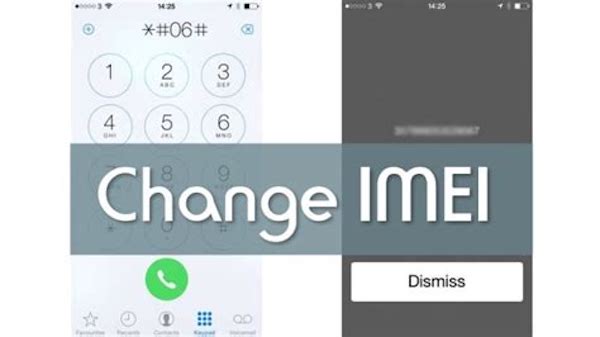
準備が整ったら、デバイスのIMEI番号を移行するためのステップバイステップガイドに従ってください。この手順ではAndroidスマートフォンを例に挙げています。
ステップ 1: ダイヤルプレートを起動
まず、Androidデバイスのダイヤルプレートを開き、ダイヤルします *#7465625# or *#*#*#*#3646633.
ステップ 2: CDS情報を探す
次に、 接続オプション または電話 パッド Android画面でCDSの詳細情報を検索してタップします。 ラジオ情報.
ステップ 3: IMEI番号を選択してください
次のような2つのオプションが表示されます。 IMEI-1 (SIM1) の三脚と IMEI-2 (SIM2)お使いの携帯電話がデュアルSIMデバイスの場合、IMEI番号を変更するSIMを選択してください。両方のIMEI番号を同時に変更することはできません。
ステップ 4: 新しいIMEI番号を入力してください
AndroidスマートフォンのIMEI番号を転送するには、以下のコードを入力してください。IMEI-1またはIMEI-2をご希望の番号に置き換え、「送信」ボタンを押してください。
AT + EGMR = 1,7、 "IMEI_1"および "AT + EGMR = 1,10、" IMEI_2 "
これで、携帯電話のIMEI番号の変更が完了しました。同様に、AndroidのIMEI番号をBlackBerryのIMEI番号に変換することも可能です。
パート5:IMEI番号を変更する前にAndroidのデータをバックアップする方法
AndroidでIMEI番号の移行を始める前に、まず最初に行うべき最も重要なステップは、デバイスの最新のバックアップを作成しておくことです。このステップは、たとえ変換に失敗しても、Android上の重要なデータやファイルが失われないようにするためのものです。
ここでは、使用することを強くお勧めします Apeaksoft Androidデータのバックアップと復元.
最高かつ最も安全なバックアップおよび復元ソフトウェア
- ワンクリックで Android データをバックアップおよび復元します。
- 写真、メッセージなど、多くの種類のデータをバックアップします。
- 個人のプライバシーを保護するための暗号化モードがあります。
- Android データを選択的にバックアップおよび復元します。
IMEI 番号を変更する前に Android デバイスをバックアップする方法に関する詳細なヒントは次のとおりです。
ステップ 1: Apeaksoft Android Data Backup & Restoreをインストールして起動します
Apeaksoft Android Data Backup & Restoreをパソコンにダウンロードし、指示に従ってインストールします。アプリを起動し、Androidデバイスのワンクリックバックアップを選択します。
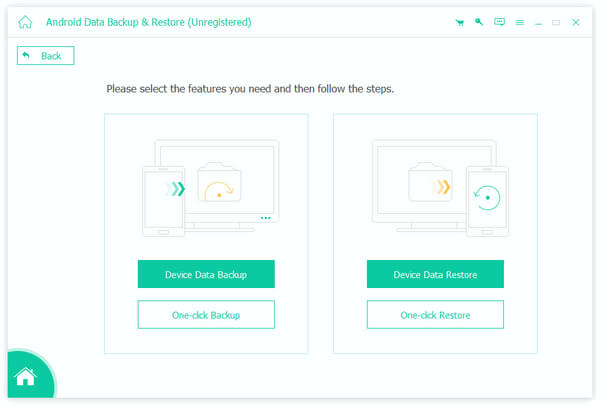
ステップ 2: 携帯電話をPCに接続する
USBケーブルを介してあなたのAndroidデバイスをコンピュータに接続します。 接続されると、このバックアップソフトウェアはあなたの携帯電話を自動的に検出します。
ステップ 3: データとファイルをバックアップする
次に、 お気軽にご連絡ください ボタンをクリックしてバックアッププロセスを開始します。数秒お待ちいただくだけで、Android Data Backup & Recoveryが自動的に処理します。
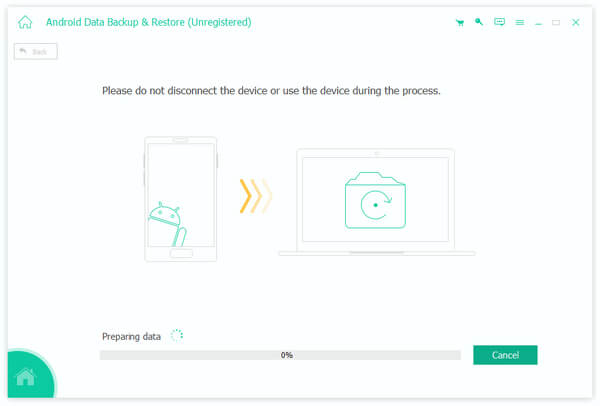
これで、重要なデータはすべてコンピュータにバックアップされました。 このチュートリアルの詳細な手順に従って、AndroidデバイスのIMEI番号を変更してください。
結論
今、あなたは学びました IMEI番号の変更方法 IMEI番号の移行に伴うリスクと前提条件についてご説明しました。これで、IMEI番号の移行による様々なメリットを享受できるようになります。IMEIを変更すると携帯電話のデータが消去されるため、事前に必ずバックアップを行ってください。
関連記事
IMEI 番号を使用して iPhone のロックを無料で解除するのは難しい作業ではなく、技術的な知識がなくても、正しい方法で簡単に実行できます。
この記事では、IMEI 番号とは何か、IMEI 番号の構造とは何か、IMEI 番号の意味、デバイスで IMEI 番号を見つける方法を紹介します。
任意のネットワークにアクセスするために iPhone IMEI のロックを解除したいですか? iPhone IMEI を確認してロックを解除し、通常どおり iPhone を使用する方法については、この投稿をお読みください。
この記事では、IMEI 番号を使用して iPad Pro/Air/mini の SIM ロックを効果的に解除するための上位 5 つのベスト Web サイトを特定してレビューします。



