

ハードリセット情報レビュー - HardReset.infoはFRPをバイパスできるか

ハードリセット情報 AndroidスマートフォンがFRP(Googleアカウントロック)状態になった場合、HardReset.infoは有効な解決策です。しかし、初めて耳にする方は、もっと詳しく知りたいと思うかもしれません。名前だけでは、HardReset.infoが何なのか、HardReset.info FRP BypassにAPKファイルがあるのかどうか、なかなか理解できないかもしれません。この記事では、HardReset.infoについて詳しく解説します。HardReset.infoについて深く理解し、AndroidスマートフォンでGoogleアカウントロックを簡単に解除する方法を習得してください。
お断り: FRPバイパス操作はすべて、合法的に所有しているデバイス、またはアクセスを明示的に許可されているデバイスでのみ実行してください。紛失または盗難にあったデバイスでFRPをバイパスしようとすることは固く禁じられており、一部の国では現地の法律や規制に違反する可能性があります。
ページコンテンツ:
パート1:HardReset.infoとは何か
HardReset.infoは、スマートフォン、特にAndroidのFRP解除に関する多くのテクニカルヒントを提供するウェブサイトです。例えば、デスクトッププログラムやモバイルアプリを使用して、様々なAndroidブランドのFRPロックを解除する方法を紹介しています。また、Androidスマートフォン用のHardReset.info FRPバイパスAPKファイルも提供しています。ただし、HardReset.infoは主にチュートリアルを集約するプラットフォームとして機能し、様々なソースから方法やガイドをまとめており、継続的にメンテナンスされたFRPバイパスソフトウェアや専用のテクニカルサポートサービスは提供していないことに注意してください。
HardReset.info - Googleアカウントロックを回避
HardReset.info FRP Bypassは、様々なAndroidスマートフォンブランドでFRPをバイパスするための方法を数多く収集しています。お使いのスマートフォンブランドを選択すると、そのブランドの様々なモデルに対応したFRPバイパス方法を多数ご覧いただけます。HardReset.infoはスクリーンショット付きの詳細なガイドを提供しています。これらのチュートリアルで迷うことはないでしょう。HardReset.info FRP BypassのAPKファイルもご用意しています。
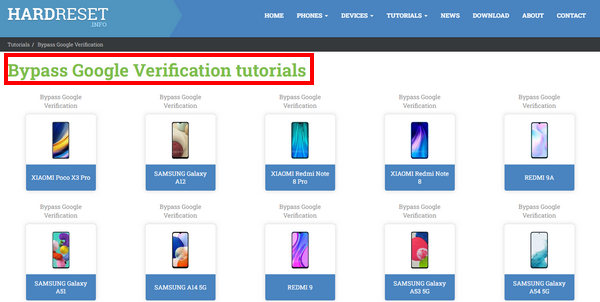
しかし、HardReset.info は主に古いエクスプロイトベースの手法に依存しており、これは新しい Android バージョン、特に Android 15/16 ではもはや有効ではありません。これは、最近の Android リリースとセキュリティパッチでいくつかの脆弱性が修正されたためです。パッチ適用後の Android では、システムインテントへのアクセスが制限され、TalkBack とセットアップウィザードのエクスプロイトに対する制御が強化され、Google Play 開発者サービスの検証が強化され、サイドロードされた APK の権限と署名のチェックが厳格化されています。
HardReset.info - その他の強力な機能
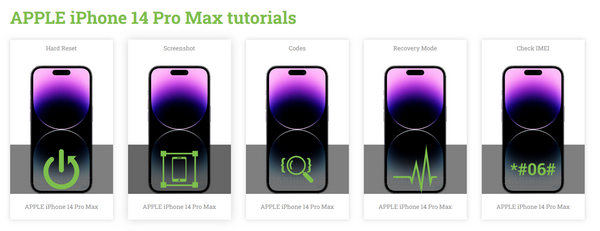
HardReset.infoの他の便利な機能も見逃せません。例えば、Androidスマートフォンが制限モードになっているときに、隠された機能を解除するためのコードトリックを学ぶことができます。また、様々なモデルのAndroidスマートフォンでスクリーンショットを撮ったり、ソフトリセットやハードリセットを行う方法も学ぶことができます。さらに、HardReset.infoでは、IMEIの確認やキャリアの変更など、Appleデバイスの基本から高度なトリックの使い方まで学べます。
HardReset.info - 公平なレビュー
客観的なレビューを行うため、HardReset.info が提供する FRP バイパスチュートリアルを、Samsung、Xiaomi、OPPO、Huawei など複数の Android ブランドで、Android 9 から Android 16 までのさまざまな Android バージョンでテストしました。テストの結果、HardReset.info の FRP バイパス方法は主に古いバージョンでのみ有効であることがわかりました。一部のチュートリアルは Android 9~10 を搭載した Samsung と Xiaomi にも適用できますが、プロセスが複雑で成功率が不安定です。一方、Android 12 以降では、セキュリティメカニズムの強化と Google アカウントの認証により、ほぼすべてのチュートリアルが失敗しました。
HardReset.info を使用して FRP ロックをバイパスする場合は、以下の全体的な長所と短所を参照してください。
- 比較的古い Android バージョンでも良好なパフォーマンスを発揮します。
- さまざまな Android ブランド向けに、多数の FRP 除去方法を提供します。
- FRP 除去用のデスクトップ アプリとモバイル アプリの両方を提供します。
- スマートフォンに関するその他の実用的な技術ヒントを提供します。
- Android 12以降ではパフォーマンスが低下します。
- 初心者にとって、理解するのは簡単ではありません。
- プログラムやアプリのアップデートやサポートはありません。
- 一部の FRP 方法は、ウイルス対策ソフトウェアによる誤検知を引き起こす可能性のあるサードパーティの APK ファイルに依存しています。
- APK ソースの信頼性検証が不足しています。
パート2:HardReset.infoをダウンロードしてFRPバイパスに使用する方法
HardReset.infoのFRPバイパスアプリやプログラムをダウンロードして使用する方法を学んでみましょう。HardReset.infoの公式サイト(https://www.hardreset.info/)にアクセスし、お使いの携帯電話用のチュートリアルを選択してください。
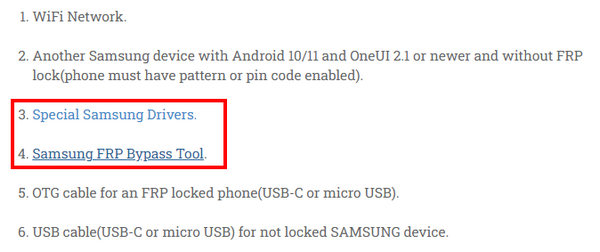
ステップ 1: チュートリアルに従って、デスクトップ プログラムや携帯電話のドライバーなど、必要なものをすべて準備する必要があります。
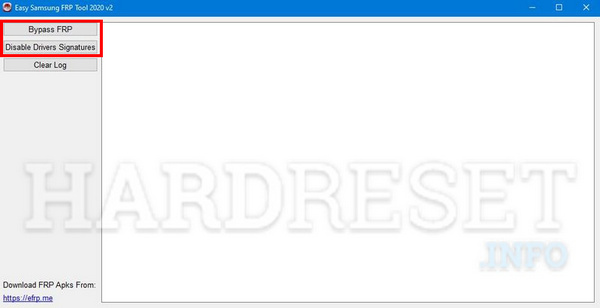
ステップ 2: 携帯電話をコンピュータに接続し、 ドライバー署名を無効にする 最初にボタンを押し、次に FRPのバイパス ボタンを押してください。このように、HardReset.info FRP Bypassを使えば、AndroidからFRPを簡単に削除できます。
パート3:HardReset.info FRPバイパスの最良の代替手段
Android スマートフォンが Android 15 や 16 などの比較的新しいバージョンを実行している場合、HardReset.info は限られた Android OS バージョンをサポートしているため、FRP ロックをバイパスするための代替手段が必要になる場合があります。 Apeaksoft Android ロック解除 まさに理想的なソリューションです。多くのAndroid OSバージョンでFRPを素早く削除できます。HardReset.infoのように特定の機種向けのチュートリアルを探す必要はありません。お使いの携帯電話のブランドを選択するだけで、ワンクリックでFRPを削除できます。
HardReset.info の信頼できる代替手段
- 最新の Android バージョンで FRP をバイパスします。
- ワンクリックで Google FRP ロックを削除します。
- 公式ダウンロード リンクと簡潔なガイド。
- 24 時間 7 日のカスタマー サポートとテクニカル サポートがお客様をサポートします。
安全なダウンロード
ステップ 1: ソフトウェアをダウンロードする
このプログラムを無料でダウンロードするには、上記のボタンを押してください。
ステップ 2: デバイスを接続する
デバイスをコンピュータに接続し、 Google FRP ロックをバイパスする.
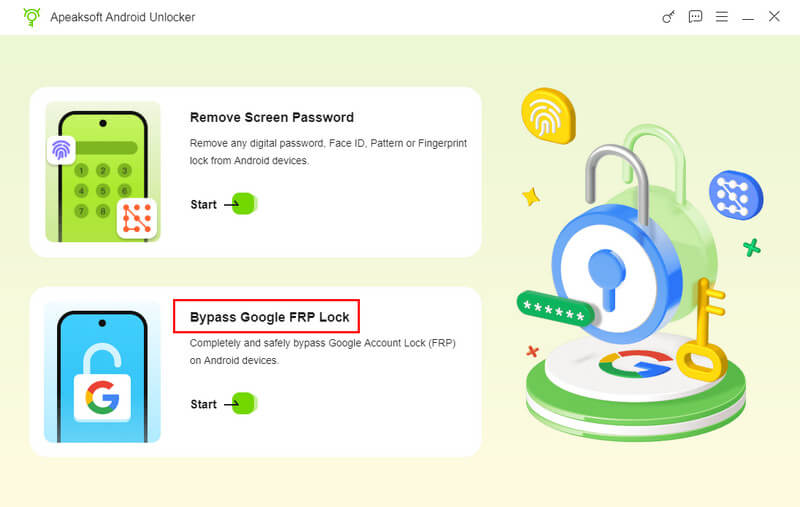
ステップ 3: デバイスをアクティブ化する
画面の指示に従って環境を設定し、デバイスをアクティベートしてください。その後、このツールはFRPロックを自動的にバイパスします。

ヒント: Apeaksoft Android Unlockerは高い成功率と幅広いシステムカバレッジを提供しますが、FRPの削除結果はデバイスのモデル、Androidのバージョン、セキュリティパッチレベルによって異なる場合があります。すべてのデバイスで100%の成功率を保証するソリューションはありません。
パート 4: ハードリセット情報 FRP バイパスに関する FAQ
HardReset.info FRP Bypass APK は無料で使用できますか?
はい、可能です。HardReset.infoは、FRP除去用の無料デスクトップソフトウェアとモバイルアプリを提供しています。サードパーティ製でも自社開発のアプリケーションでも、HardReset.infoのウェブサイトではすべて無料でご利用いただけます。
HardReset.info FRP Bypass を使用する前に、Android のルートを解除する必要がありますか?
いいえ、そうする必要はありません。 Androidのルートを解除する セキュリティを回復するために。ただし、ルート権限の削除とFRPの削除には関係がありません。HardReset.infoのFRPバイパスは、Androidスマートフォンに何らかの調整を必要としません。
HardReset.info は最新の Samsung 携帯電話をサポートしていますか?
はい、可能です。ただし、HardReset.info のウェブサイトで紹介されているアプリやプログラムは、最新のデバイスや OS バージョンには対応していません。これらの製品や Android バージョンで実行可能な方法のみを提供しています。
結論
HardReset.info FRPバイパス FRP除去のアイデアやアプリケーションに関する優れたウェブサイトです。Androidデバイスに必要なものが手に入ります。ただし、FRPを素早く除去したい場合は、 Apeaksoft Android ロック解除 数回クリックするだけで Google アカウントの検証を回避できる HardReset.info のより優れた代替手段です。
関連記事
Android で MDM をバイパスしますか?この記事を読んで、Android に MDM があるかどうかを確認し、それをバイパスする方法を学ぶことができます。
LG デバイスでアクティベーションをバイパスしたい場合は、この投稿を読んで、それを行うための 3 つの最も包括的な方法を学びましょう。
パスワードを忘れた場合、LGのロック画面をバイパスするのは面倒です。カメラ、パターンを忘れた場合の機能、そして専門ソフトウェアを使えば可能です。
QuickShortcutMaker とは何か、何に使われるのかご存知ですか? ぜひこのツールをプロとして活用し、Android デバイスの FRP ロックを回避しましょう。



