

10 beste softwareprogramma's voor het herstellen van geheugenkaartgegevens op Windows/Mac

Tegenwoordig is dataverlies een veelvoorkomend probleem. Volgens ons onderzoek heeft bijna één op de twee respondenten dataverlies ervaren. Vooral dataverlies op geheugenkaarten kan erg frustrerend zijn. Veel mensen bewaren back-ups, foto's, documenten en meer op geheugenkaarten, SD-kaarten, MicroSD-kaarten en dergelijke. Het goede nieuws is dat een goede herstelprogramma voor geheugenkaarten Dit artikel kan u helpen dit probleem op te lossen. De top 10 wordt in dit artikel beschreven en besproken.
PAGINA-INHOUD:
Deel 1: Vergelijking van de beste software voor het herstellen van gegevens van geheugenkaarten
| Prijs | Geheugenkaarttypen | Slagingspercentage | |
| Apeaksoft Data Recovery | $ 22.45 per maand, $ 55.96 per jaar, $ 71.96 levenslang | SD, MicroSD, CF, SDHC, SDXC en meer. | 99% |
| Disk Drill | Begin bij $ 89.99 | SD, MicroSD, CF, SDHC, SDXC | 95% |
| R-Studio | Begin bij $ 49.99 | SD, MicroSD | 78% |
| Gegevensredding | Gratis en vanaf $79 | SD, MicroSD | 75% |
| DiskGeniusGen | Begin bij $ 69.9 | SD, MicroSD | 73% |
| DiskDigger | Gratis en $14.99 | SD, MicroSD | 70% |
| UFS-verkenner | Gratis en vanaf $24.95 | SD, MicroSD | 80% |
| Recuva | Gratis en $49.95 | SD, MicroSD | 60% |
| IObit Verwijderen ongedaan maken | Gratis | SD, MicroSD, CF, SDHC, SDXC | 60% |
| PhotoRec | Gratis | SD, MicroSD, CF, SDHC, SDXC | 60% |
Deel 2: Top 10 toepassingen voor het herstellen van gegevens van geheugenkaarten
Top 1: Apeaksoft Data Recovery
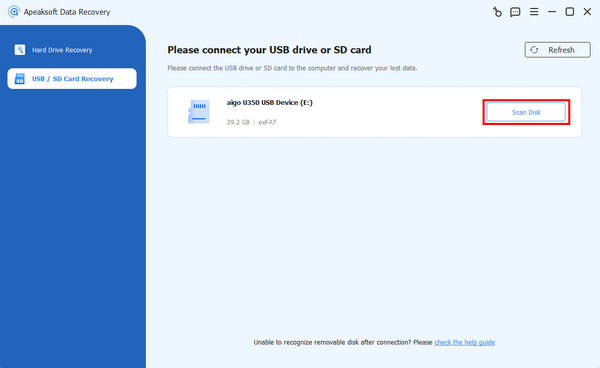
Als een van de beste softwareprogramma's voor het herstellen van gegevens van SD-geheugenkaarten, Apeaksoft Data Recovery Het voldoet aan vrijwel al uw behoeften. Het heeft een hoog succespercentage. De gebruiksvriendelijke interface is gemakkelijk te navigeren, zelfs voor beginners. Het werkt in diverse situaties, zoals per ongeluk verwijderde kaarten, geformatteerde kaarten en meer.
Veilige download
Veilige download
- Herstel alle bestandstypen op geheugenkaarten.
- Haal gegevens op van vrijwel alle geheugenkaarten.
- Beschikbaar voor een breed scala aan situaties.
- Zorg voor een hoog slagingspercentage en een snelle hersteltijd.
- Eenvoudig in gebruik voor gewone mensen.
- Het kan even duren als er veel bestanden op je geheugenkaart staan.
Top 2: schijfboor
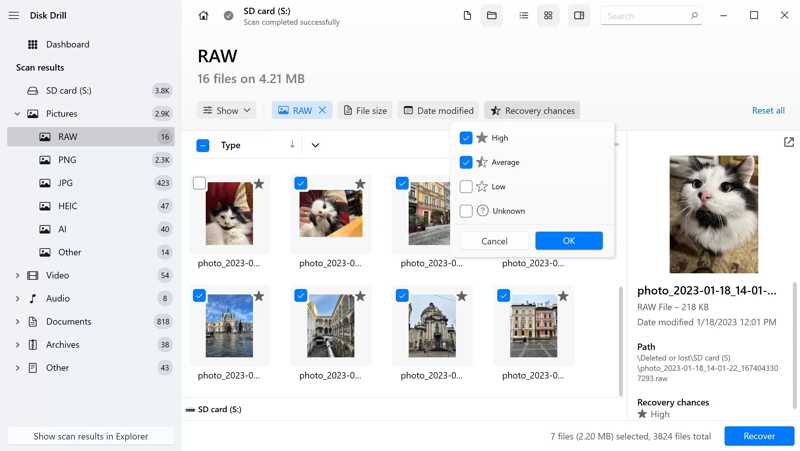
Disk Drill is een gerenommeerde oplossing voor het herstellen van gegevens van geheugenkaarten. Het programma heeft een duidelijke en intuïtieve gebruikersinterface. Gebruikers kunnen de gratis proefversie uitproberen, maar alleen de premiumversie kan gegevens van een geheugenkaart herstellen.
- Bied een geavanceerde functie voor cameraherstel aan.
- Herstel gratis gegevens tot 100 MB.
- Behaal een hoog slagingspercentage.
- Bekijk een voorbeeld van de bestanden die hersteld zullen worden.
- Het biedt alleen e-mailondersteuning.
- Het biedt geen ondersteuning voor fotoreparatie.
Top 3: R-Studio
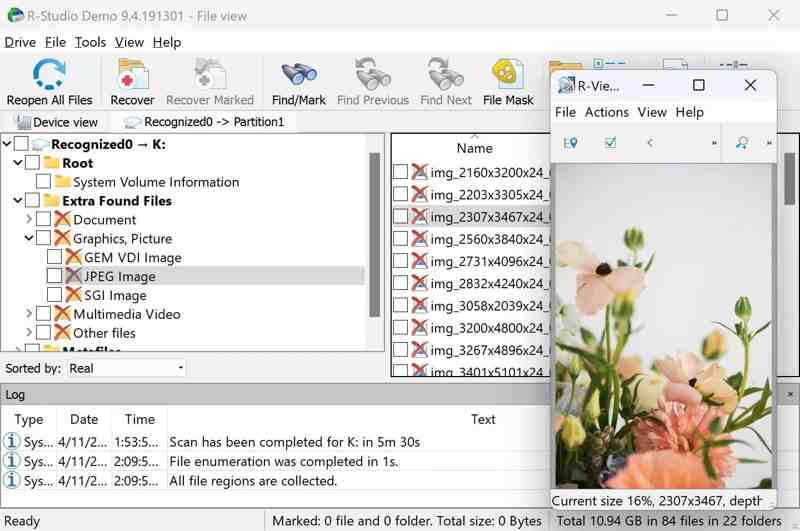
R-Studio is een professioneel bedrijf data herstel software Voor geheugenkaarten. Het kan verloren gegevens van geheugenkaarten herstellen op Windows, Mac en Linux. Bovendien biedt het uitgebreide herstelopties voor verschillende scenario's van gegevensverlies.
- Ondersteuning voor uitgebreide bestandssystemen.
- Werkt op alle gangbare besturingssystemen.
- Scan een specifiek gedeelte van uw SD-kaart.
- Werk met aangepaste bestandsformaten.
- De onoverzichtelijke interface is moeilijk te navigeren.
- De mogelijkheden voor het bekijken van bestanden zijn beperkt.
Top 4: Gegevensredding
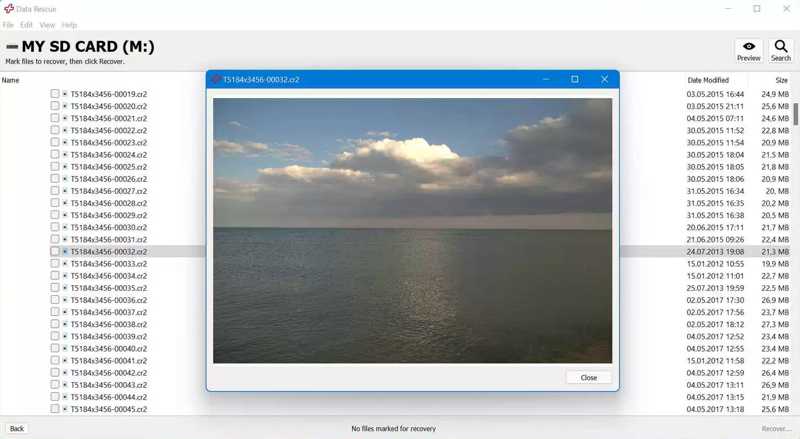
Data Rescue is een uitstekende applicatie voor het herstellen van gegevens van geheugenkaarten. Het werkt op diverse apparaten, met name op oudere pc's en Mac-computers. Bovendien is het met twee modi geschikt voor zowel gewone als gevorderde gebruikers.
- Bied twee modi aan voor verschillende gebruikers.
- Kom met bonusfuncties.
- Levert degelijk werk bij het herstellen van gegevens van geheugenkaarten.
- Herstel gratis bestanden tot 1 GB.
- De previewfunctie is onhandig.
- Het vereist een internetverbinding.
Top 5: DiskGenius
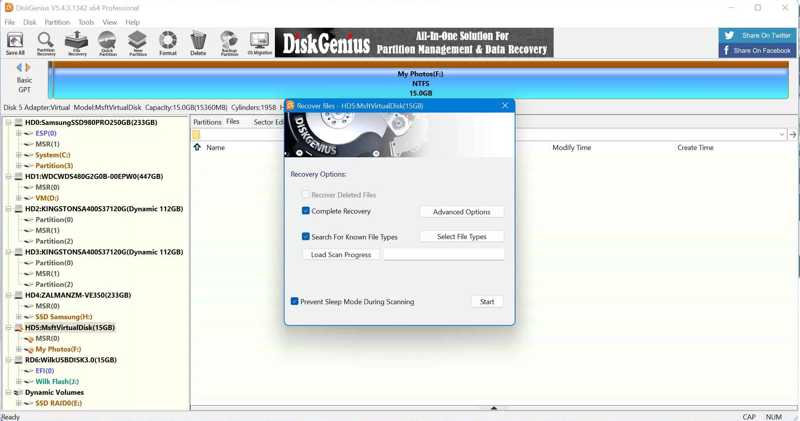
DiskGenius is veel meer dan een simpel programma voor het herstellen van gegevens van geheugenkaarten. Veel gebruikers melden succesvolle resultaten na het gebruik van deze tool voor het herstellen van gegevens van hun geheugenkaarten. Bovendien biedt het extra functies, zoals schijfbeheer.
- Gegevensherstel van geheugenkaarten.
- Bieden snelle prestaties bij gegevensherstel.
- Start op in een aangepaste versie van WinPE.
- Beschikken over functies voor gegevensbesparing.
- Het integreert een complexe gebruikersinterface.
- Het werkt niet op Mac en Linux.
Top 6: DiskDigger
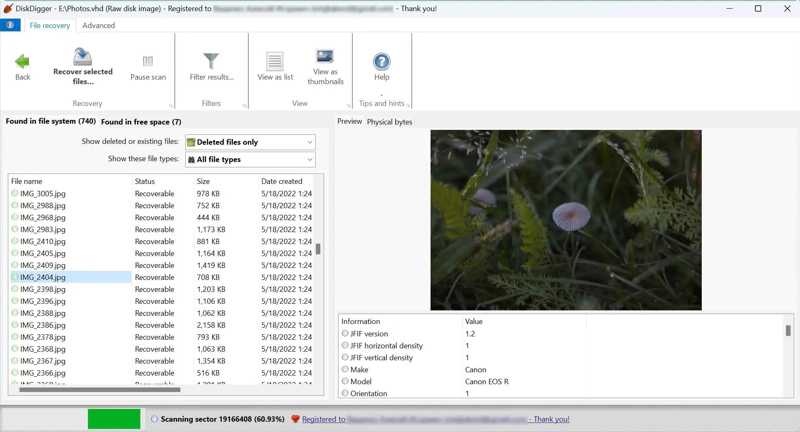
DiskDigger is een Windows-gebaseerd programma voor het herstellen van gegevens van geheugenkaarten. Het ondersteunt meerdere bestandssystemen en opslagapparaten, waaronder foto's, documenten, video's, muziek en meer. Het kan uw geheugenkaart grondig scannen.
- Ondersteuning van meerdere bestandsindelingen.
- Scan je geheugenkaart grondig.
- Bekijk een voorbeeld van de herstelbare bestanden.
- Bied redelijke prijzen.
- Het biedt beperkte mogelijkheden voor het scannen van gegevens.
- Het is alleen beschikbaar op Windows.
Top 7: UFS Explorer
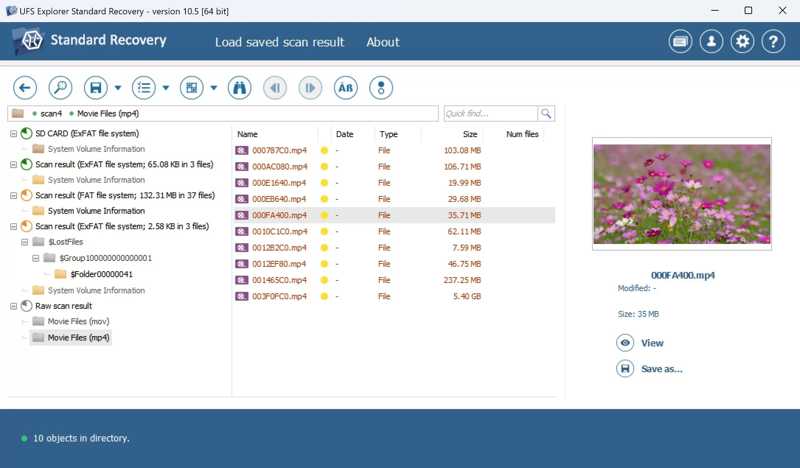
UFS Explorer is een programma voor het herstellen van gegevens van SD-geheugenkaarten voor Mac, Windows en Linux. Het kan bestanden herstellen van verschillende bestandssystemen, zoals NTFS, FAT, exFAT, HFS+, XFS en meer. Dit betekent dat u bestanden van geheugenkaarten inclusief metadata kunt herstellen.
- Ondersteuning voor SD-kaartbestandssystemen.
- Verloren bestanden inclusief metadata terugvinden.
- Scan een specifiek gedeelte van de SD-kaart.
- Biedt geavanceerde functies.
- De gratis versie kan niets herstellen.
- Het vergt wel meer tijd om het onder de knie te krijgen.
Top 8: Recuva
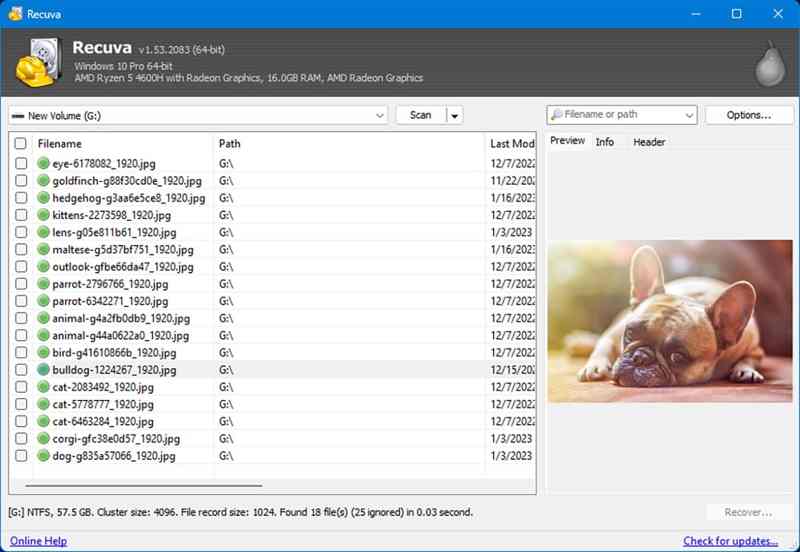
Recuva Dit is een gratis tool voor het herstellen van gegevens van SD-geheugenkaarten op pc's. Het kan afbeeldingen en video's van geheugenkaarten herstellen. Hoewel het slagingspercentage niet hoog is, is het volledig gratis te gebruiken omdat het open source is.
- Zorg voor een draagbare versie.
- Helemaal gratis.
- Herstel afbeeldingen en video's snel.
- Bekijk bestanden voor herstel.
- De voorspellingen over de kans op gegevensherstel zijn onnauwkeurig.
- Het is al jaren niet meer bijgewerkt.
Top 9: IObit Verwijderen ongedaan maken
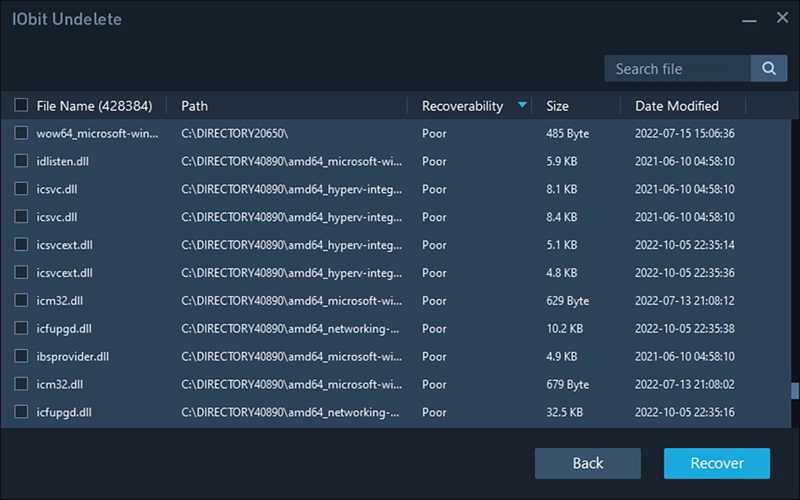
IObit Undelete is een andere gratis oplossing voor het herstellen van gegevens van geheugenkaarten voor Windows 10 en eerdere versies. Het kan snel documenten, video's, afbeeldingen en audiobestanden van een geheugenkaart extraheren. Het is een uitstekend hulpmiddel voor beginnende gebruikers.
- Ondersteuning voor herstel met één klik.
- Bied een draagbare modus aan.
- Lichtgewicht en werkt snel.
- Werk met standaard bestandsformaten.
- Het mist geavanceerde opties.
- Het biedt geen previewfunctie.
Top 10: PhotoRec
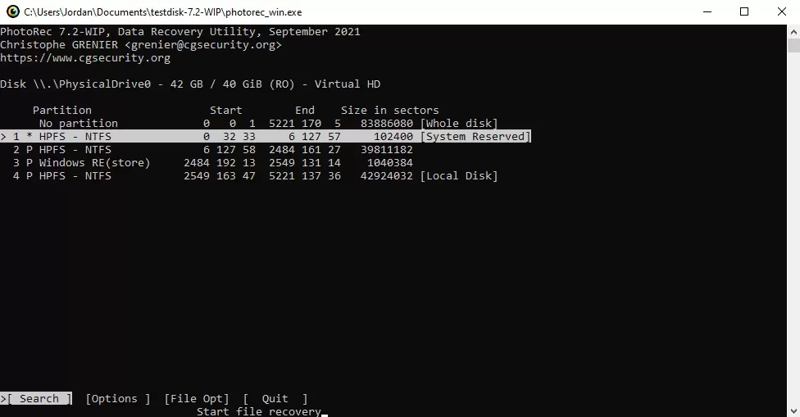
PhotoRec is een gratis tool voor het herstellen van gegevens van geheugenkaarten, bedoeld voor technisch onderlegde gebruikers. Het programma heeft geen gebruikersinterface. Gebruikers moeten de gegevens daarom herstellen via de opdrachtregel. PhotoRec werkt met een breed scala aan bestandsformaten en besturingssystemen.
- Herstel meer dan 480 bestandsformaten.
- Werkt op Windows, macOS en Linux.
- Gratis en open source.
- Herstel het bestandssysteem.
- Gebruikers kunnen geen voorbeeld van bestanden bekijken.
- Het vereist technische vaardigheden.
Deel 3: Hoe gegevens van een geheugenkaart te herstellen
Stap 1. Installeer de tool voor het herstellen van geheugenkaarten.
Start de beste software voor het herstellen van geheugenkaartgegevens nadat u deze op uw computer hebt geïnstalleerd. We gebruiken Apeaksoft Data Recovery als voorbeeld. Plaats uw geheugenkaart in uw computer.
Stap 2. Scan uw geheugenkaart
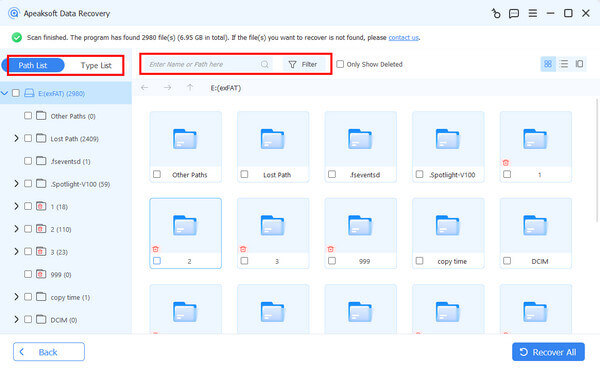
Ga naar uw USB / SD-kaartherstel Ga naar het tabblad in de zijbalk en de software zou uw geheugenkaart moeten detecteren. Klik op de Schijf scannen Klik op de knop om het scannen van uw geheugenkaart te starten.
Stap 3. Gegevens herstellen van de geheugenkaart
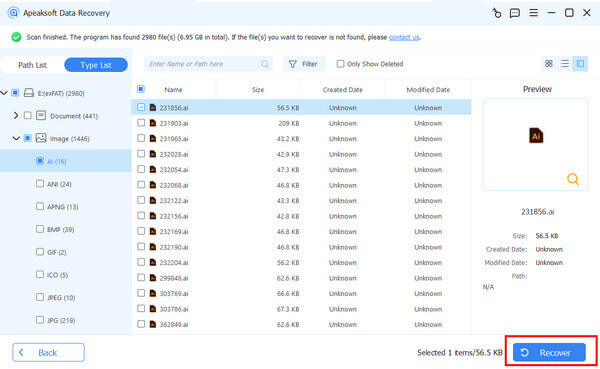
Nadat het scannen is voltooid, kunt u de verloren bestanden bekijken op type of locatie. Bovendien kunt u gebruikmaken van de Filter Optie om snel specifieke bestanden te vinden. Selecteer de gewenste bestanden en klik op de Herstellen knop. Stel een uitvoermap in en bevestig het gegevensherstel.
Conclusie
Nu zou je op zijn minst de top 10 moeten leren geheugenkaart herstel softwareSommige programma's zijn gratis te gebruiken of bieden een gratis versie aan. Voor andere moet je een licentie aanschaffen om gegevens te herstellen. Je kunt de meest geschikte optie kiezen op basis van onze review. Apeaksoft Data Recovery is de beste keuze voor zowel gewone als gevorderde gebruikers.
Gerelateerde artikelen
Of u nu uw Prullenbak hebt geleegd, u kunt bestanden uit de Prullenbak op Windows en Mac herstellen door onze concrete handleiding te volgen.
Als je de video wilt bekijken, maar merkt dat deze kapot is, kan dat behoorlijk vervelend zijn. MP4-herstel kan je echter helpen dit probleem op te lossen.
Heb je SDHC-kaarten met belangrijke content, maar ervaar je problemen met de gegevens? Geen zorgen. Dit artikel helpt je bij het herstellen van SDHC-gegevens.
Als uw CF-kaart belangrijke gegevens bevat, is het belangrijk dat u naast het maken van back-ups ook vooraf leert hoe u gegevens van een Compact Flash-kaart kunt herstellen.



