Hva er Advance Turbo Flasher Tool og hvordan bruker du det?

I motsetning til Apples økosystem tilbyr ikke Google et bredt utvalg av verktøysett for Android-brukere, delvis fordi det finnes for mange Android-merker og -produsenter. Heldigvis har utviklere gitt ut tredjepartsverktøysett for Android-brukere. Avansert turbo-blinklys Tool er for eksempel et viktig verktøy for Nokia-telefoner, spesielt de enhetene som drives av BB5-, MeeGo- og MediaTek-brikkesett. Denne artikkelen gjennomgår Nokia-verktøysettet og deler nødvendig informasjon du bør lære.
SIDEINNHOLD:
Del 1: Hva er Advance Turbo Flasher-verktøyet
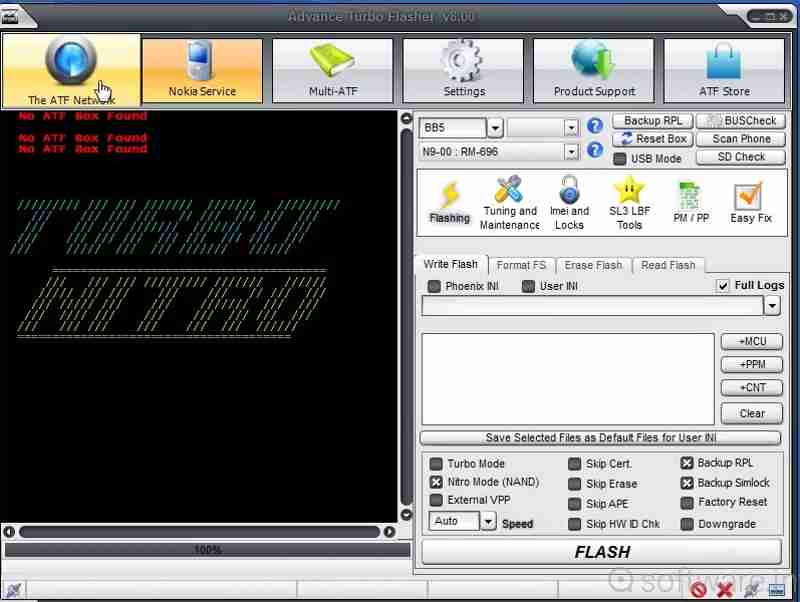
Som nevnt tidligere er Advance Turbo Flasher utviklet for Nokia-brukere for å fikse problemer og låse opp skjermen. I tillegg til Nokia-mobiltelefoner støtter den Windows-telefoner. Den nyeste versjonen er Advance Turbo Flasher v12.70, som kom ut i 2017.
Hovedfunksjoner i Advance Turbo Flasher Tool
- 1.Installer standard firmware på Nokia-telefoner.
- 2.Lås opp SIM-kortlåsene og bytt til andre operatører.
- 3.Gjenopprett Android-telefonen og operativsystemet.
- 4.Oppdater fastvaren til den nyeste versjonen.
- 5.Støtter både offisiell og tilpasset firmware.
- 6.Oppgrader eller installer Android OS på nytt.
- 7.Reparer murede Nokia-telefoner.
- 8.Lås opp Nokia-funksjonstelefoner.
- 9.Kompatibel med BB5, MeeGo, MediaTek og NXPlatform.
Gjennomgang av Advance Turbo Flasher Tool
- Tilbyr omfattende løsninger for flashing, opplåsing og reparasjon av Nokia-telefoner.
- Selv om den er designet for Nokia, fungerer den for Samsung, HTC, LG og flere.
- Tilgjengelig på Windows 11/10/8/7/XP.
- Det krever en betalt lisens for å låse opp alle funksjoner, men prisen på Advance Turbo Flasher er ikke høy.
- Den støtter ikke nyere modeller.
- Grensesnittet ser rotete ut.
Del 2: Slik konfigurerer du Advance Turbo Flasher
For å låse opp eller reparere Nokia-telefonen din, må du laste ned Advance Turbo Flasher. Det finnes imidlertid ingen offisiell nettside hvor du kan få tak i verktøyet. Alternativt må du laste det ned fra en tredjepartsressurs.
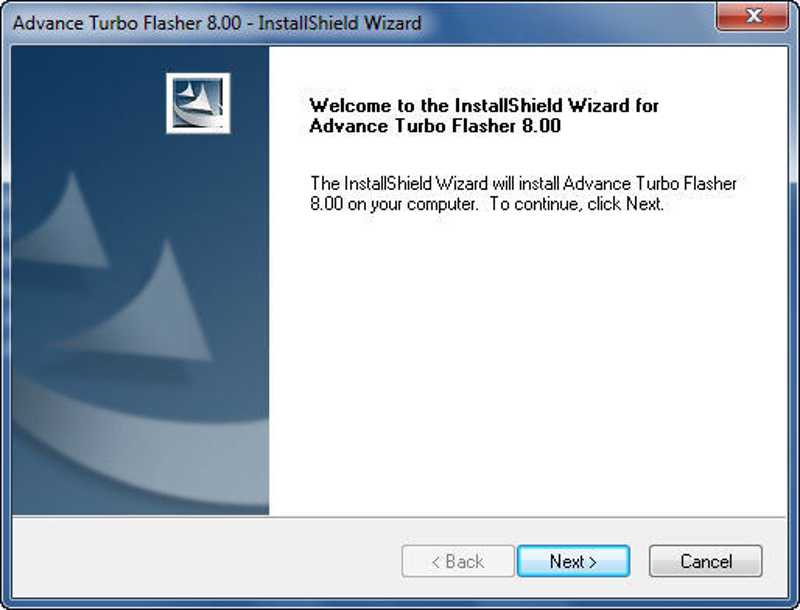
Trinn 1. Last ned installasjonsfilen for Advance Turbo Flasher fra en pålitelig plattform.
Trinn 2. Pakk ut zip-filen og kjør exe-filen.
Trinn 3. Klikk på neste -knappen og følg instruksjonene for å installere den på PC-en.
Trinn 4. Finn USB-driveren som følger med i pakken og installer den. Ellers kan ikke ATF-verktøyet gjenkjenne telefonen din.
Videre Reading
Del 3: Slik bruker du Advance Turbo Flasher
Slik oppdaterer du fastvare på en Nokia-telefon
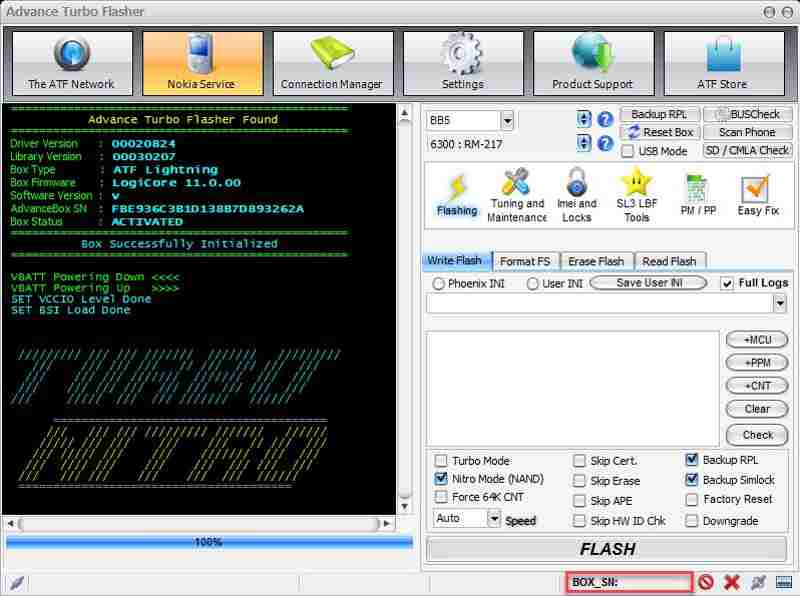
Trinn 1. Åpne Advance Turbo Flasher Tool etter installasjonen.
Trinn 2. Velg enhetens modell fra rullegardinmenyen.
Trinn 3. Koble telefonen til PC-en din med en USB-kabel.
Trinn 4. Gå til Blinker fanen og velg ønsket fastvarefil.
Trinn 5. Klikk på FLASH knappen nederst for å starte fastvareoppdateringen.
Slik låser du opp skjermen uten passord
Trinn 1. Hvis telefonen din er låst, gå til Service fanen i Advance Turbo Flasher.
Trinn 2. Koble telefonen til PC-en med en kompatibel kabel.
Trinn 3. Klikk på Tilbakestill (brukerkode) knappen for å starte opplåsingsprosessen.
Del 4: Et alternativ til avansert turboflashing
Advance Turbo Flasher er kun tilgjengelig for flere telefonmerker. I tillegg er den ikke tilgjengelig for alle telefonmodeller. Derfor kan det hende du trenger et alternativt verktøysett. Fra nå av anbefaler vi Apeaksoft DroidAide Android UnlockerDen kan fjerne skjermlåser fra telefonen din og omgå FRP-låsen uten passord.

Lastet ned av over 1,000,000 Brukere
- Lås opp Android-telefonskjermen uten passord.
- Fjern PIN-koder, passord, mønstre, fingeravtrykk og mer.
- Lås opp gamle Samsung-telefoner uten tap av data.
- Omgå Google FRP-lås uten Google-konto.
- Støtter nesten alle Android-telefonmerker og -modeller.
Sikker nedlasting
Slik låser du opp telefonen din med et alternativ til Advance Turbo Flasher
Trinn 1. Installer opplåsingsverktøyet
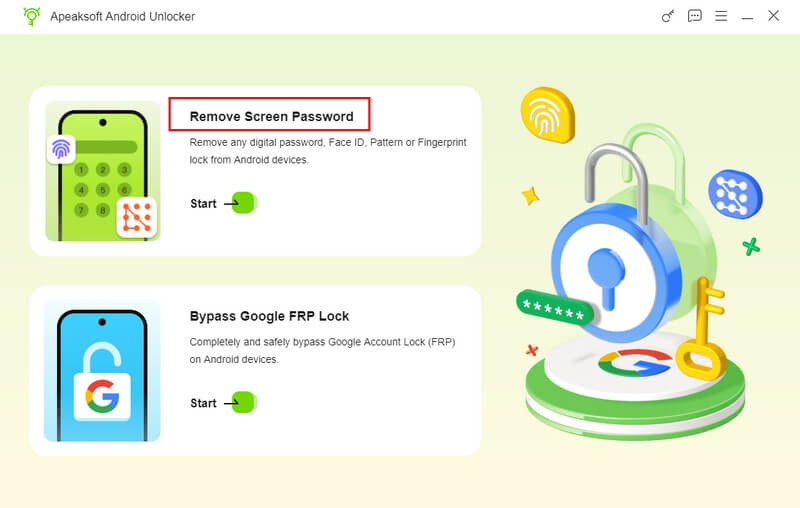
Start programvaren for opplåsing av telefonen etter at du har installert den på datamaskinen. Velg Fjern skjermpassord modus for å gå videre. Hvis du trenger å omgå FRP-låsen fra enheten din, velger du Omgå Google FRP-lås modus i stedet.
Trinn 2. Koble til telefonen din
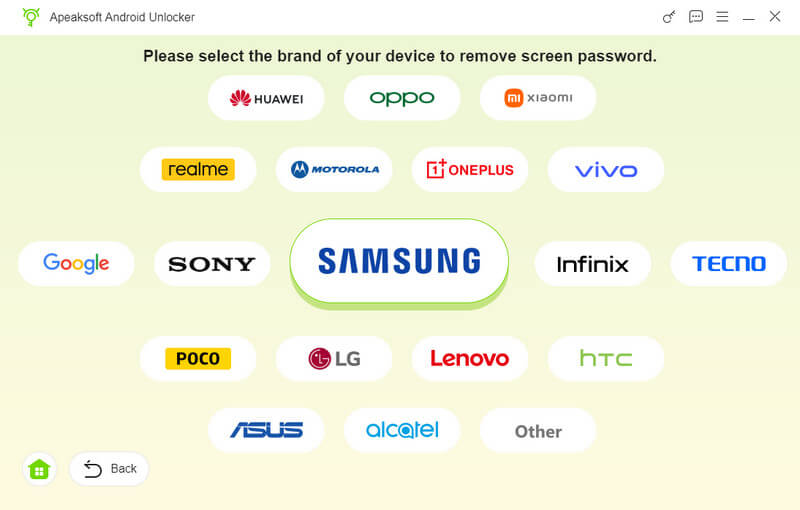
Velg telefonmerket ditt i vinduet. Koble telefonen til datamaskinen med en kompatibel USB-kabel. Hvis du blir bedt om det, må du sørge for at du stoler på denne datamaskinen. Da vil programvaren oppdage enheten din umiddelbart.
Trinn 3. Lås opp telefonen din
Klikk på Fjern nå -knappen for å begynne å låse opp telefonen uten passord. Når det er gjort, starter telefonen på nytt automatisk. Koble deretter fra enheten og konfigurer den på nytt.
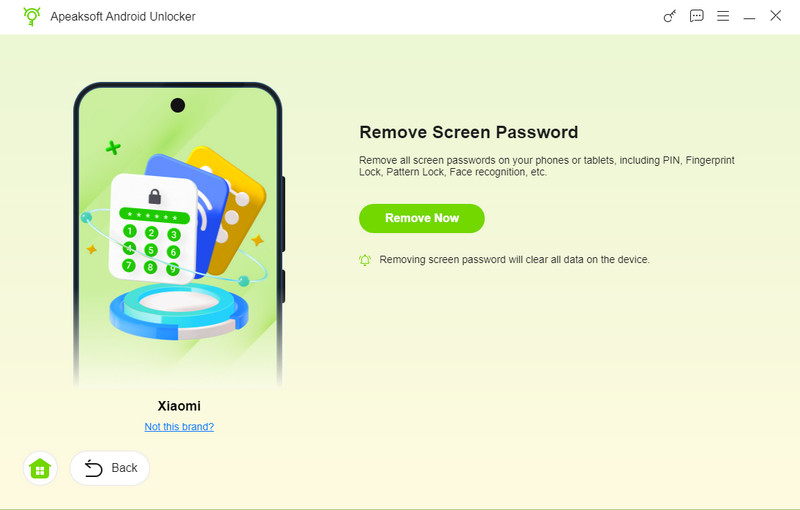
Tips: Prosessen vil slette alle dataene på enheten din, så du bør sikkerhetskopiere telefonen først.
Konklusjon
Denne artikkelen delte og anmeldte et av Android-verktøysettene, Avansert turbo-blinklys Verktøy. Det lar deg flashe og låse opp Nokia-telefonen din eller andre merker med en datamaskin når den fryser, er blokkert eller har blokkert. Du kan følge våre detaljerte trinn for å fullføre prosessen. Denne artikkelen anbefalte også Apeaksoft DroidAide Android Unlocker for å hjelpe deg med å låse opp telefonen din uten passord eller omgå Google FRP-lås.
Relaterte artikler