Как записывать видео с потокового вещания DirecTV в наилучшем качестве

DirecTV — популярная онлайн-платформа для потокового вещания. Вы можете смотреть любимые сериалы и фильмы онлайн на своем ПК или Mac. Помимо просмотра видео, Можно ли записывать видео через DirectTV?Короткий ответ — да! Вам больше не нужен физический DVR-бокс, который стоит под телевизором. DirecTV Stream использует облачную систему для сохранения ваших любимых развлечений.
В этом руководстве мы подробно расскажем, как записывать видео на Directv Stream, а также объясним особенности и настройки записи на вашем устройстве DirecTV и в связанных с ним сервисах.
СОДЕРЖАНИЕ СТРАНИЦЫ:
Часть 1: Можно ли записывать передачи через DirecTV Stream?
Прежде чем перейти к пошаговым инструкциям, давайте проясним один распространенный вопрос: можно ли записывать передачи через DirecTV Stream так же, как и через обычное кабельное телевидение?
Да, можно. Однако это облачный видеорегистратор; ваши записанные передачи не сохраняются на самом телевизоре или устройстве. Вместо этого они сохраняются в интернете (в облаке). Это означает, что вы можете смотреть записанные передачи на своем телевизоре, телефоне, планшете или компьютере в любое время.
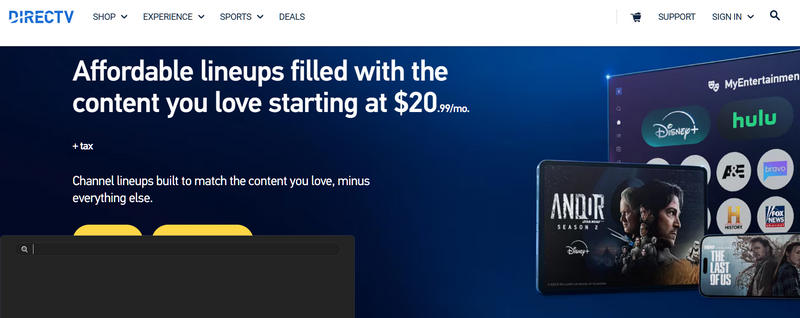
В рамках их тарифных планов вы также можете доплатить за больший объем облачного хранилища для записи телепередач. Это означает, что вам не придется беспокоиться о нехватке места, независимо от того, сколько фильмов или телешоу вы сохраните.
Часть 2: Как записывать видео на DirecTV Stream
В прямом эфире
Если вы сейчас смотрите передачу и хотите её сохранить, запись очень проста. Вот как записать передачу в прямом эфире на DirectTV:
Шаг 1. Найдите понравившийся вам сериал или фильм на DirecTV.
Шаг 2. Нажмите Запись Нажмите кнопку на пульте дистанционного управления, чтобы начать запись передачи. Нажмите ее дважды, чтобы записать весь сериал на DirecTV.
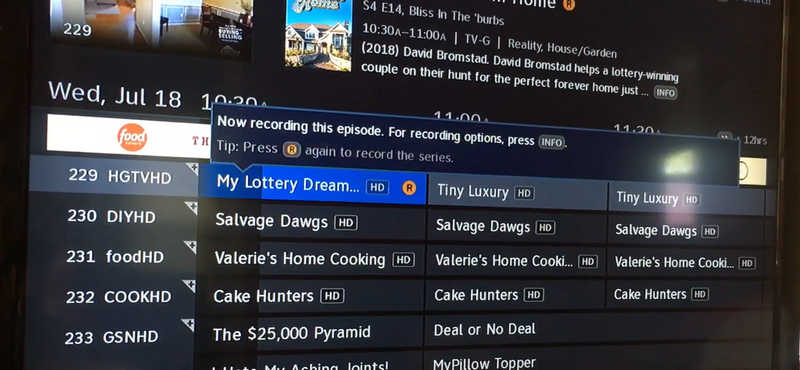
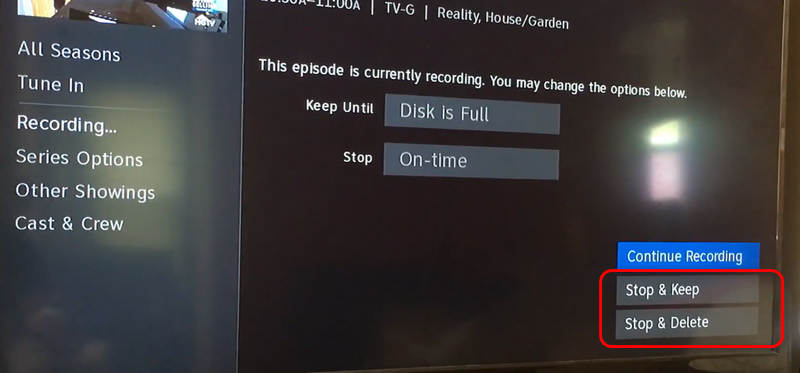
Шаг 3. Чтобы остановить запись, коснитесь значка Инфо кнопку на пульте дистанционного управления.
Шаг 4. Затем вы можете выбрать Остановись и продолжай or Остановить и удалить чтобы остановить запись DirecTV.
На компьютере или телефоне
Если вы используете DirecTV на своем компьютере или мобильном телефоне и хотите записывать любимые телепередачи и фильмы, вам не нужно использовать сложную встроенную функцию записи; просто воспользуйтесь Apeaksoft Screen RecorderПрограмма может записывать экраны ваших устройств Windows, Mac, Android и iPhone с сохранением исходного качества и частоты кадров, а также масштабировать их до разрешения 4K и частоты 144 кадров в секунду.

Загружено более 1,000,000 пользователей
- Поддерживается длительная запись без задержек и рывков.
- Сохраните исходное разрешение экрана и даже масштабируйте его до 4K.
- Поддержка кодеков AV1 и HEVC позволяет уменьшить размер записи, сохраняя при этом наилучшее качество.
- Воспользуйтесь услугами видеоредактора для обрезки и обработки ваших записей DirecTV.
Шаг 1. Начать запись DirecTV
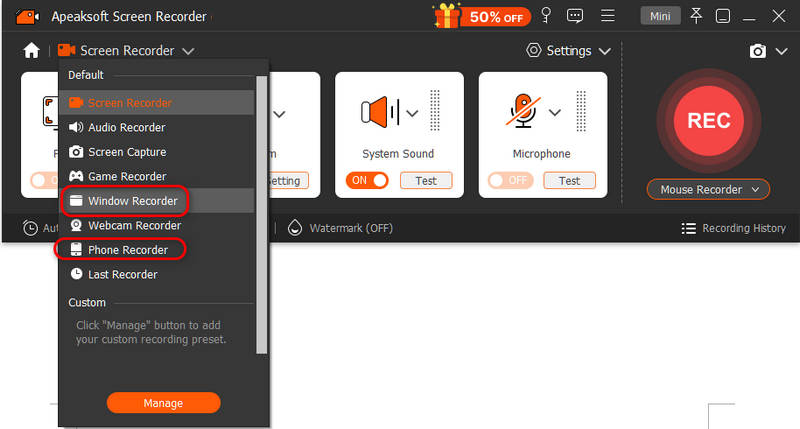
Скачайте, установите и запустите Apeaksoft Screen Recorder на вашем компьютере. Вы можете выбрать Оконный рекордер or Телефонный рекордерЕсли вы выберете «Запись разговора», подключите свой телефон Android или iOS к компьютеру. Затем следуйте инструкциям на экране, чтобы телефон был распознан.
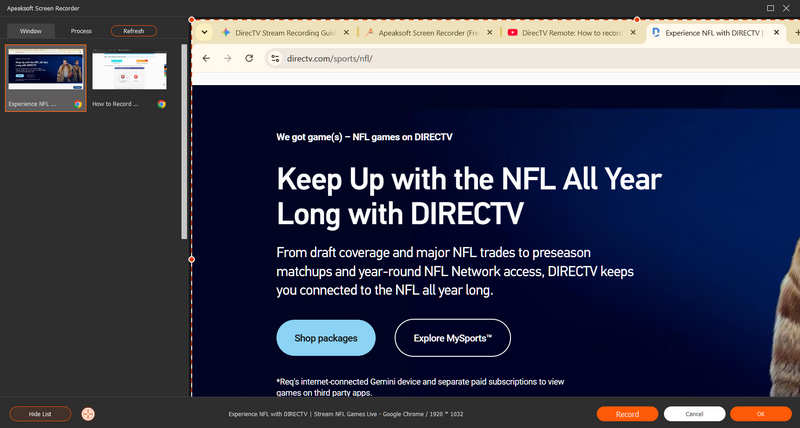
Затем выберите окно потокового вещания DirecTV и нажмите на кнопку. Запись кнопка для начала записи DirecTV.
Шаг 2. Проверить и сохранить запись трансляции DirecTV
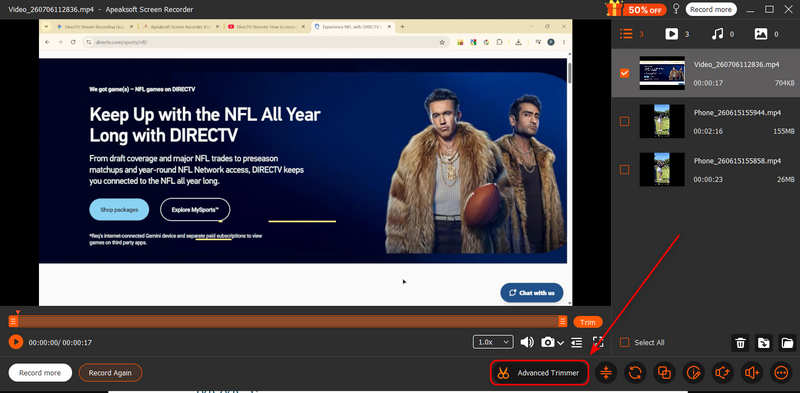
Нажмите Запись Нажмите кнопку еще раз, чтобы остановить запись. Затем вы увидите историю записей потокового вещания DirecTV. Вы также можете использовать Расширенный триммер функция для редактирования и улучшения видео.
Дальнейшее чтение
Часть 3: Как записывать предстоящие сериалы и фильмы
Вам нужно запланировать запись предстоящей телепередачи? Для этого не обязательно смотреть передачу. Вы можете запланировать запись передачи, которая выйдет в эфир сегодня вечером, завтра или на следующей неделе.
Шаг 1. Откройте приложение DirecTV Stream и перейдите в раздел Guide.
Шаг 2. Пролистайте каналы и даты, чтобы найти передачу или фильм, который вы хотите записать.
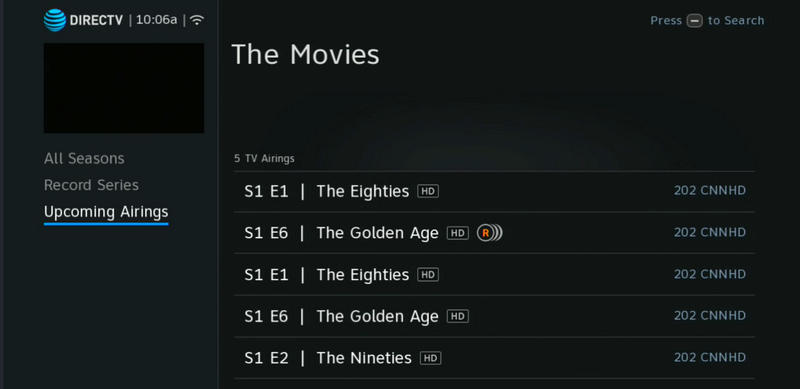
Шаг 3. Найдите Предстоящие трансляцииЩелкните по названию шоу, а затем выберите Запись с информационного экрана.
Часть 4: Объяснение параметров записи потокового видео DirecTV
Когда вы захотите записать телепередачу, вы увидите несколько различных вариантов записи потокового видео DirecTV. Давайте разберемся, что означают эти варианты.
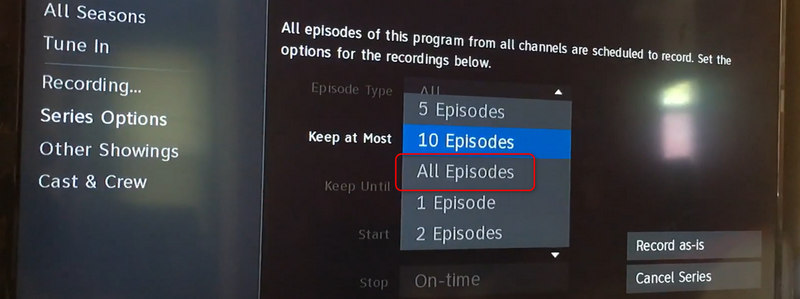
- Рекордная серия: Этот вариант идеально подходит для ваших любимых еженедельных передач. При выборе этой опции облачный DVR будет автоматически записывать каждый новый эпизод, выходящий на DirecTV. Вам не нужно будет запускать запись каждую неделю.
- Запись первого эпизода: Этот формат идеально подходит для просмотра фильмов, прямых трансляций спортивных соревнований, специальных мероприятий или если вы просто хотите посмотреть один выпуск ток-шоу.
- Расширенные параметры записи: Вы можете настроить систему на запись только новых серий, чтобы ваша библиотека не заполнялась старыми повторами. Вы также можете выбрать запись всех серий, если хотите посмотреть сериал с самого начала на DirecTV.
Часть 5: Советы по записи на DirecTV
Запись спортивных трансляций в прямом эфире на DirecTV иногда может быть сложной задачей, поскольку такие игры часто затягиваются из-за овертайма или задержек.
Хорошая новость в том, что DirecTV Stream довольно умный. Для крупных спортивных событий облачный DVR автоматически продлевает время записи, если игра заканчивается позже запланированного времени. Однако, чтобы всё было ещё лучше, рекомендуется проверить страницу команды в приложении и выбрать Команда звукозаписи Таким образом, вы никогда не пропустите ни одного момента ваших любимых бейсбольных, футбольных или баскетбольных матчей.
Заключение
Этот пост показывает вам Как записывать видео на DirecTV На телевизоре и компьютере. В приложении DirecTV есть встроенная функция записи, которая позволяет записывать напрямую или планировать запись. Но если вы хотите записывать телепередачи или фильмы на компьютере, вы можете использовать... Apeaksoft Screen Recorder Для удобного начала записи. Программа может захватывать видеоконтент DirecTV в исходном качестве и даже масштабировать его до разрешения 4K. Вы можете наслаждаться любимыми видео в автономном режиме с безупречным и четким изображением.

Статьи по теме