


How to Use Game Killer Without Root (Android 2026 Guide)

With Game Killer on your Android, you can modify data, such as money, items, etc., on many mobile games. Generally, however, you should root the Android phone to obtain the features of Game Killer, which is harmful to your device and privacy. How can you download Game Killer No Root on your phone? This article shows you how to do it, and you can learn from it to enjoy a wonderful game experience.
Disclaimer
Game Killer is a third-party tool that may violate the terms of some mobile games. There is a risk of account bans. Downloading APK files from unofficial sources may expose your device to security risks such as malware or data leaks. Always comply with local laws and game policies before using such tools.
PAGE CONTENT:
Part 1: What Is Game Killer
Game Killer is a useful app designed for Android users to hack nearly all Android games. It is mainly used to modify the memory data, such as gold coins, diamonds, scores, health points, and experience points in the game, to achieve a higher level. If you are stuck on a certain level in the game, it is a great choice to use Game Killer to easily pass the level. According to its latest update, you can download and use Game Killer without root. However, you can only get this app from its official website instead of Google Play.
How Does Game Killer with No Root Work?
The core working principle of Game Killer is to scan and modify the memory data during the game's runtime. Many stand-alone games will store data, such as gold and health points, in the mobile phone's memory (RAM). Game Killer will scan and locate the memory data, and then modify these values. When the game reads the modified memory data, it will display the new values.
Can Game Killer work with online games?
No. Many users wonder why they cannot modify games like Monopoly GO! or PUBG Mobile with Game Killer. That’s because most online games store important data on remote servers instead of your local device. Even if you change the local memory data, the server will quickly verify and overwrite it.
You should note that Game Killer is generally more effective for offline games or older titles with weak online protection.
Part 2: Is Game Killer with No Root Safe
Generally, the Game Killer no root version is considered safer than rooted versions. However, since Google Play doesn't support Game Killer, you need to download APK files from third-party sources, which may bring security risks such as malware, intrusive ads, or data leaks.
Part 3: How to Download Game Killer APK No Root
How can you use Game Killer without root? In the past, the Game Killer app required you to root your Android phone. However, Game Killer has released new versions that won't require you to root your phone anymore, which is really good news. Since Game Killer is not available on Google Play, you can go to the official website to download Game Killer APK No Root.
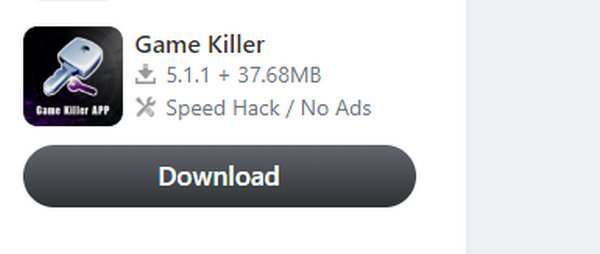
If you find the app doesn't work, you can also go to some third-party websites to download Game Killer without root. However, when downloading APK files from non-official websites, you should be cautious as some versions may contain modified code, ads, or potentially malware. Additionally, the functions and compatibility of non-root versions can vary depending on the Android version and device model.
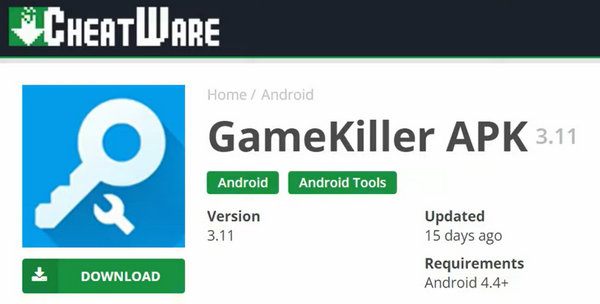
Part 4: How to Use Game Killer Without Root on Android
It's very easy to download Game Killer with no root needed, and then you can learn how to use the new Game Killer without root on your Android phone. It's also very easy and quick to hack a mobile game with the latest version.
Follow the steps below to learn how to use Game Killer without root:
Step 1. Search for Game Data
Open Game Killer and the mobile game you want to play. Remember the data you want to change in the game, such as money. Then, go to Game Killer No Root and tap the Modify button. You should input the amount of money you have in the game and tap the Confirm button.
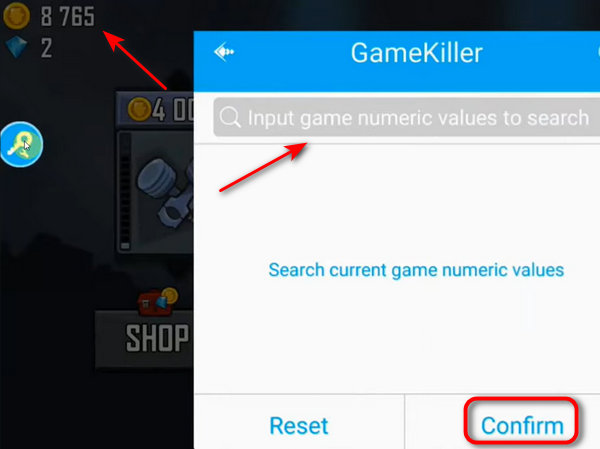
However, there could be much game data containing the same number you input. You can go back to the game and reduce or earn more money. Then, you can input a new number in Game Killer No Root.
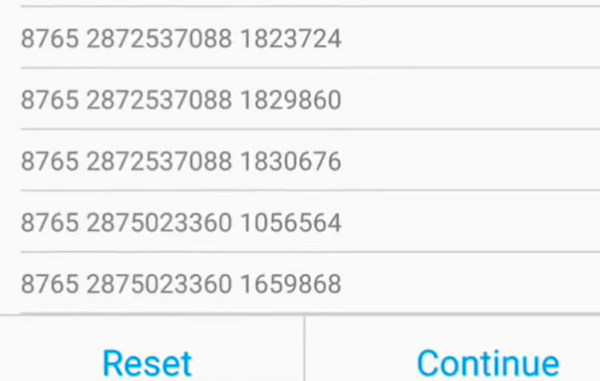
When you can locate the data indicating the money in your game, you can tap on it to modify it.
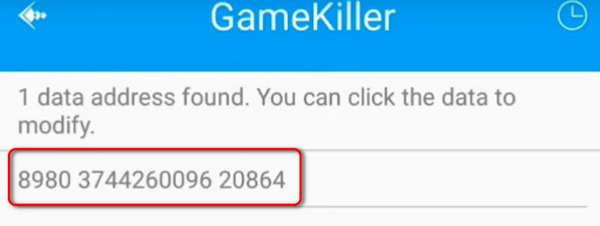
Step 2. Modify Game Data
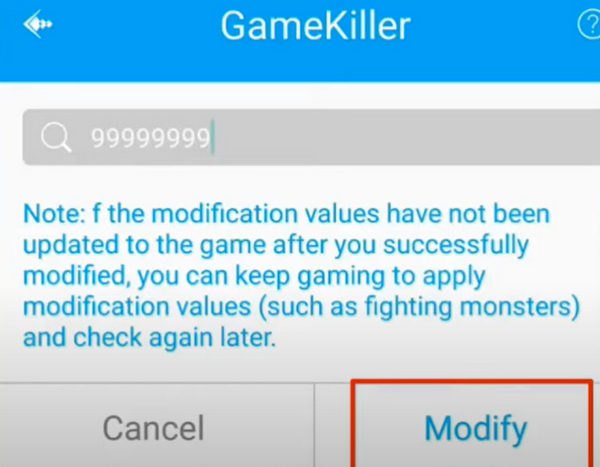
You can input any number to modify the money in your game with Game Killer No Root. Then, tap the Modify button to confirm the change.
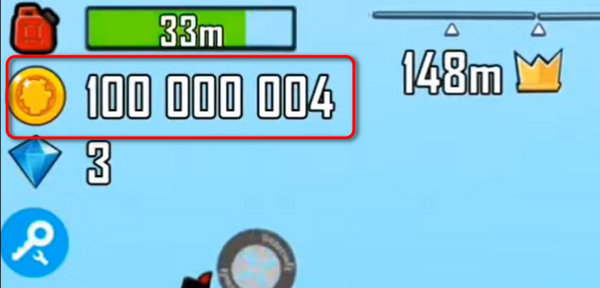
Go back to your game, and you can see that you've successfully jacked the game and changed the money with Game Killer without rooting your Android.
Tips:
Why can’t the game data change after I use Game Killer?
Maybe you’ve locked the modified data. When you change the game data with Game Killer No Root, watch out for the Lock button; you can skip it if you don’t want to lock the data.
Bonus: Recover No Root Game Killer APK on Android Easily
If you download Game Killer without root from a third-party source, you should keep the APK file from loss. But if you accidentally delete it, there's still a remedy. Apeaksoft Android Data Recovery can scan your Android phone to retrieve the lost Game Killer APK file easily. You don't need to worry about data loss anymore.

Downloaded by over 1,000,000 users
- Recover Game Killer no root APK with a USB cable.
- Deeply scan your phone to retrieve all types of data.
- Display lost Android data neatly in specific groups.
- Selectively choose the desired lost data and recover it with one click.
Secure Download
Secure Download
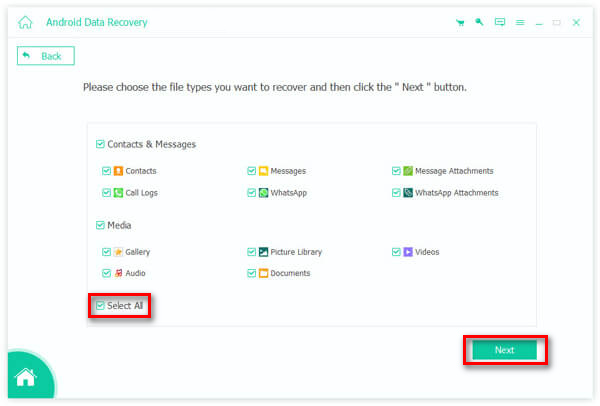
Step 1. Download Apeaksoft Android Data Recovery and launch it. You should connect your Android device to your computer with a USB cable. Then, you can choose Select All, and then click the Next button.
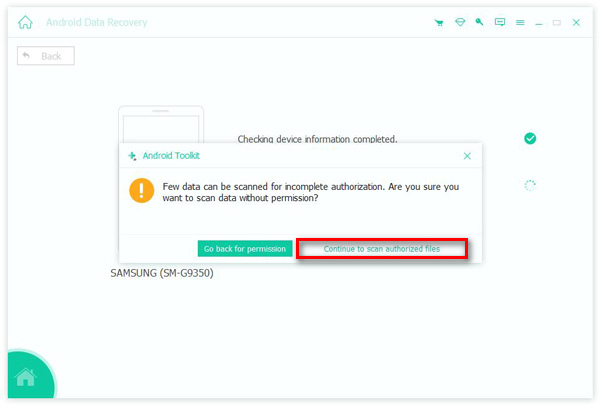
Step 2. You should authorize FoneGo on your Android to access the scanning feature. Click the Continue to scan authorized files button. It can detect the lost Game Killer No Root on your Android phone.
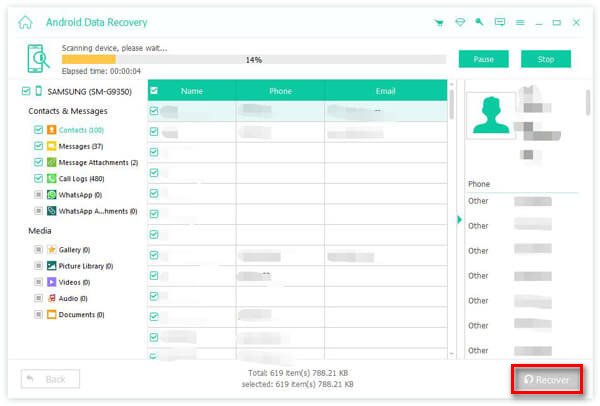
Step 3. Then, this program can scan the device entirely. When it's finished, you can look for the lost Game Killer APK file and choose it. Click the Recover button in the bottom right to recover the deleted data on Android.
Part 5: FAQs About Game Killer No Root
Can Game Killer no root work on Android 13 and above?
It depends on the Game Killer versions. Some newer Android system security settings may cause Game Killer to malfunction, unless the system is rooted or a virtual environment is used.
Why is Game Killer not working?
Perhaps the game is using server-side protection, anti-cheat systems, or encrypted memory data.
Is Game Killer banned?
No. But using it may violate the service terms of certain games.
Conclusion
This article shows you how to use Game Killer without root. The latest version of Game Killer doesn't require your Android to be rooted, and you can run this app without restrictions. Sometimes, however, if your third-party Game Killer gets lost and you can't find the previous website, you can use Apeaksoft Android Data Recovery to scan the device and retrieve the lost Game Killer easily.
 Apeaksoft Android Data Recovery
 Recover various deleted or lost data from all popular Android devices.
Secure Download
Secure Download
Related Articles




