Kompletní průvodce odemknutím ukradeného iPhonu bez hesla

Nečekaná ztráta iPhonu je nepříjemná. V okamžiku, kdy vám zařízení ukradnou, se okamžitě objeví obava: Může mi někdo odemknout iPhone bez hesla?Mnoho uživatelů iPhonů si klade tuto otázku, když mají obavy o bezpečnost dat. Tato příručka poskytuje jasné odpovědi, nabízí praktické tipy na ochranu dat na ukradeném zařízení a představuje proveditelné metody, jak váš iPhone v podobných situacích odemknout.
OBSAH STRÁNKY:
Část 1: Může mi někdo odemknout iPhone bez hesla?
Je srdcervoucí ztratit iPhone nebo vám ho někdo ukradne. První otázka, která vás pravděpodobně napadne, je: „Může mi někdo odemknout iPhone bez mého hesla?“ Odpověď zní ano. Přestože má Apple vestavěné bezpečnostní ochrany, stále existují způsoby, jak iPhone odemknout bez hesla. Zloděj by se mohl pokusit váš kód uhodnout – pokud je jednoduchý, váš iPhone by se dal snadno odemknout. I když používáte složité heslo, existují i další metody, jak obejít zámek obrazovky. Tyto metody si probereme ve 3. části.
Část 2: Co byste měli dělat, když vám ukradnou iPhone
Pokud vám dojde k odcizení iPhonu, okamžitě podnikněte následující kroky, abyste ochránili svá osobní data a zvýšili šance na získání zařízení.
Zapněte režim Ztraceno přes aplikaci Najít
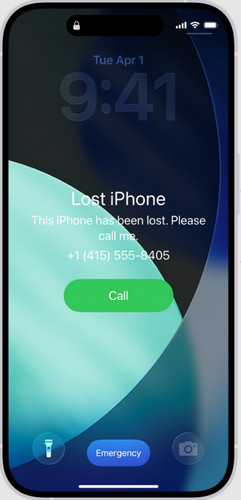
Ztracený mod je bezpečnostní funkce společnosti Apple v aplikaci Najít. Pokud ztratíte nebo vám bude iPhone odcizen, pomáhá chránit vaše osobní data. Po aktivaci režimu Ztracený iPhone se okamžitě uzamkne pomocí hesla. Na zamykací obrazovce můžete také nechat zprávu nebo kontaktní číslo. V režimu Ztracený iPhone lze online sledovat polohu vašeho iPhonu a všechny karty Apple Pay propojené se zařízením jsou dočasně deaktivovány.
Jak zapnout režim Ztraceni:
Krok 1. Otevřete aplikaci Najít na jiném zařízení Apple nebo se přihlaste na iCloud.com.
Krok 2. Vyberte svůj ztracený iPhone z Všechna zařízenía vyberte Označit jako ztracené.
Krok 3. Přidejte na zamčenou obrazovku vlastní zprávu nebo telefonní číslo a poté vyberte Uložit změny.
Změňte své heslo Apple ID
Změňte si heslo k Apple ID, abyste zabránili neoprávněnému přístupu k iCloudu nebo jiným službám Apple.
Krok 1. Přejít account.apple.com a přihlaste se ke svému účtu Apple.
Krok 2. vybrat Přihlášení a zabezpečení, poté klepněte na tlačítko Hesloa podle pokynů na obrazovce změňte heslo k Apple ID.
Vzdálené vymazání iPhonu
Pokud jste vyzkoušeli všechno, ale stále se vám nedaří obnovit váš iPhone, posledním krokem je vymazání všech dat na ztraceném zařízení. Můžete to provést vzdáleně pomocí aplikace Najít na jiném zařízení Apple nebo na webu iCloud.com.
Krok 1. Přejít iCloud.com a přihlaste se ke svému účtu Apple.
Krok 2. Klikněte na Najít zařízení, v Všechna zařízení, vyberte ztracený iPhone, který chcete odebrat.
Krok 3. Využít Vymazat začněte odstraňovat všechna data z vašeho iPhonu.
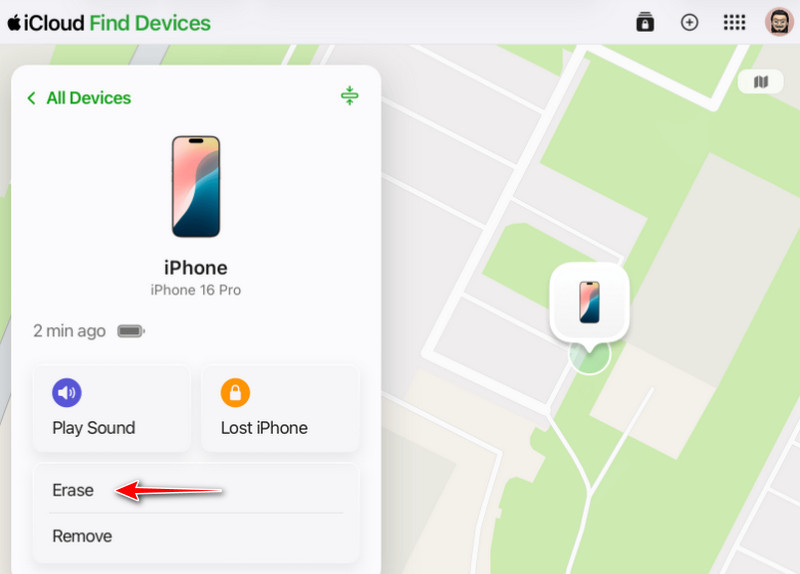
Poznámka: Do Ne Odeberte zařízení ze služby Najít! Odebráním ze seznamu zařízení odstraníte aktivační zámek, což by zloději mohlo usnadnit odemčení a další prodej vašeho iPhonu.
Část 3: Jak odemknout ukradený iPhone bez hesla
Krádež je zcela nepřijatelný a nezákonný čin. V této části se zaměříme na situace, kdy jste si omylem koupili zamčený iPhone, a na to, jak iPhone odemknout bez hesla. Tyto 2 metody mohou tento problém vyřešit a odpovědět na otázku „Může mi někdo odemknout iPhone bez hesla?“.
Odemkněte iPhone pomocí Apeaksoft iFoneKit (nejjednodušší)
Odemykač iOS od Apeaksoftu pro iPhoneKit je profesionální nástroj pro odemknutí, který vám umožní odstranit zámek obrazovky iOS z ukradeného iPhonu. Pokud jste zapomněli přístupový kód k iPhonu nebo jste si koupili použitý iPhone uzamčený na předchozího majitele, můžete jej použít k odemknutí zařízení bez přístupového kódu. Podporuje všechny modely a verze iOS, včetně nejnovějšího iOS 26/iPadOS 26.

Staženo více než 1,000,000 uživatelé
- Odemkněte ukradený, poškozený nebo použitý iPhone bez hesla.
- Odeberte Face ID, Touch ID a přístupový kód z obrazovky během několika minut.
- Odeberte hesla MDM, Apple ID, zálohování iTunes a Času u obrazovky.
- Odstraňte zámek SIM karty u různých operátorů.
Bezpečné stahování
Bezpečné stahování
Jak odemknout iPhone bez hesla:
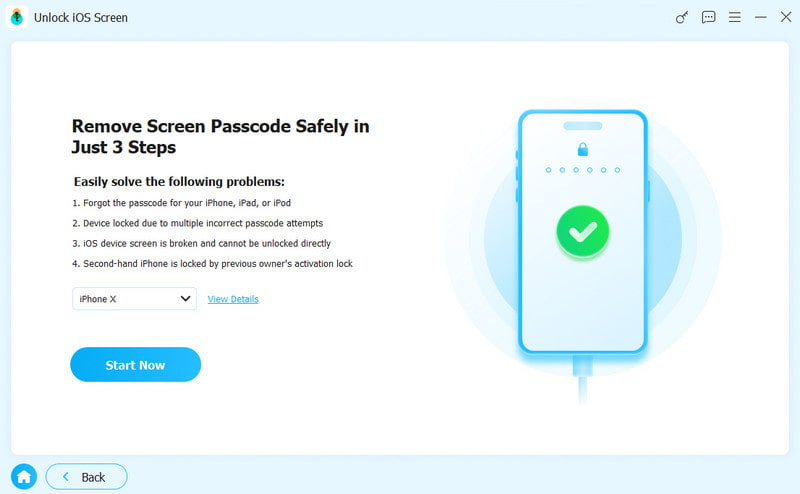
Krok 1. Spusťte software v počítači a vyberte Odemkněte obrazovku iOS z hlavního rozhraní.
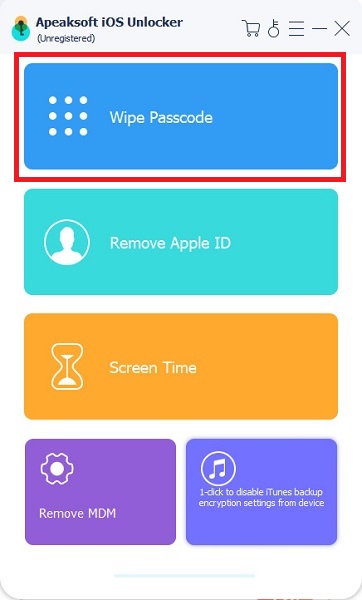
Krok 2. Připojte iPhone k počítači pomocí kabelu USB. Potvrďte informace o zařízení a klikněte na Začít nyní pokud je vše správně.
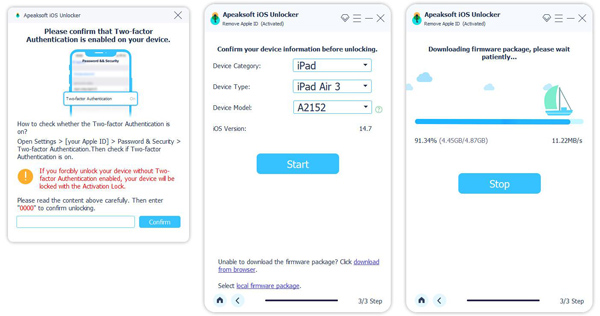
Krok 3. Stáhněte si balíček firmwaru. Trpělivě vyčkejte na stažení.
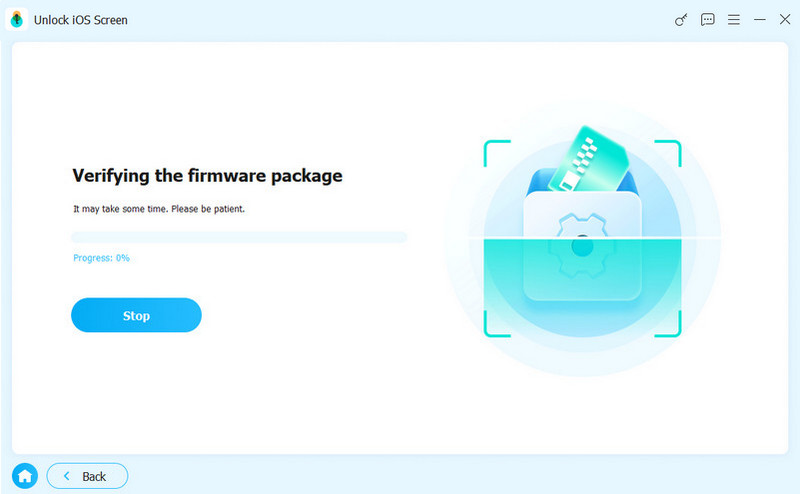
Krok 4. Postupujte podle pokynů na obrazovce a potvrďte tuto akci. Možná budete muset firmware ověřit dvakrát. Počkejte, až bude ověření dokončeno.
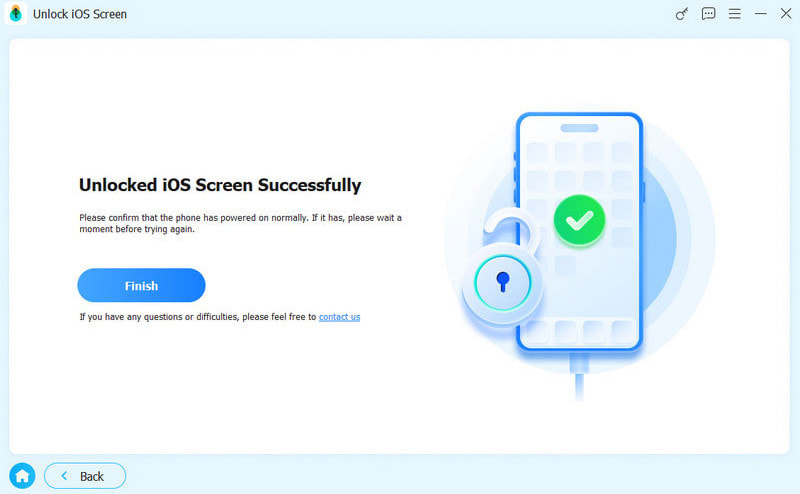
Krok 5. Po ověření se automaticky spustí proces odemykání a všechna data v zařízení budou vymazána. Poté se váš iPhone restartuje a budete si moci vytvořit nový přístupový kód.
Odemknutí iPhonu pomocí režimu zotavení (oficiální)
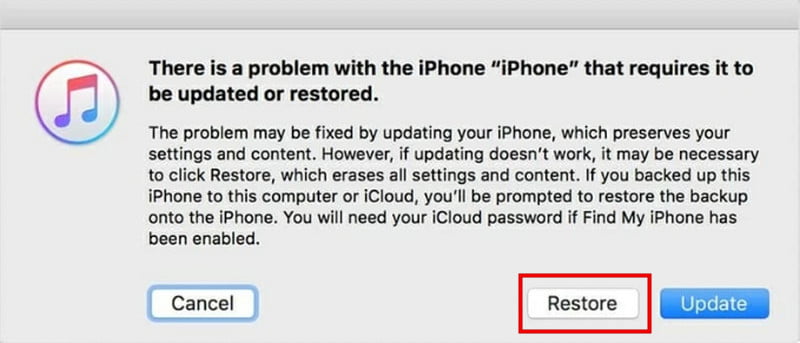
Zámek obrazovky můžete také odstranit přepnutím iPhonu do režimu zotavení. Budete potřebovat počítač s nainstalovanou nejnovější verzí iTunes a kabel USB. Mějte na paměti, že tato metoda bude obnovte výchozí tovární nastavení vašeho iPhone, proto si předem nezapomeňte zálohovat data.
Krok 1. Stáhněte a nainstalujte si do počítače nejnovější verzi iTunes.
Krok 2. Přepněte svůj iPhone do režimu zotavení podle modelu:
- iPhone 8 a novější: Stiskněte a uvolněte tlačítko objem Up tlačítko, poté stiskněte a uvolněte objem Down knoflík. Stiskněte a podržte Výkon dokud ne Recovery Mode objeví se.
- iPhone 7/iPhone 7 Plus: Stiskněte a přidržte tlačítko objem Down a Strana tlačítka současně až do Recovery Mode Objeví se obrazovka.
- iPhone 6S a starší: Stiskněte a přidržte tlačítko Home a Strana tlačítka dohromady až do Recovery Mode zobrazí se obrazovka.
Krok 3. Připojte iPhone k počítači pomocí kabelu USB. Otevřete iTunes a vyberte ze seznamu své zařízení.
Krok 4. klikněte Obnovit odstranit přístupový kód z ukradeného iPhonu. Tímto postupem se vymažou všechna data na něm.
Část 4: Nejčastější dotazy k odemčení ukradeného iPhonu
Může mi někdo odemknout iPhone v režimu Ztraceno bez přístupového kódu?
Režim Ztraceni není 100% bezpečným opatřením pro ochranu vašeho zařízení iOS. Pokud použijete jednoduchý přístupový kód, mohl by ho uhodnout někdo se zlým úmyslem.
Může se policie dostat k mému zamčenému iPhonu?
Není to snadné. Apple policii neposkytuje speciální způsob, jak odemknout iPhony. Ve většině případů potřebují orgány činné v trestním řízení soudní příkaz a mohou k přístupu k zařízení použít pokročilé forenzní nástroje. Ani tehdy není vždy možné dostat se do uzamčeného iPhonu.
Může Apple odemknout můj iPhone heslem?
Apple vám nemůže odemknout přístupový kód přímo. Jediné, co Apple může udělat, je odstranit aktivační zámek.
Závěr
Může mi někdo odemknout iPhone bez mého hesla?Ve většině případů je odpověď ne, iPhony jsou vybaveny silným zabezpečením pro ochranu vašich dat. V určitých situacích však některé nástroje a metody mohou umožnit odemknout iPhone bez přístupového kódu.
Pokud dojde ke ztrátě nebo odcizení vašeho zařízení, zachovejte klid a jednejte rychle: zapněte režim Ztraceno, změňte heslo k Apple ID a zařízení na dálku vymažte. Pokud telefon najdete zpět, ale přístupový kód je upravený, může vám pomoci vhodný nástroj pro odemykání, jako je Apeaksoft iFoneKit.
 Apeaksoft iPhoneKit
 Odemkněte všechny typy hesel pro iOS z iPhone, iPad a iPod.
Bezpečné stahování
Bezpečné stahování
Související články