8 Best Free and Freemium Slideshow Makers Online and Offline

A slideshow is a presentation of a series of still pictures on a screen or display, typically in a prearranged sequence. It is a great way to collect, view, and manage your photo libraries with the same topics. To create a slideshow, you need a free slideshow maker. It allows you to put your photos on the storyboard, arrange them, and apply a theme and background music. This article identifies a top list.
PAGE CONTENT:
Part 1: Comparison of Free Slideshow Makers
Methodology
We have tested the popular slideshow makers on the market to identify the top free list. Moreover, we collected hundreds of users’ reports. When reviewing them, we focus on a few aspects, like output formats, slideshow quality, bonus photo editor, and more.
| Input formats | Output formats | Supported devices | |
| Apeaksoft Video Converter Ultimate | All photo, video, and audio formats | MP4, M4V, MOV, MKV, SWF, WMV, AVI, FLV, etc | Windows 11/10/8/7/XP/Vista Mac OS X 10.12 or above |
| ThunderSoft Free Slideshow Maker | Popular photo formats | FLV, MP4, MPG, AVI, WMV, MKV, MOV | Windows 11/10/8/7/XP/Vista |
| iMovie | JPG, PNG, HEIC | MP4 and MOV | macOS |
| Flexclip | PNG, JPG, WebP, GIF, BMP, PSD, RAW, HEIC and more | MP4 and GIF | Online |
| Google Slides | Popular photo formats | PPTX | Online |
| Adobe Express | JPG, PNG, GIF, SVG | MP4 | Online |
| Videoshop | JPG, PNG, HEIC, and more | MP4 | iOS and Android |
| Google Photos | JPG, PNG, HEIC, and more | MP4 | iOS and Android |
Part 2: Top 3 Free Slideshow Makers on Desktop
Top 1: Apeaksoft Video Converter Ultimate
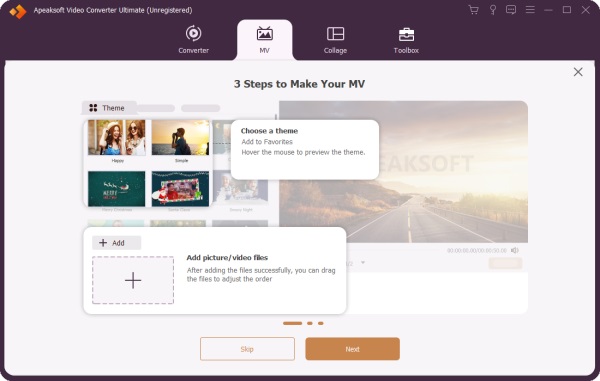
Apeaksoft Video Converter Ultimate is a free AI slideshow maker for beginners. It offers almost everything for creating slideshows with photos, video clips, and audio tracks. Moreover, the built-in themes, music library, and other items allow you to create slideshows like a professional.
Secure Download
Secure Download
- Make free slideshows with music and pictures.
- Include a video editor.
- Offer themes and a music library.
- Preview slideshows with a media player.
- Support a wide range of output formats.
- It takes a while to render the result.
Here are the steps to make a picture slideshow with music:
Step 1. Add photos
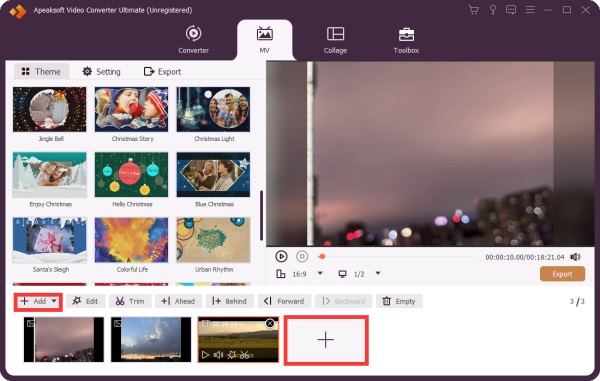
Launch the slideshow maker after you install it on your computer. Go to the MV tab and click the Add menu to import the photos. After loading, arrange these photos on the storyboard.
Step 2. Make a slideshow
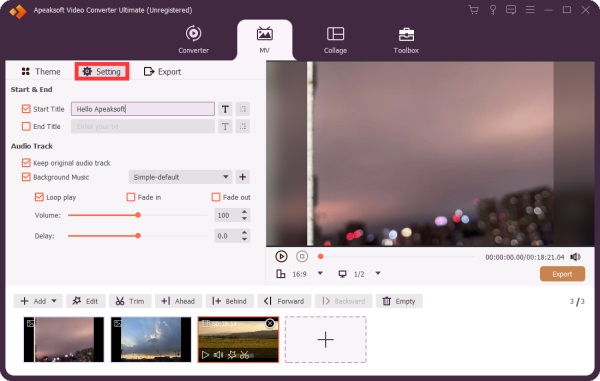
Choose a proper theme in the Theme tab. Then, head to the Settings tab, and optionally type in a title. Check the box next to Background Music, and select a track from the library or click the Add button to add a song. Apply the Fade in and Fade out effects.
Step 3. Export the slideshow
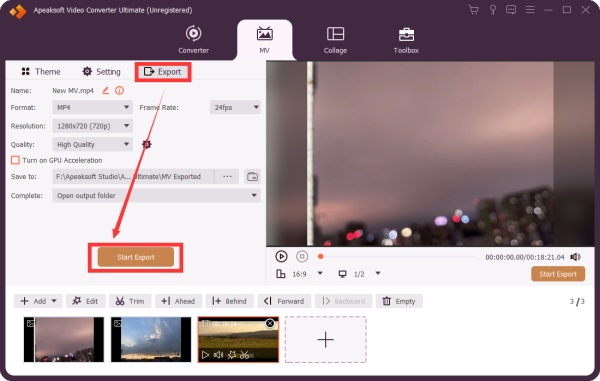
Click the Play button under the media player to view the slideshow. If you are satisfied, go to the Export tab and set the output format and output folder. Finally, click the Start Export button.
Further Reading
Top 2: ThunderSoft Free Slideshow Maker
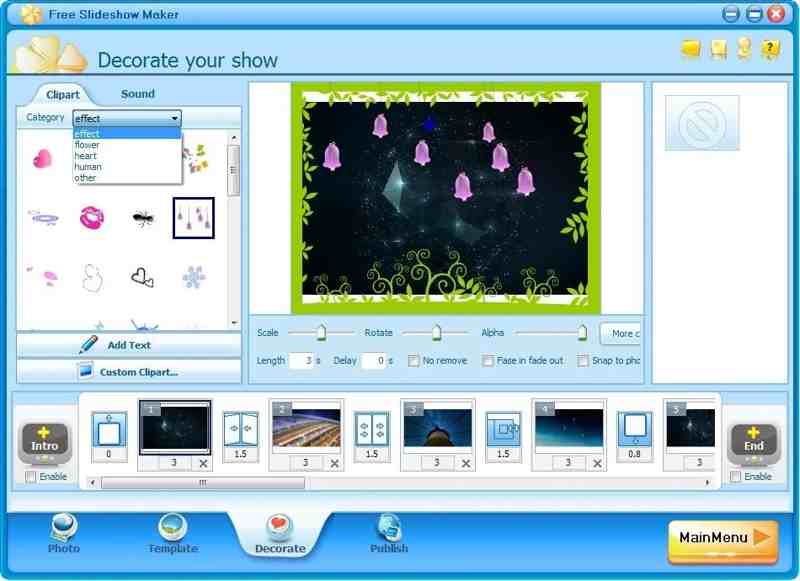
ThunderSoft Free Slideshow Maker is a free picture slideshow maker for Windows. It lets you make slideshows for YouTube and other social media. It offers both a free and a premium version.
- Make a slideshow with up to 500 images.
- Add transitions, captions, and music.
- Include 70 animated templates.
- Create slideshows for HTML5.
- The interface is outdated.
- It hasn’t been updated in a while.
Top 3: iMovie
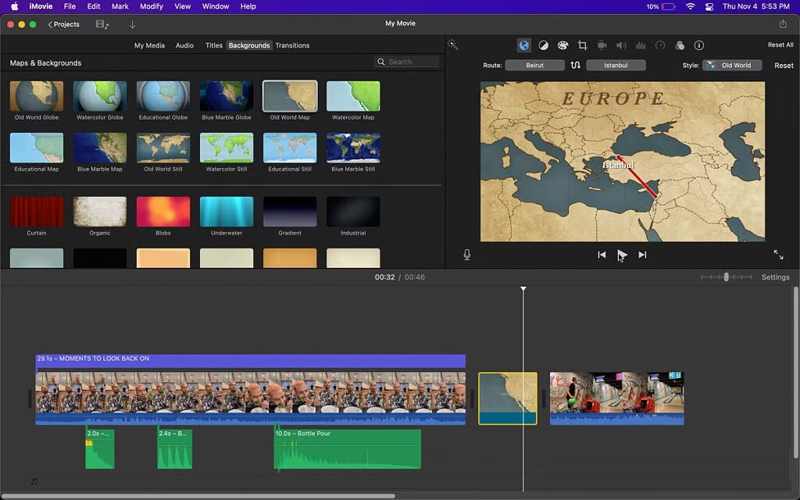
iMovie is the free image slideshow maker on macOS. You can create a project, add photos and videos, and make a slideshow on your MacBook. While it offers an entry-level video editor, it is enough for making a slideshow. You can also add voice memos to iMovie to make a vivid slideshow.
- Integrate an intuitive GUI.
- Offer excellent templates.
- Work with other apps on Mac.
- Provide a video editor.
- It lacks advanced features.
- It is only available on Mac.
Part 3: Top 3 Free Slideshow Makers Online
Top 1: Flexclip
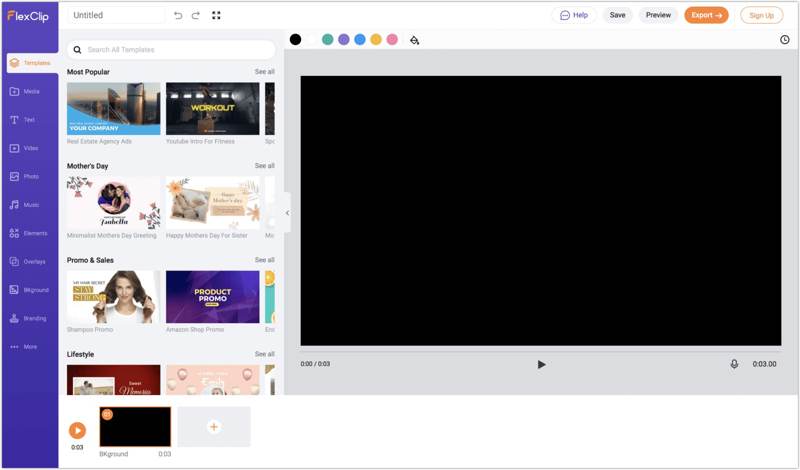
Flexclip is a free slideshow with music maker online. It enables you to upload photos and make a slideshow with background music without downloading anything on your desktop. All you need is an account.
- Easy to use.
- Offer AI tools.
- Include extensive templates.
- Provide cloud storage.
- It adds watermarks to slideshows.
- Advanced controls are limited.
Top 2: Google Slides
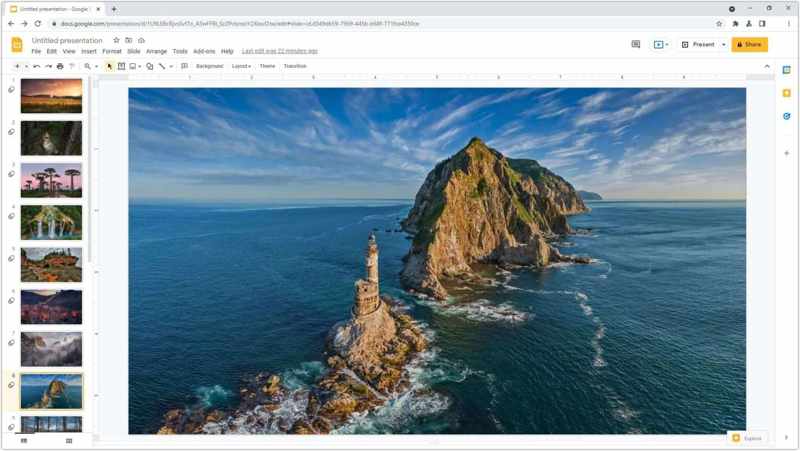
Google Slides is another free online slideshow maker. It allows you to create presentations online with a Google account. The intuitive interface and advanced features make it popular for collaboration.
- Free access for anyone.
- Seamless and efficient.
- Make slideshows online.
- Save slideshows in the cloud.
- Premium presentation features require a Google Workspace subscription.
Top 3: Adobe Express
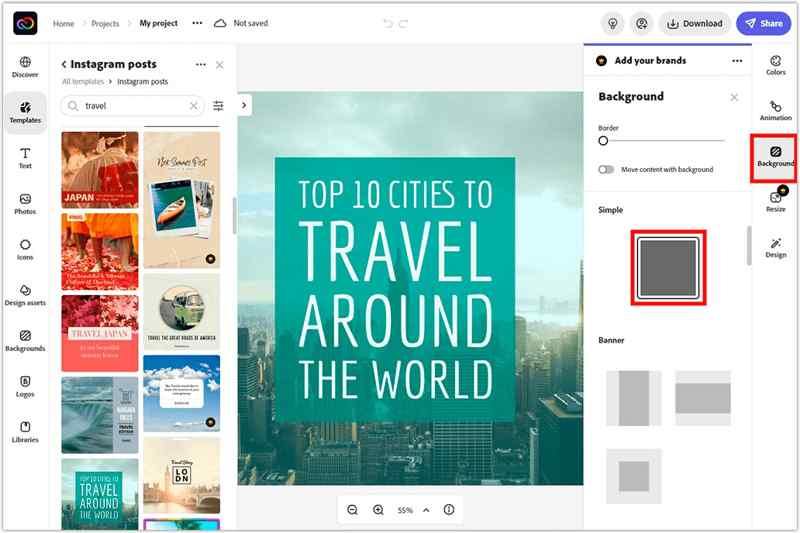
Adobe Express is a quick way to make a slideshow online for free. While the advanced features and cloud storage require a paid subscription, you can try the free version with an Adobe account.
- Include fluid templates.
- Offer AI tools.
- Provide a video editor.
- Integrate ChatGPT.
- Some AI tools are hit-or-miss.
- It is expensive.
Part 4: Top 2 Free Slideshow Maker Apps
Top 1: Videoshop
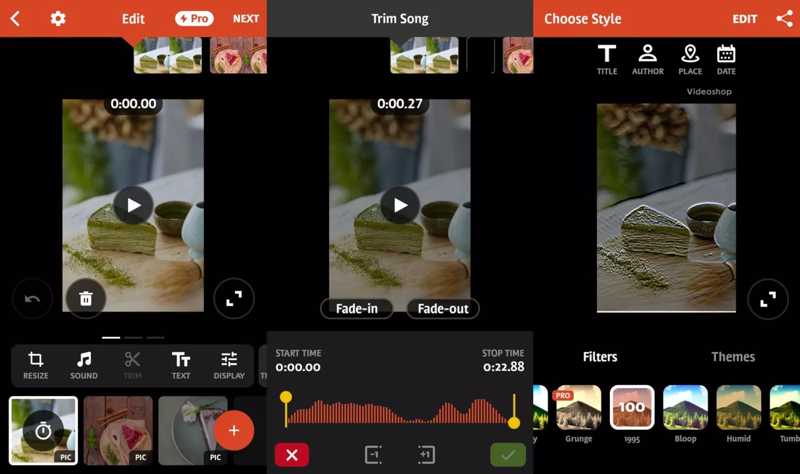
Videoshop is one of the top free slideshow makers for iPhone and Android users. In fact, it is a full-featured video editor with slideshow-making tools and many other features, like filters and effects.
- Make slideshows easily.
- Add text and transitions.
- Edit slideshows smoothly.
- Share slideshows to social media.
- Users reported stability issues.
- There is a watermark in the free version.
Top 2: Google Photos
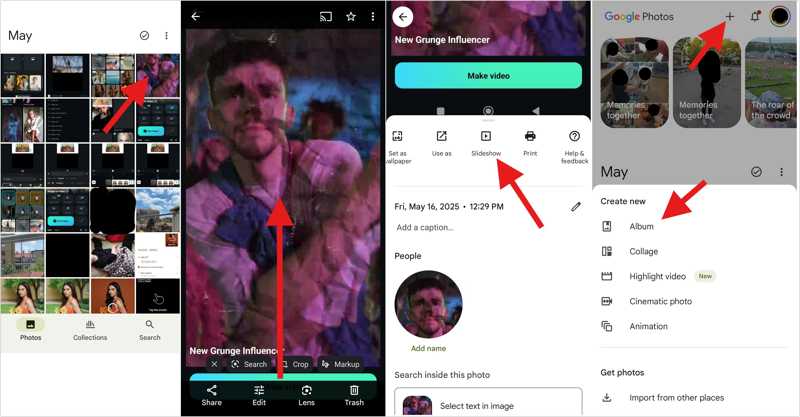
Google Photos is another option to make slideshows with music for free. As a photo storage, it comes with a built-in slideshow maker and basic photo editing features. Plus, it offers 15GB of free storage.
- Organize photos with AI.
- Back up photos and videos.
- Create a slideshow quickly.
- Share slideshows directly.
- Free storage is limited.
- It lacks advanced features.
Conclusion
Now, you should learn the top 8 free slideshow with music makers online, on your desktop and mobile device. Some of them are completely free to use. Others offer a free version or a free demo. You can pick an appropriate one based on our review and your situation. Apeaksoft Video Converter Ultimate is a good option for beginners.
Related Articles