How to Fix iPhone Scrolling on Its Own (2026 Complete Guide)

Keskeiset ostokset
- physical screen interference, temporary iOS bugs, and hardware failure can mainly trigger iPhone scrolling on its own.
- Basic checks can resolve most minor ghost scrolling issues.
- System-level troubleshooting can help resolve persistent auto-scrolling caused by iOS glitches or app conflicts.
- Persistent automatic scrolling may be caused by physical screen damage that requires professional repair.
Why does my iPhone scroll on its own? Have you ever encountered an iPhone auto-scrolling issue? Don't worry! This post shares 9 possible solutions to fix this issue with ease!
SIVUN SISÄLTÖ:
What Causes iPhone Scrolling on Its Own
iPhone scrolling on its own, also known as ghost scrolling, can happen due to several reasons. Why does your iPhone keep scrolling up on its own? Here, we summarize several common causes for you to check:
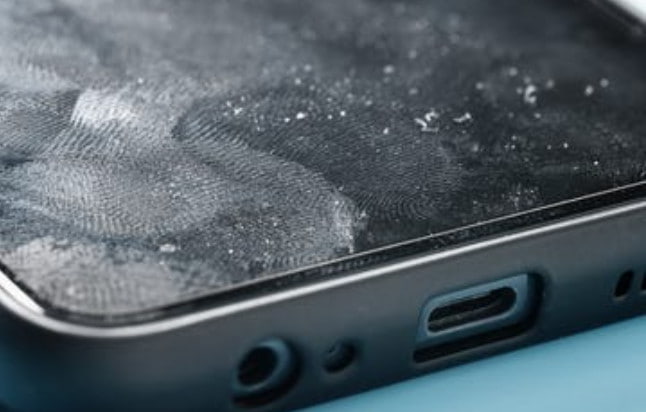
Dirty screen surface
Fingerprints, oil, dust, moisture, and sweat on the display will interfere with your iPhone's touch response. They may release the touch signals, making your iPhone screen scroll up and down randomly.
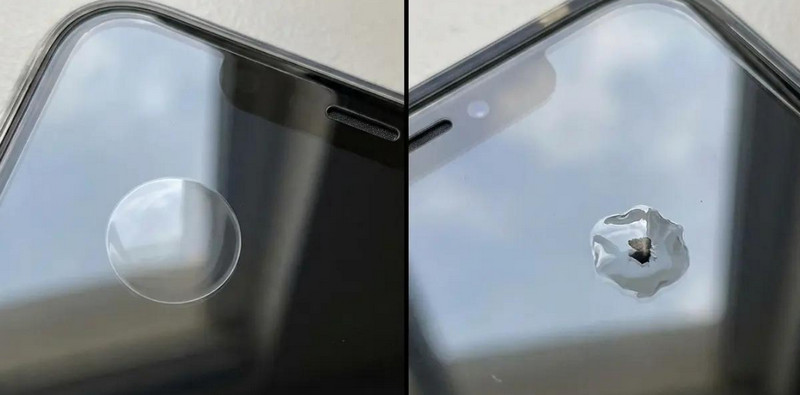
Poor screen protectors or tight cases
If there are bubbles or uneven areas on your screen protector, it may interfere with the screen's touch response. Moreover, an overly tight phone case can also press against the screen edges, thereby triggering ghost touches and making your iPhone scroll on its own.
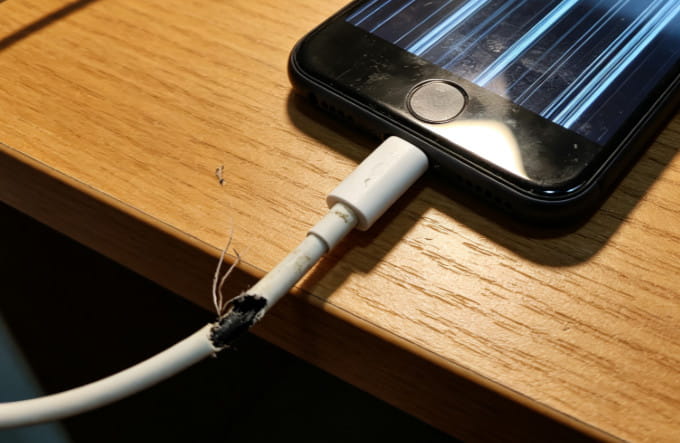
Unstable power supply and faulty accessories
Sometimes, non-official or faulty chargers and damaged charging cables may cause unstable electric current during charging. It may interfere with touch sensitivity and lead to abnormal iPhone auto-scrolling.
Temporary iOS glitches and outdated system
Corrupted system cache, unfinished system updates, and an outdated iOS versions may also disrupt normal screen response. Sometimes, conflicted third-party apps can also trigger random scrolling errors.
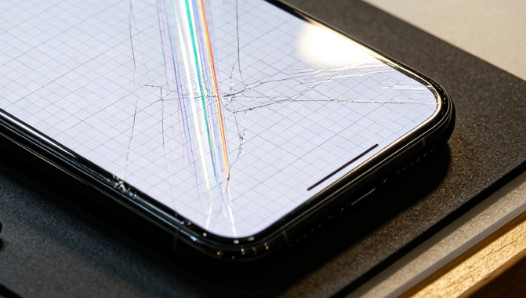
Damaged screen digitizer
If all the other causes are ruled out, the problem usually comes from a faulty screen digitizer. Drops, pressure, or water damage may affect the touch sensing component, resulting in iPhone's ghost scrolling.
Quick Instant Checks to Stop iPhone Scrolling on Its Own
Most iPhone scrolling on its own problems are caused by external physical interference. To fix the iPhone that keeps scrolling on its own, you can start with basic one-minute checks.
Clean the iPhone screen
Surface stains are the most common cause of ghost scrolling. You can use a dry and soft microfiber cloth to wipe off dust, oil, and sweat on the screen. Cleaning the screen may help stop random scrolling in minor cases.
Remove the screen protector and phone case
Poorly fitted protective accessories may result in continuous auto-scrolling. You can try taking off your current protector and case and check whether your iPhone keeps scrolling up and down.
Disconnect all charging cables and external devices
Sometimes, your iPhone will scroll on its own because there is unstable power input. You can try unplugging your charger or any connected accessories. If the scrolling stops after disconnection, your charging accessories may be the cause.
Software Troubleshooting for iPhone Keeps Scrolling Issues
If quick physical checks fail, the auto-scrolling issue may be caused by system software errors. You can follow these complete software fixes below to resolve ghost scrolling problems related to iOS or an app.
Force restart your iPhone
Pakota iPhone uudelleen can fix temporary iOS glitches that may stop your iPhone from scrolling on its own. It won't erase your data. Just quickly press and release the Volume Up and Down buttons. Then, Press and hold the Side button until the Apple logo appears. Check whether the issue persists after a restart.
Close crashed and conflicting background apps
Some apps may freeze, crash, or have bugs, which may affect the screen touch response. You can try closing all the background apps and check if your iPhone still scrolls on its own.
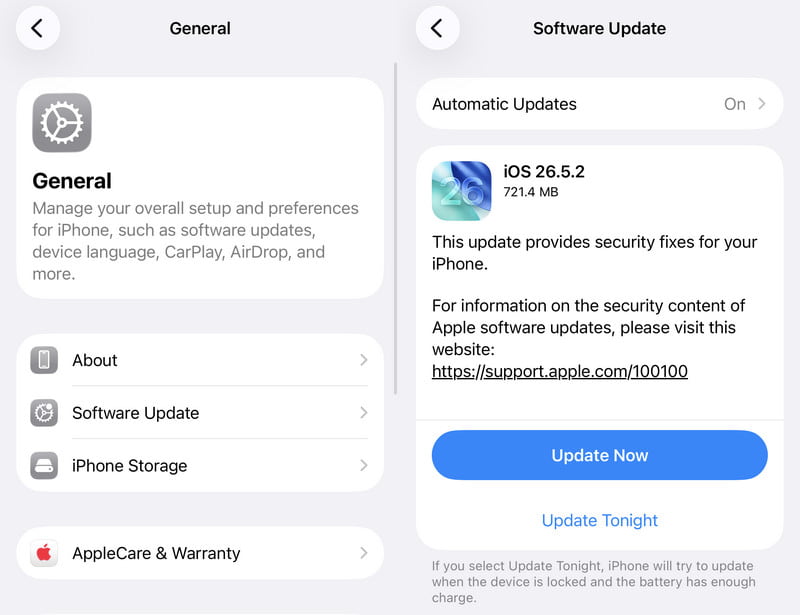
Update iOS to the latest version
Outdated system versions may cause touch or scrolling issues. Apple's official iOS updates usually fix system vulnerabilities. Therefore, you can try updating your iPhone to the latest available version to fix possible software glitches.
Vaihe 1. Mene Asetukset > general > ohjelmistopäivitys.
Vaihe 2. Click Update Now if there is an available version.
Reset all settings to fix system conflicts
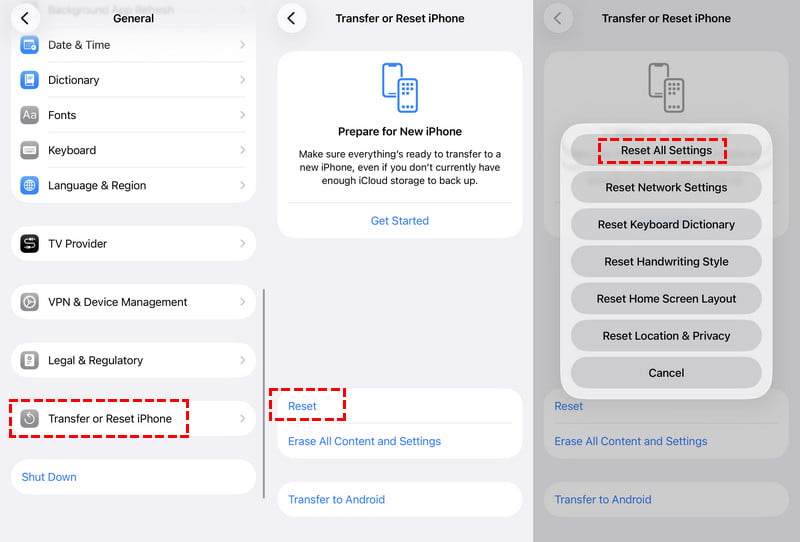
Incorrect settings may cause touch or scrolling issues. You can reset all settings to restore default iOS configurations. This method can fix hidden setting conflicts and may stop the iPhone auto-scrolling issue without data loss.
Vaihe 1. Mene Asetukset > general > Siirrä tai nollaa iPhone.
Vaihe 2. Napauttaa asettaa uudelleen > Nollaa kaikki asetukset ja seuraa näytön ohjeita.
Repair deep iOS System Issues to stop iPhone scrolling on its own
If your iPhone still scrolls on its own after basic fixes, try repairing iOS system issues with Apeaksoft iOS System Recovery. It supports over 150 iOS system problems and offers a Standard Mode to resolve iPhone ghost scrolling and system glitches safely without erasing your data.
Vaihe 1. Download and install this tool from the button below.
Suojattu lataus
Suojattu lataus
Vaihe 2. Choose System Repair from the main interface.
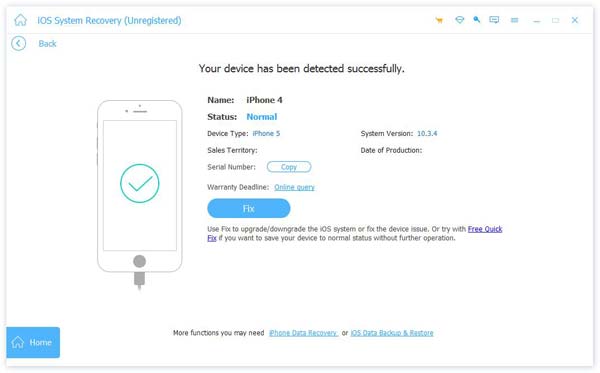
Vaihe 3. Connect your device and choose a Vakio-tila.
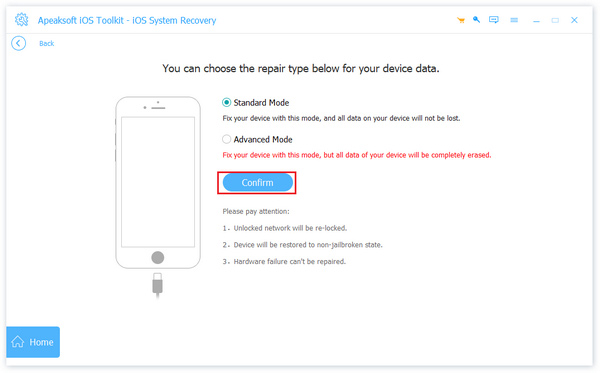
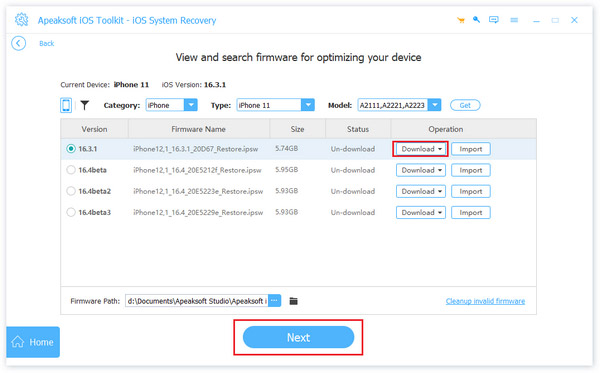
Vaihe 4. Download the corresponding firmware. When the process finishes, check whether your iPhone scrolls on its own.
Vinkki: Tämä työkalu voi myös auttaa sinua poista iPhone palautustilasta in 3 seconds for free.
Hardware Troubleshooting for Severe Ghost Scrolling
If all the basic and software checks fail, your iPhone scrolling on its own issue may be related to a hardware failure. It can be a damaged screen or touch component.
In this situation, manual fixing is impossible. You need to contact Apple's official support or an authorized repair center for professional screen detection and component replacement to solve the hardware-level scrolling issue permanently.
Yhteenveto
iPhone vierittää itsekseen can be caused by many reasons. This post has listed all common causes and fixes for your reference. Hope you can follow our guide to fix the iPhone auto-scrolling issue with ease!
 Apeaksoft iOS System Recovery
 Korjaa viraaliset iOS-järjestelmäongelmat iPhonessa, iPadissa ja iPodissa.
Suojattu lataus
Suojattu lataus
Aiheeseen liittyvät artikkelit