Gbyte Recovery Review 2026: Honest Test & Reviews

If you're reading this Gbyte Recovery review, you've probably already heard about this iOS data recovery tool and are trying to decide whether it's worth your money. Many iPhone users turn to it when their phone breaks or gets lost, and they need to pull files from their iCloud backup. But is it as good as its marketing claims? We downloaded and tested the software ourselves. Below are our tested Gbyte Recovery -arvostelut.
SIVUN SISÄLTÖ:
What Is Gbyte Recovery
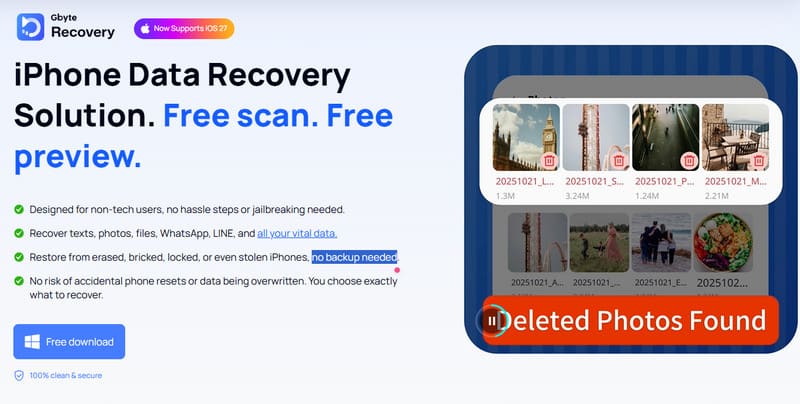
Gbyte Recovery is a popular iOS data recovery tool that is designed to recover lost data from various iOS devices, such as iPhone, iPad, and iPod touch. It supports various data types, including photos, videos, messages, WhatsApp and LINE chats, audio files, documents, and other app data.
Avainominaisuudet
- Recover lost iOS data by accessing available iCloud backup data.
- Preview scanned data before recovering it.
- Select only the files or data you need instead of recovering everything at once.
- High security. Gbyte states that iCloud credentials are not stored or shared and that recovered data is protected with end-to-end encryption.
Gbyte Recovery Pricing and Compatibility
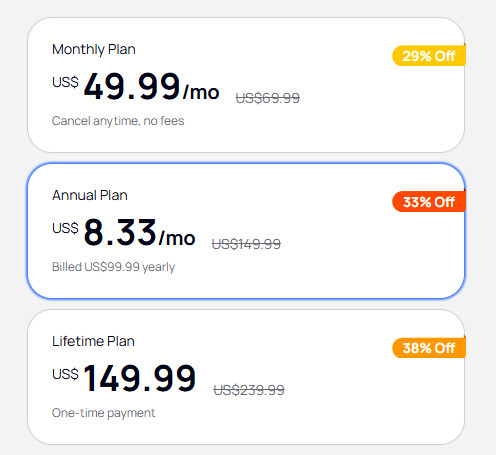
Gbyte Recovery offers monthly, yearly, and lifetime plans. Prices are $49.99, $99.99, and $149.99, respectively. We should say, compared with some competing iOS data recovery tools, its pricing is relatively high, especially since some alternatives offer more recovery features, including direct device scanning and iTunes/Finder backup recovery, while supporting a similar range of data types.
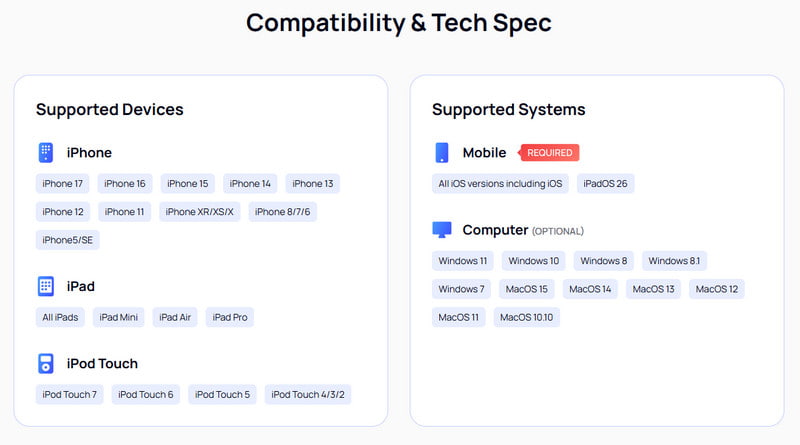
In terms of compatibility, Gbyte supports iPhone, iPad, and iPod touch on Windows and Mac, but currently does not support the latest iPhone 18 series or iOS 27.
Vinkki: The pricing and compatibility information above is based on what we found when writing this article and may change as Gbyte updates its product.
Gbyte Recovery Test: Step-by-Step Review
To see how Gbyte Recovery performs in real-world use, we tested the entire recovery process step by step, from signing in with an Apple ID to scanning, previewing, and recovering data. If you are hesitating whether to try this tool, you can refer to our experience below.
Step 1: Sign in with Apple ID
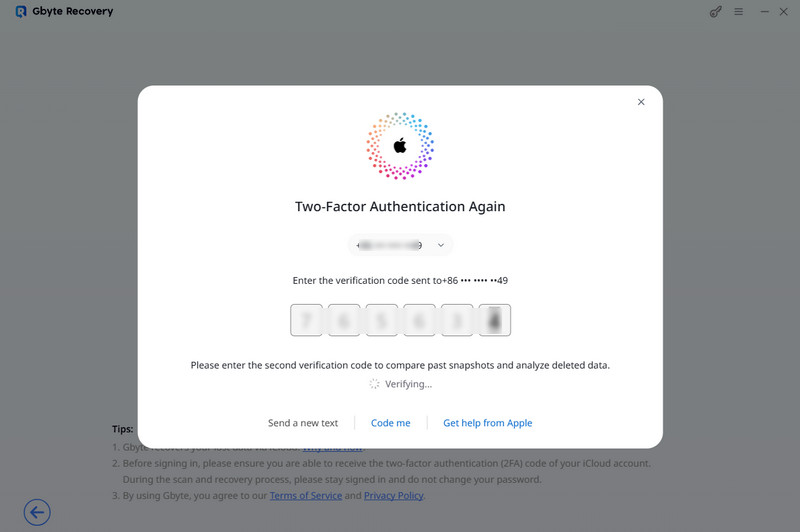
Firstly, you should sign in to your iCloud backup. It also provides an option if you forget the iCloud password. However, we were stuck at the Apple Account sign-in step for a while. After entering the required information, the expected two-factor authentication prompt did not appear on the iPhone. We chose the alternative Tekstaa minulle verification method, but had to click it twice before the verification code finally arrived. The sign-in process was relatively lengthy.
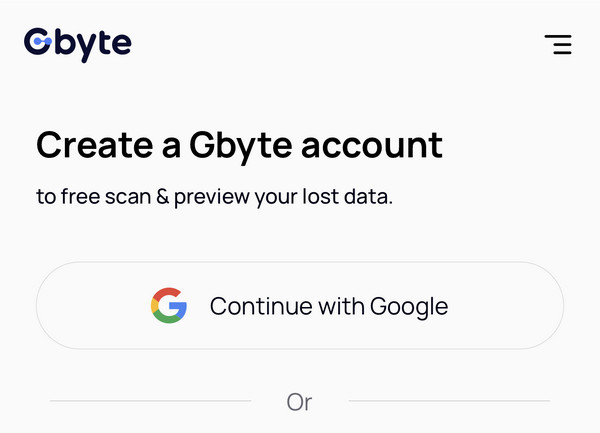
On the mobile side, the process is even more complicated. Before signing in to the iCloud account, we were first asked to create and sign in to a Gbyte account. This adds an extra step that feels unnecessary for an iCloud-based data recovery process.
Vaihe 2: Skannaa ja esikatsele
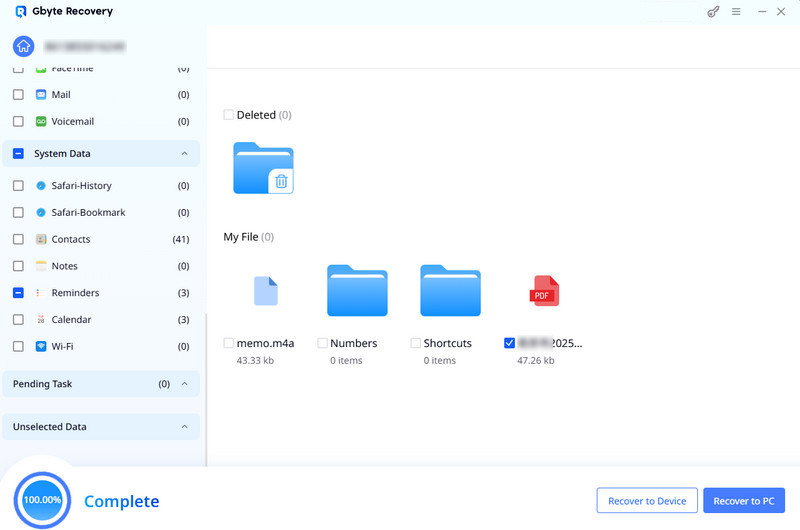
Overall, the scanning process was generally smooth. The scanning time mainly depended on the size of the backup. The available data types are fairly comprehensive, and the data is complete. However, its preview feature has some limitations. For example, when previewing PDF files, we can only see their names, not their actual content. Some file names are also not displayed in full, making it difficult to identify the right file when multiple PDFs have similar names.
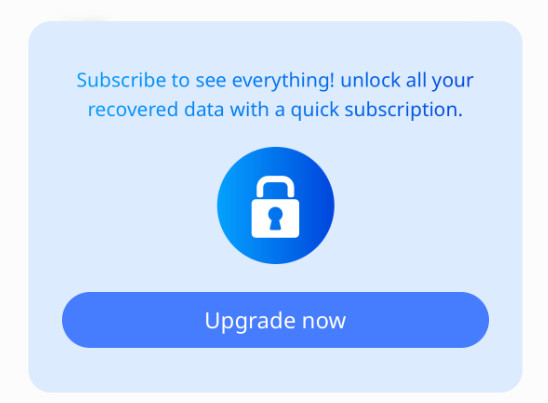
On mobile, the free preview is more limited. When we clicked Calendar or Reminders, Gbyte immediately prompted us to upgrade instead of allowing us to preview the data.
Step 3: Select Data and Recover
After previewing the scan results, we selected the data we wanted to recover and proceeded with the recovery. The overall process was straightforward and worked as expected.
Gbyte Recovery Test Results
Based on our hands-on test, Gbyte Recovery can scan and display a wide range of iPhone data. However, the overall experience has both advantages and limitations worth considering. Here's a quick summary of what we found.
- It provides a free preview. You can check whether your lost data can be found before paying for the recovery.
- Supports various data types, especially social app message recovery, such as WhatsApp, Messenger, LINE, Kik, WeChat, Skype, Instagram, and more.
- Scan iCloud data without connecting your iPhone to the computer.
- It only relies on iCloud-varmuuskopiot, which conflicts with its "no backup needed" claim.
- The iCloud account sign-in process needs improvement.
- It is relatively expensive. Overall, it offers limited value for money.
Is Gbyte Recovery Safe to Use
Yes. Based on Gbyte's security and privacy statements, Gbyte Recovery appears safe to use. It claims to use end-to-end encryption and two-factor authentication to protect your data, while your iCloud credentials are not stored or shared. We also did not encounter any ads, malware, or suspicious behavior during our test.
Best Gbyte Recovery Alternative: Apeaksoft iPhone Data Recovery
If you don't have an iCloud backup or want a more cost-effective iPhone data recovery, Apeaksoft iPhone Data Recovery is worth considering. Unlike Gbyte Recovery, it supports recovery directly from your iPhone as well as from iTunes/Finder and iCloud backups, giving you more recovery options.
Suojattu lataus
Suojattu lataus
| Ominaisuus | Gtavun palautus | Apeaksoft iPhone Data Recovery |
| Direct iPhone Recovery (without backup) | Ei | Kyllä |
| iCloud Backup Recovery | Kyllä | Kyllä |
| iTunes/Finder Backup Recovery | Ei | Kyllä |
| Ilmainen esikatselu | Kyllä | Kyllä |
| Selektiivinen toipuminen | Kyllä | Kyllä |
| Hinnasto: | $ 49.99 / kk $ 99.99 / vuosi $ 149.99 / käyttöikä | $ 27.45 / kk / $ 65.96 / käyttöikä |
Yhteenveto
That's all for our detailed review of Gtavun palautus based on our real-world test. We hope our findings are helpful to you! If you are looking for an alternative, you can also consider Apeaksoft iPhone Data Recovery.
 Apeaksoft iPhone Data Recovery
 Palauta poistetut tai kadonneet tiedot iOS-laitteista, iTunesista ja iCloud-varmuuskopioista.
Suojattu lataus
Suojattu lataus
Aiheeseen liittyvät artikkelit