
Minecraftでは、視覚効果としてモーションブラーが導入され、プレイヤーのゲーム体験全体に影響を与えています。モーションブラーは、Minecraftプレイヤーがゲームの特徴的なブロック状でピクセルアート風の美学を変えるために設計されています。しかし、慎重に実装しないと、この効果は視覚デザインと衝突し、ゲームのピクセル調の見た目や雰囲気を損なうぼやけが生じます。この記事では、モーションブラーの使い方について説明します。 MinecraftのモーションブラーMOD.
ページコンテンツ:
パート1:Minecraftにおけるモーションブラーの理解
モーションブラーはMinecraft特有のものではありません。実際、多くのゲームがこの視覚効果を取り入れており、高速で動く物体やカメラの動きによるブレをシミュレートしています。モーションブラーを適用することで、ゲームはより映画的で視覚的に魅力的な表現を作り出し、スピード感と流動性をより強く伝えることができます。
欠点としては、モーションブラーの実装が不適切だと、視覚的な鮮明度が低下したり、ゲームプレイの精度に影響が出たり、眼精疲労を引き起こしたりする可能性がある。例えば、この効果がMinecraftのブロック状のビジュアルスタイルと合わず、鮮明度が低下する可能性がある。
Minecraftにはモーションブラー機能がありますか? はい。Minecraftはサンドボックスゲームであり、独特のブロック状のビジュアルとミニマルな美学で知られていますが、Minecraftのコア体験にモーションブラーMODを追加することができます。ただし、お使いのデバイスがモーションブラーの変化と滑らかさを制御・管理できる機能を備えていることを確認する必要があります。
パート2:Minecraftでモーションブラーをオンまたはオフにする方法
前述の通り、Minecraftではモーションブラーを標準で有効にできます。さらに、ゲーム内でモーションブラーを併用するための他のテクニックも存在します。ここでは、それらの手順をそれぞれご紹介します。
マインクラフトでモーションブラーをかける方法
ステップ 1: パソコンでMinecraftを開いてください。
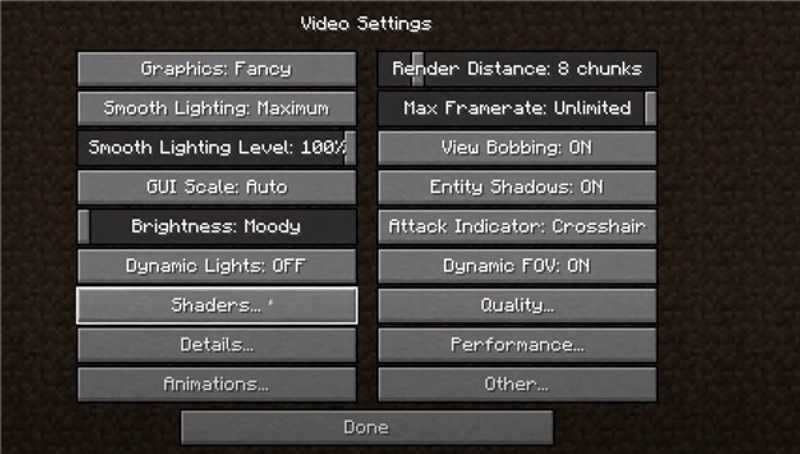
ステップ 2: 詳しくはこちら オプション 選択して ビデオ設定.
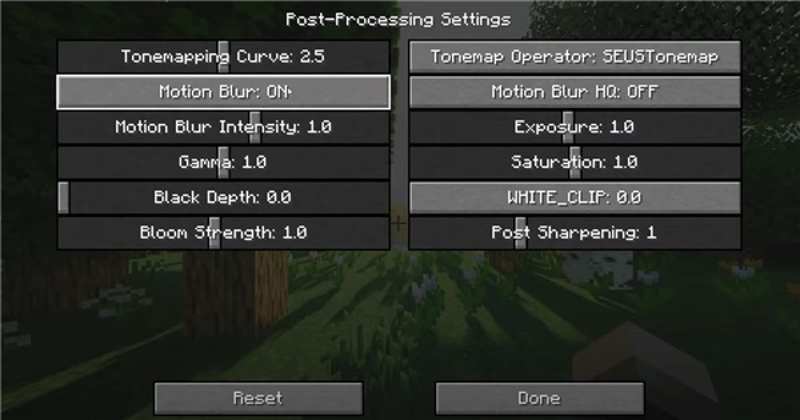
ステップ 3: クリック シェーダーオプション オプションと選択 後処理設定.
ステップ 4: 見つける モーションブラー オプションを使用して、Minecraft でモーションブラーをオンまたはオフに切り替えます。
Motion Blur FXを使ってMinecraftにモーションブラーを追加する方法
ステップ 1: 公式ウェブサイトからOptifineまたはFabricをダウンロードしてインストールしてください。
ステップ 2: モーションブラーFXシェーダーパックをダウンロードしてください。
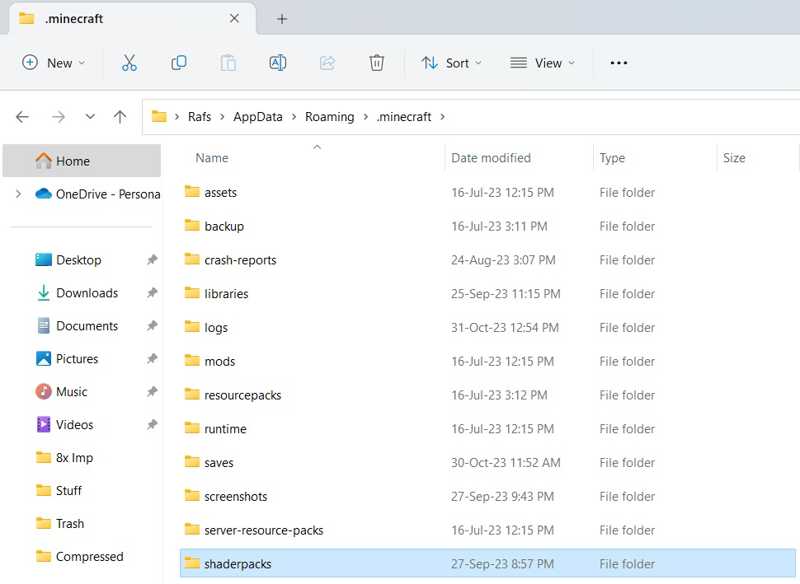
ステップ 3: shader-pack.zip ファイルを Minecraft ディレクトリ内の shaderpacks フォルダに移動してください。
ステップ 4: パソコンでMinecraftを開いてください。
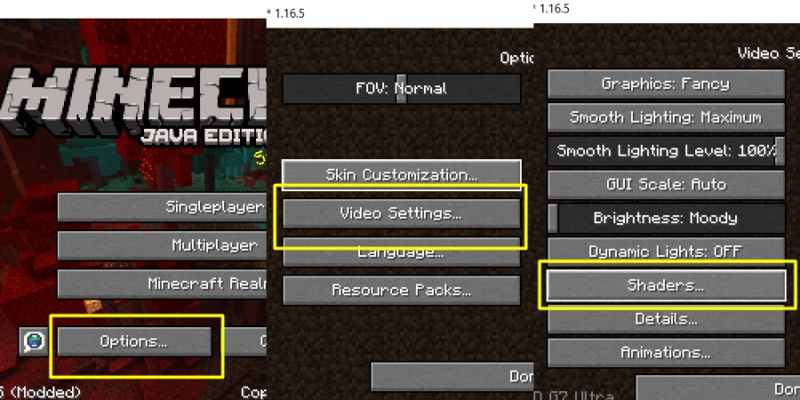
ステップ 5: 詳しくはこちら オプション, ビデオ設定, シェイダー.
ステップ 6: Minecraftにモーションブラーを追加するには、shaderpack.zipファイルを選択してください。
PVPクライアントを使用してMinecraftでモーションブラーを有効にする方法
ステップ 1: Lunar ClientやBadlionなどのPVPクライアントをコンピュータにインストールしてください。
ステップ 2: クライアントを開き、Minecraftのバージョンを選択してください。
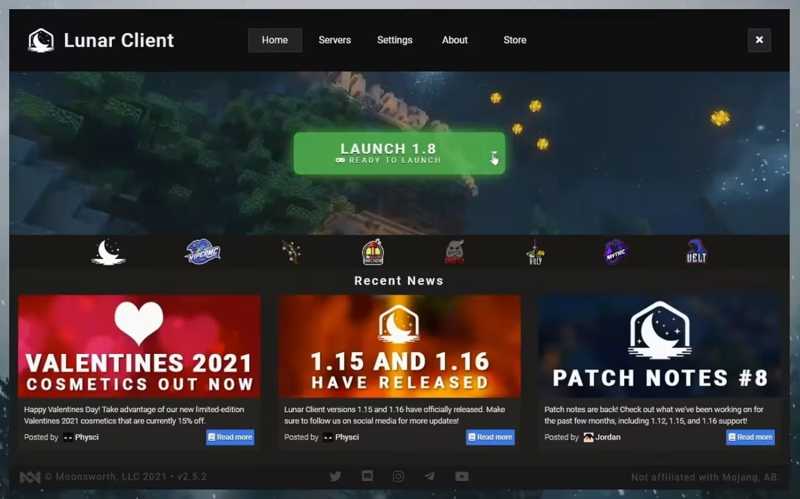
ステップ 3: 移動する オプション (NAIST) と ビデオ設定.
ステップ 4: 選択する パフォーマンス オプションとオフ 高速レンダリング.
ステップ 5: 右を押す シフト クライアントメニューにアクセスするには、キーボードのキーを押してください。
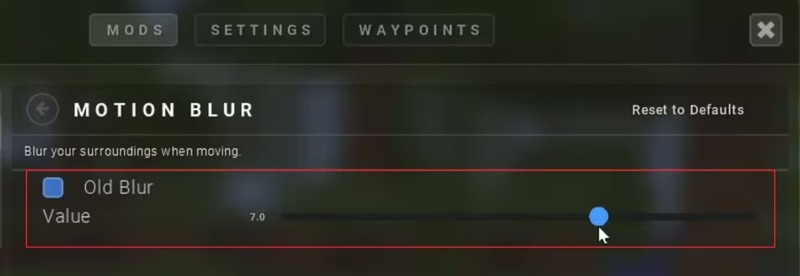
ステップ 6: 視覚効果の強度を設定します。
ヒント: Minecraftでモーションブラーを無効にしたい場合は、強度を下げてください。
パート3:Minecraftのゲームプレイ動画でモーションブラーを削除する方法
前述の通り、MinecraftのモーションブラーMODは、ゲームプレイを不明瞭にする可能性があります。幸いなことに、 ApeaksoftビデオコンバータUltimate ゲームプレイ動画の画質を向上させ、ブレを軽減するのに役立ちます。直感的なインターフェースにより、ゲームプレイ動画を簡単にレタッチできます。

100万人以上がダウンロードしました 1,000,000 users
- Minecraftのゲームプレイ動画からモーションブラーを軽減・除去します。
- 処理中はビデオの品質を保護してください。
- ほぼすべてのビデオフォーマットに対応しています。
- メディアプレーヤーで、修正済みの動画をプレビューできます。
- 動画フォーマット変換などのボーナス機能を提供する。
Minecraftのゲームプレイ動画からモーションブラーを除去する方法
ステップ 1: ビデオをインポートする
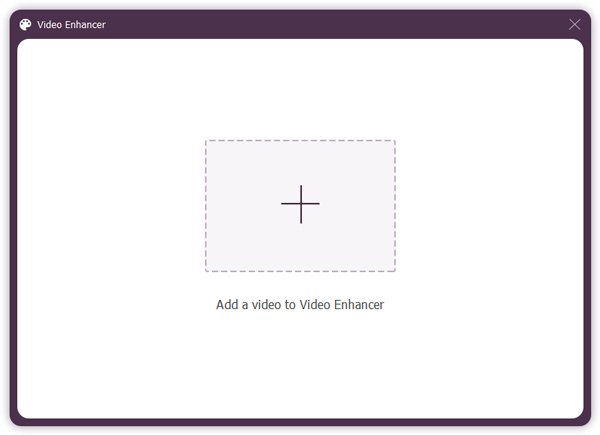
PCにインストールしたら、ビデオ編集ソフトウェアを起動してください。Windows 11/10/8/7/XP/Vistaに対応しています。Mac OS X 10.12以降用の別のバージョンもあります。 ツールボックス 上部のタブをクリックして、 ビデオエンハンサー ツール。 クリック 追加 Minecraftのゲームプレイ動画をインポートするためのボタン。
ステップ 2: モーションブラーを軽減
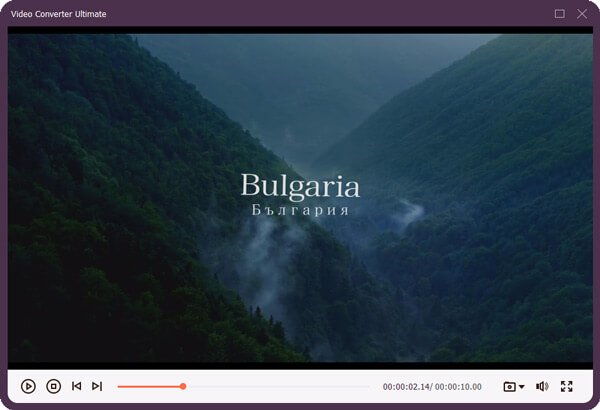
動画が読み込まれたら、次のチェックボックスにチェックを入れてください。 ビデオの揺れを減らす その他のオプション。次に、 プレビュー 結果を表示するには、ボタンをクリックしてください。結果に満足したら、内蔵メディアプレーヤーを閉じてください。
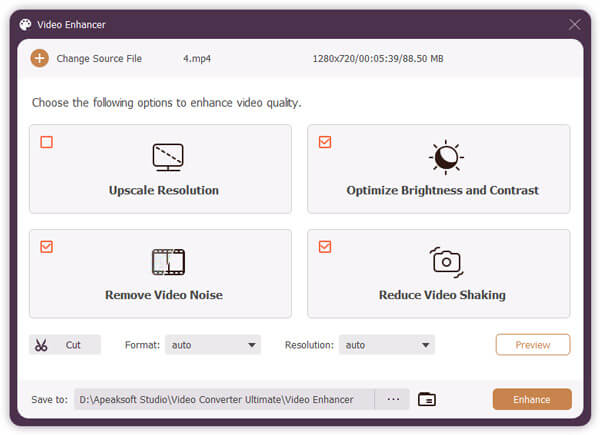
ステップ 3: ゲームプレイ動画をエクスポート
クリック フォルダ 下部のボタンをクリックして、強化されたビデオを保存する出力フォルダーを選択します。最後に、 オプション参加 右下隅のボタンをクリックすると、モーションブラーなしでMinecraftの動画をエクスポートできます。
ヒント: ツールボックスウィンドウには、様々なビデオ編集ツールが用意されています。ぜひお試しください。
結論
このガイドでは、 マインクラフトのモーションブラー このMODは、その仕組みと効果の有効化方法を説明するものです。Minecraftゲームをプレイする際に、この視覚効果を使用するには、私たちが提供する手順と詳細な説明に従ってください。内蔵効果は特定のバージョンに限定されています。サードパーティ製クライアントでは、カスタムオプションが提供されています。 ApeaksoftビデオコンバータUltimate これは、ゲームプレイ動画からモーションブラーを除去し、技術的なスキルがなくても動画を向上させる簡単な方法です。
関連記事