Advance Turbo Flasher Toolとは何か、そしてその使い方は?

Appleのエコシステムとは異なり、GoogleはAndroidユーザー向けにさまざまなツールキットを提供していません。その理由の一つは、Androidのブランドやメーカーが多すぎるためです。幸いなことに、開発者たちはAndroidユーザー向けにサードパーティ製のツールキットをリリースしています。 アドバンスターボフラッシャー 例えば、このツールはNokia製携帯電話、特にBB5、MeeGo、MediaTekチップセットを搭載した端末にとって不可欠なユーティリティです。この記事では、Nokiaツールキットについて解説し、知っておくべき必要な情報をご紹介します。
ページコンテンツ:
パート1:アドバンスターボフラッシャーツールとは
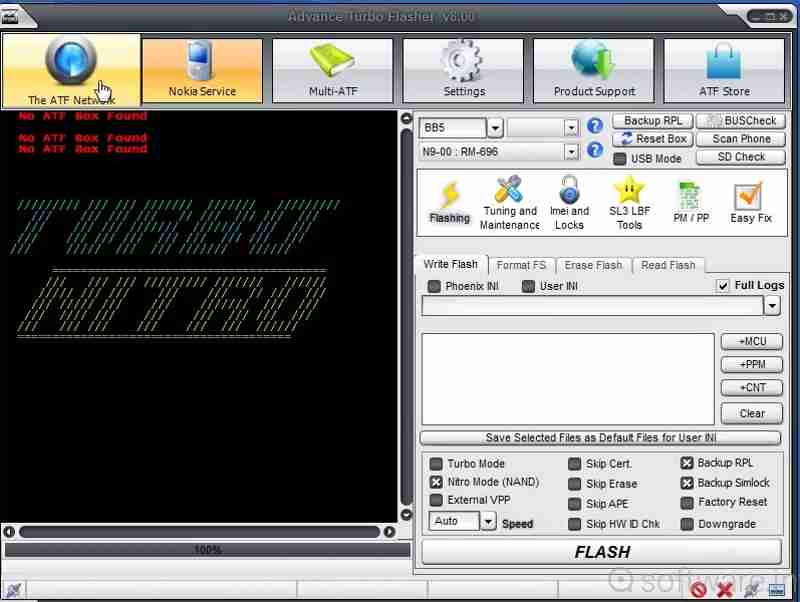
前述の通り、Advance Turbo FlasherはNokiaユーザー向けに、不具合の修正や画面ロック解除を行うためのツールです。Nokia製携帯電話に加え、Windows Phoneにも対応しています。最新バージョンは2017年にリリースされたAdvance Turbo Flasher v12.70です。
Advance Turbo Flasherツールの主な特徴
- 1.Nokia製携帯電話に純正ファームウェアをインストールしてください。
- 2.SIMロックを解除して、他の通信事業者に乗り換えましょう。
- 3.Androidスマートフォンとオペレーティングシステムを復元します。
- 4.ファームウェアを最新バージョンに更新します。
- 5.公式ファームウェアとカスタムファームウェアの両方をサポートします。
- 6.Android OSをアップグレードまたは再インストールしてください。
- 7.起動不能になったNokia製携帯電話を修理する。
- 8.Nokia製フィーチャーフォンのロックを解除する。
- 9.BB5、MeeGo、MediaTek、およびNXPlatformに対応しています。
Advance Turbo Flasherツールのレビュー
- Nokia製携帯電話のファームウェア書き換え、ロック解除、修理に関する包括的なソリューションを提供します。
- ノキア向けに設計されていますが、サムスン、HTC、LGなどでも動作します。
- Windows 11/10/8/7/XPに対応しています。
- すべての機能を利用するには有料ライセンスが必要ですが、Advance Turbo Flasherの価格は高くありません。
- 最新モデルには対応していません。
- インターフェイスが乱雑に見えます。
パート2:アドバンスターボフラッシャーの設定方法
Nokia製携帯電話のロック解除や修理を行うには、Advance Turbo Flasherをダウンロードする必要があります。しかし、このツールを入手できる公式ウェブサイトはありません。そのため、サードパーティのサイトからダウンロードする必要があります。
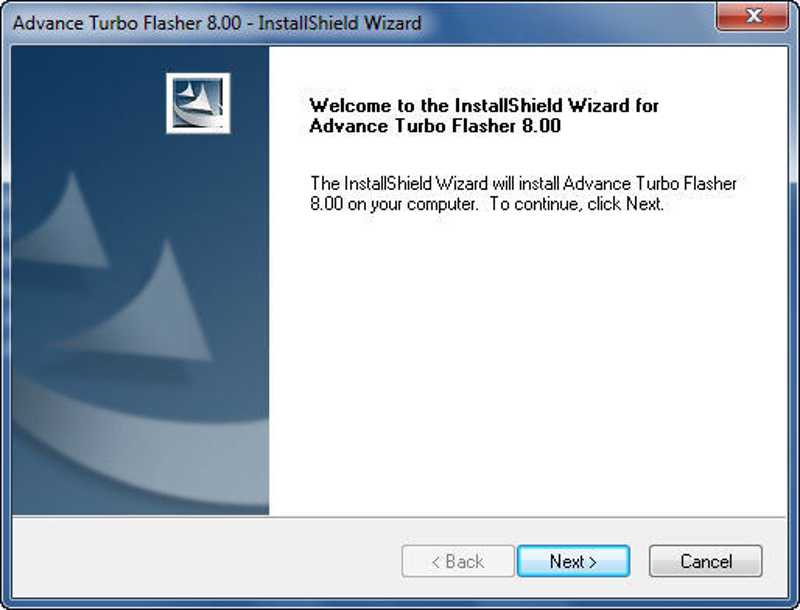
ステップ 1: Advance Turbo Flasherのセットアップファイルは、信頼できるプラットフォームからダウンロードしてください。
ステップ 2: zipファイルを解凍し、exeファイルを実行してください。
ステップ 3: クリック 次へ ボタンを押して、画面の指示に従ってPCにインストールしてください。
ステップ 4: パッケージに同梱されているUSBドライバーを見つけてインストールしてください。そうしないと、ATFツールがお使いのスマートフォンを認識できません。
パート3:アドバンスターボフラッシャーの使い方
Nokia携帯電話にファームウェアをフラッシュする方法
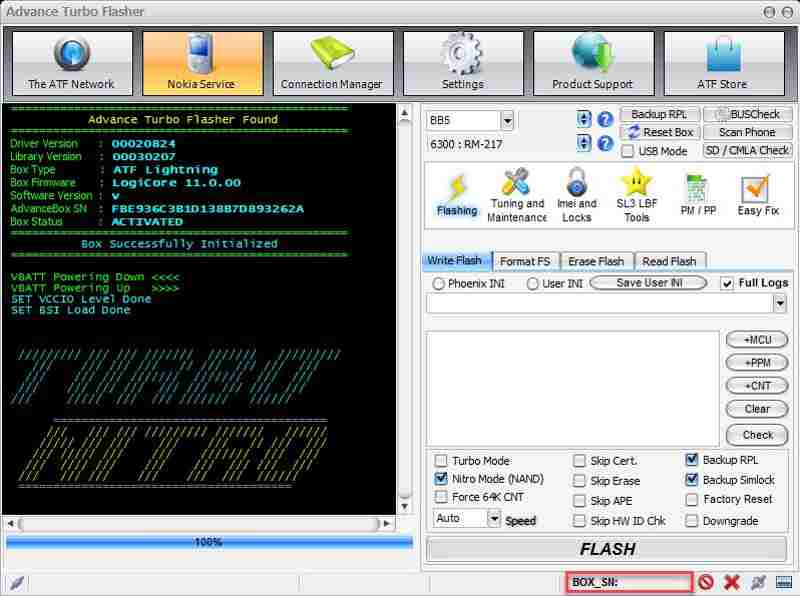
ステップ 1: インストール後、Advance Turbo Flasher Toolを開いてください。
ステップ 2: ドロップダウンメニューからお使いのデバイスのモデルを選択してください。
ステップ 3: USB ケーブルで電話機を PC に接続します。
ステップ 4: に行きます 点滅する タブをクリックして、目的のファームウェアファイルを選択してください。
ステップ 5: クリック FLASH ファームウェアの書き込みプロセスを開始するには、下部のボタンを押してください。
パスワードなしで画面のロックを解除する方法
ステップ 1: 電話がロックされている場合は、 サービス Advance Turbo Flasher のタブ。
ステップ 2: 互換性のあるケーブルを使って、スマートフォンをパソコンに接続してください。
ステップ 3: 以下を行うには、 リセット(ユーザーコード) ロック解除プロセスを開始するには、ボタンを押してください。
パート4:アドバンスターボフラッシャーの代替案
Advance Turbo Flasherは一部の携帯電話ブランドでのみ利用可能です。さらに、すべての携帯電話モデルで利用できるわけではありません。そのため、代替ツールキットが必要になる場合があります。ここからは、次のことをお勧めします。 Apeaksoft DroidAide Android ロック解除パスワードなしで、スマートフォンの画面ロックを解除したり、FRPロックをバイパスしたりすることができます。

100万人以上がダウンロードしました 1,000,000 users
- パスワードなしでAndroidスマートフォンの画面ロックを解除する。
- PIN、パスワード、パターン、指紋などを削除します。
- データを失うことなく古い Samsung 携帯電話のロックを解除します。
- Google アカウントなしで Google FRP ロックをバイパスします。
- ほぼすべての Android 携帯ブランドとモデルをサポートします。
安全なダウンロード
Advance Turbo Flasherの代替品を使って携帯電話のロックを解除する方法
ステップ 1: ロック解除ツールをインストールしてください
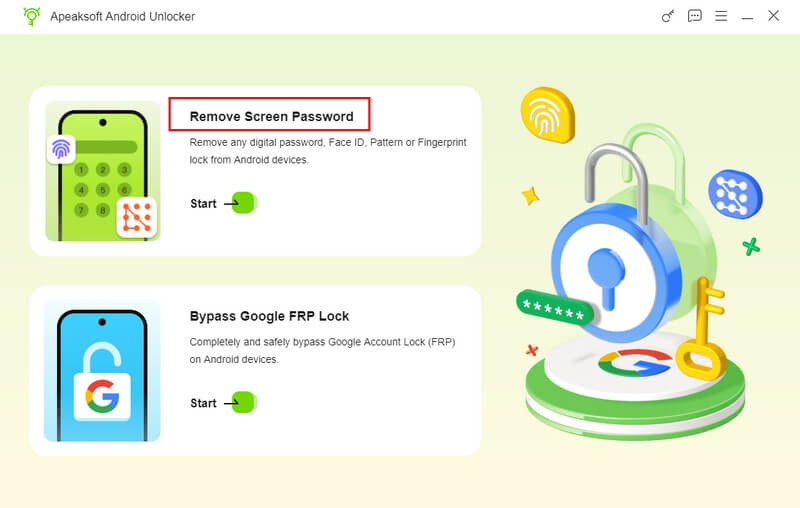
コンピューターにインストールした後、電話のロック解除ソフトウェアを起動します。 画面パスワードの削除 次に進むモード。デバイスの FRP ロックをバイパスする必要がある場合は、 Google FRP ロックをバイパスする 代わりにモード。
ステップ 2: お使いの携帯電話に接続します
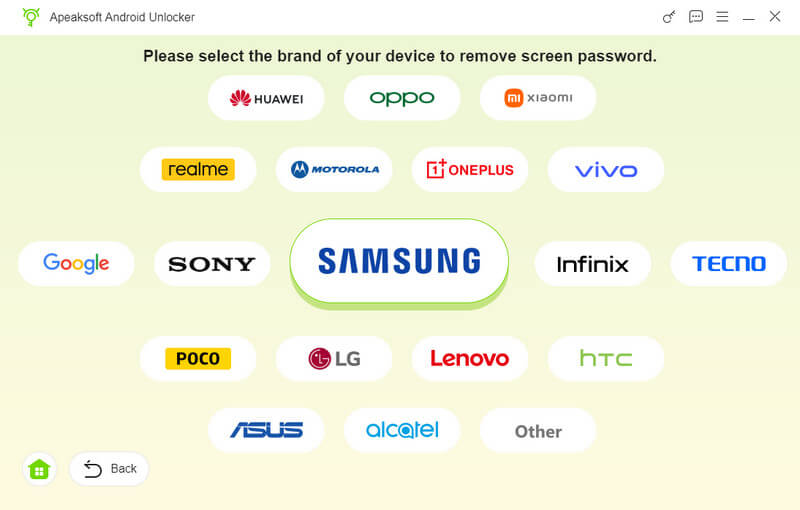
画面でスマートフォンのブランドを選択してください。互換性のあるUSBケーブルを使ってスマートフォンをコンピューターに接続します。確認を求められたら、このコンピューターを信頼することを確認してください。すると、ソフトウェアがすぐにデバイスを検出します。
ステップ 3: 携帯のロックを解除
クリック 今すぐ削除 ボタンを押して、パスワードなしでスマートフォンのロックを解除してください。完了すると、スマートフォンは自動的に再起動します。その後、デバイスの接続を解除し、再度設定してください。
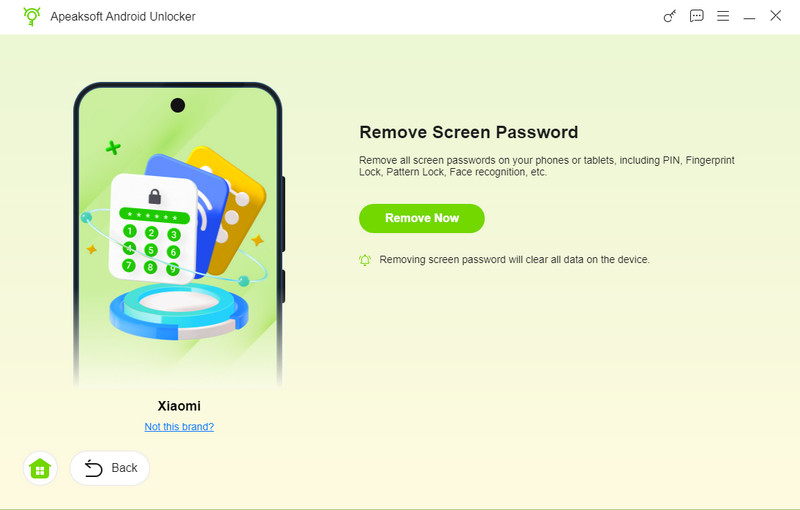
ヒント: この処理を行うとデバイス上のすべてのデータが消去されるため、事前にスマートフォンのバックアップを取っておくことをお勧めします。
結論
この記事では、Android ツールキットの 1 つを紹介し、レビューしました。 アドバンスターボフラッシャー このツールを使えば、フリーズしたり、起動不能になったり、ロックされたりしたNokia製携帯電話やその他のブランドの携帯電話を、パソコンを使ってフラッシュしたりロック解除したりできます。詳しい手順に従って作業を完了してください。この記事では、以下の内容も推奨しています。 Apeaksoft DroidAide Android ロック解除 パスワードなしで携帯電話のロックを解除したり、Google FRPロックをバイパスしたりするのに役立ちます。
関連記事