

How to Recover Photos from iPhone After Restore - No Backup

Restoring an iPhone can fix software issues, free up storage, or prepare the device for a new owner. However, many users experience a painful discovery - their photos are gone. If you restored your device without a backup, you might be wondering whether your pictures are gone forever. The good news is that there are still several ways to recover iPhone photos after restore, even if you did not manually save them.
This guide explains how to recover photos from iPhone after restore, including methods for devices with or without backups, tools that scan iPhones for recoverable data, and additional tips to help you retrieve your lost images safely.
PAGE CONTENT:
- Part 1: Can You Recover Photos from iPhone After Restore?
- Part 2: How to Recover Photos from iPhone After Restore Without Backup
- Part 3: How to Recover Deleted Photos After Restore iPhone Using iCloud Photos
- Part 4: How to Recover Photos After Restoring iPhone from an iTunes/Finder Backup
- Part 5: How to Recover Photos After iPhone Restore via Third-Party Cloud Service
Part 1: Can You Recover Photos from iPhone After Restore?
Generally, restoring your iPhone via factory reset or iTunes, or Finder restore will overwrite the entire device, which means your pictures, messages, documents, and app data may disappear. However, depending on your situation, you may be able to:
1. Recover photos from cloud services like iCloud, Google Photos, Dropbox, OneDrive, etc.
2. Find an old iTunes or Finder backups on your computer for recovering some photos.
3. Use a powerful recovery software like Apeaksoft iPhone Data Recovery to recover all photos easily.
So yes, iPhone recover photos after restore is possible, especially if you take action quickly before new data overwrites the deleted files.
Part 2: How to Recover Photos from iPhone After Restore Without Backup
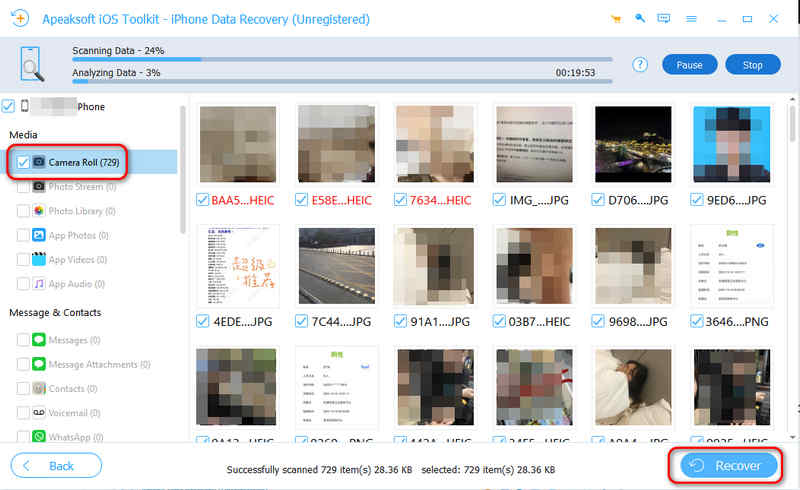
The easiest way to recover deleted photos after restore iPhone without backup is Apeaksoft iPhone Data Recovery. Just quickly scan your iPhone, you can see all lost photos and videos from your iPhone. They are marked in red, so you can easily find them, and then preview and restore them to your iPhone. Simple photos, live photos, and videos can all be recovered.
Apeaksoft iPhone Data Recovery can also detect each photo album on your iPhone, helping you quickly locate and recover desired photos. Want to know how to recover photos from iPhone after restore without backup? Just see the user manual below.
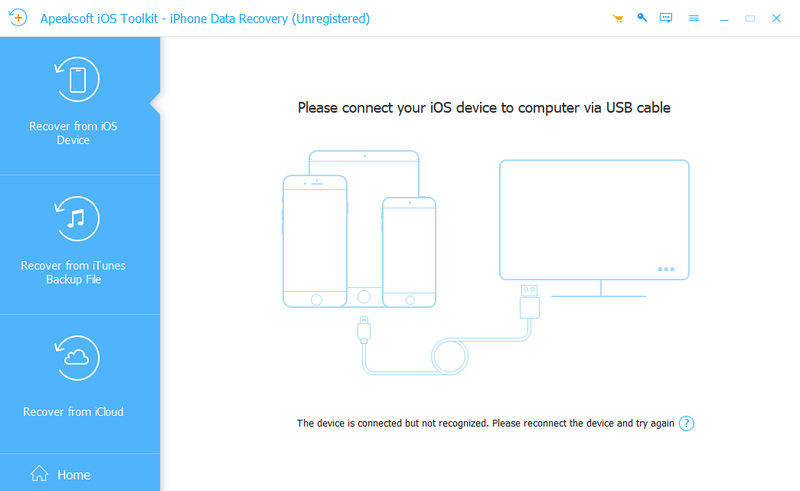
Step 1. Download, install, and launch Apeaksoft iPhone Data Recovery. Connect your iPhone to your computer. This program can quickly recognize your iPhone. If necessary, you should tap the Trust button and enter the screen passcode to connect your iPhone.
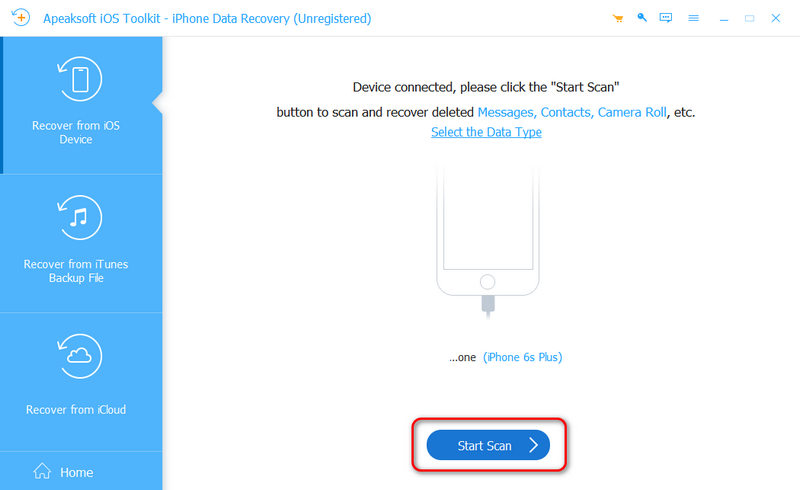
Step 2. Click the Start Scan button to scan your iPhone. You will see many lost and existing photos gradually appear on the interface.
Step 3. Select the Camera Roll tab on the left side. Then, you can see that lost photos are marked in red. Select your desired ones and click the Recover button to recover deleted photos on iPhone after restore without backup.
Part 3: How to Recover Deleted Photos After Restore iPhone Using iCloud Photos
If you turned on iCloud Photos before restoring your iPhone, your images may still be available in your iCloud gallery. Therefore, you can log in to web iCloud to see if you can recover deleted photos on iPhone after restore.
Step 1. Go to the official website of iCloud. Then, log in to your Apple ID.
Step 2. Open the Photos app in iCloud. Then, you can look for your missing pictures.

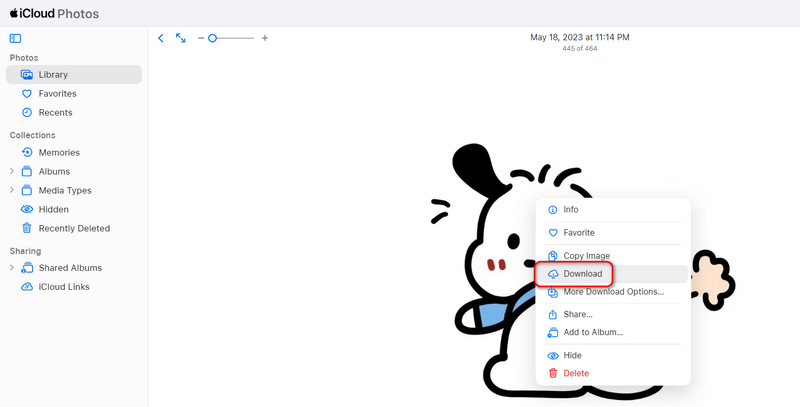
Step 3. If you can find your desired photo, just right-click on it, and then click the Download button to download it.
Part 4: How to Recover Photos After Restoring iPhone from an iTunes/Finder Backup
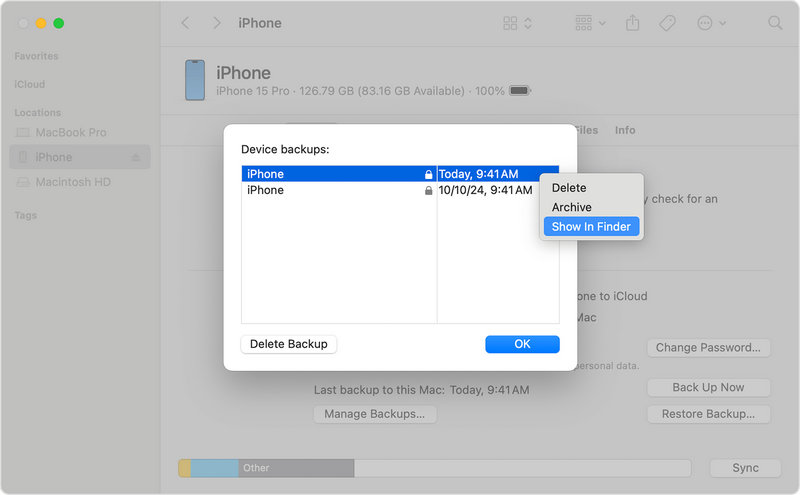
Even if you believe you don't have a backup, your computer might have created one automatically in the past. You can go to find if there are old iTunes backups or Finder backups.
Step 1. You can connect your iPhone to your Mac or PC, and then open iTunes or Finder. Then, select your iPhone device.
Step 2. Look under Backups to check if there's old backup. If you can find backup created before you restored your iPhone, you can use it to recover photos on iPhone after restore.
Part 5: How to Recover Photos After iPhone Restore via Third-Party Cloud Service
How to recover photos from iPhone after restore without backup? Maybe you have ever used some third-party cloud services or apps that can hold some photos. You can open those apps or services and log in to your account to bring back some photos even when your iPhone is factory reset.

For example, you can check Google Photos, Dropbox, and OneDrive. You can also open some chat apps to see if they can store some photos you've ever sent or received. They can all help you restore deleted photos from iPhone after restore when you don't have backups.
Conclusion
Losing photos after restoring your iPhone can be stressful, but you still have multiple options to recover iPhone photos after restore without backup. Whether you want to recover iPhone photos or videos, using the workable methods in this article can increases your chances of getting your photos back. Apeaksoft iPhone Data Recovery is the easiest way to recover lost photos without any backup. It can deeply scan your iPhone to retrieve even permanently deleted photos and other types of files and info.
Related Articles




