

How to Effectively Recover Deleted Videos from GoPro

As one of the most popular action camera brands, GoPro is reputable. GoPro cameras produce smooth video, rugged durability, and creative versatility for action, travel, and daily memories. According to our research, some users complained that their videos were lost due to accidental deletion, problematic transmission, unintended format, video corruption, incomplete converting, and more. This guide shares multiple ways to восстановить удаленные видео с GoPro в разных ситуациях.
СОДЕРЖАНИЕ СТРАНИЦЫ:
Part 1: How to Recover Deleted Videos from the GoPro Recently Deleted Folder
GoPro is a compact and durable action camera. Besides, it comes with a few useful features. The Recently Deleted album or Trash folder, for example, is built in the Gallery on a part of GoPro models and the GoPro media library. It keeps deleted videos up to 60 days. That gives you a window to recover deleted videos on GoPro.
On GoPro
Шаг 1. Power on your GoPro and go to the gallery.
Шаг 2. Look for the album labeled Недавно удалено или подобный раздел.
Шаг 3. Open the album, select the lost video, and restore it.
On GoPro Media Library
Шаг 1. Log in to www.gopro.com
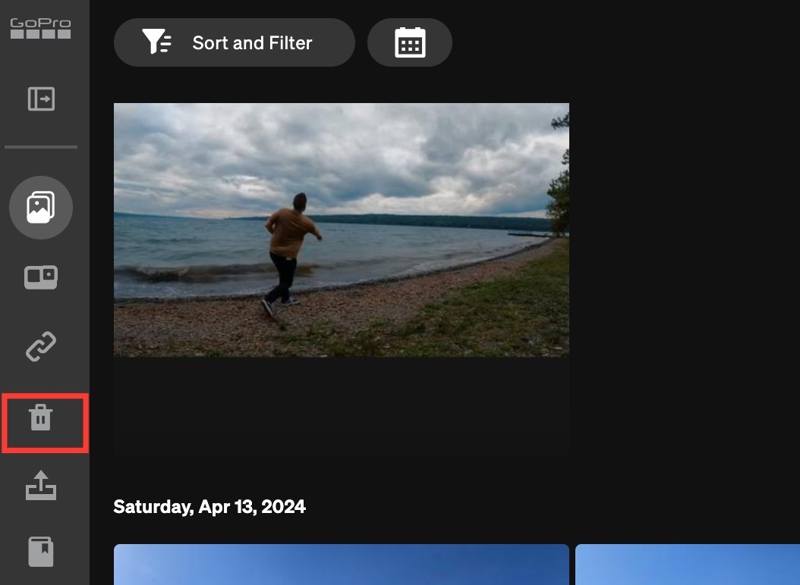
Шаг 2. Перейдите на Медиа библиотека, и нажмите Корзину папка на боковой панели.
Шаг 3. Select the video you want to restore.
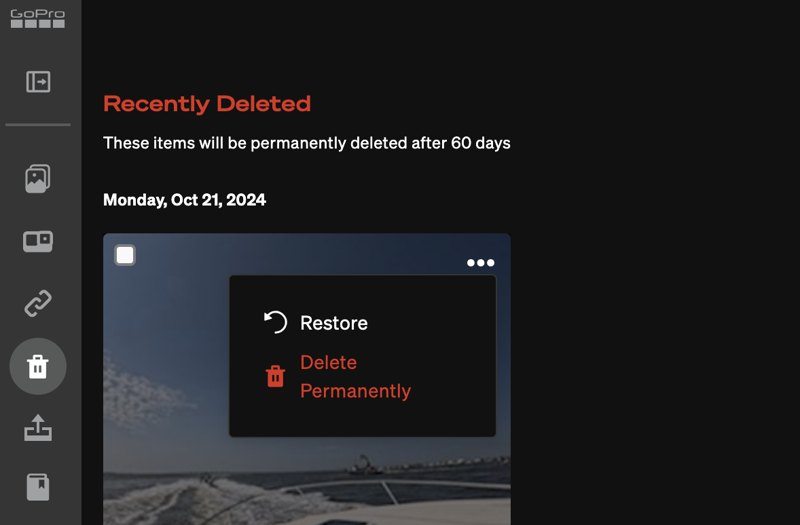
Шаг 4. Нажмите Меню - Menu кнопку с трехточечным значком и выберите Восстановить.
Part 2: How to Recover Deleted GoPro Videos from Cloud Storage
Can you recover deleted GoPro videos in Quik? No. Quick is the video editor released by GoPro for retouching memories. Unfortunately, the app doesn’t come with a Trash or similar feature. However, you can configure auto-upload and auto-backup to send your videos to GoPro Cloud Storage. Then, you can recover and restore them at any time.
Требования
- An active subscription.
- GoPro HERO5 or later.
- A stable Wi-Fi network.
- 3GB of free space on your camera’s SD card.
Configure Auto Upload
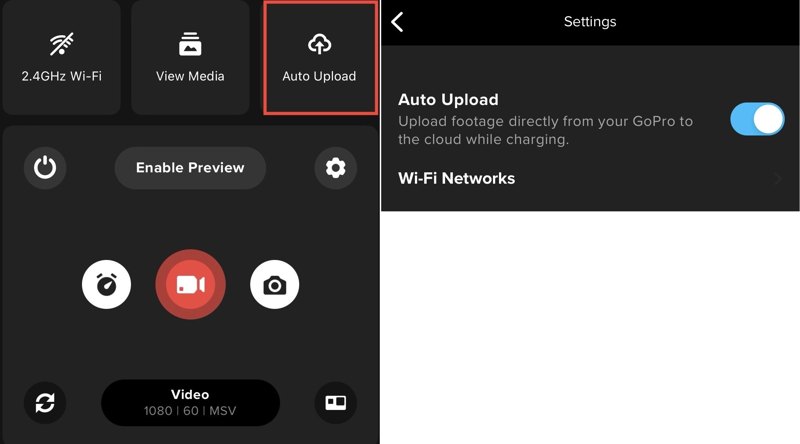
Шаг 1. Откройте приложение Quik приложение
Шаг 2. Нажмите камера .
Шаг 3. Выберите Автозагрузка.
Шаг 4. Далее включите Автозагрузка to directly upload footage from GoPro to the cloud.
Enable Auto Backup
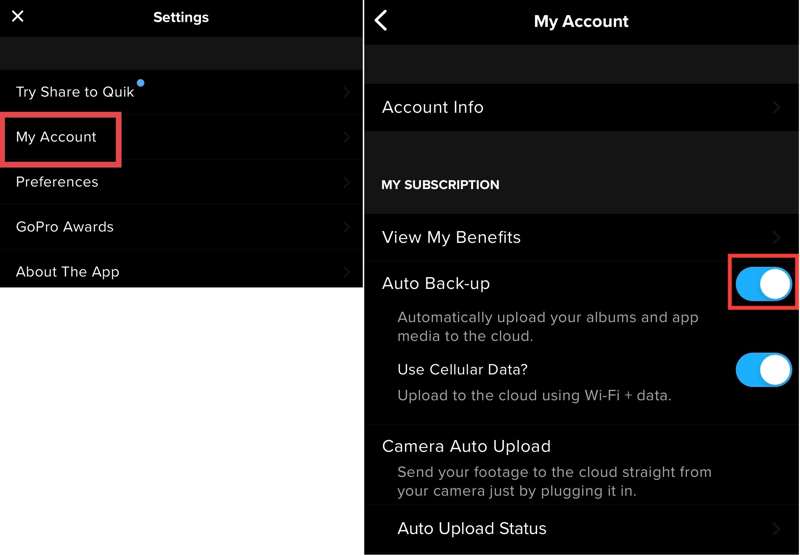
Шаг 1. Перейдите на сайт Альбомы tab at the bottom of Quik.
Шаг 2. Нажмите на профиль и выберите Мой аккаунт.
Шаг 3. Включить Auto Back-up.
Recover Deleted Videos from GoPro
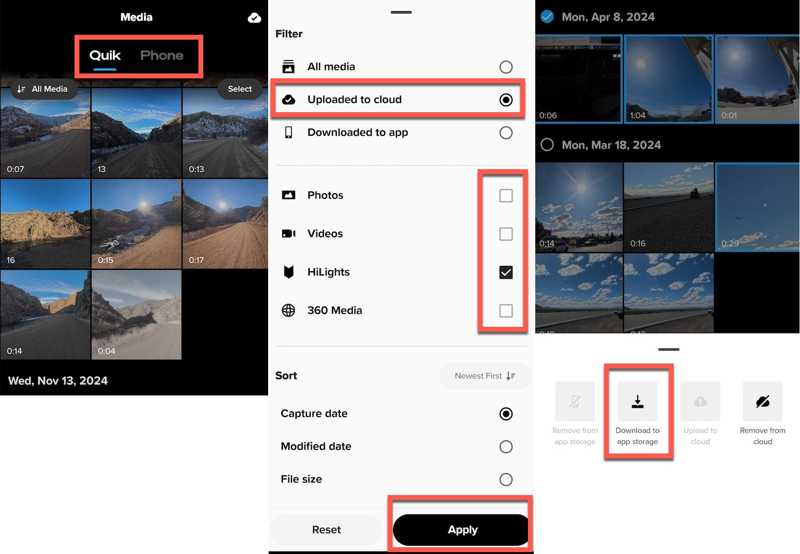
Шаг 1. Нажмите Медиафайлы button in Quik.
Шаг 2. Перейдите на сайт Quik вкладка и нажмите Все СМИ.
Шаг 3. Выберите Uploaded to cloud, проверить Видео, и нажмите Применить to view videos in cloud storage.
Шаг 4. Next, select the lost videos, tap Ещё, и выберите Download to app storage.
Part 3: How to Recover Deleted GoPro Videos Using PhotoRec
Without cloud storage, you will need a video recovery tool to recover deleted GoPro videos from the SD card. Once you find your lost videos, stop doing anything. Take out the memory card from your camera and insert it into your computer.
Шаг 1. Download the TestDisk, open the archive, and run photorec_win.exe.
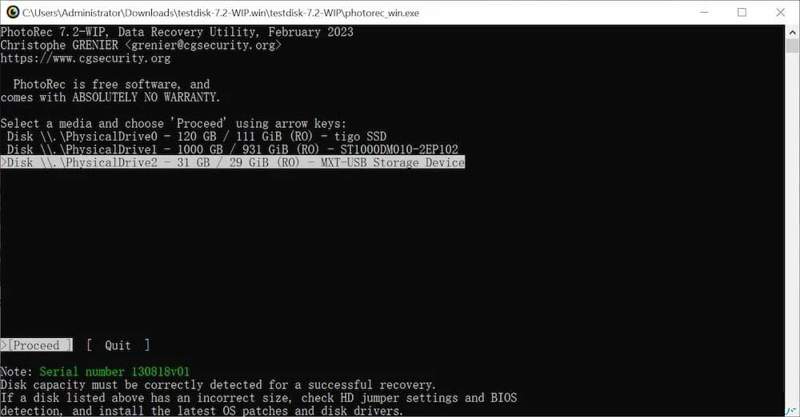
Шаг 2. Select the GoPro memory card with the Arrow keys on your keyboard and press the Enter .
Шаг 3. Выберите Продолжить и нажмите Enter.
Шаг 4. Select the file system of the card and hit Enter.
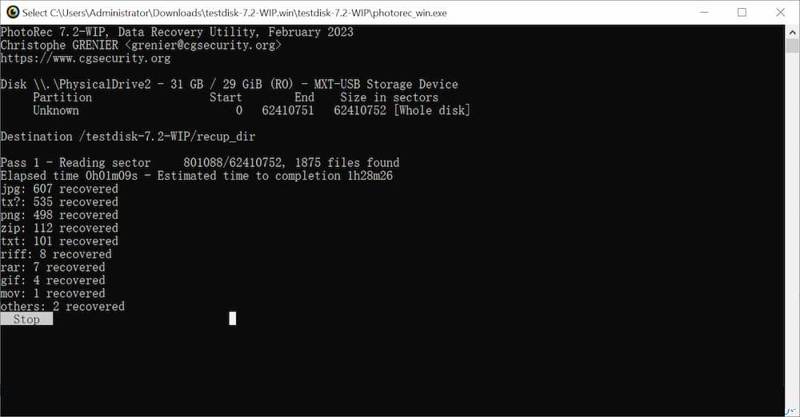
Шаг 5. Выбирать Цнлостным и нажмите Enter.
Шаг 6. Next, choose a location to save the recovered GoPro videos.
Part 4: How to Recover Permanently Deleted GoPro Videos
PhotoRec is able to find recently deleted videos on a GoPro memory card. If it is unavailable to you, Apeaksoft Восстановление данных is an excellent option. It can scan your memory card and look for permanently deleted videos. Apeaksoft Data Recovery
- Recover deleted videos from a GoPro memory card quickly.
- Preview lost GoPro videos for selective recovery.
- Keep the original quality and format of videos.
- Подходит для широкого спектра ситуаций.
- 5.Work on Windows 11 to XP, and macOS 10.7 or above.

Как восстановить удаленные видео GoPro
Шаг 1. Сканирование карты памяти
Start the GoPro video recovery software once you install it on your PC. There is another version for Mac. Insert the GoPro memory card into your PC. Go to the Восстановление USB/SD-карты tab in the software, select the card from the drop-down option, and click Сканирование диска.
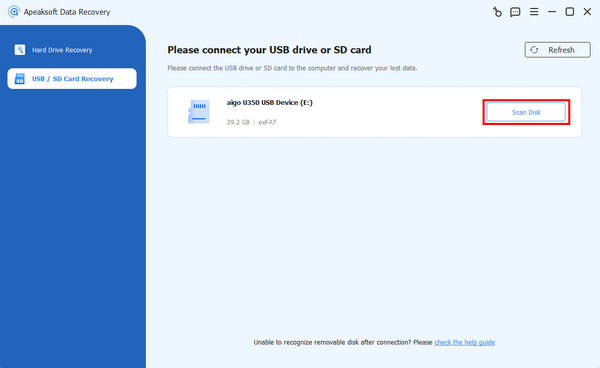
Шаг 2. Preview GoPro videos
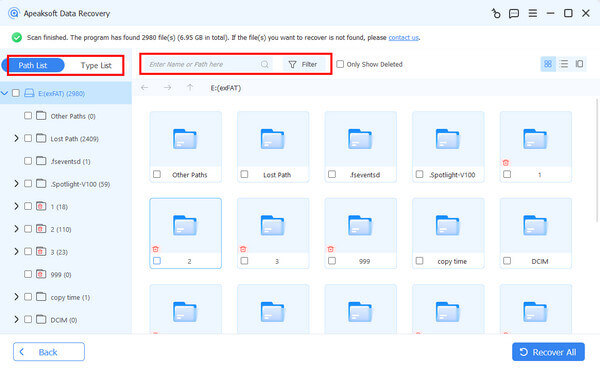
Wait for the video scan to finish. Head to the Тип Список tab, and check Video to view all found GoPro videos. If there are too many videos, check Показать только удаленные to view deleted videos. The Filter option enables you to quickly locate a video by name or folder.
Шаг 3. Восстановить видео GoPro
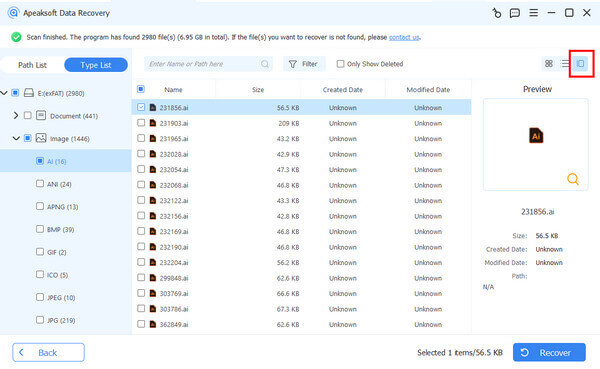
Find and select the deleted GoPro videos you want to restore. Click the Recover button at the bottom right corner, set an output folder, and confirm GoPro video recovery. You’d better select a location on the internal hard drive as the output folder.
Дальнейшее чтение
Заключение
This guide shared four ways to help you recover deleted videos on Gopro. The built-in Recently Deleted album or Trash folder enables you to retrieve lost videos quickly. GoPro’s cloud storage can back up and restore your videos. PhotoRec is a free tool to find lost videos on a GoPro memory card. Apeaksoft Data Recovery is a fast option for beginners.
Статьи по теме
Чтобы восстановить недавно удаленные фотографии на вашем iPhone или iPad, вы можете прочитать наше конкретное руководство и выбрать подходящий метод.
Вы можете восстановить потерянные видео на телефоне Android разными способами. Более того, вы можете восстановить удаленные видео на Android без резервных копий.
В нашем руководстве продемонстрировано четыре метода, которые помогут вам эффективно восстановить удаленные видео Snapchat с вашего iPhone или телефона Android.
Вы можете изучить пошаговое руководство по эффективному восстановлению удаленных видео Blink из облачного хранилища Blink или локального хранилища.



