

8 Best Duplicate Photo Cleaners on Mobile and Computer

As visual technology progresses, we can take super high-quality photos using our smartphones and digital cameras. It makes sense that our digital device storage quickly becomes insufficient since high-quality photos take up space. Finding and deleting duplicate photos is a good option to free up space without losing data. We identify and review the top 8 best duplicate photo cleaners. They help you search for duplicate photos on iOS, Android, Windows, and Mac.
PAGE CONTENT:
Part 1: Comparison of Best Duplicate Photo Cleaners
When we research the best duplicate photo finders, we focus on a few factors: the price, success rate, supported platforms, ease of use, supported photo formats, preview quality, and more.
| Tool | Price | Support formats |
| Apeaksoft iPhone Eraser | $14.95 monthly, $39.96 lifetime | All photo formats |
| Remo Duplicate Photos Remover | Free, in-app purchase | HEIC, JPG, PNG, GIF, etc. |
| Slidebox – Photo Cleaner | $4.99 monthly, $49.99 yearly | HEIC, JPG, PNG, GIF, etc. |
| Apeaksoft Mac Cleaner | $12.00 monthly, $39.96 lifetime | All image formats |
| PhotoSweeper | $9.99 | JPG, PNG, HEIC, and RAW |
| Duplicate Photos Fixer Pro | $71.90 | HEIC, JPG, PNG, GIF, etc. |
| VisiPics | Free | JPG, PNG, RAW, GIF, TIFF, TGA, and BMP |
| Quick Photo Finder | Free, $39.95 | JPG, PNG, and RAW |
Part 2: Top 3 Duplicate Photo Cleaner Apps on iOS/Android
Top 1: Apeaksoft iPhone Eraser
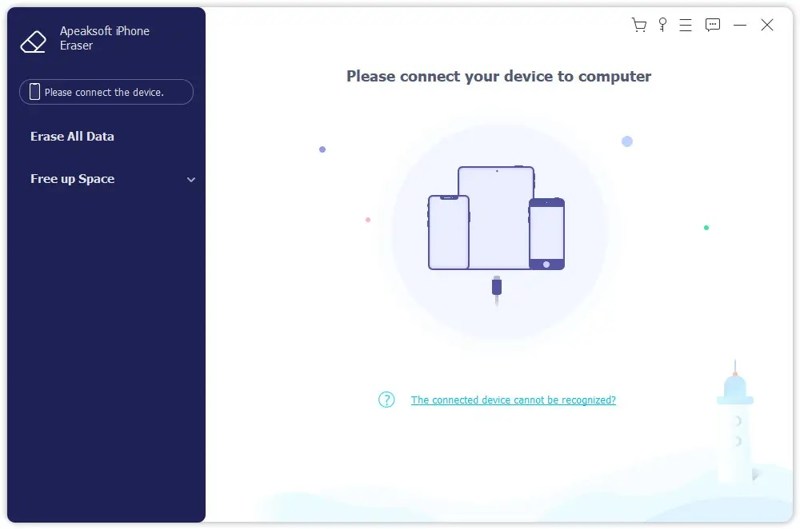
Apeaksoft iPhone Eraser is one of the best applications for deleting duplicate photos on iOS devices. It is able to scan your device memory, look for all photos, sort them, and delete duplicate items quickly.
Secure Download
Secure Download
- sy to use.
- an photos on any iOS device.
- eview and sort iPhone photos.
- lete multiple photos at one time.
- pport the latest editions of iOS and iPadOS.
- may take a while if you have many photos.
Here are the steps to find duplicate photos on your iPhone:
Step 1. Connect to your iPhone
Run the duplicate photo remover after installing it on your PC. There is another version for Mac. Connect your iPhone to your PC with a Lightning cable.
Step 2. Preview iPhone photos
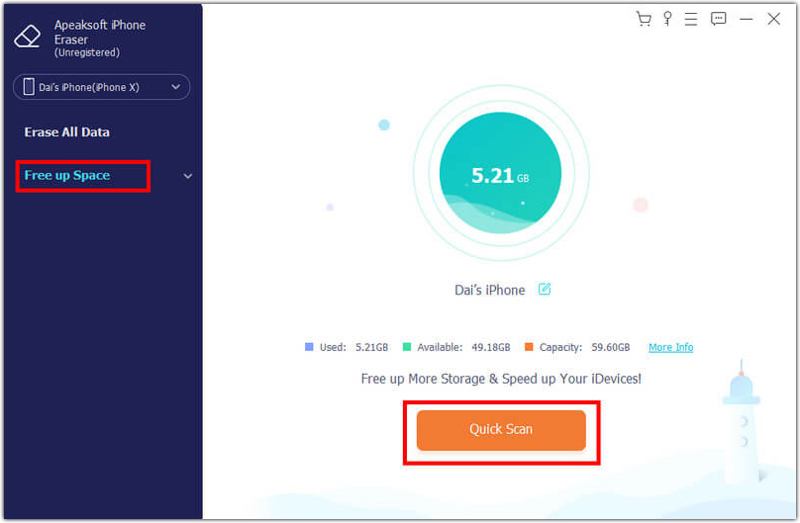
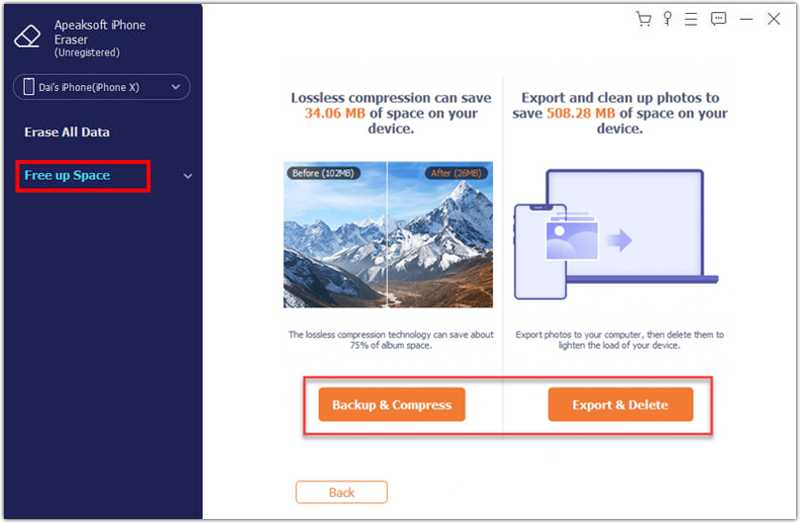
Click the Free up Space option on the sidebar, and hit Quick Scan. Next, click the Erase button next to the Clean up Photos option. Click the Export & Delete button to display all photos on your device.
Step 3. Delete duplicate photos
The application organizes your photos automatically and shows you the duplicates. Select unwanted photos, and click Delete.
Top 2: Remo Duplicate Photos Remover
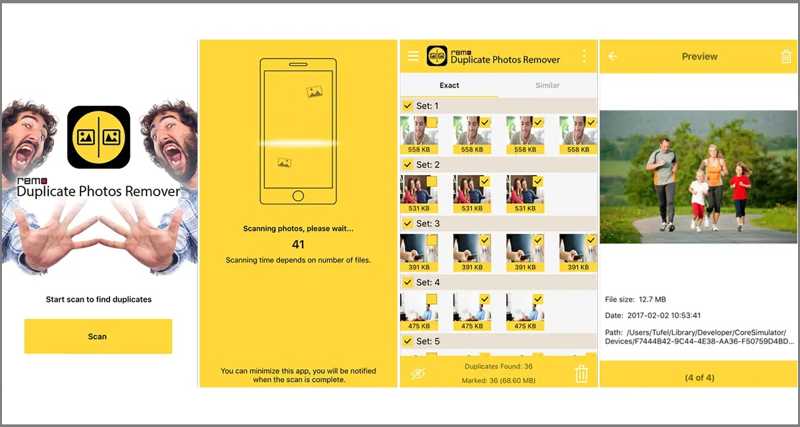
Remo Duplicate Photos Remover is a free duplicate photo finder app for iPhone and Android. It helps users to get rid of duplicate photos from your memory and free up space in just few taps.
- lete duplicate images.
- cognize similar photos.
- rk and unmark duplicate photos.
- ew image details.
- is only available in English.
- doesn’t integrate AI.
Top 3: Slidebox - Photo Cleaner
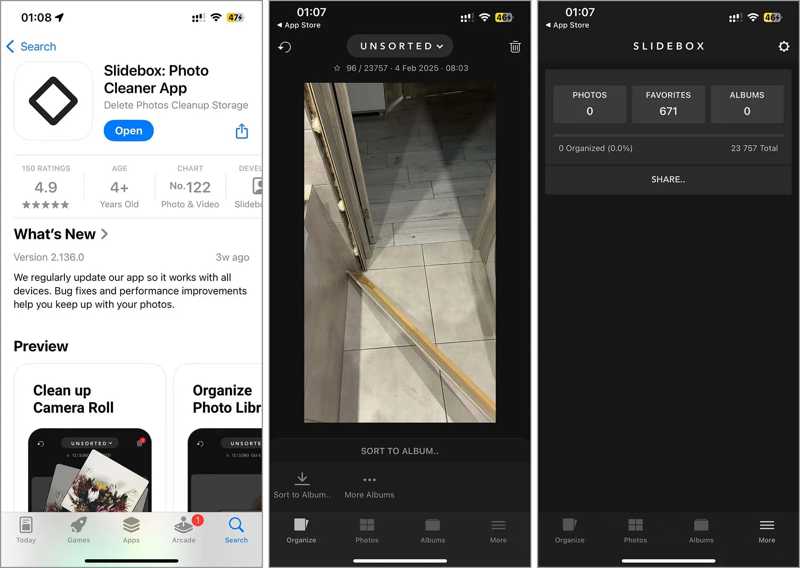
Slidebox is another duplicate photo cleaner for iPhone and Android users. It makes photo management quick and easy. It can compare duplicate photos and clean up unwanted items effortlessly.
- Remove unwanted photos.
- Organize and sort photos in albums.
- Compare photos to find duplicates.
- Favorite best moments.
- It requires iOS 15 and later.
- It lacks a free version.
Part 3: Top 5 Duplicate Photo Finders on PC/Mac
Top 1: Apeaksoft Mac Cleaner
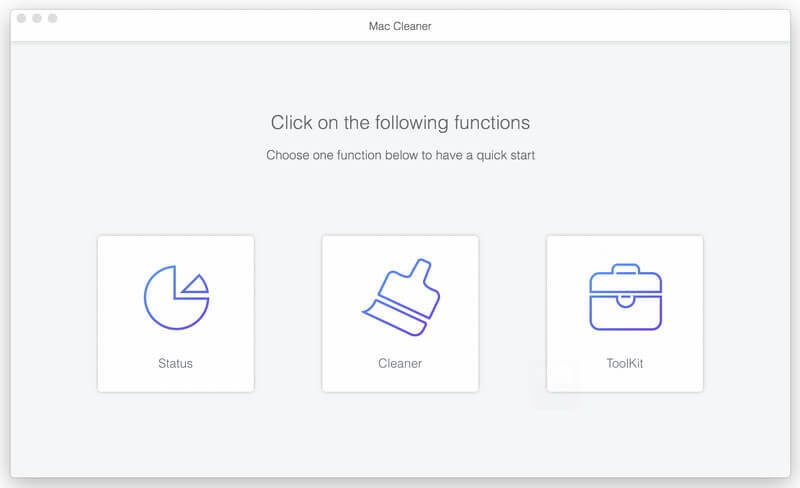
Apeaksoft Mac Cleaner is one of the best duplicate image removers for Mac. It lets you scan your photo library, discover duplicates, and clean unwanted photos with a single click. The user-friendly interface is easy to navigate.
- Find similar photos with AI.
- Clear unwanted pictures.
- Delete multiple photos at once.
- Include bonus features.
- Lightweight and fast.
- You must install it on your hard disk.
Here are the steps to remove duplicate photos on Mac:
Step 1. Install duplicate photo remover
Start the duplicate photo remover after installing it on your Mac. Click the Cleaner option in the home interface, and choose Similar Photo.
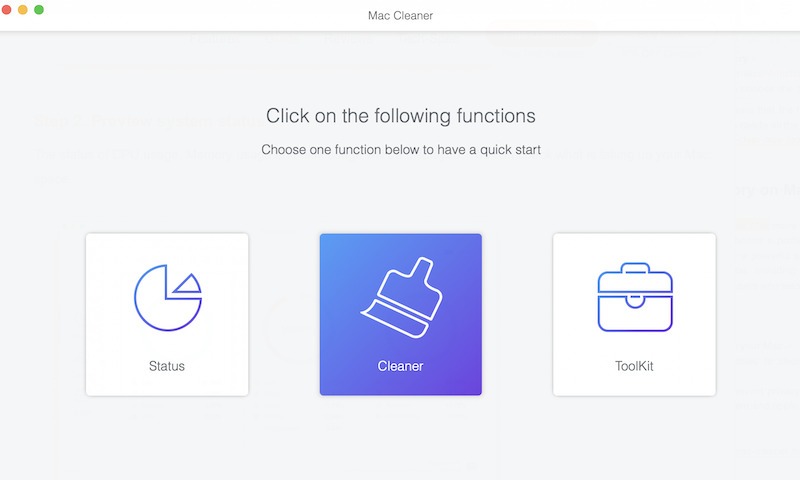
Step 2. Scan duplicate photos
Click the Scan button to begin scanning duplicate images on your hard disk. It may take a while, and you must be patient.
Step 3. Delete duplicate photos
When scanning finishes, click the View button. Then, select the unwanted photos and click the Clean button. If prompted, confirm your action.
Further Reading
Top 2: PhotoSweeper
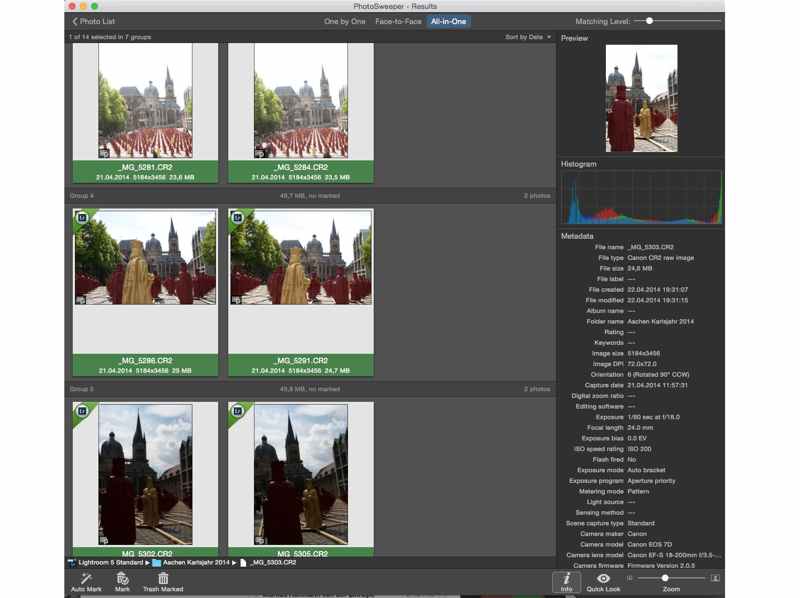
PhotoSweeper is a robust duplicate photo cleaner for MacBooks. It comes with a range of powerful features and an intuitive interface. It can read the metadata of each photo and discover duplicates.
- Delete duplicate photos with algorithms.
- Include multiple comparison modes.
- Process multiple photos at once.
- Offer an intuitive review process.
- It is not free.
- It is only available on Mac.
Top 3: Duplicate Photos Fixer Pro
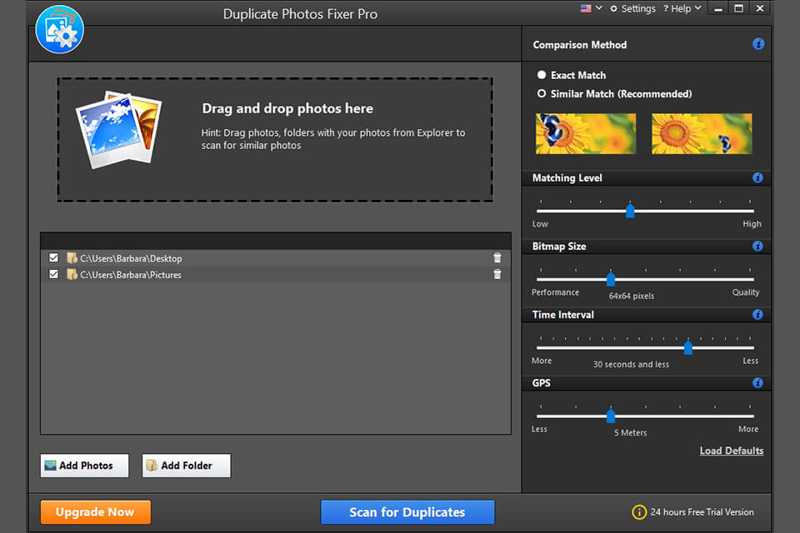
As its name indicates, Duplicate Photos Fixer Pro is a professional duplicate photo finder for Windows and Mac. It allows you to quickly scan identical photos and get rid of duplicates in a few seconds.
- Adjust the matching level.
- Quickly scan photos.
- Preview and mark photos.
- Compatible with Windows and Mac.
- The free demo can only remove up to 15 duplicates.
- The interface looks outdated.
Top 4: VisiPics
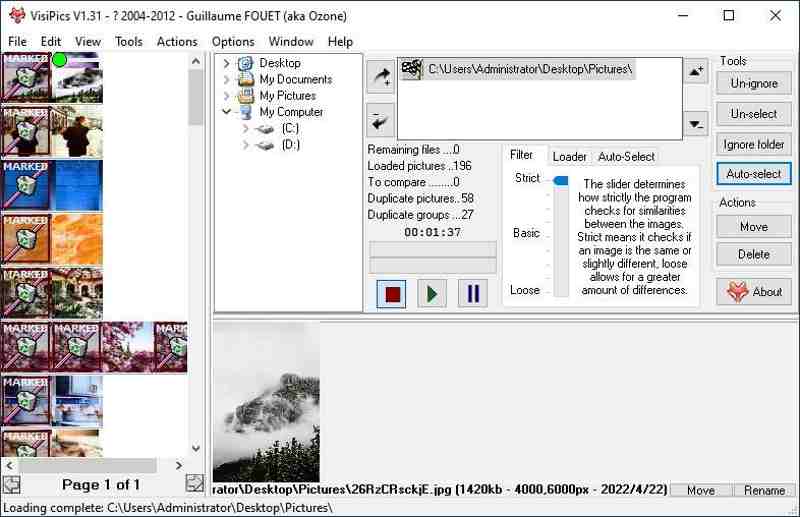
VisiPics is a duplicate photo remover released in 2007. While it is free, the software is completely safe to use. It can compare the photo content and look for similarity between photos.
- Include three comparison modes.
- Support auto-select.
- Work for major image formats.
- Offer tons of search filters.
- The preview feature is difficult to use.
- It is only working on Windows.
Top 5: Quick Photo Finder
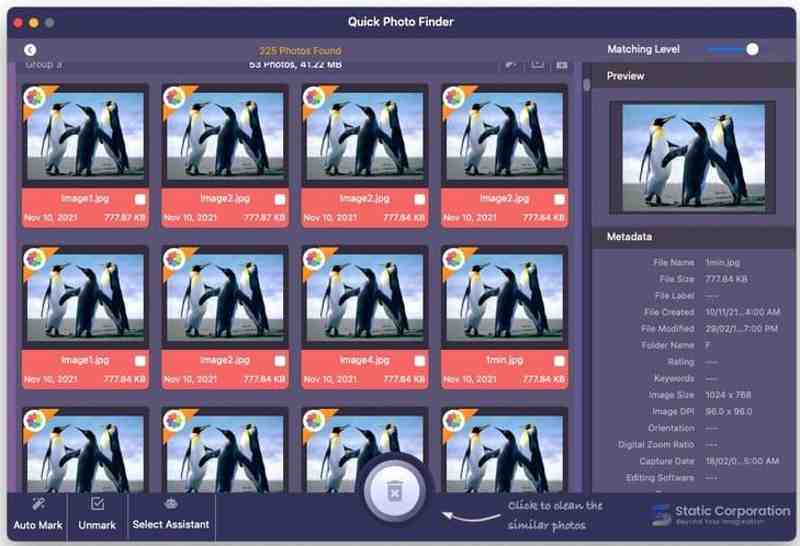
Quick Photo Finder is a free duplicate photo cleaner for computers. While it is free, it has been updated to Windows 11. It is a quick way to solve the duplicate problem on your PC. Plus, it comes with a free edition.
- Scan duplicate photos quickly.
- Display metadata.
- Customize the matching level.
- Support select assistant.
- There are annoying ads.
- It is slow.
Conclusion
Now, you should learn at least the top 8 best duplicate photo finders for iPhone, Android, Windows, and Mac. You can follow our reviews to pick an appropriate one according to your situation. Apeaksoft iPhone Eraser is a quick option for iPhone users. Apeaksoft Mac Cleaner can help you find similar photos on Mac easily.
Related Articles




