

18 Best Paid and Free AI Photo Editors Online and Offline

Unlike traditional photo editors, an AI photo editor integrates advanced AI technology. It enhances, retouches, and edits photos and pictures with AI to produce the best outputs. Besides the excellent image quality, the AI technology simplifies the workflow of photo editing. Currently, many photo editing programs and apps claim to support AI. This article identifies and reviews the top list to help users produce the best output and quality.
PAGE CONTENT:
Part 1: Comparison of Best AI Photo Editors
| Price | Support Platforms | Excellent AI Editing Features | |
| Apeaksoft Free Image Upscaler | Free | Web | Remove noise |
| Canva | Free, $120 per year | Web, iOS, and Android | Magic edit |
| Let’s Enhance | Free, $9 monthly, $24 monthly, $34 monthly | Web | Photo upscale |
| ChatGPT | Start from $20 per month | Web | AI image generate |
| Claid | Free, start from $9 per month | Web | Enhance photos |
| Phot AI | $15.99 per month | Web | Remove image background |
| Adobe Photoshop | Start at $19.99 per month | Windows, macOS | Generative Fill, Generative Expand, Contextual Task Bar |
| Luminar Neo | Start at $119 lifetime | Windows, macOS, iOS, Android, and ChromeOS | Correct color and lighting |
| Imagen | $0.05 per photo, $67.5 per month | Windows 10 or later and macOS | Smooth Skin |
| DragGan | Free | Windows 10 or macOS 10.13 and above | Change poses, angles, or shapes |
| GIMP and AI Plugins | Free | Windows, macOS, and Linux | |
| Aftershoot | Start at $10 per month | Windows and macOS | Organize photos |
| Remini | $4.99 per month, $29.99 per year | iOS and Android | Convert photos to cartoons |
| Picsart AI Photo Editor | Start at $6.20 per month | iOS and Android | Replace objects |
| Pixlr | Free, $4.90 monthly, $14.99 monthly | iOS and Android | AI image generator |
| Lensa | Free, $30 per year | iOS and Android | Retouch face and skin |
| Google Photos | Free | iOS and Android | Face recognition |
| Photoroom | Start at $14.99 per month | iOS and Android | AI generate logos |
Part 2: Top 6 AI Photo Editors Online
Top 1: Apeaksoft Free Image Upscaler
While AI is an advanced technology, Apeaksoft Free Image Upscaler allows you to edit and enhance photos without paying a penny. It is a free online photo editor that uses AI to remove noise, fix blur, and enlarge images.
- 1.Absolutely free to use.
- 2.Enhance and edit photos online.
- 3.Optimize image quality automatically.
- 4.Support JPG, PNG, and more.
- 5.Don't require technical skills.
- 1.It needs a stable internet connection.
How to Edit a Photo with AI Online for Free
Step 1. Go to https://www.apeaksoft.com/image-upscaler/ in a browser.
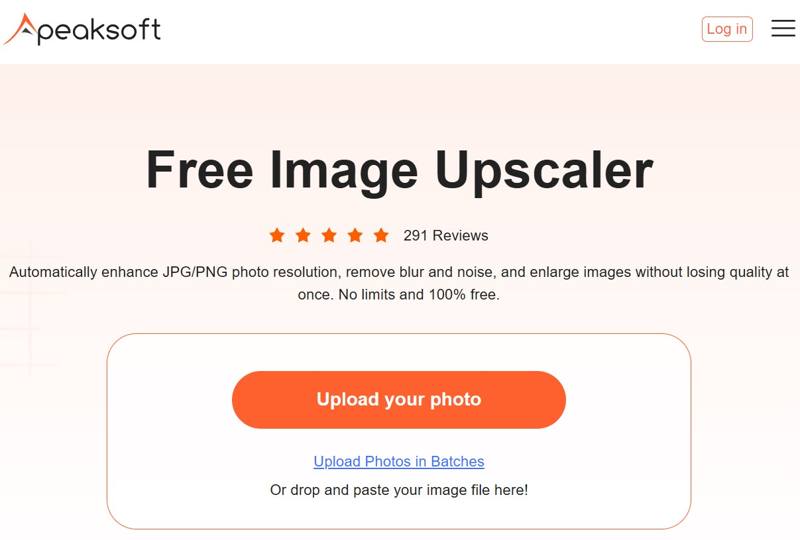
Step 2. Click the Upload your photo button and open the photo you want to edit.
Step 3. Choose a preset next to Magnification.
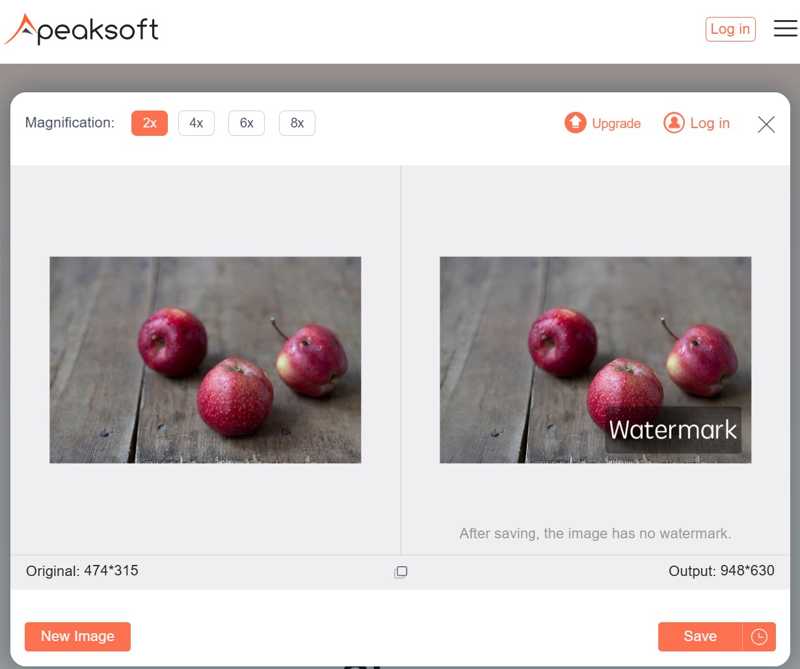
Step 4. Preview the effect in the Output panel. If you are satisfied, click the Save button to download it.
Top 2: Canva
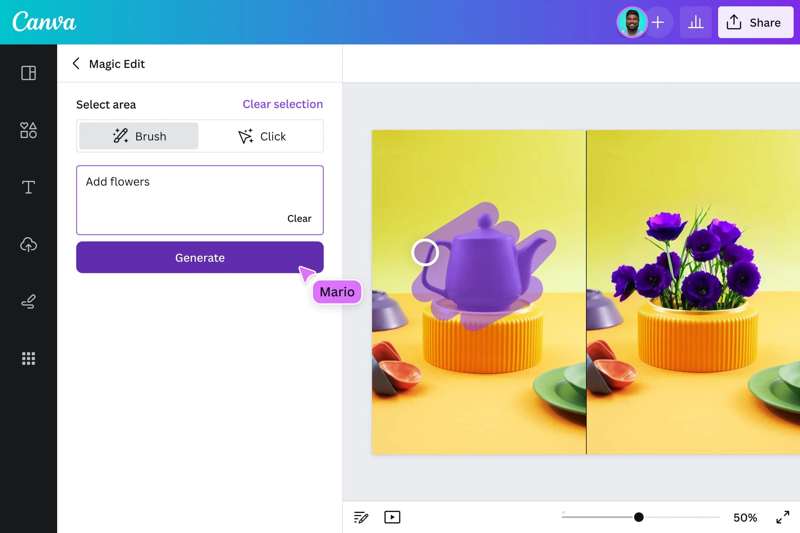
Canva Photo Editor is one of the best AI photo editors online. It helps people and small businesses to create stunning visuals with ease. Furthermore, it integrates a professional community to share and monetize artworks.
- 1.Very easy to use.
- 2.Offer a huge range of AI tools.
- 3.Provide a high-quality mobile app.
- 4.Integrate a vast template library.
- 1.The free accounts don't support AI features.
- 2.The output formats are limited.
Top 3: Let's Enhance
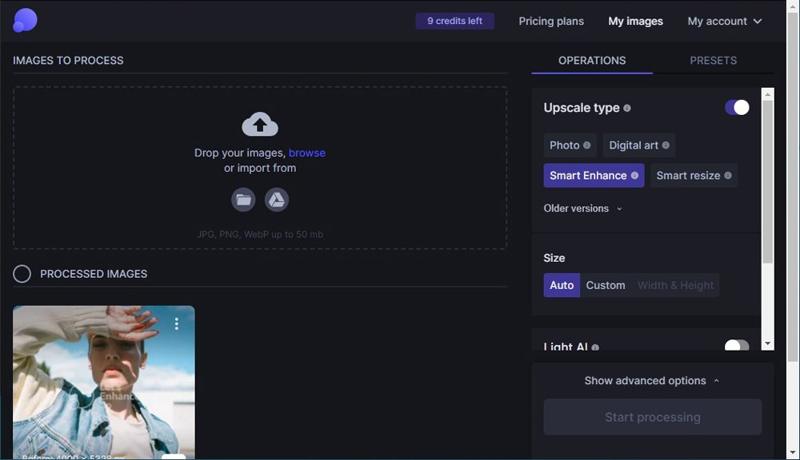
Let's Enhance is an AI-powered photo editor online designed for image upscaling and enhancement while maintaining quality. This AI image upscaler also offers some simple editing tools with AI techniques. Both casual users and professionals can refine their images using a range of features.
- 1.Enhance image resolution online.
- 2.Remove blur and noise with AI.
- 3.Batch edit multiple photos.
- 4.Correct and fix the color and lighting.
- 1.If the image quality is very low, the output is not good.
- 2.The image size cannot exceed 50MB.
Top 4: ChatGPT
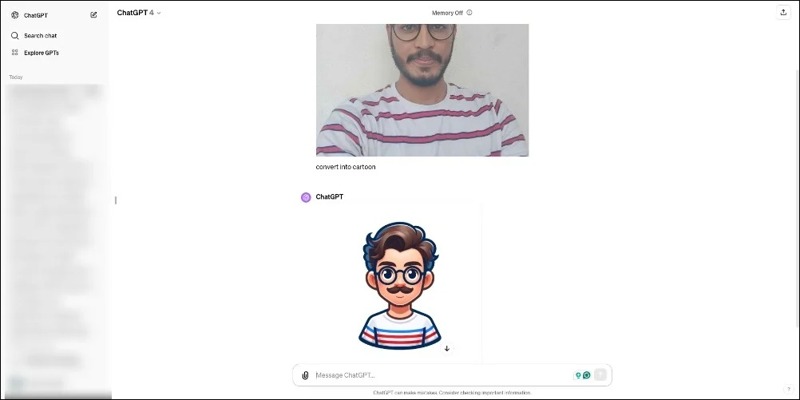
ChatGPT is a typical generative AI platform. It has gained native image editing features for images generated by DALL-E. Unlike other AI photo editors, you can describe the changes you want, and it will perform the editing.
- 1.Remove objects from photo or add items with only prompts.
- 2.Change text in a photo.
- 3.Modify facial expressions, makeup, and hair.
- 4.Convert photos to cartoons.
- 1.It is expensive.
- 2.It takes time to generate AI images.
Top 5: Claid
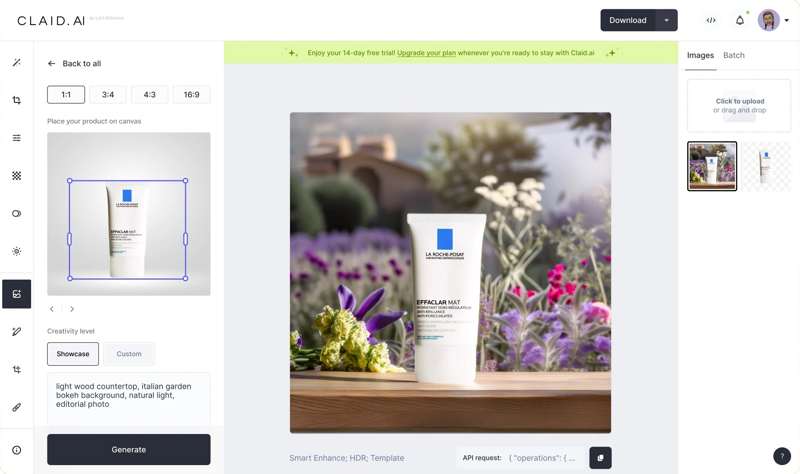
As an AI photo editor online, Claid offers a range of features developed for making photo editing easy and efficient. It helps you to create high-quality images quickly without technical skills.
- 1.Batch process multiple images at once.
- 2.Produce high-quality results.
- 3.Automate tasks.
- 4.Offer exceptional processing speed.
- 1.The free trial can only process 5 images.
- 2.It cannot function offline.
Top 6: Phot AI
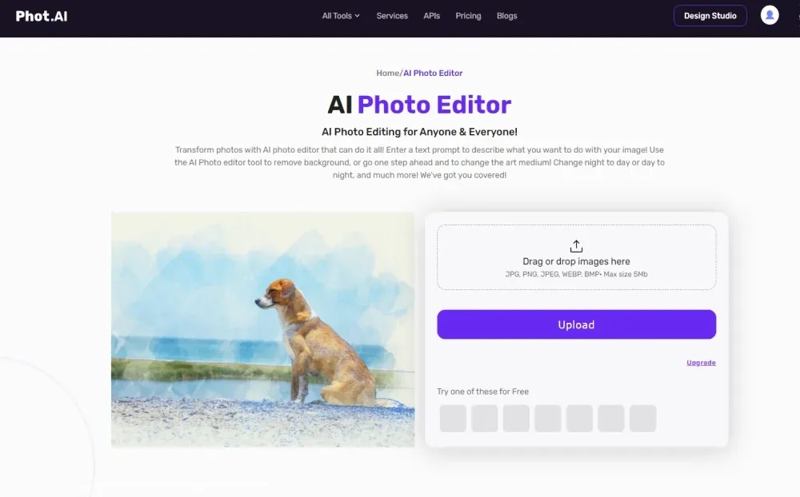
Phot AI is another AI-powered photo editor online. It allows users to create high-quality, photorealistic images. Users can upload a photo and create AI models in different outfits, poses, and settings.
- 1.Generate photos fast.
- 2.Create high-quality and stylish images.
- 3.Offer a comprehensive editing suite.
- 4.Come with cloud storage.
- 1.AI errors can occur, such as distorted faces.
- 2.The starter plan watermarks your images.
Part 3: Top 6 AI Photo Editors on Desktops
Top 1: Adobe Photoshop
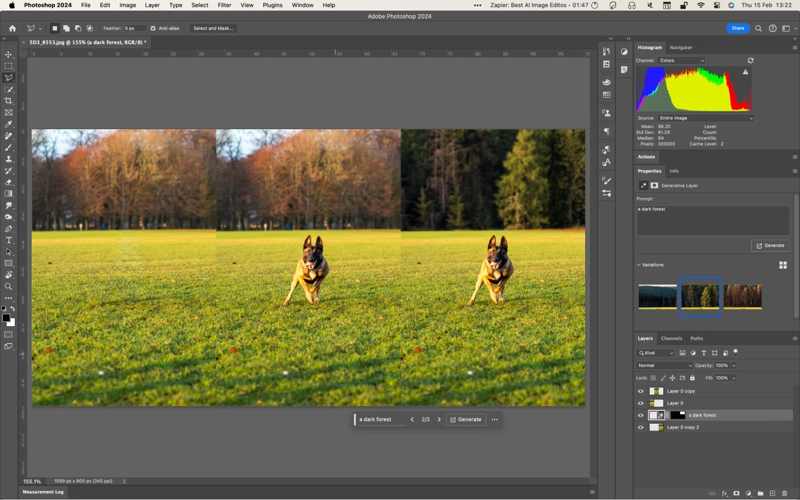
Photoshop is Adobe's AI photo editor software. The built-in AI-powered features transform everyday image editing into an art of possibilities. Generative Fill, for example, enhances image quality with precision. You can also sharpen images in Photoshop with AI-driven technology.
- 1.Correct and manipulate photos with AI.
- 2.Accelerate photo retouching.
- 3.Perform complex photo editing easily.
- 4.Decrease distortions.
- 1.It requires a powerful computer.
- 2.Steep learning curve due to too many features.
Top 2: Luminar Neo
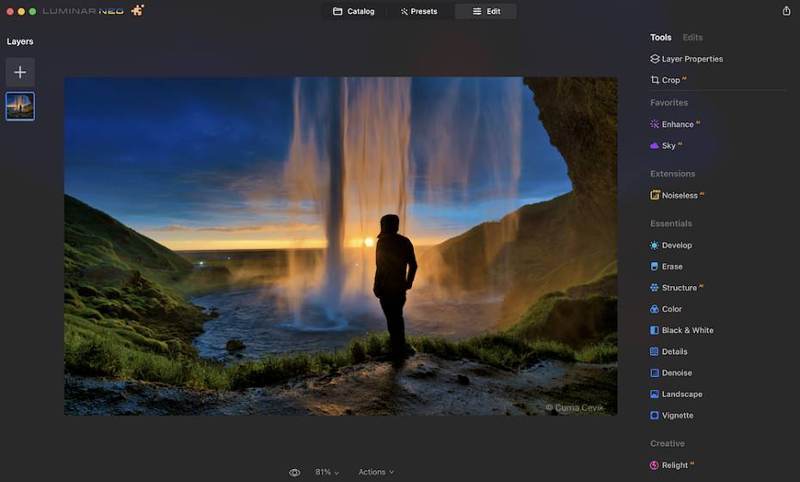
Luminar Neo is a photo editor for PC and other platforms. It is a complete solution with a full photo editing workflow. Or you can use it as an AI plugin for Photoshop, Lightroom, or Apple Photos.
- 1.Organize photos in albums.
- 2.Find photos with Smart Search.
- 3.Create virtual copies for editing.
- 4.Include lots of tools and effects.
- 1.Some operations are slow.
- 2.It lacks face recognition.
Top 3: Imagen
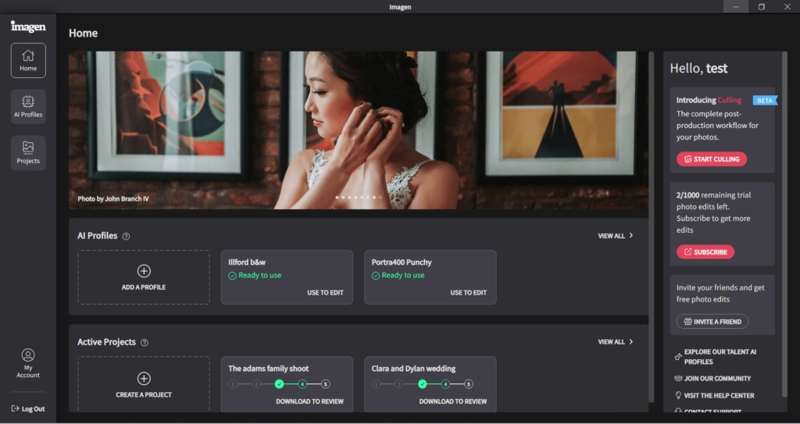
As an AI photo editor, Imagen enables users to retouch their photos as an independent tool or a plugin for Adobe Lightroom. According to the developer, it can cut down on workflow time by up to 96%.
- 1.Include AI-powered image editing.
- 2.Manage digital photos quickly.
- 3.Customize metadata.
- 4.Automate image enhancement.
- 1.Steep learning curve challenges new users.
- 2.AI features require extra fees.
Top 4: DragGan
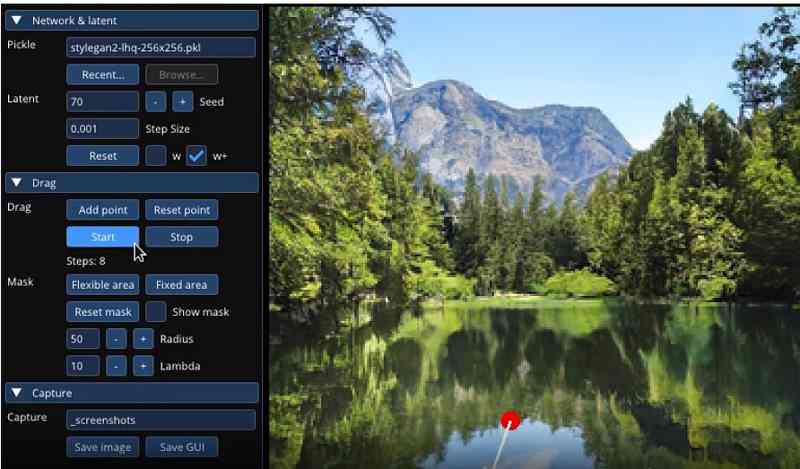
DragGan is an open-source AI photo editor for PCs and Mac computers. The intuitive interface makes it easy to use. You just need to load an image, point out where to make changes, and the AI will do its magic.
- 1.Integrate an intuitive interface.
- 2.Provide various AI tools.
- 3.Easy to navigate.
- 4.Offer flexible picture manipulation techniques.
- 1.It requires high-performance GPUs.
- 2.It is new and under development.
Top 5: GIMP and AI Plugins
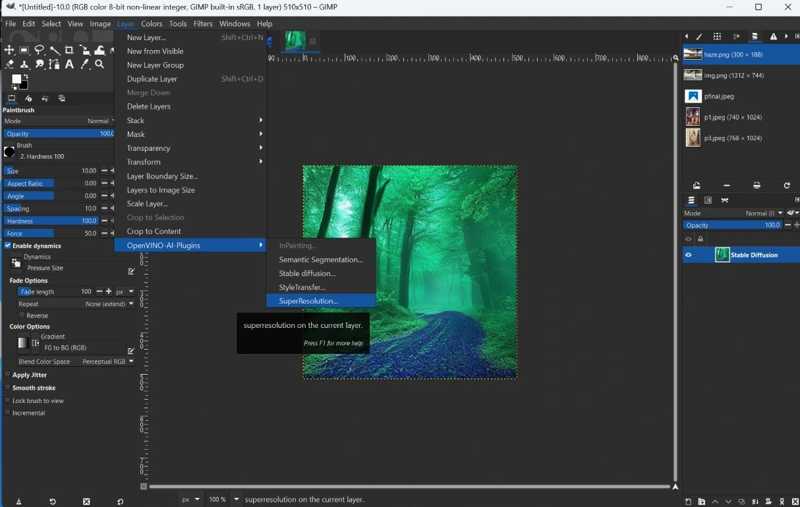
As a standout open-source photo editor, GIMP doesn't integrate any AI features. Alternatively, there are a few AI-powered plugins, such as Stable Boy, OpenVINO™ AI Plugins, GIMP Rembg, Stable-Gimpfusion, etc.
- 1.Open source and free.
- 2.Remove noise, replace background, and more.
- 3.Expand with plugins.
- 4.Support a wide range of formats.
- 1.Users need to install plugins.
- 2.Some plugins are not free.
Top 6: Aftershoot
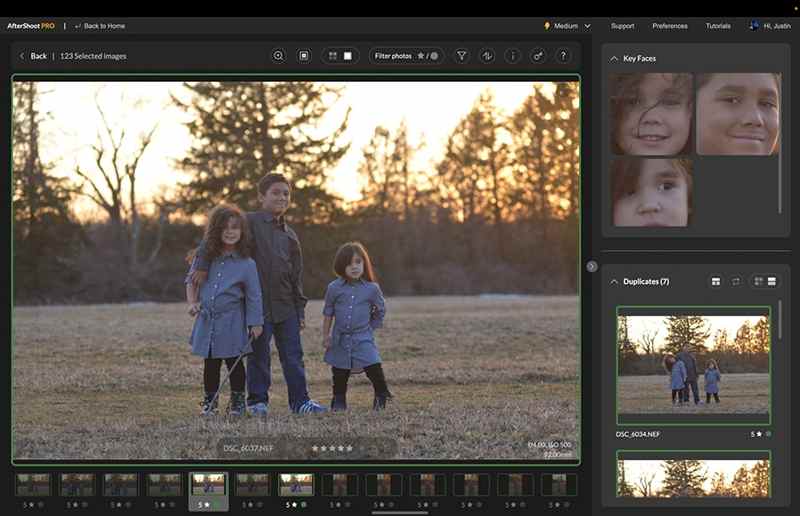
As one of the best AI photo editors, Aftershoot uses AI to quickly sort and organize thousands of photos and apply a unique editing style. Moreover, it can learn from your actions and choices.
- 1.Speed up photo editing.
- 2.Provide tutorials and guides.
- 3.Retouch and sort photos offline.
- 4.Work as a plugin.
- 1.It lacks a mobile app.
- 2.AI learning requires consistent editing patterns.
Part 4: Top 6 AI Photo Editor Apps
Top 1: Remini
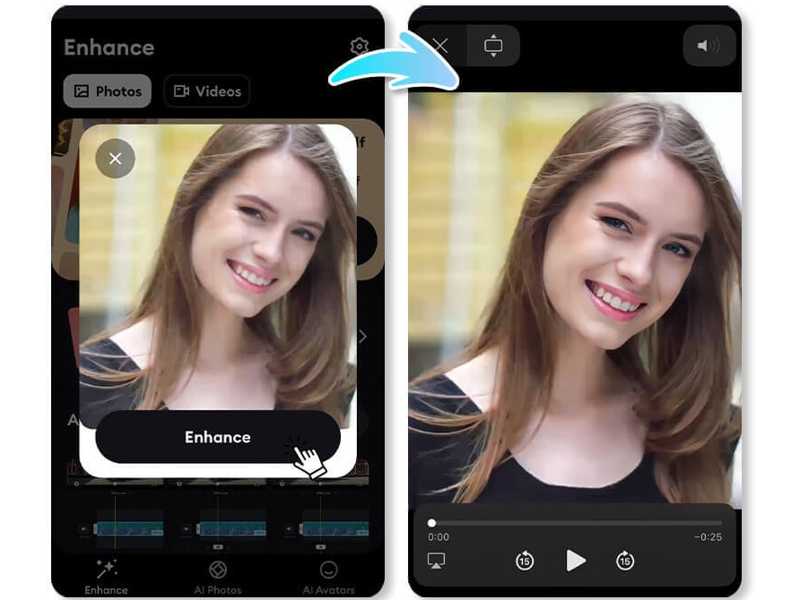
Remini is one of the best AI photo editor apps to turn your old and blurry photos into new ones. All tasks just require you to tap the right button, and the app will do the photo editing job automatically.
- 1.Turn portraits into high-quality.
- 2.Enhance selfies to stunning output.
- 3.Repair old and blurry photos.
- 4.Available in multiple languages.
- 1.AI features require purchase in-app.
- 2.It is only available to new devices.
Top 2: Picsart AI Photo Editor
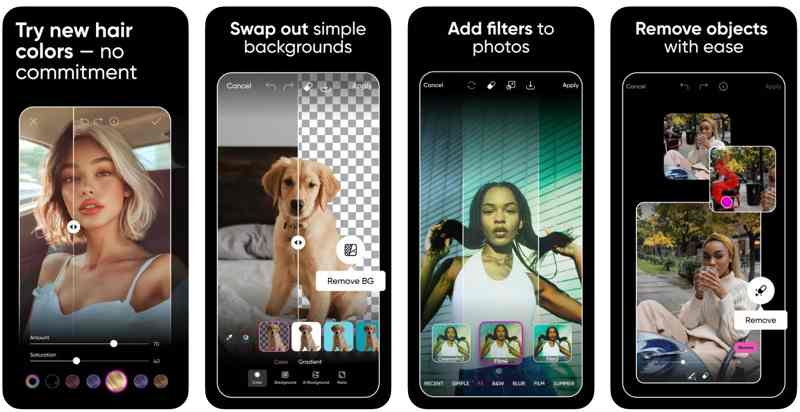
Picsart AI Photo Editor is an all-in-one AI photo editor app for iOS and Android. The AI-powered features are able to generate AI art and finesse photos with effects or filters. It can create photo collages.
- 1.Accelerate the design process.
- 2.Make templates your own.
- 3.Remove the background of images.
- 4.Enhance image quality.
- 1.There are too many features.
- 2.The high-quality outputs require a subscription.
Top 3: Pixlr
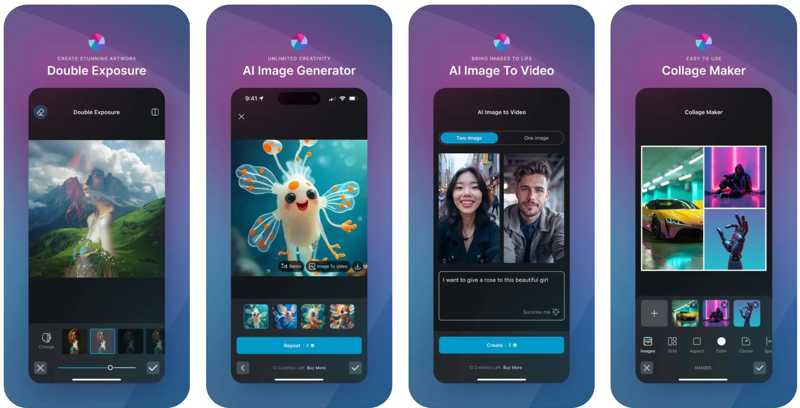
Pixlr photo editor comes with powerful AI capabilities. It includes lots of funny features, like transforming images into dynamic videos, generating objects to fill in an area on a picture, and more.
- 1.Offer AI Generative Fill, AI Remove Object, and more.
- 2.Remove background from images.
- 3.Swap faces in any photo.
- 4.Correct color and light.
- 1.It requires a subscription to unlock full features.
- 2.There are extra fees.
Top 4: Lensa
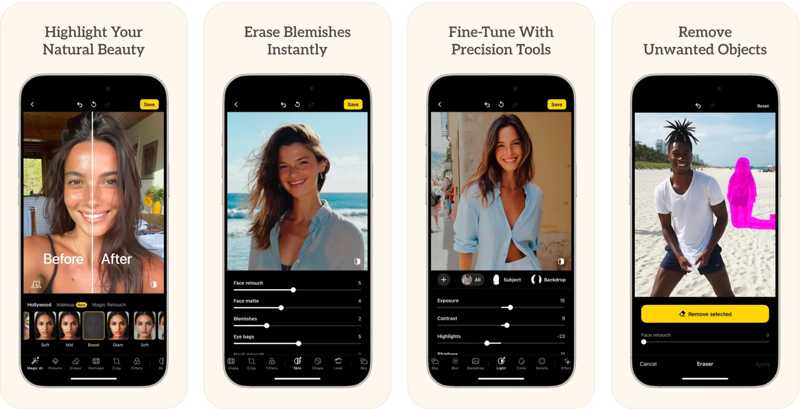
Lensa is a dedicated AI photo editor app for retouching portraits and selfies on mobile devices. More importantly, it simplifies the workflow and produces the best output image quality and effects.
- 1.Remove bumps and noise from your face.
- 2.Make skin look smooth.
- 3.Get rid of eye bags easily.
- 4.Adjust the background blur and depth.
- 1.The price is high.
- 2.The built-in effects are limited.
Top 5: Google Photos
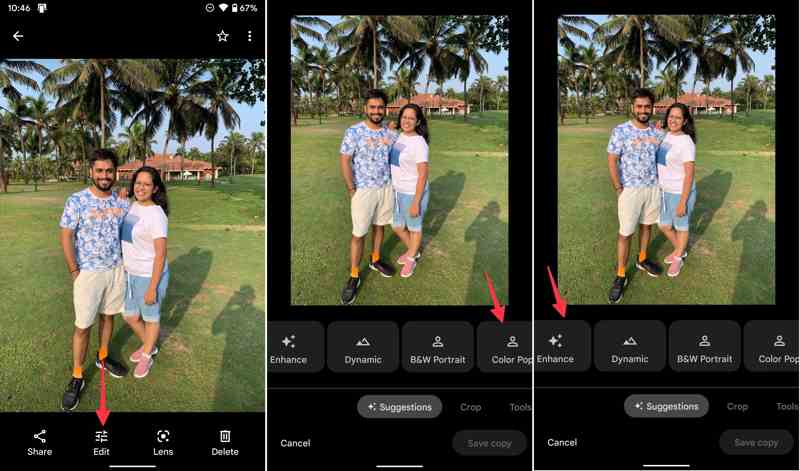
Google Photos is a photo manager and backup tool released by Google. If you have a Google account, you can get 15 GB of cloud storage for free. Moreover, it comes with an AI-powered photo editor.
- 1.Back up photos on mobile devices.
- 2.AI-powered photo cleanup, creativity, and search.
- 3.Create photo books and slideshows.
- 4.Offer automatic suggestions for photo creations.
- 1.It lacks a step-by-step undo for editing.
- 2.It cannot remove red-eye.
Top 6: Photoroom
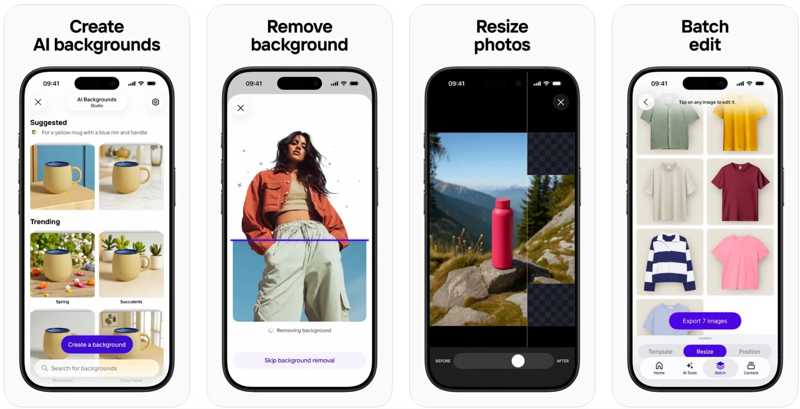
Photoroom is a new AI photo editor app for iOS and Android. It integrates a wide range of AI-powered features, like one-tap background removal, enhancing photo quality, and generating Instagram stories.
- 1.Include AI-powered photo retouching tools.
- 2.Remove the background and generate a new one.
- 3.Create Instagram Stories with AI.
- 4.Resize photos for social media.
- 1.It requires an internet connection.
- 2.It can struggle with low-contrast images.
Conclusion
Now, you should learn at least the top 18 best AI photo editor software and applications. Some of them are completely free of charge, such as the GIMP photo editor. Others require a subscription or license to unlock the full features. Apeaksoft Free Image Upscaler is the best option for both ordinary people and advanced users.
Related Articles
How to combine images into one PDF? Is there any free way to convert PDF to image? You can find 3 ways to change PDF to image file like JPG, PNG, GIF, and more.
Here are the top 8 best free and paid image optimizer apps to help you optimize your images for the web online and offline.
How to compress or reduce image size from MB to KB? This article lists top 8 best image compressors on desktop and online.
Here we identify the easiest ways to sharpen a blurry image online and demonstrate how to use these applications to make your photos better.



