Top 5 VOB Players with High Quality for Windows 11/10 and Mac

Can't play VOB files on your computer? It is common. VOB files are not that kind of commonly-used video format like MP4, MOV, FLV or AVI. You are not allowed to directly open VOB files with Windows Media Player on a Windows 11 PC or QuickTime Player on a Mac.
How to play VOB files? You'll need some third-party VOB players to play them smoothly.
This guide will introduce the 5 best VOB players for Windows and Mac to help you play VOB files smoothly!
PAGE CONTENT:
Part 1: What Is a VOB File
VOB (Video Object) is a container format contained in DVD-Video media. A VOB file can contain video and audio data, as well as other movie-related files like DVD menus, subtitles, and navigation contents. It is typically stored in the VIDEO_TS folder, at the root of the DVD.
In general, VOB is based on the MPEG-2 program stream format, but with additional limitations and specifications in the private streams. So, you can easily change the filename extension from .vob to .mpg or .mpeg to make the video conversion. After that, this file is still readable and carries all information as the source VOB file.
Part 2: Top 5 VOB Players for Windows and Mac
As mentioned above, the default media player on your computer or portable device can't play VOB files. So, when you want to play a VOB file in a DVD Video_TS folder, you need a VOB file player to grab and integrate all the information in the Video_TS folder, and then play the VOB file. Below are the top 5 VOB players we tested and selected for your reference.
Best Free Option

VLC Media Player

- Platform
- Best For
Free VOB and VIDEO_TS Playback
- Price Free
High-Quality Playback

KMPlayer

- Platform
- Best For
4K and High-Quality Playback
- Price Free
Best For Broken Files

GOM Player
- Platform
- Best For
Broken or Incomplete Files
- Price $9.99/month
Best For Mac

Elmedia Player
- Platform
- Best For
Mac VOB Playback with Subtitles
- Price $39.99/Lifetime
1. Apeaksoft Blu-ray Player
Platform: Windows/Mac
Key Features
- Plays VOB files directly without conversion.
- Supports VOB playback from DVD discs, folders, and ISO files.
- Provides smooth VOB video playback with high quality and audio sync.
- Compatible with VOB as part of a full DVD structure (VIDEO_TS folder).
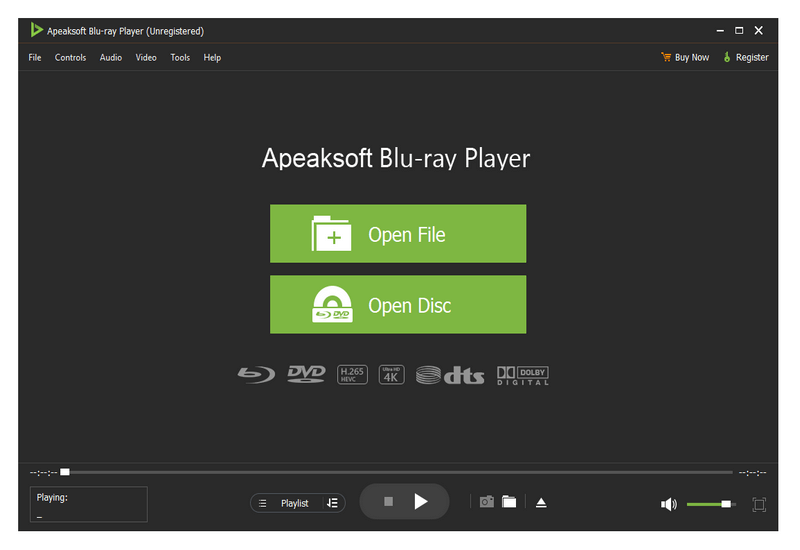
Apeaksoft Blu-ray Player is a professional Blu-ray, DVD movies, and media files playing tool which can help you play VOB files with high quality, on both Windows 10/8/7 PC and Mac. With the adoption of the advanced NVIDIA hardware acceleration, this VOB player can give you smooth and high-quality playback. In addition, it supports DTS-HD Master Audio, Dolby TruHD, and Apple Lossless Audio Codec to offer you high-definition surround sound.
Besides the VOB format, this player also supports Blu-ray/DVD discs, folders, ISO files, and media files in any frequently-used video and audio format, including MOV, MP4, AVI, FLV, MPEG, MKV, WMV, MP3, AAC, M4A, and more. It is equipped with all the playing features you need. You can freely pause, restart, stop the playing, customize visual and sound effects, add and change subtitles and audio tracks, take screenshots, and do more operations.
Bonus: How to Play VOB Files on Windows/Mac
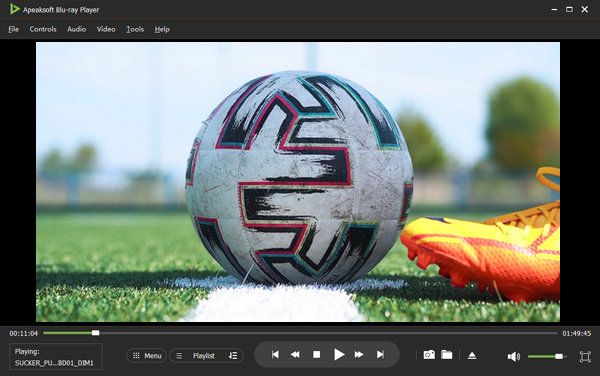
Step 1. First, you should free download, install, and run this VOB player on your computer.
Step 2. Click File to select and add your VOB file. Then this VOB player will automatically play the VOB file for you.
2. VLC Media Player
VLC Media Player
Platform: Windows/macOS/Linux
Key Features
- Supports VOB and VIDEO_TS folder playback without extra codecs.
- Works on Windows, Mac, Linux, iOS, and Android.
- Provides built-in subtitle and audio track control.
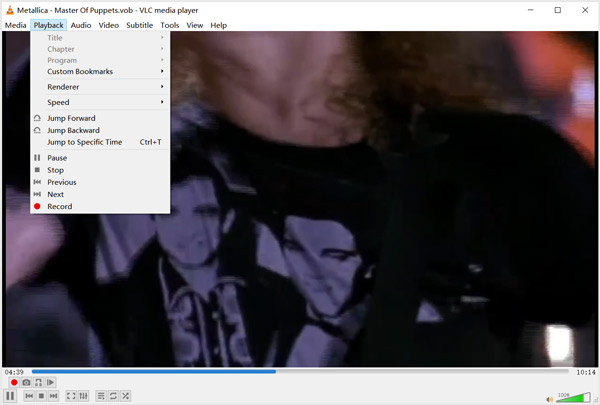
VLC Media Player is one of the most popular video players that can help you play VOB files on your computer and mobile phone. As an open source and free VOB player, it is compatible with Windows 10/8/7, macOS, Linux, iOS, and Android. Apart from the VOB format, it is also able to play DVD movies, and video and audio files in MP4, FLV, AVI, MP3, and more.
VLC Media Player gives you full control of the VOB file playing. You can handily play, pause, and stop the VOB playback. Moreover, you are allowed to customize the audio track and subtitle. Besides the playing feature, VLC also carries other useful functions like a video converter and a screen recorder. When you want to play VOB files on VLC, you can directly drag the file onto VLC and start playing.
3. KMPlayer
KMPlayer
Platform: Windows/macOS
Key Features
- Supports 4K/8K UHD and high-resolution video playback.
- Advanced playback controls in terms of speed, repeat, and frame.
- Custom subtitle and audio settings.

KMPlayer is one of the best VLC alternatives. It is a cross-platform media player that can play all types of video and audio files in VOB, MP4, AVI, FLV, MOV, MPEG, TS, MKV, WEBM, 3GP, 3G2, OGM, RM, WMV, MP3, and more. It can work as a VOB file player for both Windows 11/10/8/7 pc, Macs, iPads, and Android phones.
This VOB video player allows you to play high-quality videos, including 8K, 4K UHD, and 1080p/720p HD videos. This VOB file player allows you to create and manage your own playlist, and custom subtitles and audio effects. It is designed with a powerful Video Renderer and an upgraded music player. What's more, it has the capability to capture any video in your desired output format.
4. GOM Player
GOM Player
Platform: Windows/macOS
Key Features
- Plays damaged or incomplete video files.
- Automatically detects and downloads missing codecs.
- Supports multiple subtitle formats and customization.
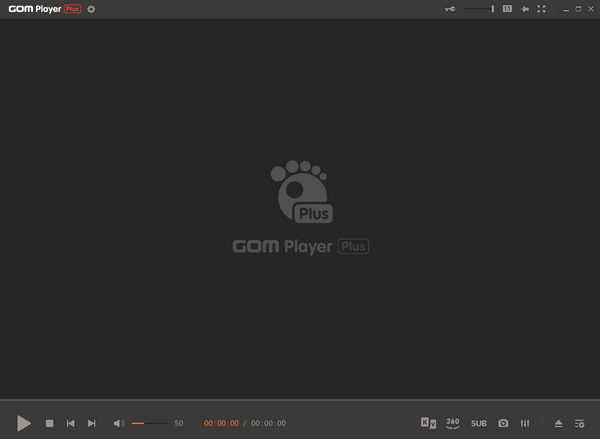
GOM Player is a comprehensive media player that supports playing various video formats, including VOB, MP4, AVI, and more. One of its eminent features is that it can automatically detect and install the missing codec on its own. It is especially useful when you want to play damaged videos or files that cannot be opened.
Moreover, it supports advanced custom settings like subtitle control, speed adjustment, and multiple playing modes.
5. Elmedia Player
Elmedia Player
Platform: macOS
Key Features
- A VOB file player specially designed for macOS.
- Supports subtitle sync and advanced playback settings.
- Supports AirPlay and Chromecast for screen projection.
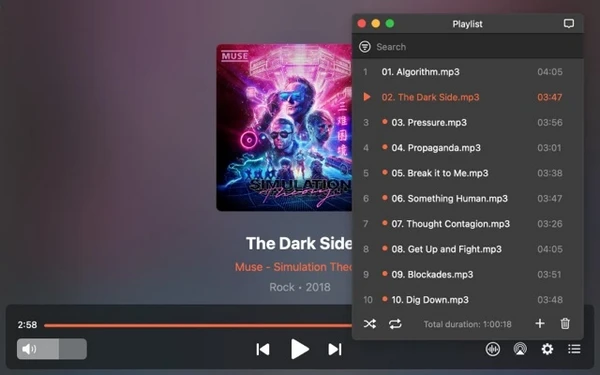
Elmedia Player is a dedicated VOB player designed for macOS. It supports playing massive video formats, including VOB. When we use it, the experience is quite smooth. Moreover, it offers a variety of subtitle adjustment and playback control functions.
In addition, it also supports screen projection via AirPlay and Chromecast. You can wirelessly play videos to your TV or other devices, making it an ideal choice for Mac users for both local and streaming playback.
Part 3: Why Won't My VOB File Play
Sometimes, it is not usually due to problems with the VOB files themselves when you can't play VOB files. As we mentioned in the beginning, the VOB file is a dedicated video format for DVDs, and Many systems' built-in players are unable to correctly recognize or decode its structure and encoding method. Below are the detailed reasons:
Lacks MPEG-2 codec: VOB videos are usually encoded using MPEG-2, while many default players, such as Windows Media Player or QuickTime, do not come with the necessary decoders. So they cannot open or play the VOB files properly.
Incomplete DVD file structure: VOB files usually fall under the VIDEO_TS folder structure of a DVD. If the IFO or BUP files are missing, it cannot play normally.
Incompatible audio recording: Some VOB files support Dolby Digital (AC-3) or DTS audio format. If your player doesn't support it, you may encounter issues such as a VOB file playing with no sound, or an audio track cannot be loaded.
Corrupted VOB file: If VOB files are damaged when copied, downloaded, or extracted, this may result in an inability to play, lagging, or direct error reporting.
Bonus: Convert VOB to MP4 for Easier Playback
When you cannot play VOB files on your computer, besides using a specific VOB player, you can still enjoy the content by converting VOB files to other popular formats like MP4, MOV, AVI, MKV, FLV, WMV, etc., using professional video converters like Apeaksoft Video Converter Ultimate.

Downloaded by over 1,000,000 users
- Convert VOB to MP4, MOV, AVI, for convenient playback.
- Support more than 1,000 video and audio formats.
- Preserve the original video quality during conversion.
- Batch convert multiple VOB files at the same time.
- Apply GPU technology to accelerate conversion speed.
Secure Download
Secure Download
Part 4: FAQs About VOB Players
Can I play VOB files with Windows Media Player?
VOB format is not natively supported by Windows Media Player. So, you can't directly play VOB files in Windows Media Player. But you can try installing a VOB codec to get the VOB file playback. Also, you can choose to convert VOB to MP4.
Can you edit a VOB file in iMovie?
No. iMovie does not support the VOB files. So, you can't load a VOB file into iMovie for editing.
How do I open a VOB file on Windows 11?
You cannot directly open the VOB file using the built-in media player. You need a dedicated VOB player such as Apeaksoft Blu-ray Player to help you.
Why is my VOB file playing without sound?
It may be because your VOB player doesn't support its AC-3 or DTS audio codec.
Can I convert VOB to MP4 without losing quality?
Yes. Apeaksoft Video Converter Ultimate can help you convert VOB to MP4 without quality loss.
Conclusion
After reading this post, you can learn more information about the VOB format and get the 5 VOB players to view VOB files on your computer.
• Apeaksoft Blu-ray Player: smooth DVD and VIDEO_TS playback.
• VLC Media Player: completely free VOB playback.
• KMPlayer: 4K and high-quality videos.
• GOM Player: damaged or incomplete VOB files.
• Elmedia Player: stable VOB playback on Mac.
Choose the most suitable VOB player based on your needs and immerse yourself in the content!
 Apeaksoft Blu-ray Player
 Play Blu-ray/DVD disc/folder, ISO file and common videos smoothly.
Secure Download
Secure Download
Related Articles