Does Instagram Notify Screen Recording? Here is the Answer

Have you ever seen an interesting Instagram Story, a funny video, or a nice post and wanted to save it on your device? The easiest way to do that is by recording your phone screen. However, maybe you take privacy into first consideration: Does Instagram notify screen recording? If you screen record someone's content, will they get a pop-up alert with your username?
In this guide, we will clear up all your doubts about how Instagram handles privacy. We will break down exactly what happens when you record different parts of the app.
PAGE CONTENT:
- Part 1: Does Instagram Notify When You Screen Record?
- Part 2: Can You Screen Record Instagram Stories Secretly?
- Part 3: Does Instagram Notify When You Record Posts and Reels
- Part 4: The Big Exception: Instagram Messages (DMs)
- Part 5: Brief Summary of Instagram Screen Recording Rules
- Part 6: How to Screen Record Safely and Ethically
Part 1: Does Instagram Notify When You Screen Record?
Generally speaking, no. The answer is no for almost all regular content on the platform (on computer or phone).
If you are browsing through your main feed or watching public videos (from Reel or Post), you can safely use the built-in screen recorder on your iPhone, Android, Windows, or MacBook. Instagram will not send a notification, and the other person will never know you recorded their content.
However, Instagram changes its rules depending on what you are looking at. Let's look closely at specific parts of the app to see where it is safe and where you need to be careful.
Part 2: Can You Screen Record Instagram Stories Secretly?
Stories are temporary. Because they disappear after 24 hours, people often feel a strong urge to save them. So, does Instagram notify when you screen record a story?
The answer is No. Instagram does not notify users when you screen record their regular Stories. You can record a Story from your favorite celebrity, a local business, or your friend, and it is completely private. In all these cases, you are safe from alerts.
What About Close Friends?
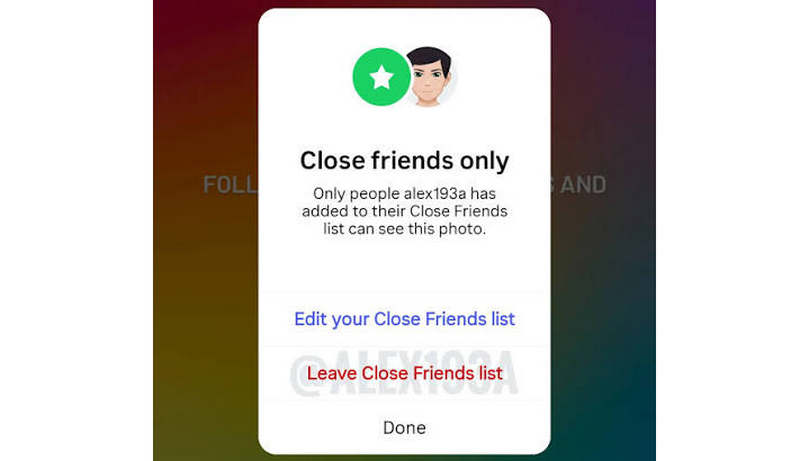
If someone trusts you enough to put you on this list, you might wonder: Does Instagram notify screen recording close friends? The answer is still no.
Instagram has a special feature called "Close Friends" that lets users share more private Stories with a select group of people. Even if a Story is shared only with Close Friends, Instagram treats the security the same way as a public Story. The creator can see that you've viewed them, but he/she cannot know whether you've recorded.
Part 3: Does Instagram Notify When You Record Posts and Reels
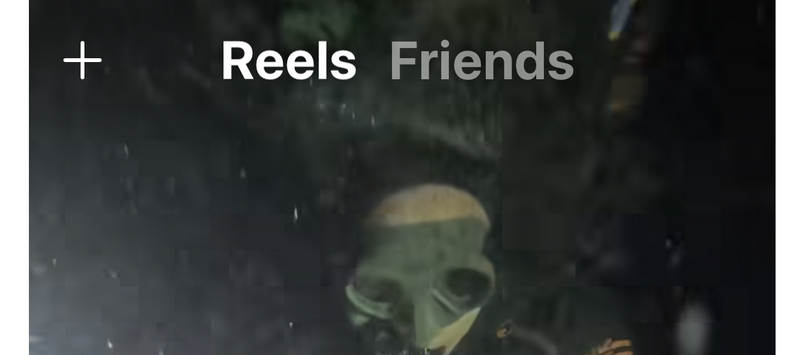
Your main Instagram feed is filled with standard image posts and short videos called Reels. Maybe you want to record them to save the Reels on your iPhone or Android. So, does Instagram notify when you screen record a Post or Reel?
Just like Stories, the answer is still no. Instagram does not detect or track screen recording or screenshots on the main feed. You can record posts, IGTV videos, and Reels without worries. The IG creators can see how many total views or saves their post got, but they cannot know who has ever recorded their works.
Part 4: The Big Exception: Instagram Messages (DMs)
You have known that Instagram will not notify when you record Posts, Reels, or Stories. However, we have to talk about the one place where Instagram will catch you. That is Instagram Direct Messages (DMs), specifically when using disappearing media.
If a friend sends you a photo or video inside a chat using the View Once or Allow Replay feature, this photo, video, and even message will be regarded as private media. Instagram will notify the sender if you take a screenshot or start a screen recording of it.
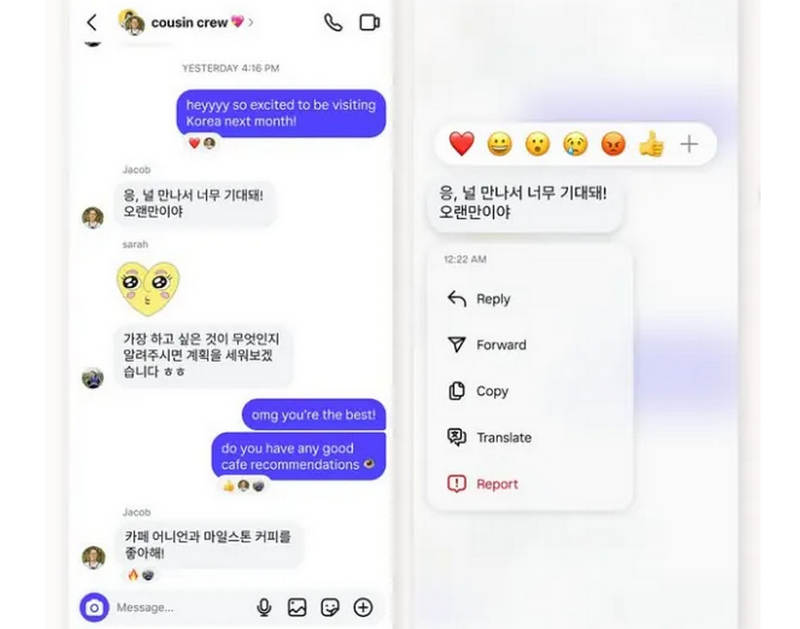
What Happens When You Record a Disappearing DM?
A small star icon will appear next to the message in the chat. The sender will also see a notification status that says Screen Recorded or Screenshot next to the message they sent.
This notification only triggers for photos and videos that will disappear. If you screen record a regular text conversation or a permanent image sent in the chat, Instagram will not notify the other person.
Part 5: Brief Summary of Instagram Screen Recording Rules
To make things easy to remember, here is a quick breakdown of where you can and cannot screen record secretly on Instagram:
| Content Type | Does Instagram Notify? | Privacy Level |
| Regular Instagram Story | No | Safe |
| Close Friends Story | No | Safe |
| Feed Post (Photo or Video) | No | Safe |
| Instagram Reels | No | Safe |
| User Profile Grid | No | Safe |
| Permanent DM Messages | No | Safe |
| Disappearing DM (View Once) | Yes | Alert Sent! |
Why Doesn't Instagram Notify for Stories Anymore?
If you feel like you remember Instagram sending notifications for screen recording in the past, you are not crazy. Back in 2018, Instagram introduced a feature that put a small sun-shaped icon next to the name of anyone who took a screenshot or recorded a Story.
However, users did not like this feature, and it caused people to spend less time browsing the app. Due to this negative marketing feedback, Instagram finally discarded the feature after a few months. Since then, users can screen record on Instagram Stories, Posts, and Reels without being recognized.
Part 6: How to Screen Record Safely and Ethically
Even though you know that Instagram doesn't notify when you screen record on posts or reels, it is not recommended to record or capture a post or reel from your friends without their permission. You can ask for permission first, and then ensure you keep others' privacy.
If you want the best way to screen record or take a screenshot on Instagram, Apeaksoft Screen Recorder is a good choice. It can record or take screenshots on both desktop (Windows and Mac) and mobile (iPhone and Android) with no effort. It can keep the best visual quality with audio integration. Moreover, even if you record DMs, it will not trigger Instagram notifications. Most Instagram users want to record and then do further art creation, and Apeaksoft can offer dedicated video editing features, helping you make podcasts or reaction videos.

Downloaded by over 1,000,000 users
- Record everything on Instagram to keep the best quality.
- Provide a video editor to make a podcast or video overlay.
- Support 4K upscaling to enhance the recording quality.
- Well manage and share your recordings on social media like IG and YouTube.
Secure Download
Secure Download
Step 1. Get Apeaksoft Screen Recorder
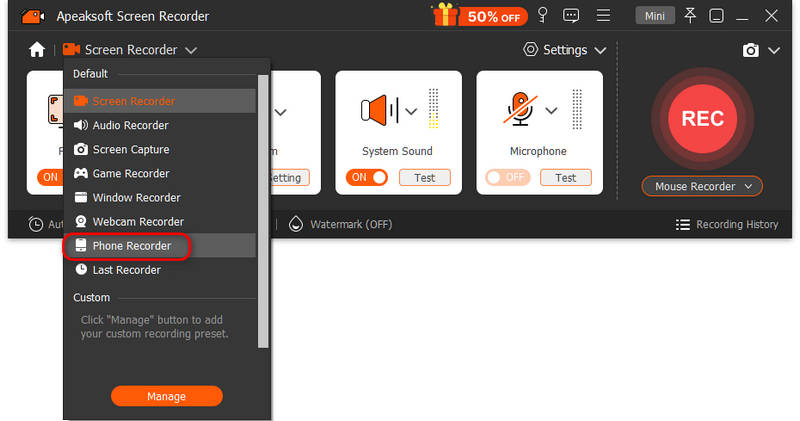
Download, install, and launch Apeaksoft Screen Recorder on your computer. If you need to record Instagram on your mobile phone, please select Phone Recorder from the top left dropdown list. Then, select your phone OS and the mirroring method.
Step 2. Set Audio Mirroring
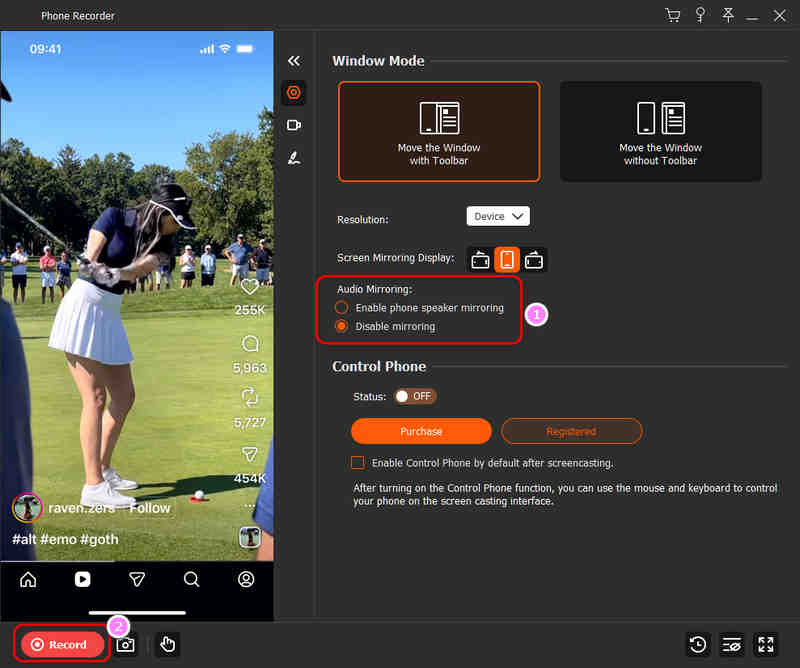
When you screen record on Instagram, whether recording the phone speaker is important. Please make your choice between Enable phone speaker mirroring or Disable mirroring. Then, click the Record button in the bottom left side. You can also click the Snapshot button to screenshot on Instagram post or video.
Step 3. Stop Recording
When the recording is over, click the Stop button. Then, click the Recording History button to view your recorded Instagram story or reel.

Step 4. Manage Your Instagram Recordings
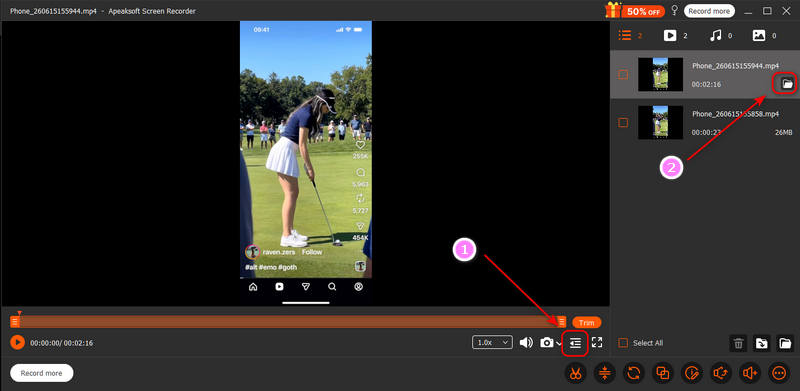
Click the Expand button to view your recording list. You can click the Open Folder button to view it on your hard drive.
Step 5. Transfer Instagram Recording to Mobile
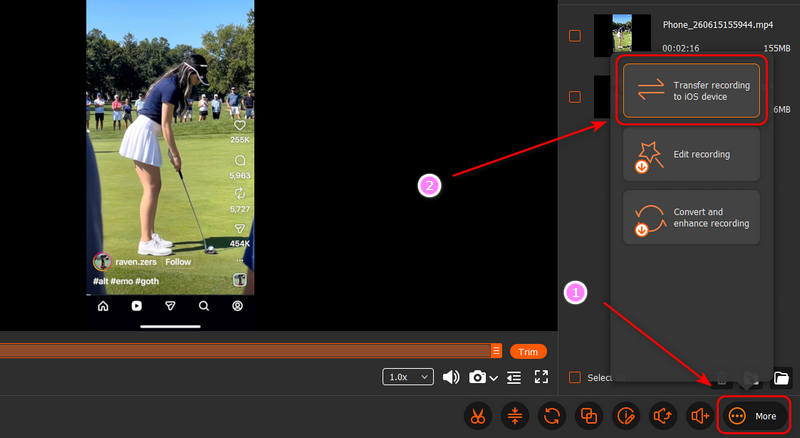
If you need to transfer the recorded Instagram videos or screenshots to your iPhone or Android, click the More button, and then select Transfer recording to iOS device or Android device.
Further Reading
Conclusion
Does Instagram notify when you screen record a Story? The answer is no. And you can also feel free to record or screenshot on Instagram Reels and Posts. There are no notifications or alerts. However, you'd better not capture or record on Instagram DMs, for others will get prompts. If you want to record or screenshot secretly, Apeaksoft Screen Recorder is a good resort. It will keep your recording safe and provide high visual quality on both mobile and desktop Instagram.
 Apeaksoft Screen Recorder
 Record any video and audio on phone and computer screen.
Secure Download
Secure Download
Related Articles