

2026 Most Recommended Flash Drive Recovery Software

Lost files on your USB flash drive can happen in seconds - accidental deletion, corruption, formatting, or virus attacks. If there is no USB recovery service available near you, a reliable flash drive recovery tool will be your best choice. This article will review five excellent USB flash drive recovery programs, listing their key features, pros, and cons. See our results below.
PAGE CONTENT:
What Do We Evaluate About Flash Recovery Tools
There are four main standards we evaluate data recovery tools:
1. Compatibility: USB drives vary in file systems. When we evaluated the recovery tools, we attempted to recover USB flash drives with different file systems, including FAT32, exFAT, and NTFS.
2. Completeness and Integrity: USB drives use different file systems, each with its limit on the maximum size of a single file. Besides compatibility, we also tested the tools' ability and integrity to recover big files over 2 GB and the completeness of all files.
3. Speed and Using Experience: If a USB drive recovery software has high compatibility and recovers files with full completeness, the recovery speed and the using experience are what we value next. Generally, if all the data that needs to be recovered is under 2GB, the recovery processing should not take longer than 10 minutes. As for the user experience, all users with or without tech skills will handle the operation easily and quickly.
4. Trial version and money-back guarantee: Free flash recovery is available in this article. But we also provide paid software to ensure a high recovery rate. Besides, all of them guarantee 7 or 30 days' money back, so that you can get your money back if the software doesn't work for you.
Apeaksoft's editorial team independently tests every tool. We verify compatibility, success rates, ease of use, and overall performance using real devices and the latest operating systems. Our reviews are based on hands-on experience, technical analysis, and user feedback. We regularly review and update the content to reflect software updates, operating system changes, and user feedback.
- Test Environment: Windows 10/11 Pro (24H2), macOS Ventura & Sequoia 15, multiple 16GB/32GB/64GB USB flash drives formatted with FAT32, exFAT and NTFS
- Simulated Data Loss Scenarios: Accidental file deletion, quick disk formatting, USB corruption, RAW file system errors
- Photos: 1,200 pieces in total
- Documents: 300 files (20 KB–20 MB)
- Videos: 150 clips (500 MB–5 GB)
- Large files: Two single files of 5GB and 8GB
- Testing Rules: Each software is tested at least three times. Only if the restored files open normally without corruption and retain original filenames, the recovery is counted as successful.
- Reminder: Actual recovery success rate depends on different device models, OS versions, and whether deleted files have been overwritten by new data.
Best Flash Drive Recovery Tools (Tested & Ranked)
👍 Best Overall
 Apeaksoft Data Recovery
- Platform
- best for
Best overall USB recovery & big file recovery
- Price $22.45/month
Easy Recovery
 EaseUS Data Recovery Wizard
- Platform
- best for
Beginners & multilingual users
- Price $49.97/year
Media Recovery
 Wondershare Recoverit
 - Platform
- best for
Photo/video preview & recent deletions
- Price $59.99/month

1. Apeaksoft Data Recovery
Platform: Windows/Mac
Key Features
- Recovers data from USB drives, SD cards, SSDs, and computers.
- Advanced deep scan technology for recovering formatted/corrupted flash drives.
- Supports multiple file types with high success rate.
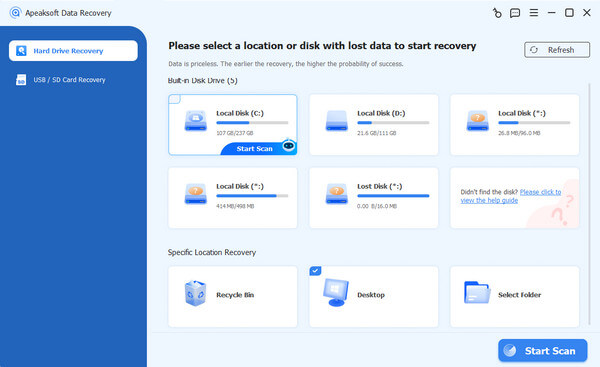
Apeaksoft Data Recovery is one of the most popular USB memory recovery software. Since 2008, the software has become mature in the market. One thing that needs to be pointed out is that Apeaksoft Data Recovery software supports not only USB recovery but also SD cards, SSDs, and computers, as well as the recovery of data from iPhone and Android devices.
- Great performance on the completeness of recovered data.
- Recover big files over 2 GB with high success rate up to 99%.
- Highly compatible with USB drives we test, including NTFS, FAT32, APFS, HFS+, and EXT4.
- Very high speed: takes 90 seconds per GB of data on average.
- Supports recovering a crashed and formatted USB drive.
- Supports SD card, SSD card, computers, and even iPhone and Android data recovery.
- No file repair function is built in case your file crashes.
- A deep scan for long-lost data takes more time to complete.
2. Cleverfiles Disk Drill

Cleverfiles Disk Drill
Platform: Windows/Mac
Key Features
- Multiple scan modes including Quick Scan, Deep Scan, and Free Space Scan
- Create disk images to protect failing USB drives before recovery.
- Supports file formats across photos, videos, audio, and documents.
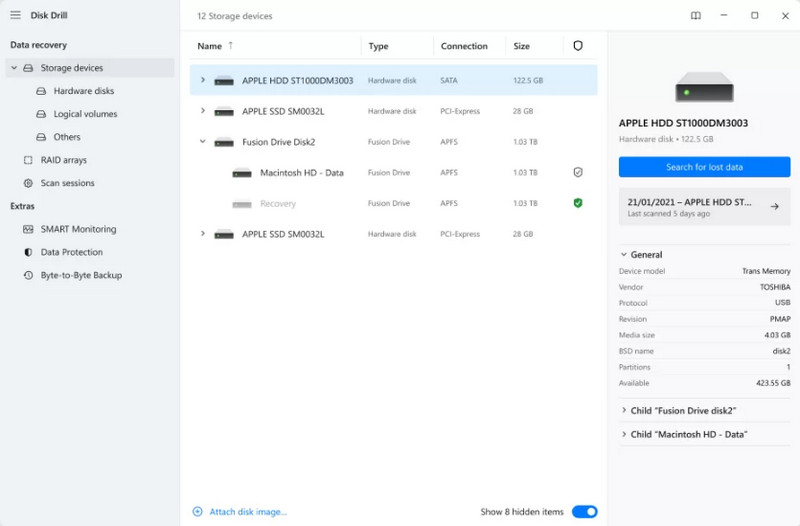
Cleverfiles Disk Drill has been in the market for over ten years and has stayed in the top rank of data recovery programs. Its interface is more technical and professional, meeting the high demand for data recovery from USB drives.
3. EaseUS Data Recovery Wizard
EaseUS Data Recovery Wizard
Platform: Windows/Mac
Key Features
- Beginner-friendly step-by-step recovery workflow.
- Supports recovery from formatted, inaccessible, or RAW USB drives.
- Supports for 15+ languages.
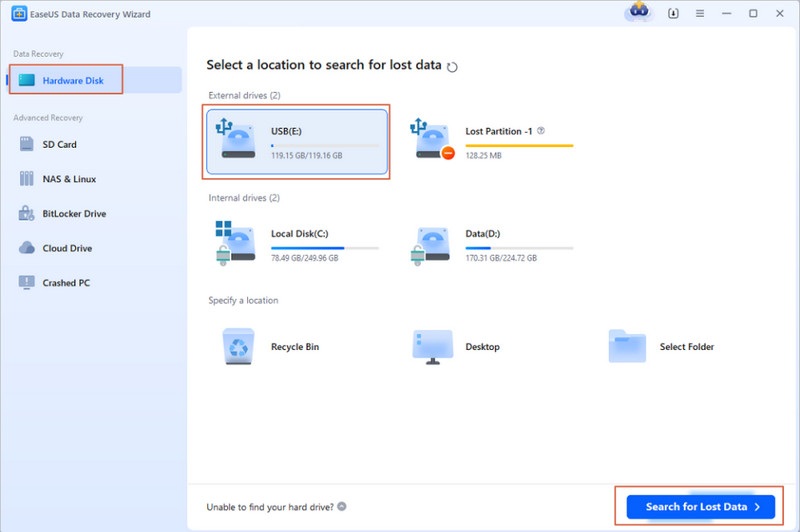
EaseUS USB flash drive recovery was first released in 2004 and guarantees the recovery results for all of its users. Its interface and workflow are similar to Apeaksoft Data Recovery. Let's see EaseUS pros and cons and compare them with Apeaksoft.
- Supports recovering USB drives in various scenarios, including those that are crashed, inaccessible, or formatted.
- High speed: takes 2 minutes per GB of data on average.
- Supports USB drives of the following file systems: NTFS, FAT32, APFS, and HFS+.
- Available in over 15 languages.
- Not experts in recovering big and long-lost files (27% success rate).
- No short-term paid plan is available (at least 1 year).
4. Wondershare Recoverit
Wondershare Recoverit
Platform: Windows/Mac
Key Features
- File preview before the recovery.
- Filter feature and file categorization for faster navigation.
- Perfect performance for recovering recently deleted files.
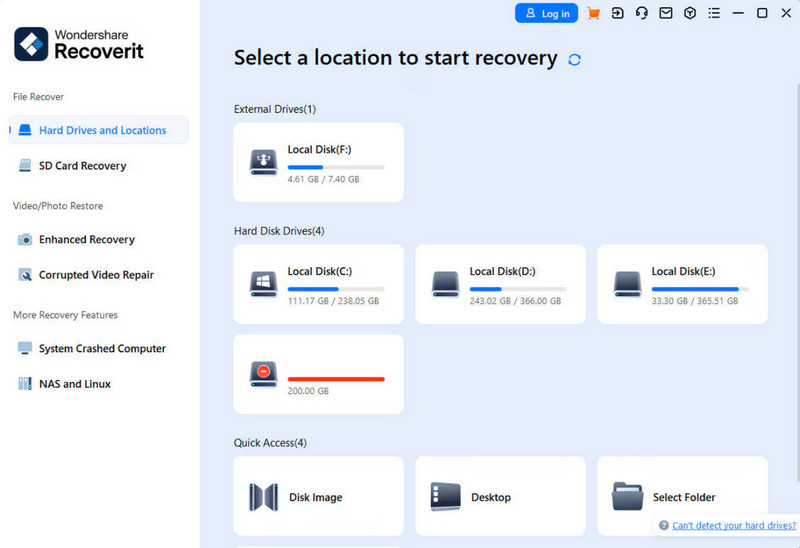
Recoverit is a USB flash drive recovery tool from Wondershare, a comprehensive technical company. You can also explore the company's data repair tools and recover old and crashed data.
- You can preview photos before recovering them.
- The filter methods and views are clear, making it easier to navigate.
- Medium speed: takes 3 minutes per GB of data on average.
- Performs well in recovering recently deleted files at a high speed.
- Support recovering physically damaged USB drives.
- The USB drive is newly developed and is sometimes unstable.
- The USB drive may not be recognized suddenly during the recovery process.
- Recovery must be brought together with the repair function at a higher price.
5. Recuva
Recuva
Platform: Windows/Mac
Key Features
- Free USB flash drive recovery solution.
- Lightweight software with minimal system resource usage.
- Supports recovering damaged and newly formatted flash drives.
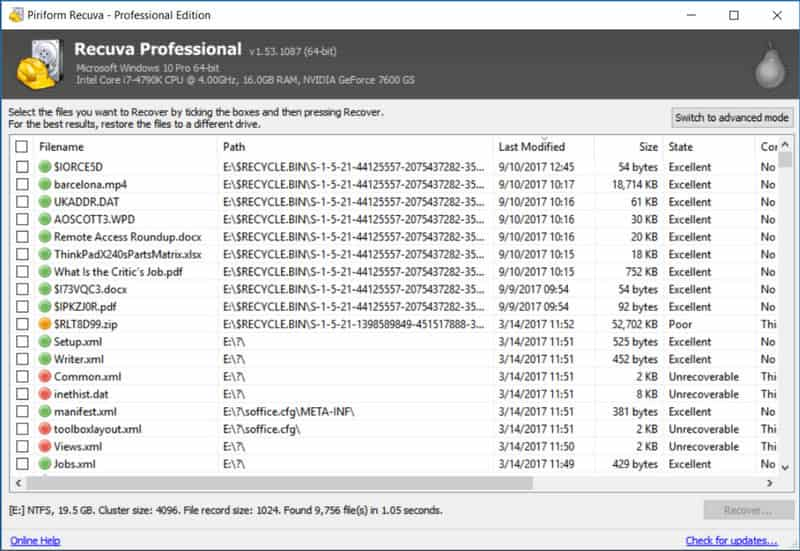
Recuva is the last and free data recovery software we recommend for flash drives. Although it is a free program, the basic functions are fluent and workable, as they provide paid virtual hard drive recovery support, allowing them to generate revenue and develop the software.
- Totally free for USB flash drive recovery.
- This software consumes minimal system resources during operation.
- High speed: takes 2 minutes per GB of data on average.
- Supports recovering files from damaged and newly formatted USB flash drives.
- The interface is simple and makes it harder to filter files.
- You can't preview files before recovery.
- The TAT for technical support is long.
Final Verdict: Which Tool Should You Choose
Best overall - Apeaksoft Data Recovery
Secure Download
Secure Download
Best for professionals - Disk Drill
Best budget - Recuva
Conclusion
Nowadays, the USB flash drive recovery technology is pretty mature, so you don't need to worry about lost data on your USB stick. However, it is essential to use your USB drive healthily and eject it after transferring, avoiding leaving it connected to your computer all the time.
Related Articles




