Complete iOS Data Recovery: Official Ways and Recommended Tools

Key Takeaways
- Official recovery methods: Recently Deleted, iCloud backups, and computer backups
- Best overall: Apeaksoft iPhone Data Recovery
- Best for beginners: EaseUS MobiSaver
- Best for advanced scenarios: iMobie PhoneRescue
Accidentally deleted data on your iPhone or iPad? Do not worry. This article summarizes a complete iOS data recovery guide, including official recovery methods and three top iOS data recovery software recommendations.
PAGE CONTENT:
Part 1. What Is iOS Data Recovery
iOS data recovery refers to data recovery for iPhone and iPad. It comes into use when you accidentally delete photos, messages, contacts, and more. To achieve iOS data recovery, you can rely on Apple's built‑in features or use third‑party software to scan and restore your data. The following parts will show you a detailed guide.
Part 2. Official iOS Data Recovery Methods
Apple offers multiple ways for iOS data recovery, including recovering from the Recently Deleted folder, iCloud backup, and computer backup.
| Method | Best for | Pros | Cons |
| Recently Deleted | Recovering recently removed photos, files, and notes | Free, fast, no backup needed | Items expire after a fixed period; cannot recover older data |
| iCloud Backup | Restoring an iPhone or iPad from an iCloud backup | No computer required | Must have a backup created before data loss |
| Computer Backup (Finder / iTunes) | Full recovery from local backup on your computer | Generally reliable | Needs an existing backup; may overwrite current data on your device |
Recover from the Recently Deleted Folder
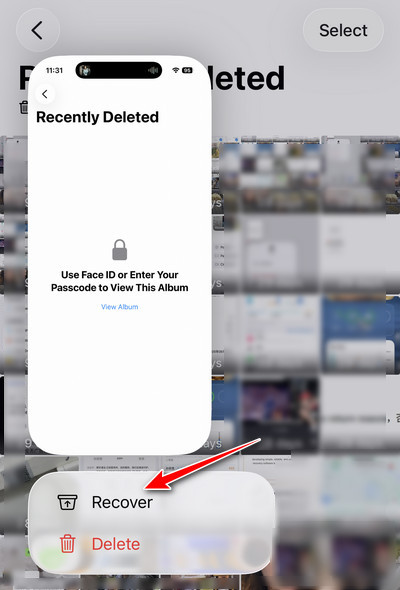
Apple provides the Recently Deleted folder feature. Items such as photos, notes, messages, files, and more will go to this folder first and stay there for about 30 days. Once the time limit expires, they will be permanently deleted.
You can try this method if the data was deleted recently. The steps are simple as well. Usually, you can see a clearly labeled Recently Deleted option.
Restore from iCloud Backup
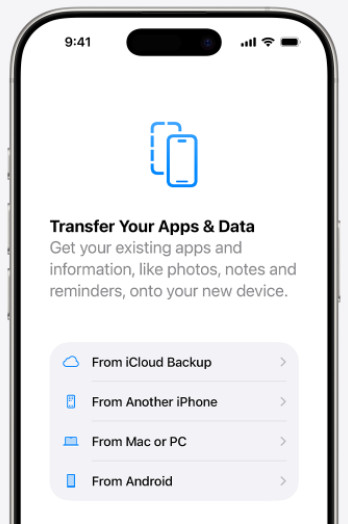
Apple also offers the iCloud Backup option. If you have turned on iCloud Backup beforehand, you can restore your data from the backup after data loss. However, this method involves erasing all your content and data on your device. It is better to back up your current device data before you start. Then, you can choose From iCloud Backup on the setup screen.
Recover from Computer Backup
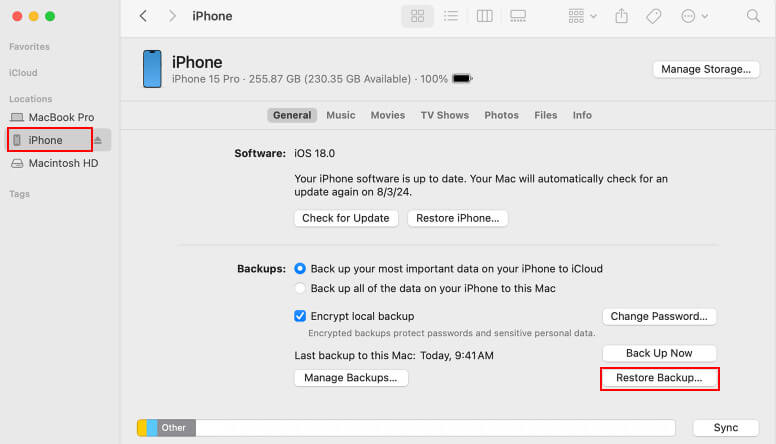
You can also restore data from local computer backups. Use Finder on macOS Catalina (10.15) or later, and use iTunes on older Mac versions or Windows. Note that this method will overwrite your current data, so back up important data in advance.
Then you can connect your iPhone or iPad to your computer and open iTunes or Finder. Select your device and choose to restore from a backup.
Part 3. Top 3 Tested iOS Data Recovery Software
If your iOS data is permanently deleted (removed more than 30 days ago) and you do not have an iCloud or computer backup, do not worry. You can still recover your iOS data using dedicated iOS data recovery software instead. These tools can scan your device directly for recoverable data. As long as new data has not overwritten the deleted data, recovery is possible. Next, we will introduce three useful tools: Apeaksoft iPhone Data Recovery, EaseUS MobiSaver, and iMobie PhoneRescue.
To get an objective conclusion, we tested all three tools under the same conditions. We used the same iPhone and emulated the same set of deleted data to evaluate their scanning and recovery performance.
- Device Used: iPhone 16 Pro Max (iOS 27)
- Data Deleted: Photos, messages, contacts, notes
- Recovery Checked: Scan, preview, and selective recovery
| Software | Best for | Data Types | Supported iOS Versions | Preview | Selective restore | Price |
| Apeaksoft iPhone Data Recovery | Direct device scan and backup extraction | 20+ types, including photos, messages, contacts, notes, call history, and more | iOS 5-27 | Yes | Yes | $27.45/Month; $65.96/Lifetime |
| EaseUS MobiSaver | Beginners and simple recovery | Photos, videos, contacts, messages, and more | Not specified | Yes | Yes | $59.95/Month; $99.95/Lifetime |
| iMobie PhoneRescue | Advanced recovery and iOS troubleshooting | Photos, messages, contacts, notes, app data, and more | iOS 5-27 | Yes | Yes | $45.99/Quarter; $69.99/Lifetime |
Tips: Prices are subject to change. Please refer to the official website of each iOS data recovery tool for the latest pricing.
Apeaksoft iPhone Data Recovery - Best Overall
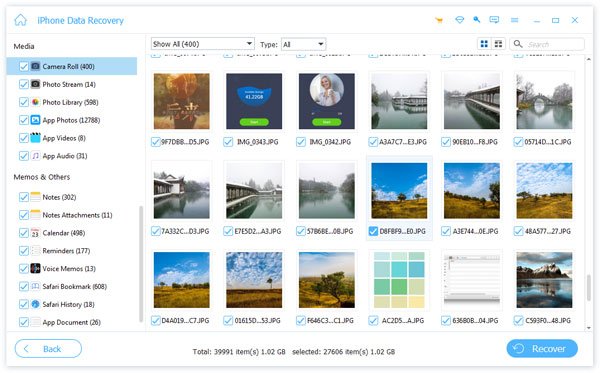
Apeaksoft iPhone Data Recovery performed best overall in our test. If you are looking for a cost-effective option, it is worth considering. It can directly scan your iPhone or iPad for recoverable photos, messages, contacts, and more. You don't need a backup. Its easy workflow provides a smooth experience as well. Generally speaking, it is suitable for most users.
Secure Download
Secure Download
- It can scan your iPhone or iPad directly for recoverable data without backups.
- You can preview the files before recovery to make sure they are what you need.
- You can selectively choose what you need to recover.
- It may take longer if your storage is too large.
EaseUS MobiSaver - Best for Beginners
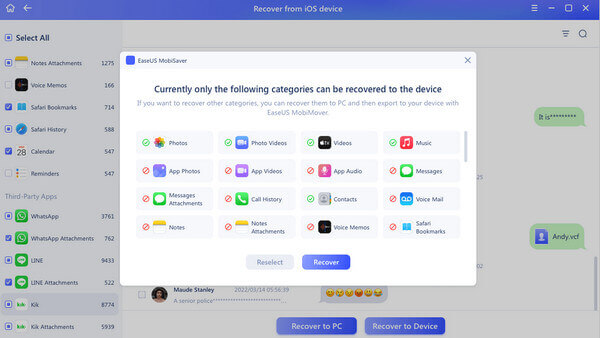
If it is your first time trying iOS data recovery software, EaseUS MobiSaver can be a good choice. The whole workflow is simple and intuitive, and you do not need any technical experience. You can use it to recover your lost photos, messages, contacts, and other important data.
- It displays every step clearly.
- It runs steadily on most iPhone and iPad models.
- It scans common file types fast.
- It is relatively more expensive.
iMobie PhoneRescue - Best for Advanced Cases
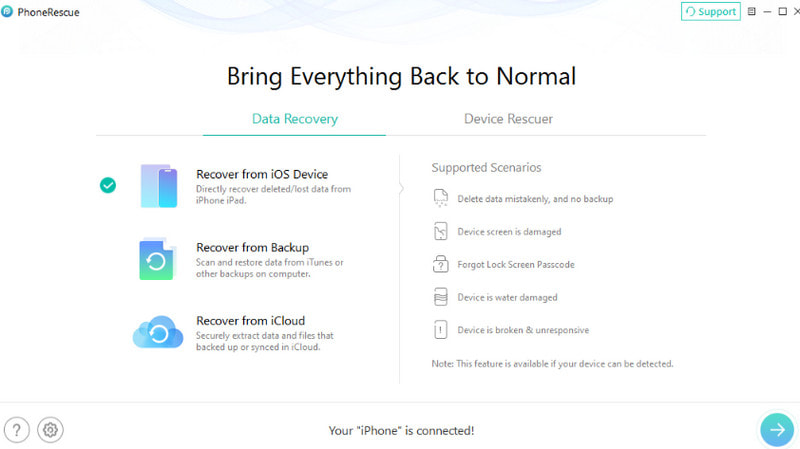
If your iOS data loss is not simply from accidental deletion, but caused by system failures such as failed updates, iMobie PhoneRescue may be a better fit. It can try to repair the related system issues first so that the data inside becomes recoverable. This makes it suitable for trickier recovery cases.
- It can repair relevant system issues.
- It handles complex recovery scenarios well.
- It works well on newer iOS versions.
- Full recovery requires a paid license.
Conclusion
This article introduces different iOS data recovery tools, including official ways, such as iCloud or computer backup, and third‑party recovery software, such as Apeaksoft iPhone Data Recovery and EaseUS MobiSaver. We have explained when they are useful and compared each option's strengths and limitations for your reference. Hope you can find the one that helps you the most.
 Apeaksoft iPhone Data Recovery
Recover deleted or lost data from iOS Devices, iTunes, and iCloud backup.
Secure Download
Secure Download
Related Articles