8 Best Photo Recovery Software for iPhone and Android

There are a few reasons why you need a powerful photo recover application for an iPhone or Android device. If you accidentally delete your photo library, the first thing on your mind is whether you can retrieve it. Moreover, factory resetting and hardware damage may lead to photo loss on your mobile device. Whatever the reason, it is always helpful to have a good option for unexpected situations.
PAGE CONTENT:
Part 1: Comparison of Top Photo Recover Apps
| Price | Support Devices | Best for | |
| Apeaksoft iPhone Data Recovery | $27.45 per month, $65.96 lifetime | iPhone 4 to 17 All iPad All iPod Touch | Photo recovery without backup |
| EaseUS MobiSaver | $59.95, $79.95 | iPhone 11 to 15 All iPad iPod Touch 6/5/4 | Preview deleted photos |
| iMobie PhoneRescue | $45.99 quarterly, $49.99 yearly, $69.99 lifetime | iPhone 17 and earlier All iPad All iPod Touch | Camera Roll Recovery |
| Ultdata | $45.95 monthly, $49.95 yearly, $65.95 lifetime | iPhone SE to 17 All iPad iPod Touch 7/6/5/4/3/2 | Complete photo recovery |
| ApowerRescue | $39.95 quarterly, $49.95 yearly, $69.95 lifetime | iPhone 5c to iPhone X iPad Pro/2/Air/Air 2/mini 4/mini 3/mini 2/mini | iPhone data recovery |
| DiskDigger | $14.99 | Android 2.2 or higher | Photo recovery on Android without computer |
| Dumpster | Start at $15 | Android 6.0 or higher | Photo recovery on SD |
| Undeleter | Free | Android 9.0 or higher | Photo recovery on memory |
Part 2: Top 5 iPhone Photo Recovery Applications
Top 1: Apeaksoft iPhone Data Recovery
A good iPhone photo data recovery should be easy to use. Moreover, it should be able to recover as many photos as possible. Apeaksoft iPhone Data Recovery is one of the best options since it can meet almost all your needs. Plus, the intuitive interface lets ordinary people learn quickly.
- 1. Recover photos from Camera Roll.
- 2. Get back app photos quickly.
- 3. Open iTunes or iCloud backup for photo recovery.
- 4. Preview photos before recovery.
- 5.Support a wide range of photo formats.
- 1. It takes a while if you take lots of high-quality photos.
Here are the steps to recover photos on your iPhone:
Step 1. Scan your iPhone
Start the best photo recovery software for iPhone after installing it on your PC. There is another version for Mac. Hook up your iPhone to your PC with a Lightning cable. For iOS 13 and later, enter your iPhone passcode. Choose Recover from iOS Device and click the Start Scan button.
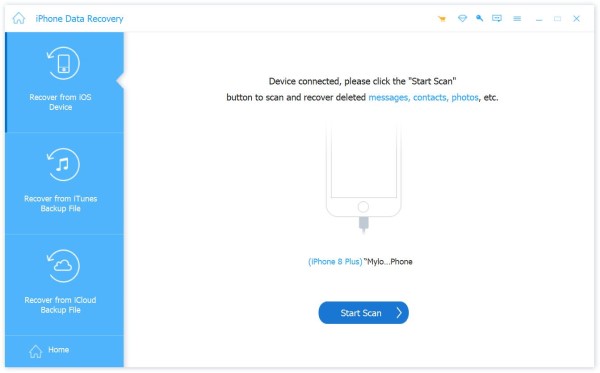
Tips: To recover photos from iTunes or iCloud backup, choose Recover from iTunes Backup File or Recover from iCloud Backup File.
Step 2. Preview photos
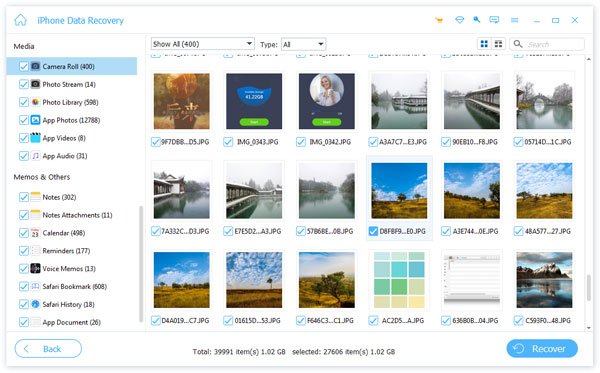
When the photo scan finishes, go to Camera Roll on the sidebar. Then, preview the photos recoverable. If there are too many photos, choose Show Deleted Only from the top option.
Step 3. Recover iPhone photos
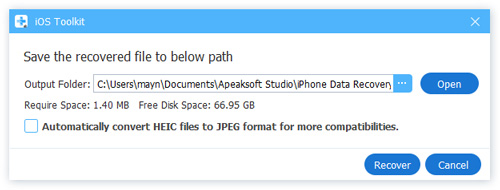
Select the photos you want to recover and click the Recover button. Then, set the output folder and hit Recover. You can also select the Video tab to recover deleted videos.
Top 2: EaseUS MobiSaver
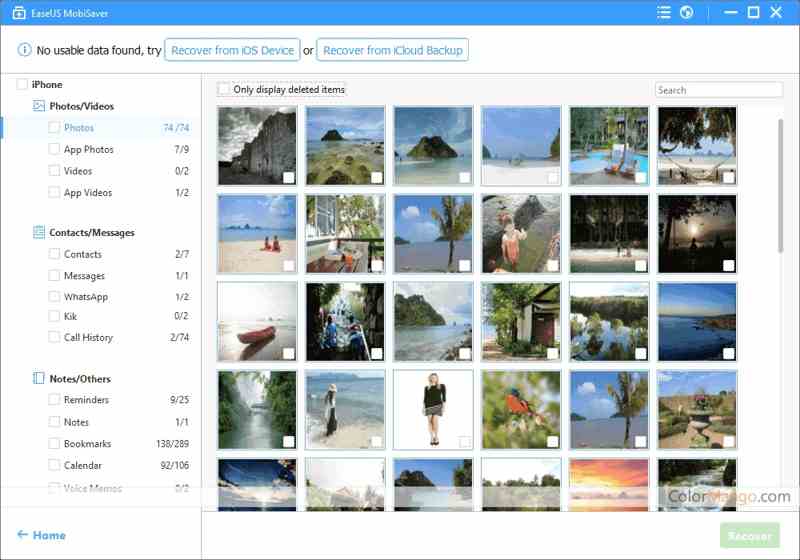
EaseUS MobiSaver is a powerful iPhone photo data recovery. It helps you retrieve lost or deleted photos and other data types on your iPhone and iPad. It works for accidentally deleted and formatted data.
- 1. Integrate a user-friendly interface.
- 2. Compatible with a wide range of devices.
- 3. Offer multiple recovery modes.
- 4. Support preview and selective recovery.
- 1. It requires a computer.
- 2. The pricing structure is odd.
Top 3: iMobie PhoneRescue
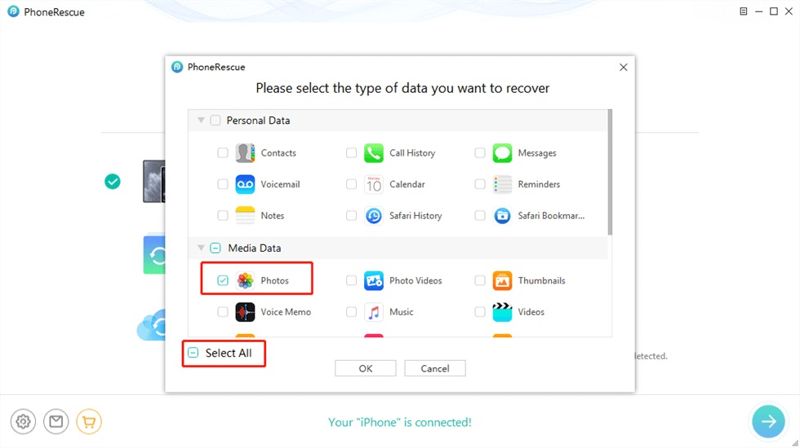
As a comprehensive iPhone photo recovery software for iPhones. It runs on computers and scans cable-attached mobile devices. In addition to photos, it is available to videos, messages, and more.
- 1. Recover photos from iPhone.
- 2. Open iTunes or iCloud backup for photo recovery.
- 3. Get back recently deleted photos quickly.
- 4. Safe and easy to use.
- 1. There is limited recovery control.
- 2. The image quality is poor.
Top 4: Ultdata
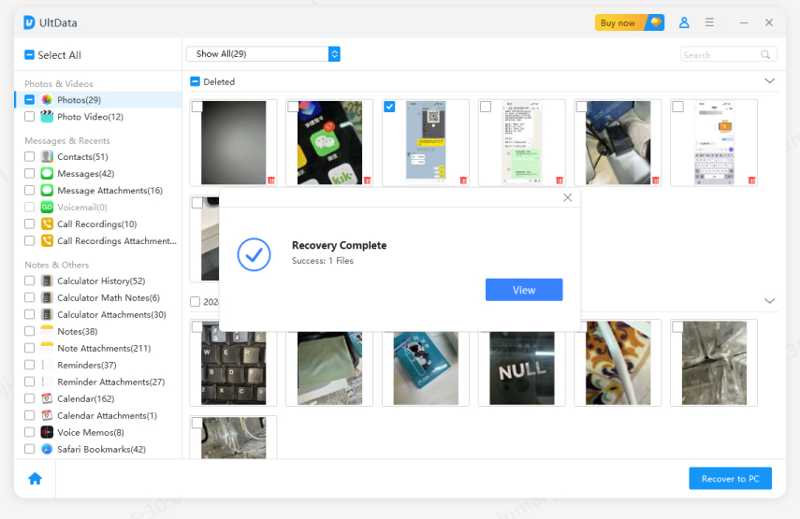
Ultdata is a desktop iPhone photo recovery application released by Tenorshare. It can recover lost photos from an iPhone, iPad, or iPod Touch. It was designed for both beginners and experienced users.
- 1. Compatible with a wide range of devices.
- 2. Offer excellent customer support.
- 3. Cover a variety of photo formats.
- 4. Offer impressive speed.
- 1. The success rate is inconsistent.
- 2. Customer response delay.
Top 5: ApowerRescue
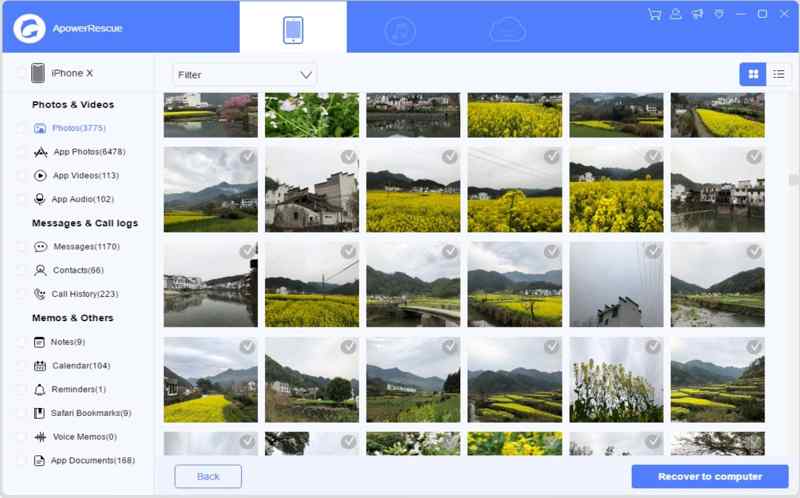
If you are looking for a versatile iPhone photo recovery application, ApowerRescue is a good option. It can recover various types of data from iOS devices, including photos, videos, and other media files.
- 1. Only scan and recover photos.
- 2. Support many file types.
- 3. Preview photos before recovering.
- 4. Restore photos without overwriting your device.
- 1. The scan and recovery speed is slow.
- 2. It may not recover all photos.
Part 3: Top 3 Android Photo Recovery Apps
Top 1: DiskDigger
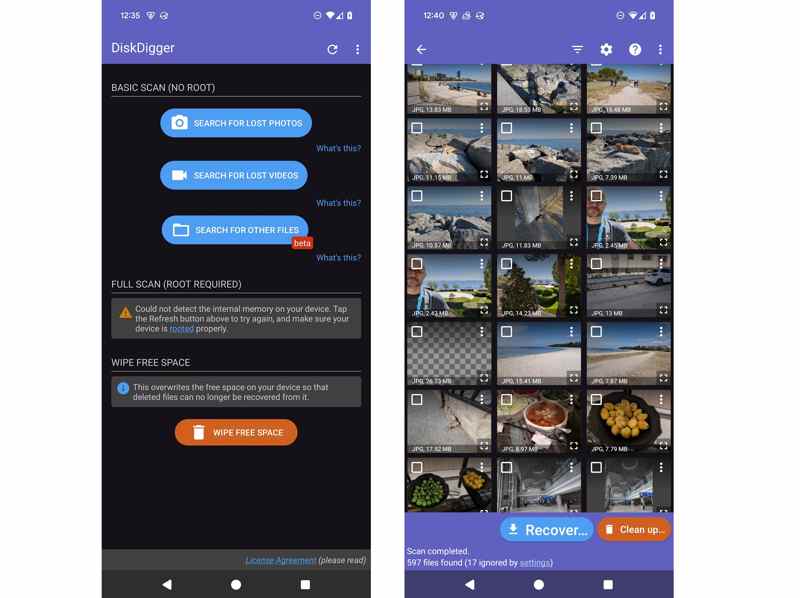
DiskDigger is a photo recover app for Android users. It can scan your phone memory and SD card at a deep level. It means the app can recover as much data as possible. It also allows you to preview the recoverable photos.
- 1. Recover photos without a computer.
- 2. Integrate deep scanning capability.
- 3. Preview the recovered photos.
- 4. Provide an affordable price.
- 1. The scan options are limited.
- 2. It is only available on Android.
Top 2: Dumpster
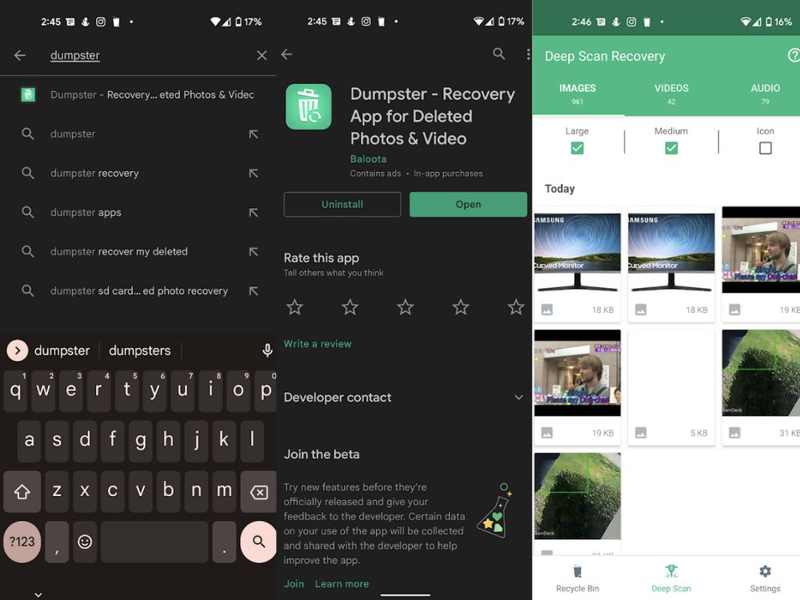
Dumpster is both a recycle bin and a photo recover app for Android. It is able to recover deleted photos and other files from your device or SD card. Moreover, it allows you to decide how long the app should keep the lost photos.
- 1. Support JPG, RAW, MP4, etc.
- 2. Run in the background.
- 3. Work as the recycle bin.
- 4. Display a preview of photos.
- 1. It takes storage.
- 2. It lacks a free version.
Top 3: Undeleter
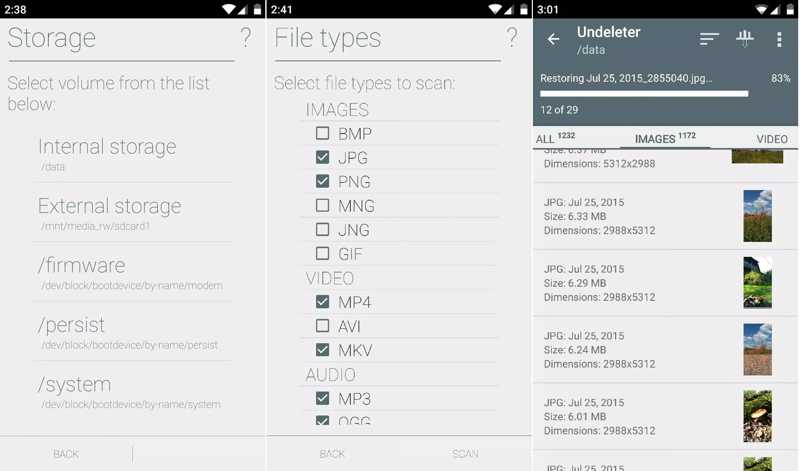
Undeleter is another Android phone photo recovery app. It retrieves deleted photos from your phone's internal memory and SD card. In addition to scanning your phone, it can back up your photos in Dropbox and Google Drive.
- 1. Free to use.
- 2. Deep scan photos on Android.
- 3. Recover lost photos.
- 4. Offer two recovery modes.
- 1. The success rate is not good.
- 2. It is only available for recently deleted photos.
Conclusion
This article reviewed and shared the top 8 best photo recovery software for iPhone and Android devices. Some of them require a computer. Others can work on your mobile device directly. You can pick an appropriate one according to our review and your situation. Apeaksoft iPhone Data Recovery is the best option for beginners.
Related Articles