Best Free Online Video Repair Tools to Fix Corrupted Videos

If your video won’t play, freezes, or shows glitches, it may be corrupted. Free online video repair tools provide a quick and accessible way to fix broken video files without downloading software.
In this guide, we’ll explore the best free online video repair solutions, compare their features, and explain how to repair corrupted videos effectively.
PAGE CONTENT:
Part 1: A Quick Overview of Free Online Video Repair Tools
| Tool | Free Limit | Formats | Success Rate | Best For |
| Clever Online Video Repair | Unregistered: up to 3 videos total, repaired files stored for 24h Registered: up to 10 videos total, stored >3 days; max 20 GB per file | MP4, MOV, 3GP, M4V, M4A, F4V, GIFV, QT | 70% – 85% | Browser-based repair of common corrupted videos |
| EaseUS Online Video Repair | 1 free video per day; <100 MB per video | MP4, MOV, M2TS, MKV, MTS, 3GP, AVI, FLV, M4V, etc. | 60% – 80% | Free online repair for small corrupted videos |
Part 2: 2 Best Free Video Repair Tools Online (with Steps)
1. Clever Online Video Repair (repair.cleverfiles.com)
Clever Online Video Repair is an online tool designed to fix corrupted or damaged videos directly in your browser. First, users can upload their damaged AVI video files directly to the online platform, which is usually straightforward and user-friendly. Moreover, its quick repair technology is suitable for fixing minor corruptions or simple errors within the video file. To use Clever Online Video Repair, here is a step-by-step tutorial you can follow.
Key Features
- No Software Installation: Repair videos directly in the browser.
- User-Friendly Interface: Simple and clean UI for users of all skill levels.
- Wide Format Support: Fix corrupted MOV, MP4, AVI, 3GP, and more.
- Quick Repair: Handles minor corruptions efficiently.
- Preview Function: Lets you watch the repaired video before downloading.
Detailed Guide
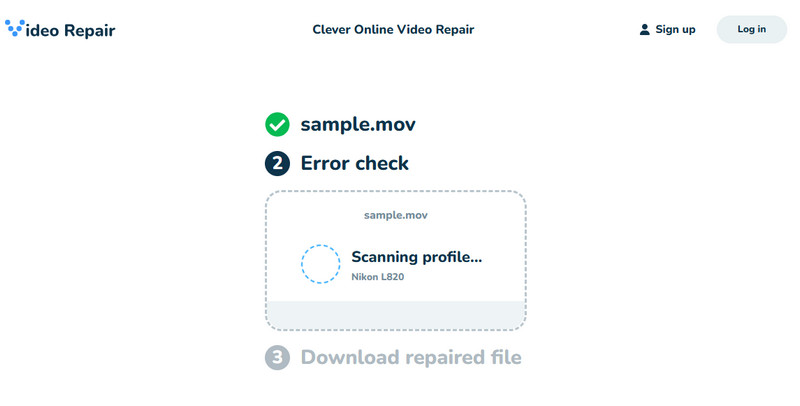
Step 1. Go to its official website.
Step 2. Click the Choose file button.
Step 3. Upload your corrupted video file.
Step 4. Preview the effects and press the Download button.
- Online - no installation needed.
- Clean and intuitive interface.
- Multiple common video formats.
- Free repair only works for videos that have minor corruption and meet supported formats and size limits.
- Free repair may not fix severe corruption.
2. EaseUS Online Video Repair (repair.easeus.com)
EaseUS Online Video Repair is a powerful yet user-friendly software tool that repairs corrupted video files. Regardless of the reason for the damage or corruption, the app employs an advanced algorithm to analyze and fill in the gap in every damaged video. It supports repairing corrupted MP4, MOV, AVI, MKV, M2TS, and 3GP. The tool allows you to upload videos directly to your browser. It is ideal for quickly fixing minor corruption and simple playback errors.
Key Features
- Browser-based repair - no software installation required.
- AI automatic video repair - Uses advanced AI algorithms to automatically repair corrupted videos in your browser.
- Wide format support - MP4, MOV, AVI, MKV, MTS, TS, M2TS, 3GP, FLV, MPEG, and more.
Detailed Guide
Step 1. Open its official website.
Step 2. Click the + button to upload your damaged video files.
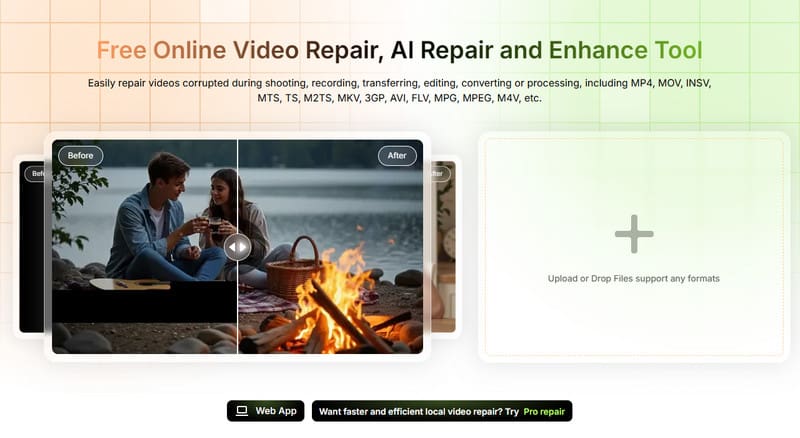
Step 3. Click Repair in the top-right corner.
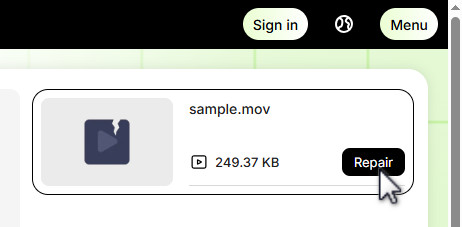
Step 4. Preview the repair effects.
Step 5. Click Download to save the repaired file.
- Online, convenient, and fast.
- Suitable for users with limited technical experience.
- Quick repair for minor corruption or simple playback errors.
- Preview the results before downloading.
- Repair only one video at a time online.
- Free online video repair is limited.
- It may not be suitable for large or severely corrupted video files.
Part 3: Best Desktop Alternative for Severe Corruption (Optional)
If your video suffers from severe corruption that online tools cannot fully fix, a desktop video repair software is your best option. Desktop video repair software operates directly on your computer, utilizing its processing power and resources. Among popular video repair tools on the market, Apeaksoft Video Fixer is an ideal option.
Key Features
- It utilizes GPU acceleration, ensuring faster performance than online tools, which require uploading, processing, and downloading the repaired file.
- It typically offers different repair modes, such as Quick Repair and Advanced Repair, to cater to various levels of video corruption. Users can choose the appropriate repair option based on the severity of the issue, allowing for a more targeted and efficient repair process.
- It supports videos shot by different devices, including cameras, mobile devices, GoPro, Drones, etc.
- Apeaksoft Video Fixer software stays up-to-date with the latest video formats and technologies, improving its overall efficiency and effectiveness in repairing video files.
- Playing the repaired broken file on the tool itself is doable to make sure that the process has been successfully done.
Secure Download
Secure Download
User Guide
Step 1. Initialize the process by pressing the Download button above. Ensure that the right installer for your operating system is appropriate.
Step 2. Click Plus on the left panel and select the corrupted video on your computer. On the other panel, upload a perfectly working file that contains the same format as the corrupted video. This will serve as the pattern of the tool once the process begins.
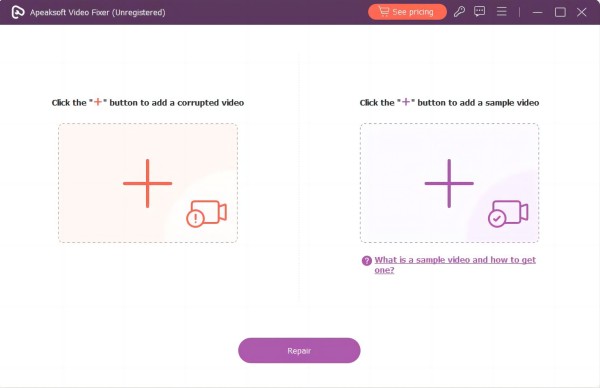
Step 3. Hit the Repair button. This way, Apeaksoft Video Fixer will analyze both uploaded videos.
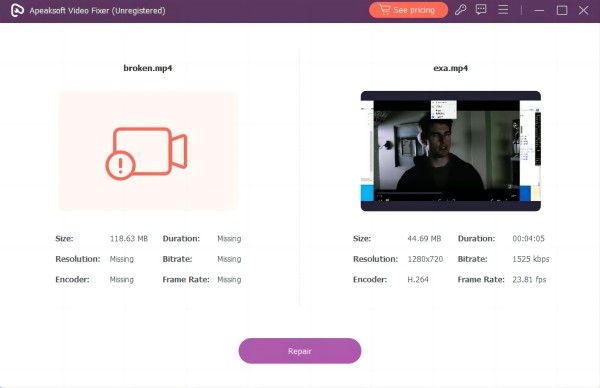
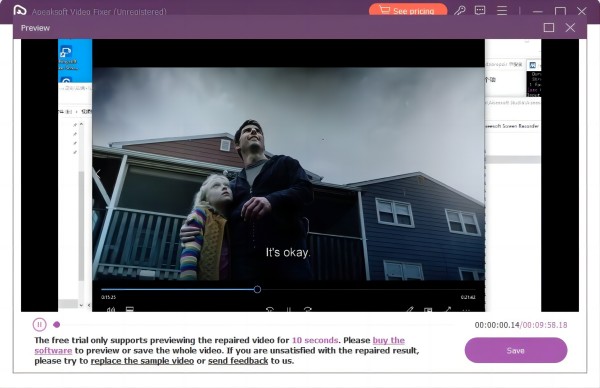
Step 4. You can check your fixed video by clicking the Preview button. Once you are satisfied with the result, choose the local directory of your file and hit Save.
Part 4 FAQs About Free Online Video Repair
Can severely corrupted videos be repaired?
Yes. But you'd better use desktop software to repair severely corrupted videos because online repair is best suited for minor corruption or playback errors, while desktop tools use more advanced algorithms and system resources to handle complex damage.
Can I repair multiple videos at once online?
No. Online tools usually handle one video at a time. Batch repair is only available in desktop versions of the software.
Why do online video repair tools fail?
The reason why the online tools don't work might be due to file size limitations, unsupported formats, severe damage, or network/upload issues.
Is there an app to fix a broken video?
Several apps claim to repair corrupted video files on Android and iOS platforms. However, please note that the effectiveness of these apps can vary depending on the level of corruption in the video file. You can try a few apps: Video Repair Tool, MP4Fix Video Repair Tool, Stellar Repair for Video, etc.
Conclusion
Free online video repair tools provide an easy and convenient way to fix minor video corruption, small playback errors, or unsupported frames directly in your browser. Tools like Clever Online Video Repair and EaseUS Online Video Repair make the repair process easy and software-free.
However, if you want to fix large or severely corrupted videos, a desktop solution like Apeaksoft Video Fixer is necessary.
 Apeaksoft Video Fixer
 Fix corrupted, damaged, choppy videos files in clicks.
Secure Download
Secure Download
Related Articles