

How to Bypass Google FRP Using addROM FRP Bypass Tools

Key Takeaways
- addROM FRP Bypass is an unofficial method based on APK to remove FRP locks mainly on older Android 6-9.
- You should use another phone to assist you.
- The success rate depends heavily on device model and security patch level.
- Although it is free, but the process is complicated.
- It is recommended to use PC-based FRP tools for Android 10 and above in 2026.
FRP (Factory Reset Protection) is a security feature that locks Android devices after a factory reset. Many users search for tools like addROM FRP when they are stuck on Google verification screen.
Is addROM FRP safe? Does it still work in 2026? This article explains what addROM FRP is, its compatibility, and the risks and limitations so that you can figure out if this method suits you well and decide whether to use it or not.
PAGE CONTENT:
Part 1: What Is addROM FRP
What is addROM FRP? addROM is a website that offers many tech tips for Android and iOS users. You can learn how to unlock many restrictions on your phone, especially how to bypass the Google lock on Android phones. It offers many FRP addROM Bypass APK, guides, and other FRP bypass programs.
You can get a lot of tech tips, programs, and tech news on the addROM FRP website. As for the third-party bypass programs recommended, this website also offers detailed reviews and guides. However, when you want to go further about the FRP Bypass addROM APK, you won't find other useful information unless the APK file, which may indicate that this website has suspended support for its Android app.
Key Features of addROM FRP
The addROM website provides various Android-related tools and guides, including FRP bypass APK files.
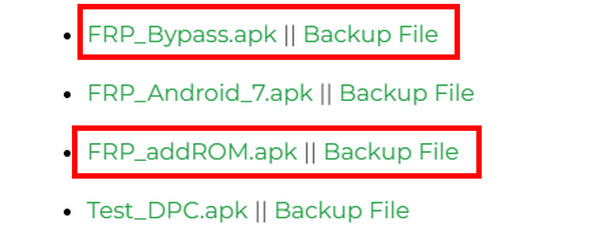
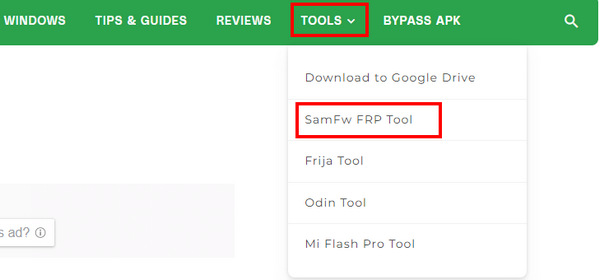
In some cases, you can also view other desktop bypass programs on the addROM FRP website. You can click the Tools button to view them. But those programs are third-party and are not officially developed or maintained by addROM.
Part 2: Pros &Cons of addROM FRP Bypass Tool
After conducting tests on various Android devices, it was found that the actual effectiveness varies depending on the device model and system version. It may run smoothly on older devices, but its performance may become unstable on newer Android versions with updated security patches. Below is our addROM FRP review based on our own testing experience and forum feedback.
- No PC or additional software installation needed during the FRP bypass process.
- All the tools are really free to get.
- You don't need perform deep system-level modification.
- Effectiveness is limited on our tested devices on Android 10 and higher versions.
- We can't find official user support from the website.
- Using it to bypass the Android FRP lock may void your device’s warranty.
- Steep learning curve for beginners.
- Improper operations may bring risk of bricking.
Part 3: How to Download and Use the addROM FRP Bypass Tool
addROM is an APK-based FRP bypassing method that attempts to bypass Google verification by triggering system-level redirects through browser or app entry points. This section provides a general guide on how to use the addROM FRP tool on older Android devices with incomplete security patch updates. It is recommended for use on Android Lollipop 5.1, Marshmallow 6.0, Nougat 7.0, Oreo 8.0, and Pie 9.0. Its performance on Android 10 and above is limited.
Test Environment
Devices: Samsung Galaxy J series / Galaxy A10-A20, Xiaomi Redmi 6-8, Huawei Y series.
Android Versions: Android 6.0 - Android 9.0
Internet condition: Stable internet access
Before You Start
- There is a SIM card inserted in the locked device.
- Prepare another normal Android phone.
- You have read the risks regarding data loss and account security.
- Be aware that the success rate is not guaranteed, especially on newer Android versions.
Success Rate Note
| Android Version | Success Rate |
| Android 6.0 – 8.1 | High |
| Android 9.0 | Medium |
| Android 10-11 | Low |
| Android 12+ | Very low (Not recommended) |
*Success rates vary depending on Android security patch level and OEM restrictions, which increasingly block APK-based FRP bypass methods on newer versions.
Overall Guide
After reviewing the basic details and possible limitations, if you still choose to use addROM FRP Bypass, this section will walk you through the general steps of the process. This process requires another Android phone.
Please refer to the detailed guide to addROM FRP Bypass below carefully:
Step 1. Please insert a SIM card into your FRP-locked phone first.
Step 2. Use another Android phone and visit the official website of addROM FRP (https://addrom.com/bypass/).
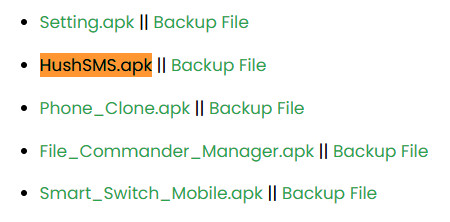
Step 3. Tap the HushSMS.apk.
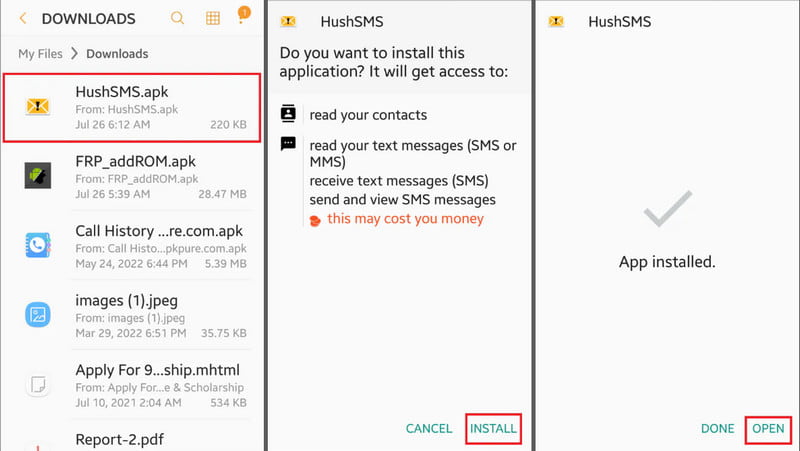
Step 4. Install the APK file. You may need to allow the unknown installation in your settings.
Step 5. Launch the program and tap WAP PUSH SL. Enter the phone number of your FRP-locked phone in the recipient field. In the message box, type www.youtube.com/@addROMcom. Then, tap SEND WAP PUSH SL.
Step 6. Then, your FRP-locked phone will show a prompt. Tap the OK button to enter YouTube. Select Menu and then Terms & Privacy Policies in YouTube.
Step 7. Enter addrom.com/bypass in the search box when your page shows a browser page. Select two specific APK files to download: the Google Account Manager (GAM) APK that matches your device’s Android version and the FRP Bypass APK.
Step 8. Launch the FRP bypass APK file after installation. Tap Menu and select Browser sign-in. Use a new Google account to sign in.
Step 9. Restart your device, and the FRP lock should be removed.
Part 4: Is addROM FRP Safe to Use
Whether it is safe to use addROM FRP bypass tool depends on the source of the files, device condition, and how the process is performed. Since it is from a third party, certain risks should be considered before proceeding.
- Unknown or third-party APK files may bring malware.
- Some FRP bypass tools may request sensitive permissions.
- Incorrect operation may cause system errors, app crashes, or a bricked phone.
- Using method such as addROM FRP bypass may void your warranty.
Part 5: Other Options to Bypass FRP When addROM FRP Is Not Working
As mentioned above, the addROM FRP bypass effectiveness drops on newer Android versions with updated security patches. In such cases, users may need to consider other solutions that offer better compatibility and stability. One commonly used alternative is desktop-based FRP unlocking software such as Apeaksoft DroidAide Android Unlocker, iMyFone LockWiper (Android), and more. Compared to APK-based methods, this method relied on a USB connection between your locked phone and a PC.
These types of PC-based FRP bypass tools often
- Support a wider range of Android versions compared to APK-based methods.
- 24/7/365 customer support available for assistance.
- Provides a guided interface instead of manual step-by-step exploits.
- Bypass the FRP lock with an automated workflow.
| Features | addROM FRP | PC-based FRP Software |
| Required device | A second Android phone | A Windows/Mac computer |
| Installation | APK installation on device | Software installation on the desktop |
| Compatibility | Mainly older Android versions (Android 6-9) | Wider Android version (Newer Android Versions) |
| Ease of Use | Multiple manual complex steps | Guided interface |
| Technical Skills Needed | Advanced | Basic |
Step 1. Get Apeaksoft DroidAide Android Unlocker from the link above for free.
Secure Download
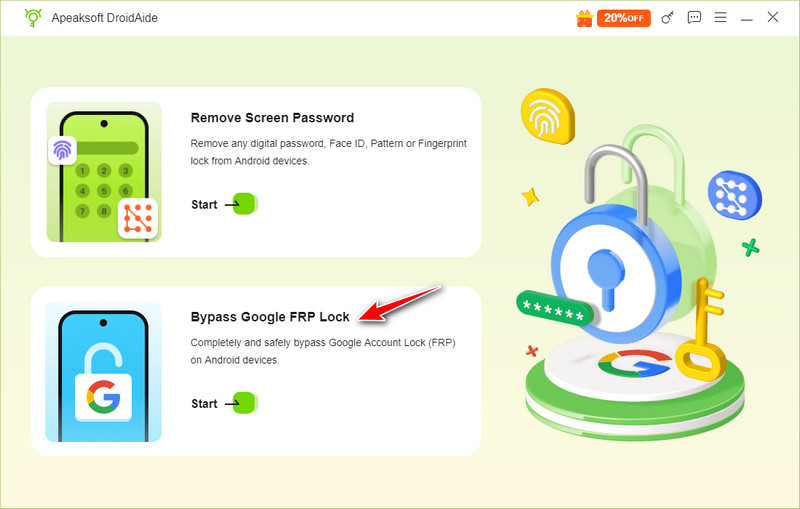
Step 2. Choose the Bypass Google FRP Lock option on the main interface.
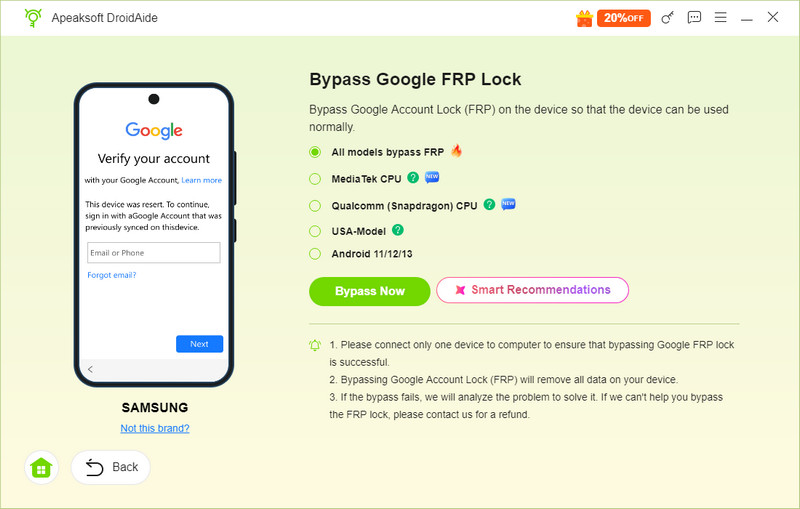
Step 3. Connect your device to the computer with a USB cable, check your phone’s model, and then click Bypass Now.
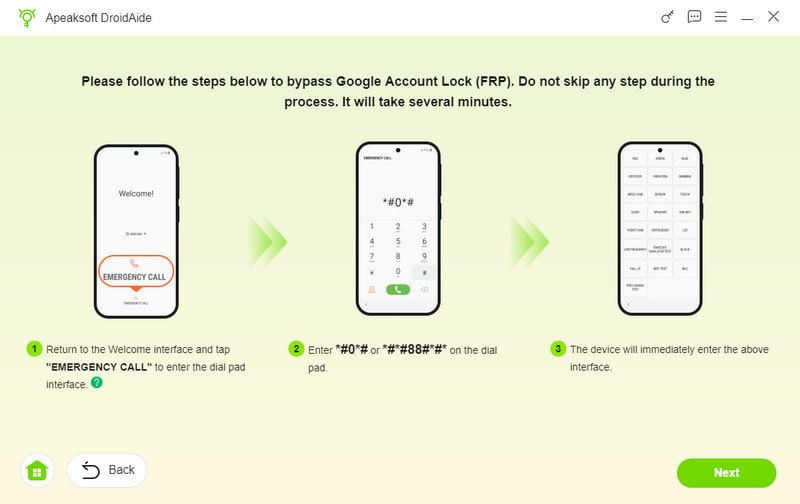
Step 4. Follow the instructions on the interface to set up your Android phone. Then, you can easily bypass FRP in Schok, Samsung, TCL, Motorola, or other Android brands.
Part 6: FAQs of addROM FRP
Does addROM stop service?
No, it doesn't. It keeps its websites running and offers many useful tools and tips. However, this website seems to put less effort into addROM FRP Bypass.
Can I download an addROM FRP Bypass desktop program?
No, you can't. addROM doesn't offer its official desktop program to unlock FRP. It offers links to other desktop FRP bypass tools. If you intend to use a desktop program, please try Apeaksoft Android Unlocker.
Is FRP Bypass addROM APK suitable for newer Android versions?
Unfortunately, by 2026, the addROM FRP bypass APK has become largely unreliable on most modern Android devices due to continuous security updates and system restrictions.
Conclusion
This post provides a detailed review of the addROM FRP Bypass tool. Overall, the compatibility is limited and performance on newer versions is often inconsistent due to updated security patches.
Therefore, it is recommend to desktop-based tools such as Apeaksoft DroidAide to bypass the Google Account lock. But results can still vary depending on the device model and Android version.
Disclaimer
We would like to remind you again that using the addROM FRP Bypass tool will void the device’s warranty. Improper use may lead to data loss. Meanwhile, please ensure that you comply with all applicable local laws and regulations.
 Apeaksoft DroidAide
 Unlock your Android passwords and bypass the FRP lock easily.
Secure Download
Related Articles