

Using 4 Methods to Bypass Samsung FRP Within 2 Minutes

FRP is an abbreviation for Factory Reset Protection, which is a built-in security feature on your Android device with version 5.1 (Lollipop) and higher. As its name implies, it will protect your Android devices from factory resetting by unauthorized persons. However, it can be an obstacle when you forget your Google account password. Luckily, this post will introduce 4 Samsung FRP tools to perform a Samsung FRP bypass easily.
Legal disclaimer: All the Samsung FRP bypass steps mentioned in this article are only for the device that you legally own or have explicit authorization to access. Bypassing FRP on lost, stolen, or unlawfully obtained Samsung devices is strictly prohibited and may violate local laws and regulations.
PAGE CONTENT:
Part 1: Why There Is a Samsung FRP Lock
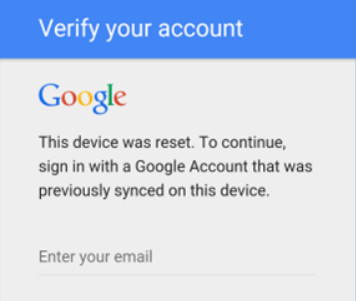
Just as stated at the beginning, FRP is a security feature introduced by Google to protect your Android device from unauthorized access from version 5.1 (Lollipop). The Samsung FRP lock will be triggered when you have factory reset your Samsung phone without removing the Google account in advance. You will see a prompt asking for login credentials when you want to access your Samsung phone.
Part 2: Best Way to Bypass the Samsung FRP
What to do if you are locked out by the Samsung FRP lock and happen to forget your Google account password? That’s when you need a third-party Samsung FRP bypassing tool. Based on our tests and user feedback, Apeaksoft Android Unlocker is one of the most reliable options. It is a powerful and effective Samsung FRP bypass tool on the market. With it, you can make a Samsung FRP bypass without a password. But you should note that it can only be used on a PC, and the Mac version is still in development.
Bypass Samsung FRP with One Click
- One click to bypass the Samsung FRP lock without a Google account.
- Unlock early Samsung phones without data loss.
- Support all Samsung models and most other Android models as well.
- A high success rate of up to 99.8%.
Secure Download
How to Bypass the FRP lock on Samsung with Apeaksoft Android Unlocker:
Step 1. Free download this Samsung FRP bypass tool from the link above.
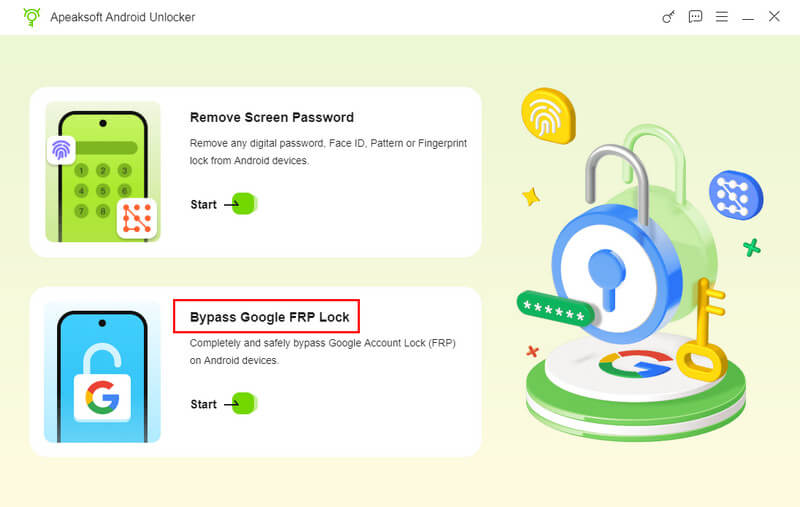
Step 2. Click Bypass Google FRP Lock on the main interface.
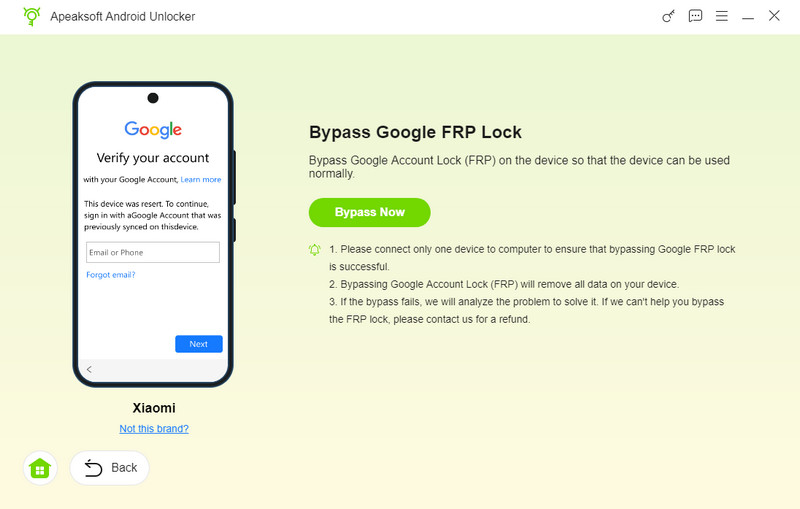
Step 3. Connect your device and choose your phone’s model. Click Bypass Now.
Step 4. Follow the on-screen instructions to turn on the USB debugging mode.
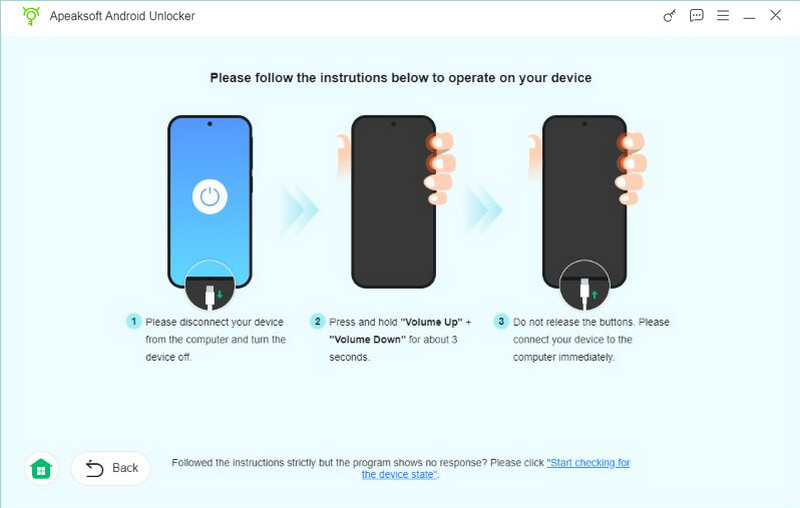
Step 5. Follow the given instructions to activate the environment configuration and wait for the removal.
Tips: Please note that our testing environment is based on several Samsung devices, including Samsung Galaxy S10 (Android 10), Galaxy A12 (Android 11), and Galaxy A52 (Android 12). All tests were conducted on Windows 10 (64‑bit) PCs using official USB cables. The actual performance and success rate of the FRP bypass tools may vary depending on your specific Samsung model, Android version, and security patch level.
Part 3: 3 Other Reliable Ways for Samsung FRP Bypass
If you’re looking for alternatives to using third‑party software like Apeaksoft Android Unlocker, there are several other reliable methods to bypass the Samsung FRP lock.
Top 1: iToolab UnlockGo Android
iToolab UnlockGo Android is a Samsung FRP bypass tool. You can bypass Samsung FRP on Android 5-13. This tool can help you practice Samsung Galaxy/A12/A11/A03 FRP bypass in a few clicks. You can check its usage, pros, and cons below.
- All-in-one Samsung Factory Reset Protection bypass tool.
- High compatibility with all models of Samsung and other 15 Android brands.
- Serves as an easy FRP bypass tool, and it has a higher success rate.
- You cannot bypass the FRP lock on Samsung using the free version.
- When you perform the FRP bypass feature, it could cost you more time.
How to Perform FRP Bypass on Samsung Using iToolab UnlockGo Android:
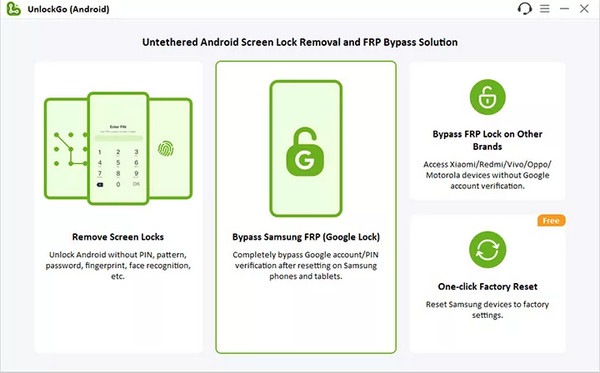
Step 1. After downloading and launching the product on your computer, click Bypass Samsung FRP (Google Lock) and click the Start button.
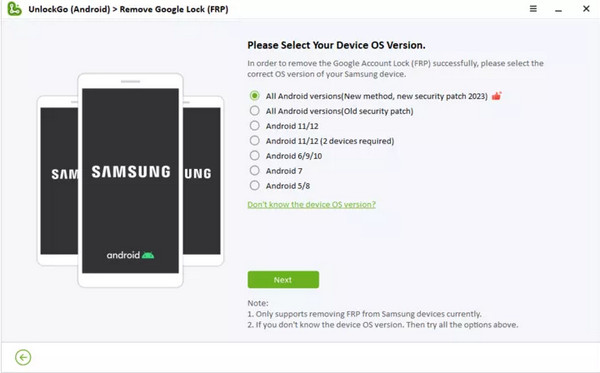
Step 2. Connect your Samsung phone via a USB cable. In the new window, you should choose the corresponding Android OS version based on your Samsung device. Or you can directly click the All Android versions option and click the Next button to continue.
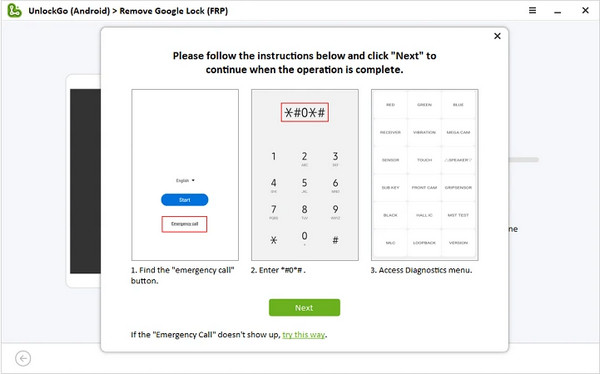
Step 3. Follow the on-screen instructions to access the Samsung Diagnostics menu. Click the Next button, and the program will enable USB debugging on your device.
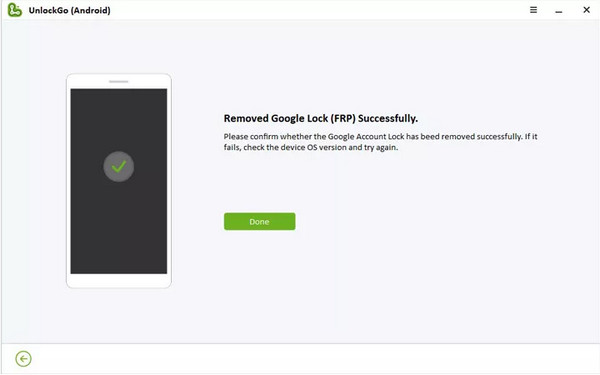
Step 4. Within several seconds, your Google FRP lock will be removed!
Top 2: iMyFone LockWiper Android
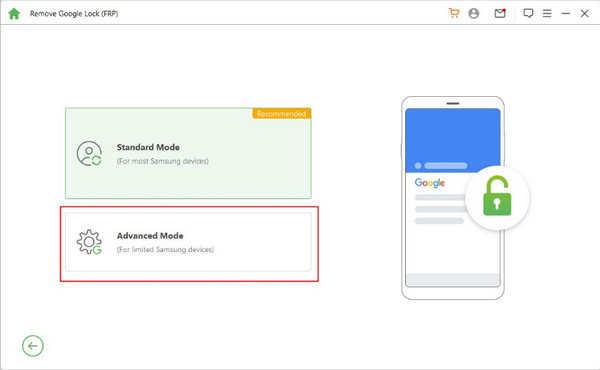
iMyFone LockWiper Android can bypass the Samsung/Xiaomi/Redmi FRP lock screen when you get stuck on the Google account verification screen. You can bypass Google FRP on Samsung using Standard Mode or Advanced Mode.
- You can choose from two features: Remove Google Lock and Remove Screen Lock.
- You can bypass the Samsung FRP lock screen without Google account information.
- This Samsung FRP bypass tool works well with 6,000+ Android devices.
- You can choose from two features: Remove Google Lock and Remove Screen Lock.
- You can bypass the Samsung FRP lock screen without Google account information.
- This Samsung FRP bypass tool works well with 6,000+ Android devices.
How to Bypass Google FRP Lock on Samsung Using This Tool:
Step 1. Download and install this Samsung FRP bypass tool on your computer. You need to pay for a plan to unlock the FRP unlock feature or have a free trial. Then, click the Remove Google Lock (FRP) feature on the main interface. In the new window, click the Advanced Mode to continue.
Step 2. Make sure to update your Android version to the latest. Then, click the Start button and plug your Samsung phone into the computer using a USB cable.
Step 3. The software will detect the information about your Samsung phone automatically. Check the information and click the Next button if correct.
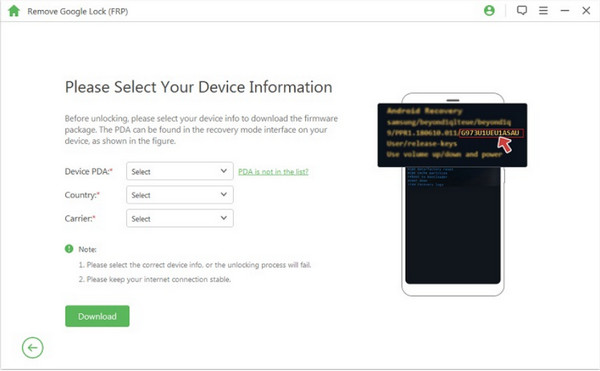
Step 4. You should put your Samsung phone into recovery mode and click the Next button in the new window. Select your device info from the on-screen three options and click the Download button to download a data package.
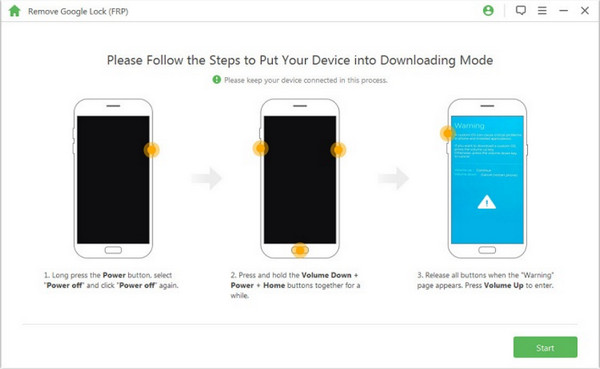
Step 5. Click Start to Extract button to unpack the data package when the download finishes. Once the extraction is done, follow the on-screen tutorial to put your Samsung phone into Downloading Mode and click the Start button. Then, enter 000000 to install this data package on your Samsung phone.
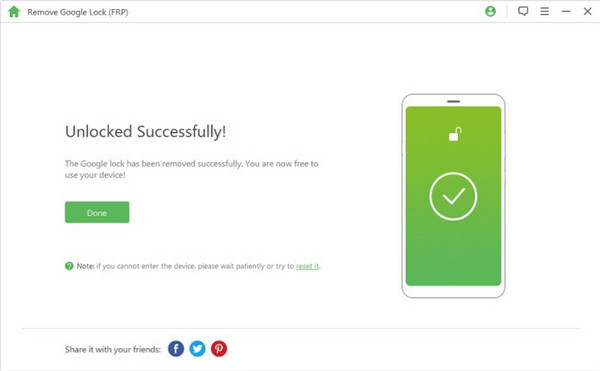
Step 6. Download the firmware package and click the Start to Extract. Then, this tool will start to bypass the Samsung FRP lock.
Top 3: Tenorshare 4uKey for Android
Tenorshare 4uKey for Android is an all-in-one program to bypass the FRP lock and remove the screen lock. This easy Samsung FRP tool can bypass Samsung, Xiaomi, Redmi, Vivo, Realme, Oneplus, Huawei, and Motorola FRP lock without Google account information.
- You can easily bypass the FRP lock and remove the screen lock for Android devices.
- High compatibility with 6,000+ Android devices.
- You can unlock older Samsung devices without data loss.
- Some users complain about its low success rate.
- You need to purchase a license to access its features.
How to Use This Samsung FRP Bypass Tool:
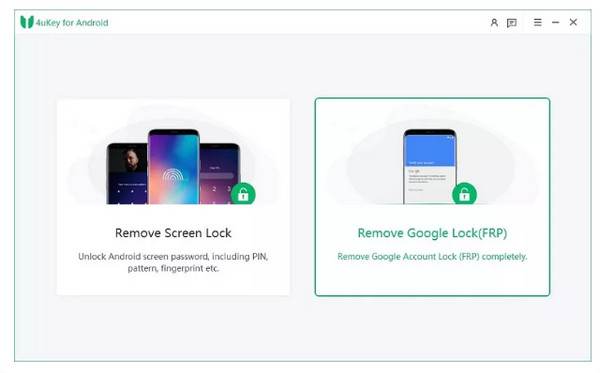
Step 1. Download and install this Samsung FRP bypass tool on your computer. You need to pay for a plan to unlock the FRP unlock feature or have a free trial. Then, click the Remove Google Lock (FRP) feature on the main interface. In the new window, click the Advanced Mode to continue.
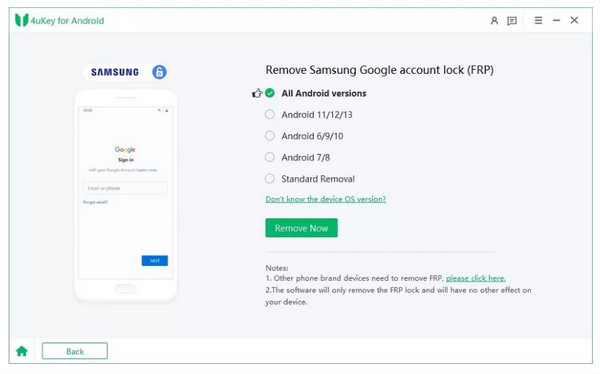
Step 2. Select the corresponding Android version of your Samsung device. Or you can click the All Android versions or Standard Removal to perform FRP unlock with a higher success rate.
Step 3. Then, you should follow the on-screen instructions on how to remove the Samsung FRP lock based on different Android OS versions.
Part 4: FAQs about FRP Bypass Samsung
How can I perform a free FRP bypass on Samsung?
If you want to bypass the FRP lock on your Samsung device for free, you can download MediaTek Universal Tools. Or you can search for some free Samsung FRP bypass APKs on the Internet.
Can I perform a Samsung S22 FRP bypass without a PC?
Yes, you can bypass Samsung S22 FRP without a PC in several ways. First, if you know the Google account information, you can easily bypass the FRP lock. Second, if you have activated Find My Mobile on your Samsung S22, you can use this feature to disconnect your Google account, and the FRP lock will be removed at once.
How do I turn off my Samsung S10 FRP?
Go to the Settings app on your Samsung S10. Tap on the Accounts or Accounts Backup option. Tap the Manage accounts. Then, remove your Google accounts one by one. At that time, your Google Factory Reset Protection is removed as well.
What is the easiest way to bypass the Samsung FRP?
Given comprehensive consideration, we recommend Apeaksoft Android Unlocker for its reliable performance, user-friendly interface, and broad device compatibility.
Can I bypass the FRP lock on all Samsung models?
Not exactly. It depends on your Samsung models and Android versions. Some tools don’t support the latest Samsung models and Android versions.
Conclusion
Now, you can choose a suitable Samsung FRP bypass tool to download on your computer when you forget the Google account information after reviewing our 4 recommendations. Before you want to sell your old Samsung devices, make sure to turn off the FRP lock and remove your Google accounts.
Related Articles
GSMneo FRP is a platform that gathers FRP bypass tools to bypass the Google FRP lock using certain APKs without a computer.
Here, you can learn how to factory reset a locked Android phone in Recovery Mode, using Google Find My Device, and more.
This post offers a practical review of Techeligible FRP, covering how it works, device compatibility, and a comparison of the best FRP bypass alternative.
FRP File is an organized and powerful website that aggregates FRP-related resources, including bypass tutorials, firmware files, and third-party tools.



