
HardReset.info Review: Does It Work for FRP Bypass

If you need to bypass FRP because you forgot your Google account credentials or purchased a second-hand phone that is still locked to the previous owner's account, you may come across HardReset.info while looking for a solution.
This article will review HardReset.info in detail, including what it is, what it offers, how to utilize it to bypass the FRP, and whether they are effective on modern Android devices.
Disclaimer
All FRP bypass operations must be performed only on devices that you legally own or have explicit authorization to access. Attempting to bypass FRP on a lost or stolen device is strictly prohibited and may violate local laws and regulations in certain countries.
PAGE CONTENT:
Part 1: What Is HardReset.info
HardReset.info is a website that provides many tech tips and tutorials for smartphones and electronic devices. It provides step‑by‑step guides for hard resets, Recovery Mode, Fastboot mode access, basic troubleshooting, hidden service codes, IMEI checks, and general tips for smartphones, wearables, routers and other gadgets.
One of its remarkable features is Android FRP removal. For example, it introduces how to unlock FRP on different Android brands using desktop programs or mobile apps. It also provides links to a HardReset.info FRP Bypass APK file on Android phones. However, you should note that HardReset.info functions primarily as a tutorial aggregation platform, compiling methods and guides from different sources, but it doesn’t offer a continuously maintained FRP bypass software or dedicated technical support service.
HardReset.info FRP Bypass is diligent in collecting many methods to bypass FRP on various Android phone brands. You can choose your phone brand, and then you’ll see many FRP bypass methods on different phone models of your brand. HardReset.info offers detailed guides with screenshots. You won’t feel puzzled by these tutorials. There are also APK files from HardReset.info FRP Bypass.
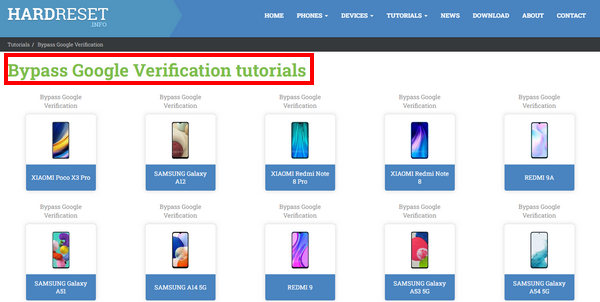
However, HardReset.info mainly relies on older, exploit-based techniques that are no longer effective on newer Android versions, especially on Android 16/17. This is because some loopholes have been closed in recent Android releases and security patches. On the patched versions, Android has restricted access to system intents, tighter control over TalkBack and Setup Wizard exploits, enhanced Google Play Services verification, and stricter permission and signature checks for side-loaded APKs.
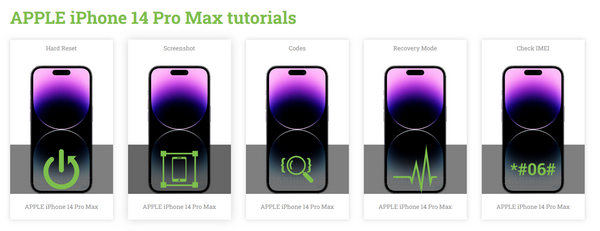
It’s a pity if you ignore other practical features in HardReset.info. For example, you can learn some code tricks to unlock hidden functions on your Android phone when it’s in some restricted modes. You can also learn how to screenshot and soft or hard reset your Android phone of different models. HardReset.info. also teaches you how to use some basic or advanced tricks on Apple devices, such as IMEI check, carrier changing, etc.
Part 2: Testing HardReset.info FRP Bypass - Our Practical Review
To ensure an objective review, we tested the FRP bypass tutorials provided by HardReset.info on multiple Android brands, including Samsung, Xiaomi, OPPO, and Huawei, across different Android versions ranging from Android 9 to Android 17. Our tests find that the FRP bypass method provided by HardReset.info is mainly effective only on older versions. Some tutorials are applicable to Samsung and Xiaomi running Android 9-10, but the process is complicated, and the success rate is unstable. While on Android 12 and above, nearly all the tutorials failed due to the enhancement of the security mechanism and Google account verification.
If you want to follow HardReset.info guidance to bypass the FRP lock, you can refer to the overall pros and cons of its tutorial below:
- A comprehensive guide for removing FRP for older Android versions.
- Covers many FRP removal methods for various Android brands.
- Lists both desktop and mobile FRP removal procedures
- Offer other practical tech tips for smartphones.
- Most HardReset.info FRP bypass guidance show poor performance on Android 12 and above.
- It’s not easy for beginners to follow.
- The third‑party tools and APKs referenced in its guides are rarely updated and lack official support.
- Some FRP methods rely on third-party APK files that may trigger false positives from antivirus software.
- Linked third‑party APK sources come with no official safety or reliability vetting.
Part 3: How to Use HardReset.info to FRP Bypass
Now, you can learn how to download and use HardReset.info FRP Bypass apps or programs. You should go to the official website of HardReset.info (https://www.hardreset.info/) and choose a tutorial for your phone.
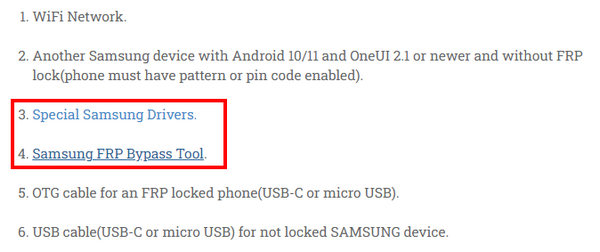
Step 1. You should follow the tutorial to prepare all the necessary things, such as a desktop program and a driver for your phone.
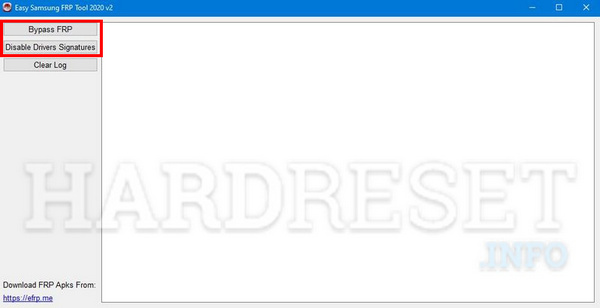
Step 2. You should connect your phone to your computer and click the Disable Drivers Signatures button first and then the Bypass FRP button. In this way, you can easily remove the FRP on your Android with HardReset.info FRP Bypass.
Part 4: The Best Alternative to HardReset.info for FRP Bypass
If your Android phone runs a relatively higher version like Android 16 or 17, HardReset.info may provides limited support. If you are looking for a simpler and more secure way to bypass FRP on relatively new Android versions, Apeaksoft DroidAide Android Unlocker is such an ideal solution. It can quickly remove FRP on many Android OS versions. You don’t need to search for a specific tutorial for a phone model as HardReset.info did, but choose your phone brand and then one-click remove FRP on your phone.
| Comparison Items | HardReset.info | Apeaksoft DroidAide Android Unlocker |
| Solution Type | FRP bypass tutorial‑aggregation website | Dedicated desktop FRP bypassing software |
| Supported Android Versions | Best suited for older Android versions | Supports both old and new Android versions |
| Ease of Use | Multiple manual steps | Guided on‑screen wizard |
| Third‑party Resources Risk | Links to external APKs | No external third‑party APK downloads required |
| Official Updates & Technical Support | infrequent updates, no FRP‑related support | Regular software updates and official technical support |
| Extra Functions | Massive general phone reset & troubleshooting tutorials | remove screen locks (PIN, pattern, and fingerprint |

Downloaded by over 1,000,000 users
- Reliable alternative to HardReset.info for FRP bypass.
- Bypass FRP on relatively newer Android versions.
- Bypass the Google FRP Lock without a password.
- Official download link and streamlined guides.
- 24/7 customer and technical support at your assistance.
Secure Download
Step 1. Download the Software
Press the above button to download this program for free.
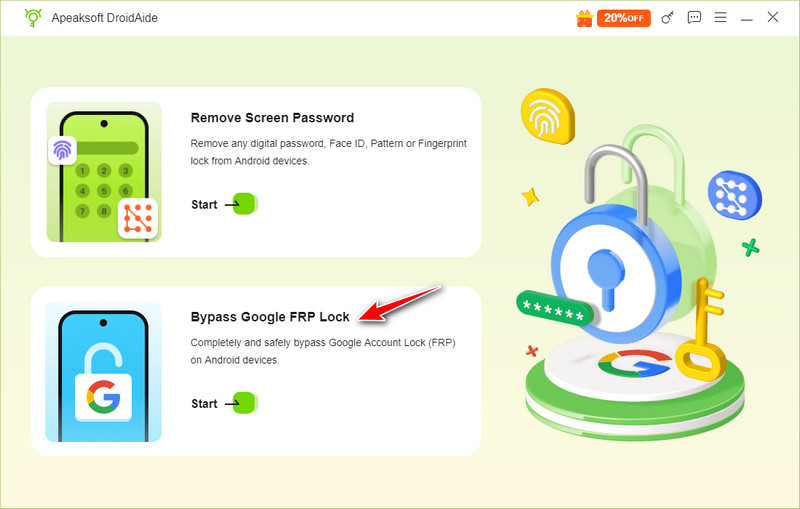
Step 2. Connect Your Device
Connect your device to the computer and choose Bypass Google FRP Lock.
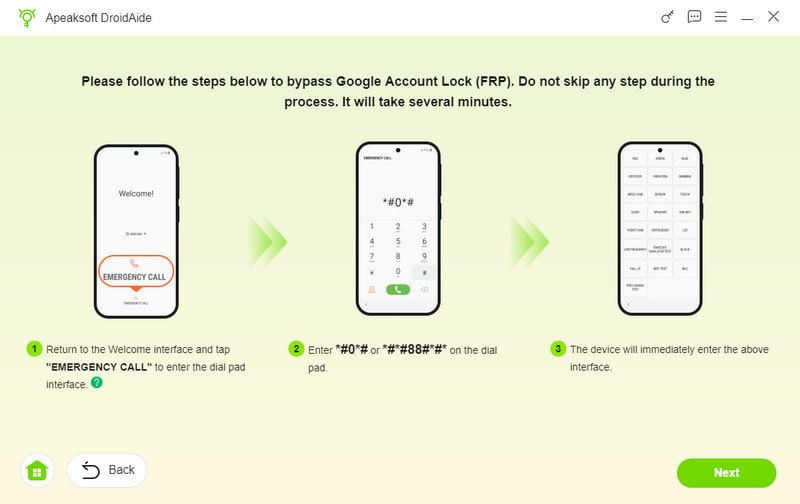
Step 3. Activate Your Device
Follow the on-screen instructions to configure the environment and activate your device. Then, this tool will automatically bypass the FRP lock.
Tips: While Apeaksoft Android Unlocker offers a higher success rate and broader system coverage, FRP removal results may still vary depending on the device model, Android version, and security patch level. No solution can guarantee a 100% success rate on all devices.
Part 5: FAQs of Hard Reset info FRP Bypass
Is it free to use HardReset.info FRP Bypass APK?
Yes. Most of the referenced third-party APKs and utilities linked within the HardReset.info guides are available for free download.
Do I need to unroot my Android before I use HardReset.info FRP Bypass?
No, you don’t need to unroot your Android. There's no relationship between root and FRP removal. HardReset.info FRP Bypass doesn’t require any adjustment on your Android phones.
Does HardReset.info support the newest Samsung phone?
HardReset.info publishes tutorial pages for the latest Samsung device models. Even so, third‑party apps and programs referenced in its guides don't support the newest devices or OS versions.
Conclusion
HardReset.info FRP Bypass is a good website for FRP removal ideas and applications. You can get what you want for your Android devices. If you want to remove FRP quickly, however, Apeaksoft Android Unlocker is a better alternative to HardReset.info that can bypass the Google account verification with only a few clicks.
 Apeaksoft DroidAide
 Unlock your Android passwords and bypass the FRP lock easily.
Secure Download
Related Articles