What Is EaseUS MobiUnlock and How Does MobiUnlock Work

According to our research, more and more iOS users have encountered the problem that their devices were locked or disabled due to various factors, such as forgetting passcodes. Discovering the right iPhone unlocking software is indispensable. EaseUS MobiUnlock, for instance, is one of the most professional and fast iPhone unlocking software that allows users to remove various screen locks. This article reviews the software to help you make a better decision.
PAGE CONTENT:
Part 1: Unbiased Review of EaseUS MobiUnlock
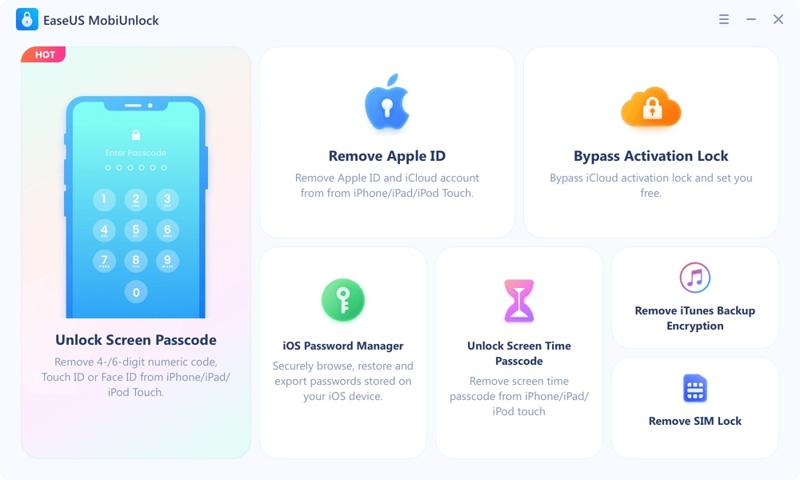
Main Features of EaseUS MobiUnlock
- Unlock an iOS device by removing digit passcodes, Touch IDs, and Face IDs.
- Factory reset an iOS device without a password.
- Delete your Apple ID even if you forgot your password.
- Bypass iCloud Activation Lock.
- Disable Screen Time on iPhone without a passcode.
- Unencrypt iTunes backup directly.
- Recover saved passwords on an iOS device.
- Work on Windows and macOS.
- Support iPhone 4s and above, iPad mini 2/3/4/5/Air/Air 2/Pro, and iPod Touch 7 to 2.
EaseUS MobiUnlock Review
- EaseUS MobiUnlock has a user-friendly interface.
- The software supports a wide range of iOS devices.
- It includes bonus features, like Screen Time bypass.
- It is secure and reliable.
- The free version has limited features.
- The customer support is limited.
- It doesn't support old devices.
EaseUS MobiUnlock Price
While EaseUS MobiUnlock is free to download from the official website, it is not freeware. It means that you must subscribe to a plan after EaseUS MobiUnlock free trial. The 1-year license costs $29.95 for unlocking up to 5 devices. The lifetime license costs $49.95. It offers a technician plan, which starts at $399 per year for unlocking unlimited devices.
Is EaseUS MobiUnlock Legit?
Yes, EaseUS MobiUnlock is legit to use. It was released by EaseUS, a reputable software developer. Moreover, we tested it with popular antivirus software. They don't report any malware or virus. Of course, you shouldn't download it from third-party sources.
Is EaseUS MobiUnlock Safe?
Yes, EaseUS MobiUnlock is safe and reliable. The developer announced it won't collect your data or install spyware on your iPhone.
Part 2: How to Use EaseUS MobiUnlock
Step 1. Install the software on your PC or Mac computer, open it, and activate EaseUS MobiUnlock with a license.
Tips: It is available on Windows 11/10/8/7 and macOS 26 or above.
Step 2. Connect your iOS device to your computer with a compatible USB cable.
Step 3. Choose Unlock Screen Passcode from the home interface.
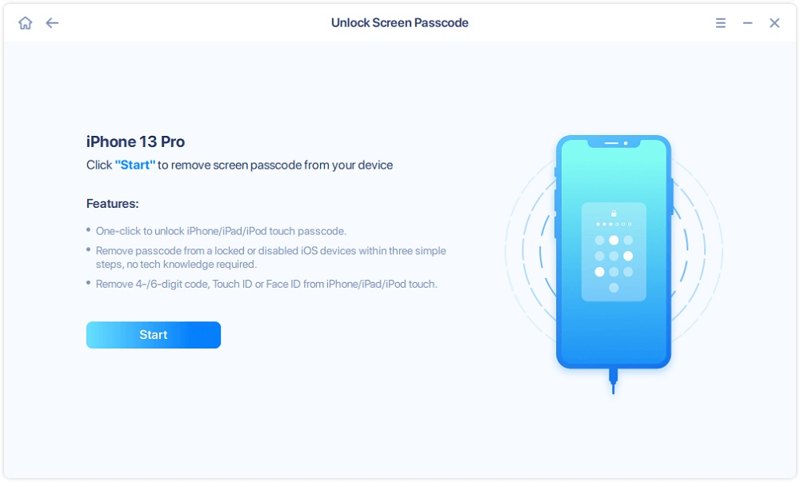
Step 4. After the software detects your device, click the Start button to proceed.
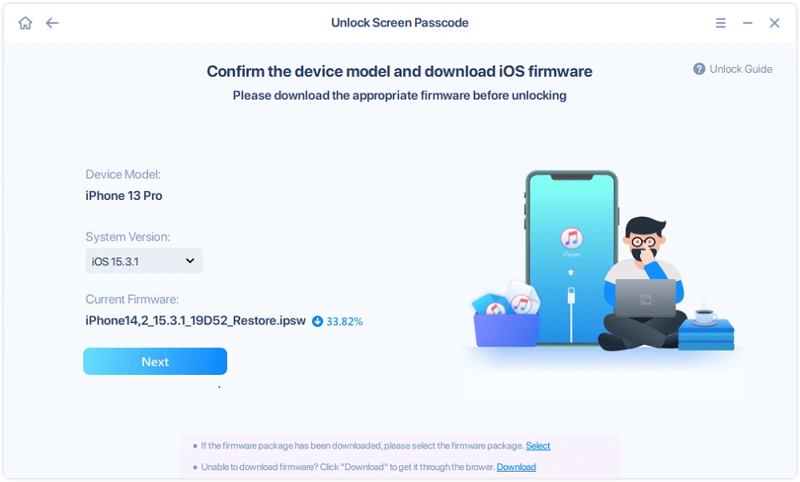
Step 5. Select the right version of firmware and click the Next button to download the available firmware.
Tips: If you already have a firmware file on your hard drive, press the Select link and import it.
Step 6. Once the download is complete, click the Unlock Now button.
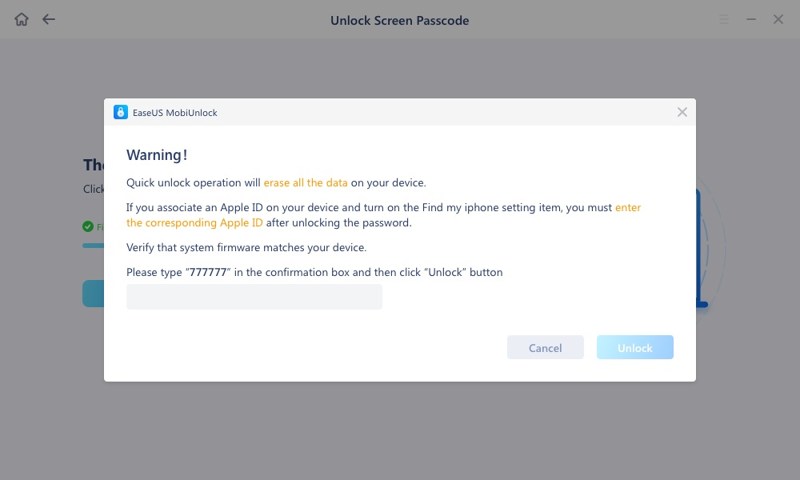
Step 7. Read the warning message, follow the onscreen instructions to enter required information, and click Unlock.
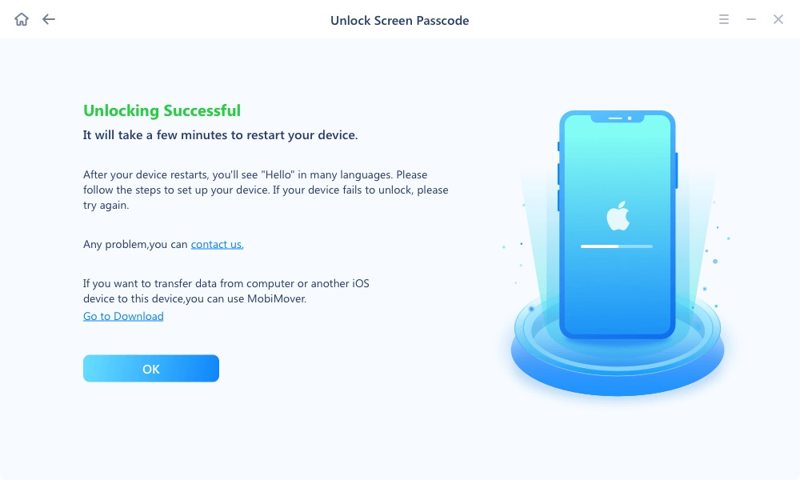
Step 8. When your iPhone is unlocked successfully, click OK, disconnect your device, and close the software.
Part 3: An Ideal Alternative to EaseUS MobiUnlock
While EaseUS MobiUnlock is a powerful unlocking program for iOS devices, it is not perfect. It doesn't work for old iOS devices. Moreover, the success rate varies according to your situation and device model. If you don't like EaseUS MobiUnlock or it is unavailable for your locked device, you will need an alternative, such as Apeaksoft iFoneKit iOS Unlocker. It is able to bypass screen locks on almost any iOS device. More importantly, the user-friendly interface makes it easy to use for beginners.

Downloaded by over 1,000,000 users
- Best Alternative to EaseUS MobiUnlock.
- Unlock iPhone from any passcode, Face ID, or Touch ID.
- Work for locked and disabled iOS devices.
- Regain access to a locked device in 3 steps.
- Offer bonus features, like MDM bypass.
- Support the latest editions of iOS and iPadOS.
Secure Download
Secure Download
How to Unlock an iPhone with EaseUS MobiUnlock Alternative
Step 1. Install iOS Unlocker
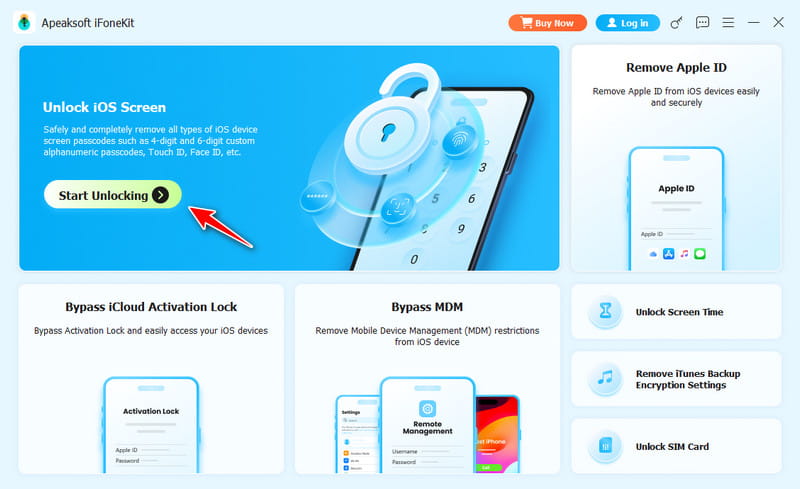
Launch the alternative to EaseUS MobiUnlock after you install it on your PC. It is compatible with Windows 11/10/8/7/XP/Vista. There is another version for macOS 10.7 and above. Plug your locked device into your PC with a Lightning cable. If prompted, tap Trust on your screen to trust this PC. Then, choose the Unlock iOS Screen mode to continue.
Step 2. Download the firmware
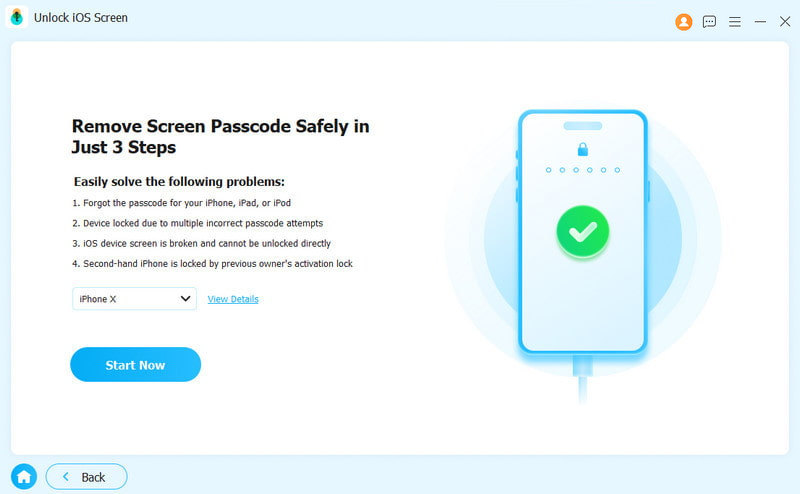
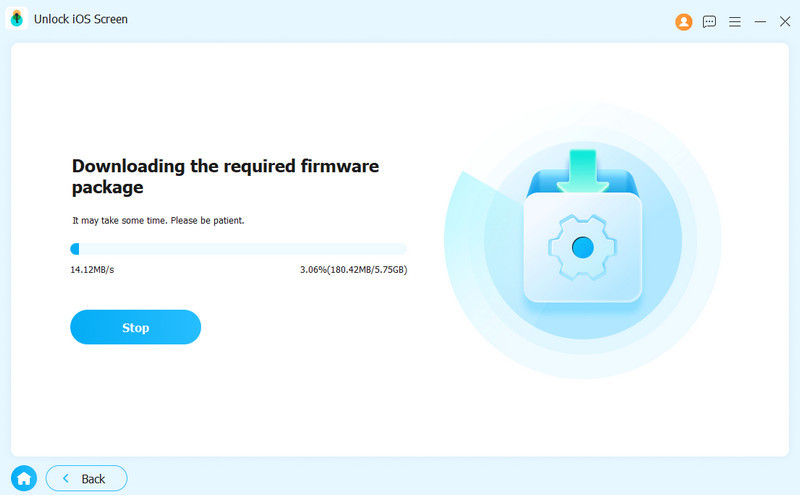
Once the software recognizes your iPhone, you will see your device model. To view more information, click View Details. Click the Start Now button to begin downloading the firmware package. It takes a while, depending on your internet connection. When it is done, click OK on the confirmation dialog. Then, hit the Confirm Again button to verify the firmware.
Step 3. Unlock your iPhone
Now, the software will initiate unlocking your device immediately. When the process is complete, you will be presented with the success window. Finally, click the Finish button, disconnect your device, and close the EaseUS MobiUnlock alternative.
Further Reading
Conclusion
This article offers an EaseUS MobiUnlock review. This software is one of the best iOS unlocking software. It allows users to get rid of screen locks and other restrictions on iOS devices. While it is not free, the prices are reasonable. Moreover, we shared the advantages and disadvantages, which can help you make a better decision. We also recommended an alternative solution, Apeaksoft iFoneKit iOS Unlocker. It delivers a high success rate compared to other iOS unlocking software. Plus, it is very easy to use.
Related Articles