

The Ultimate Guide to the Best Mac App Uninstaller in 2026

If you’ve ever dragged an app to the Trash and thought it was completely removed, think again. Hidden caches, logs, and preference files often remain on your Mac, which is why every Apple user needs a reliable Mac app uninstaller.
In this guide, we’ll introduce the best Mac uninstaller tools available today, including powerful app cleaner and uninstaller Mac solutions and trustworthy free Mac uninstaller options. No matter which macOS version you use, these tools can help keep your system fast and clutter-free.
PAGE CONTENT:
Part 1: Why You Need a Dedicated Uninstaller for Mac
Unlike Windows, which often includes a built-in Add or Remove Programs utility, macOS relies on a drag-and-drop feature to delete apps, which leave app data. Over time, these files can take up gigabytes of space and even slow down your processor.
A professional uninstaller for Mac performs a deep scan of your drive to find:
- Caches and Logs: Temporary files that grow over time.
- Preference Files: Settings that remain even after the app is gone.
- Launch Agents: Background processes that can slow down your boot time.
- Hidden Support Files: Data stored in ~/Library/Application Support.
Part 2: Top 7 Mac App Uninstallers You Can Try
1. Apeaksoft Mac Cleaner
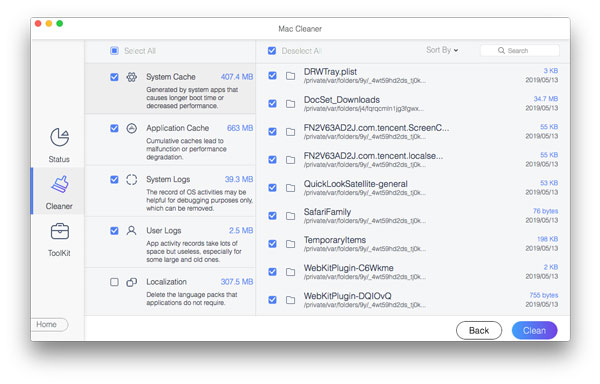
Apeaksoft Mac Cleaner is a powerful, versatile, and user-friendly Mac app uninstaller. It is designed for users who want to quickly uninstall unused apps while keeping all other apps and files safe. Its uninstaller module is straightforward: it scans your Mac to list all installed applications and their associated data (caches, logs, and support files), allowing for a one-click deep cleaning experience.
Secure Download
- Extremely clean interface.
- High-speed scanning.
- Privacy protection features.
- System health monitoring.
- The interface can be more stylish.
Testing Result of Apeaksoft Mac Cleaner: During our 2026 performance review, this Mac app uninstaller successfully identified and removed 98% of service files associated with complex software like Steam and Spotify. It proved particularly effective at clearing app data, reclaiming an average of 15GB to 25GB of space on test machines that had never been professionally cleaned.
2. App Cleaner & Uninstaller (by Nektony)
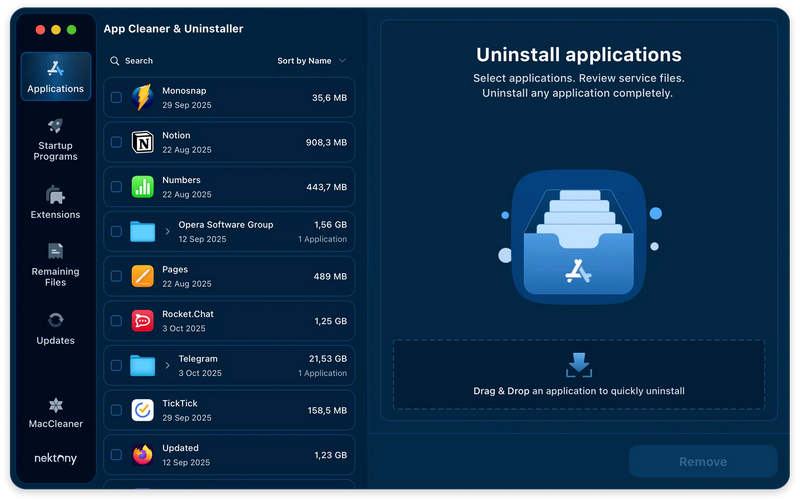
Nektony’s solution is widely regarded as the most professional Mac app uninstaller on the market. It goes beyond simple deletion by acting as a complete lifecycle manager for your software. The interface of this Mac app uninstaller is logically organized into sections: installed applications, startup programs, system extensions, and the standout Remaining Files module, which specifically targets digital junk left behind by apps you manually deleted months ago.
- Superior scanning depth and speed.
- Support batch uninstalling.
- Offer a smart reset mode.
- The premium features require payment.
- Update detection latency.
Testing Result of App Cleaner & Uninstaller: In our evaluation of over 50 mainstream Mac applications, this Mac uninstaller's scanning accuracy reached 98%. After deleting large creative software (like the Adobe Creative Cloud), it found an average of 300MB to 1.2GB of hidden caches and old version fragments that the default Trash method ignored.
3. AppCleaner (by Freemacsoft)
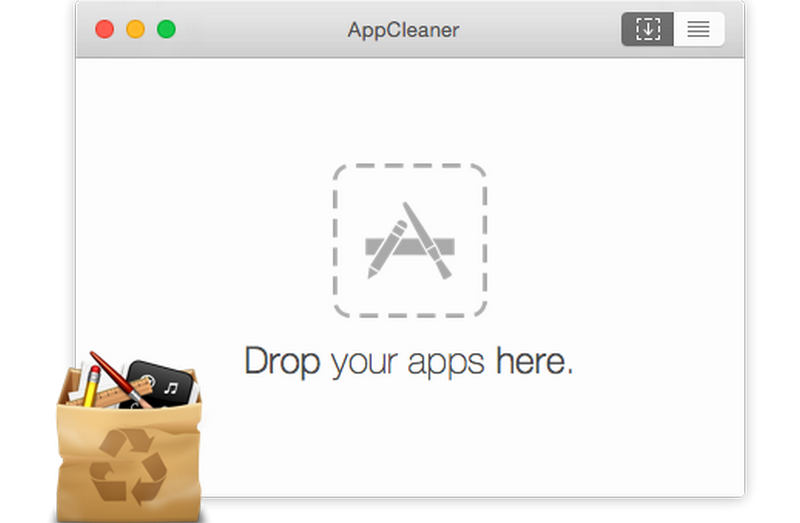
As a classic free Mac uninstaller, AppCleaner has dominated the free market for over a decade due to its small but powerful nature. It is incredibly lightweight with a simple drag-and-drop interface. The core logic is straightforward: when you drop an app into the window, this uninstaller for Mac uses predefined rules to quickly index all associated plist files, caches, and support folders for deletion.
- Completely free with no ads.
- Offer easy workflow and simple interface.
- Offer a smart detect feature.
- Limited scanning depth.
- Lack of batch uninstalling.
Testing Result of AppCleaner: This free Mac uninstaller performs exceptionally well for daily lightweight apps. However, when handling software with multiple background service processes (such as antivirus software), its cleanup rate for residuals is approximately 85%, sometimes requiring manual secondary checks.
4. CleanMyMac (by MacPaw)
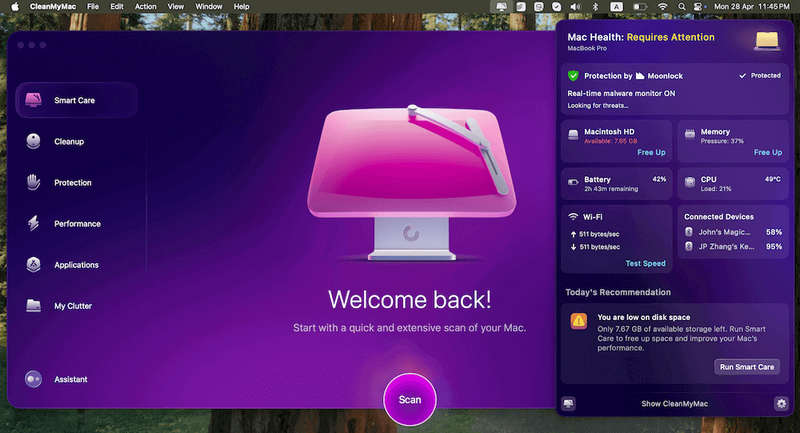
If you are looking for the best Mac uninstaller that also doubles as a full system health monitor, CleanMyMac is the premier choice. It integrates uninstallation into its Applications module. Its strength lies in its ability to categorize apps as Suspicious, Unused, or Large & Old, helping you decide what to prune.
- Offer a stylish user interface.
- Have a powerful safety database.
- Offer smart and deep scanning.
- The price is very high.
- Offer too many features.
Testing Results of CleanMyMac: Laboratory tests in 2026 show that this Mac uninstaller is highly efficient at cleaning native apps for Apple Silicon (M-series chips). This Mac uninstaller also effectively improved system cold-boot speeds by about 15% by removing unnecessary startup agents.
Further Reading
5. AppZapper
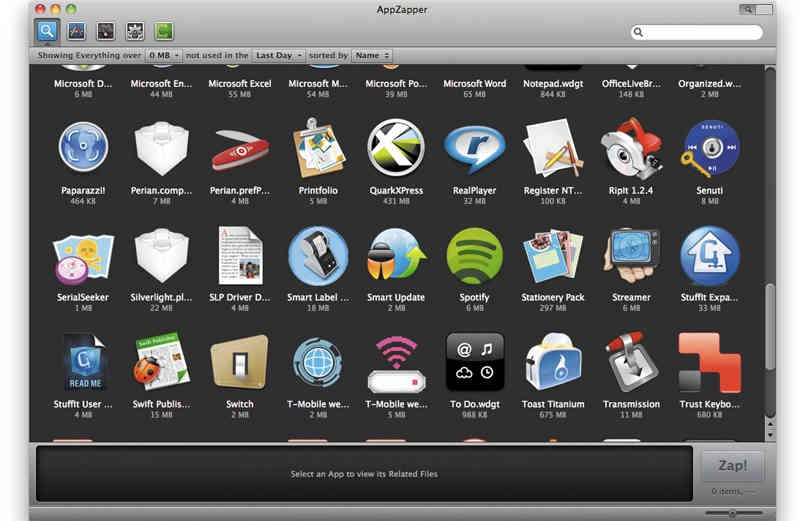
AppZapper is a very popular uninstaller for Mac because of its playful, early-Apple design philosophy. Its core selling point is the satisfying Zapping experience, accompanied by a Hit List that allows you to visually identify which giant software is eating your SSD.
- Offer an undo feature.
- Quickly display all installed apps.
- Detect old widgets, dashboards, and other data.
- The trial version has very limited features.
Testing Result of AppZapper: The uninstallation efficiency of this Mac uninstaller is above average, with a residual cleanup rate of roughly 90%. While its overall ranking in 2026 is lower than specialized tools, its simplicity and the Undo safety net still appeal to many long-term Mac users.
Part 3: How to Choose the Best Uninstaller for Your Needs
Choosing the right Mac app uninstaller depends on your technical comfort level and budget.
When to choose a Free Mac Uninstaller:
If you are a casual user who only deletes an app once a month, AppCleaner is more than sufficient. It’s safe, updated frequently, and costs nothing.
When to invest in a Professional Mac Uninstaller:
If your Mac is your primary work machine, or if you frequently test new software, a tool like Apeaksoft Mac Cleaner or CleanMyMac is worth the investment. These tools offer:
- Malware Scanning: Ensuring the app you’re deleting hasn't left behind malicious scripts.
- System Health Monitoring: Alerting you when your disk is full or RAM is peaking.
- Forced Uninstall: Removing stubborn apps that refuse to be dragged to the Trash.
Conclusion
This article collects 5 excellent Mac uninstallers you can try. Don't let app rot slow down your MacBook. Whether you choose the robust app cleaner and uninstaller Mac options, like Apeaksoft Mac Cleaner, or the lightweight free Mac uninstaller versions, the key is to be proactive. A clean Mac is a fast Mac.
Related Articles
Although Mac has much more memory than iPhone, the storage space will run out if cookies accumulate. Follow this post to clear cache and cookies on Mac.
Why is my Mac running slow and how to speed up my Mac? 9 best ways are told here to help you speed up your Mac with ease.
Come and find out how to clear unnecessary caches and cookies on Mac to promote system performance and user experience.
If you want to securely erase hard drive on Mac, this article will help you. It also shows the easiest way to monitor, speed up and clean up your Mac computer.



