Bandicam Screen Recorder Review 2026: Honest Test & Review

If you're reading this Bandicam screen recorder review, you're probably looking for a simple tool to record gameplay, meetings, or tutorials.
Is Bandicam a good screen recorder in 2026? This post tested its main recording features to see how well it performs in real use. Below are our tested Bandicam screen recorder reviews. Keep reading.
PAGE CONTENT:
What Is Bandicam Screen Recorder
Bandicam is a popular screen recording software for capturing the screen, gameplay, webcams, and audio. It has over one thousand users around the world. People often use it to record online classes, meetings, gameplays, software demos, and more. On Windows, Bandicam offers Screen Recording, Game Recording, and Device Recording modes. Bandicam offers a separate Mac version that supports macOS Ventura 13.3 or later. It provides dedicated options for recording the screen, windows, webcams, and audio.
What's worth mentioning is that the latest Bandicam 2027 version integrates AI technology, including AI-powered transcription, subtitle creation, Smart Zoom, content editing, and webcam background effects. These additions make it go beyond a traditional screen recorder.
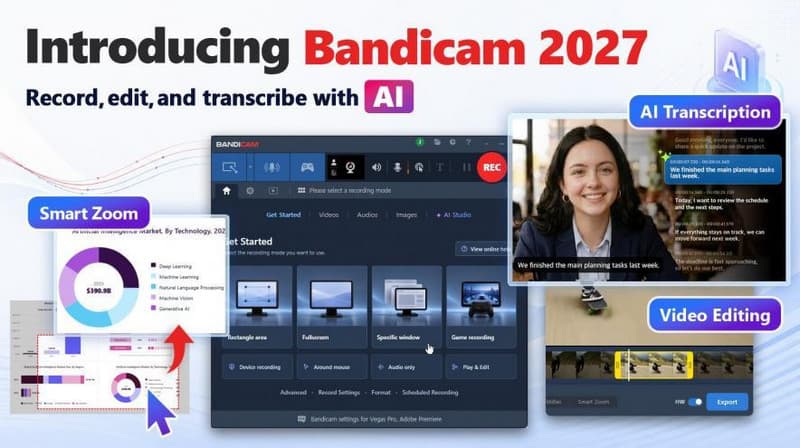
Key Features
- Provides screen, gameplay, webcam, and external devices recording modes.
- Supports recording gameplay using DirectX, OpenGL, and Vulkan in up to 4K UHD and displays real-time FPS.
- Capture system audio and microphone at the same time.
- Enables you to add webcam overlay, mouse effects, and real-time captions.
- Record specific windows without capturing other apps.
- Transcribe recorded video and audio into text with AI.
Bandicam Screen Recorder Test &Review
To make this Bandicam screen recorder review more practical, Apeaksoft's editorial team independently tests the main recording workflow. We mainly evaluate recording quality, supported recording modes, performance, and ease of use.
- Test Environment: Windows 11 Pro 24H2 and macOS Sequoia 15, built-in and external webcams, microphones, and system audio
- Recording Scenarios: different areas recording, specific-window recording, and gameplay recording.
- Tested Features: real-time captions, AI text transcription, Smart Zoom, scheduled recording, and recording controls
- Testing Focus: ease of use, convenience, quality, and how much post-recording editing is required
Overall, Bandicam is easy to use and navigate. It organizes its recording modes according to use case. Therefore, users can quickly select the mode that best fits their daily needs. However, some advanced options require additional setup. Bandicam provides detailed tutorials on its official website, so users can follow the steps to configure it, although it may take a little time.
During our test, the biggest advantage of Bandicam Screen Recorder is its flexibility. You can record exactly what you want, whether it's the entire screen, a specific window, or a game. It only captures the content you select without recording other activities on your desktop.
Another impressive feature is its Game Recording mode. Bandicam optimized its gameplay recording. Rather than simply capturing games as regular screen content, it supports recording games using DirectX, OpenGL, and Vulkan. There will be a real-time FPS display. During our testing, it looked clear and remained stable, with no noticeable frame loss even when recording high-frame-rate gameplay.
We also want to mention its webcam overlay feature. Our team initially planned to use it for a reaction video, but found it equally useful for tutorials, presentations, and picture-in-picture videos. The webcam footage was well synced with the audio and screen recording, which makes the video fluent and consistent.
However, it should be noted that this desktop screen recorder provides a free version but has recording limitations. If you need longer recordings, you will need to upgrade to a paid version. What's more, although Bandicam 2027 adds basic video editing and AI-powered features, the features are tied to the latest version or paid access, and it is still primarily a screen recorder. You need a professional video editor if you want to have more advanced edits.
How to Use Bandicam Screen Recorder
This section will guide you on how to use Bandicam Screen Recorder for daily recording needs.
Step 1. Choose a Recording Mode
Open Bandicam and choose the recording mode based on your needs. For a daily desktop recording, Screen Recording is the most used one.
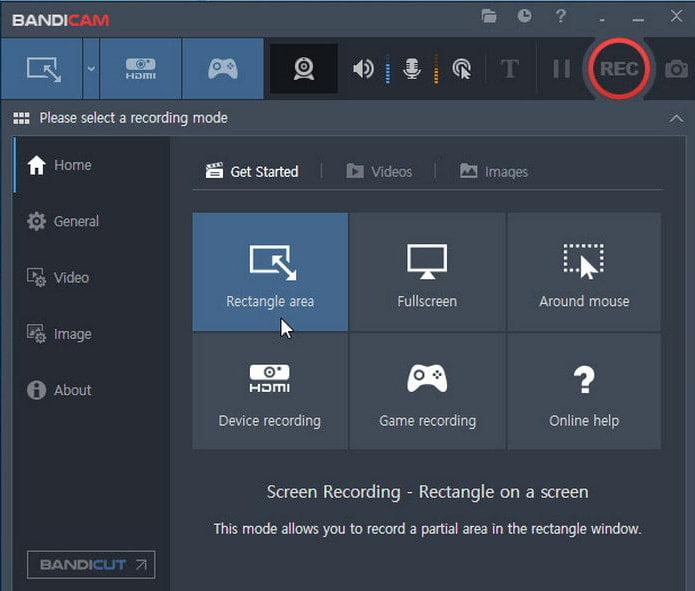
Step 2. Select the Recording Area
Choose to record the full screen, a specific area, or a specific window based on your needs. You can also choose to record your webcam, microphone, or system audio.
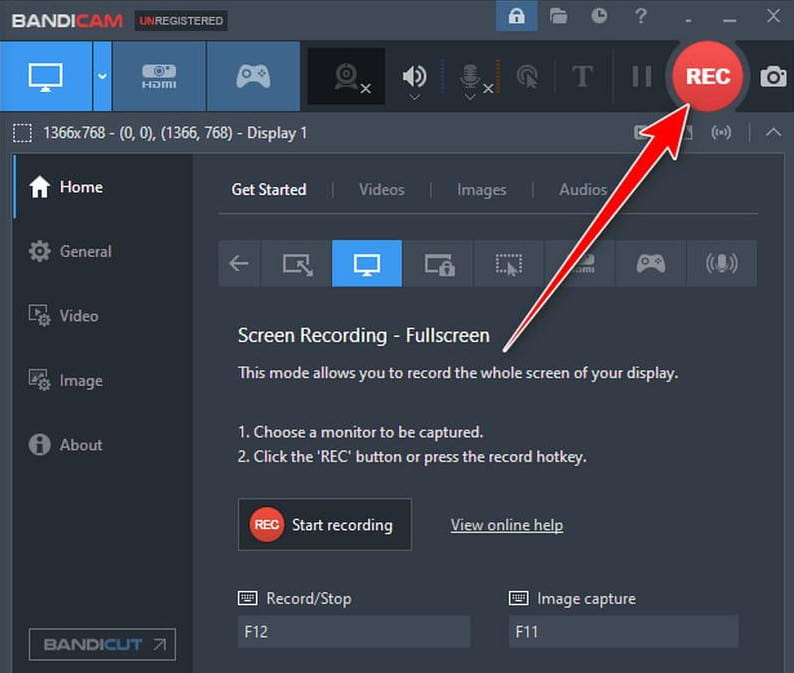
Step 3. Start Recording
Click the REC button or use the keyboard shortcut to start recording. While recording, you can use the real-time drawing tools to add arrows, lines, boxes, or highlights.
Step 4. Edit and Save the Recording
After stopping the recording, you can preview and trim the video. If you are using Bandicam 2027, you can also experience Smart Zoom and AI transcription tools for further processing.
- Easy-to-use interface for basic screen recording.
- Supports webcam overlay and real-time drawing.
- FPS display when recording gameplay.
- New built-in editing and AI transcription tools from Bandicam 2027.
- The free version has 10-minute recording limitations and watermarks.
- Built-in editing is still relatively basic compared with dedicated video editors.
- Windows and Mac versions have different feature sets.
Best Bandicam Screen Recorder Alternative
If you want a screen recorder with more recording and editing options in one application, Apeaksoft Screen Recorder is a good Bandicam screen recorder alternative.
| Factor | Bandicam | Apeaksoft Screen Recorder |
| Easy Screen Recording | Yes | Yes |
| Game Recording | Yes | Yes |
| Webcam Recording | Yes | Yes |
| Recording & Editing in One | Limited | Yes |
| Video Compression | No | Yes |
| Screenshot Editing | Limited | Yes |
| More Recording Customization | Yes | Yes |
| Windows & Mac | Yes | Yes |

Downloaded by over 1,000,000 users
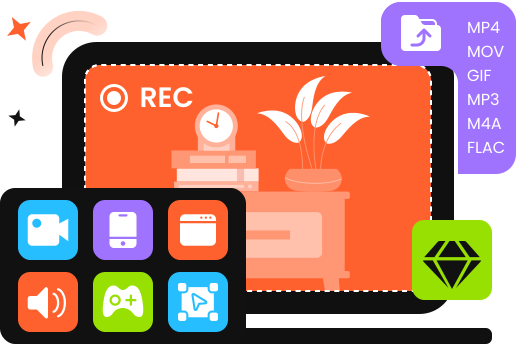
- Record screen, webcam, window, audio, and gameplay.
- Record your screen and audio in high quality.
- Add annotations and edit videos when or after recording.
- Adjust recording settings flexibly.
- Support both Windows and Mac.
Secure Download
Secure Download
Conclusion
That's all for our Bandicam screen recorder review based on our hands-on test. Bandicam is a capable choice for users who want straightforward screen and game recording, especially with its new editing and AI features.
However, if you need more flexible recording and editing tools in one program, Apeaksoft Screen Recorder is worth considering.
 Apeaksoft Screen Recorder
 Record any video and audio on phone and computer screen.
Secure Download
Secure Download
Related Articles