

10 Best Paid and Free Android Recovery Applications

Losing an important file on an Android device can be frustrating. With a recovery application for Android, you can get back a variety of data from an Android phone or tablet, including photos, videos, music, contacts, call logs, messages, files, and more. However, there are lots of candidates on the market. Ordinary people cannot identify the proper one for their devices. This article shares the review of the top 10 best applications.
PAGE CONTENT:
Part 1: Comparison of Top 10 Android Recovery Applications
| Tool | Price | Support Devices | Support Data Types |
| Apeaksoft Android Data Recovery | $17.95 per month, $47.96 one-time | Samsung, HTC, Huawei, Sony, LG, Google Pixel, Xiaomi, ZTE, etc. | All file types |
| Disk Drill | Free, $89 for Pro version, $399 for Enterprise version | Nexus, Samsung, Xiaomi, LG, Sony, Huawei and more | Contacts, SMS, videos, photos, music, documents, etc. |
| iMobie DroidKit | $69.99 per year | Samsung, Google, HTC, Sony, Moto, Huawei, ZTE, etc. | Multimedia files, messages, contacts, and more. |
| iToolab RecoverGo | $35.95 per month, $39.95 per year, $49.95 for lifetime | Samsung, Huawei, Xiaomi, Moto, LG, HTC, Sony, Google, Lenovo, ZTE, and more | Photos, contacts, videos, call logs, WhatsApp, etc. |
| iMyFone D-Back | Start at $29.95 per month | Samsung, Google, HTC, Sony, Moto, Huawei, ZTE, etc. | Messages, contacts, photos, videos, music, etc. |
| Wise Data Recovery | Free, start at $39.97 per year | Samsung, Huawei, Xiaomi, Moto, LG, HTC, Sony, Google, Lenovo, ZTE, and more | Multimedia files, messages, contacts, and more. |
| DiskDigger | Free, $14.99 for personal license | Samsung, LG, Moto, Google, and Sony | Images, music, and files. |
| Recuva | Free | Samsung, LG, Moto, Google, and more. | Photos, videos, audio files, and documents. |
| Recover My Files | Start at $70 per month | Samsung, LG, Moto, Google, etc. | Pictures, documents, emails, and music. |
| UndeleteMyFiles Pro | Free | Samsung, LG, Moto, Google, and more. | Photos, videos, audio files, and documents. |
Part 2: Top 10 Android Recovery Applications
Top 1: Apeaksoft Android Data Recovery
Secure Download
Secure Download
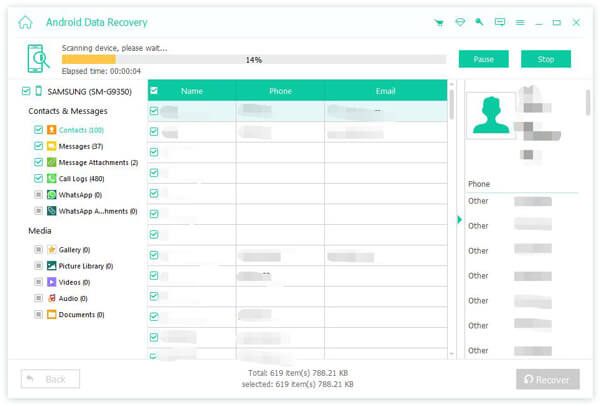
As one of the best Android data recovery apps for Android phones and tablets, Apeaksoft Android Data Recovery is flexible and available to everyone. It is able to scan your phone memory and look for files lost due to various factors.
- Recover data on Android devices without backup.
- Extract data from a broken Android device.
- Support almost all data types on Android.
- Preview recoverable files.
- Offer a deep scan mode.
- Compatible with a wide range of Android brands.
- It must work with a computer and a USB cable.
Top 2: Disk Drill
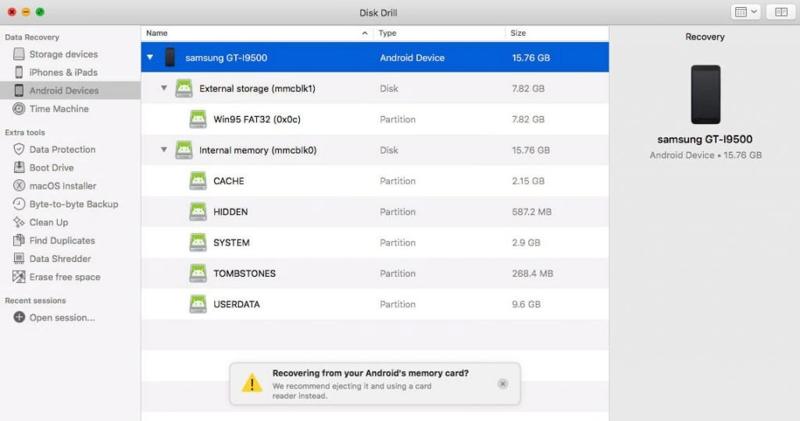
Disk Drill is a reputable data restore app for Android users. It offers more features than average data recovery software. It lets users get back deleted files from Android using a PC or Mac.
- Recover various data types on Android.
- Save scan results for recovery at any time.
- Preview the located files.
- Support for a wide selection of media files.
- The Pro version is expensive.
- It is unavailable to broken or frozen devices.
Top 3: iMobie DroidKit
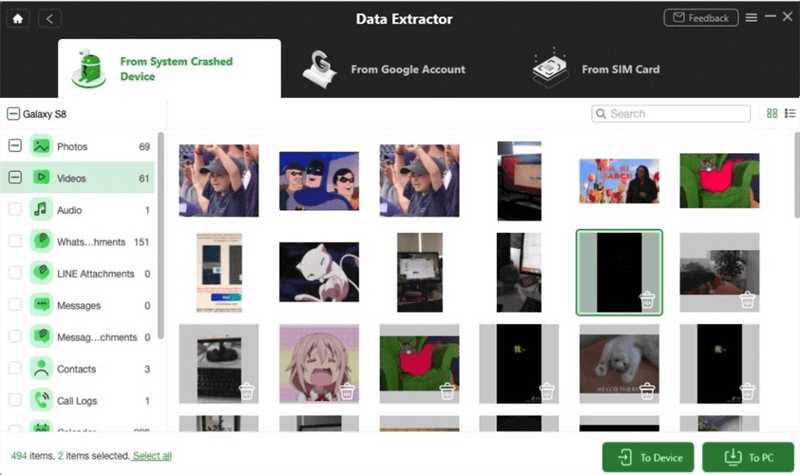
iMobie DroidKit is a full Android data recovery software. The toolkit offers data recovery, screen unlock, and system fix. Users can purchase the full toolkit or subscribe to a specific feature, like data recovery.
- Provide multiple modes for data recovery.
- Work for media data types, messages, and more.
- Restore Android data or extract it to a computer.
- Provide a high success rate.
- It comes with too many features.
- The file types are limited.
Top 4: iToolab RecoverGo
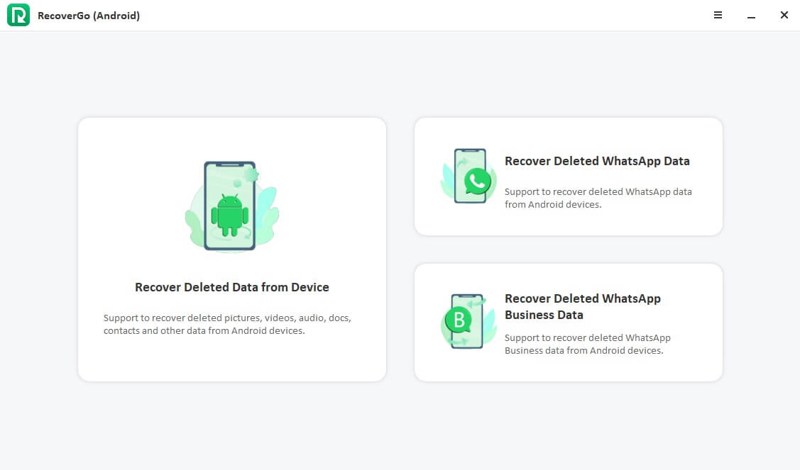
iToolab RecoverGo is a fast Android data recovery program. It helps you retrieve deleted files on Android, like multimedia files, WhatsApp, and other types, on your Android phone or tablet without backup.
- Come with a user-friendly interface.
- Work for over 11 data types.
- Retrieve lost files from a broken screen.
- Compatible with over 6,000 Android device models.
- It requires a PC.
- The success rate is low if your phone cannot turn on.
Top 5: iMyFone D-Back
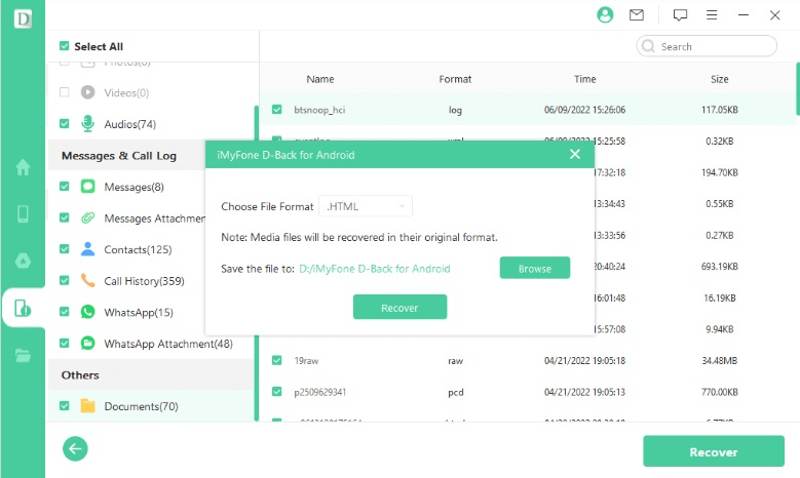
As a solid Android data recovery tool, iMyFone D-Back allows you to quickly get back various types of data from your Android phone or tablet without a backup. It works on photos, videos, contacts, and messages.
- Deliver a fast data recovery process.
- Provide deep scan and preview features.
- Only recover specific files.
- Easy to navigate.
- It doesn't work for app data or system files.
- The prices are high for some users.
Top 6: Wise Data Recovery
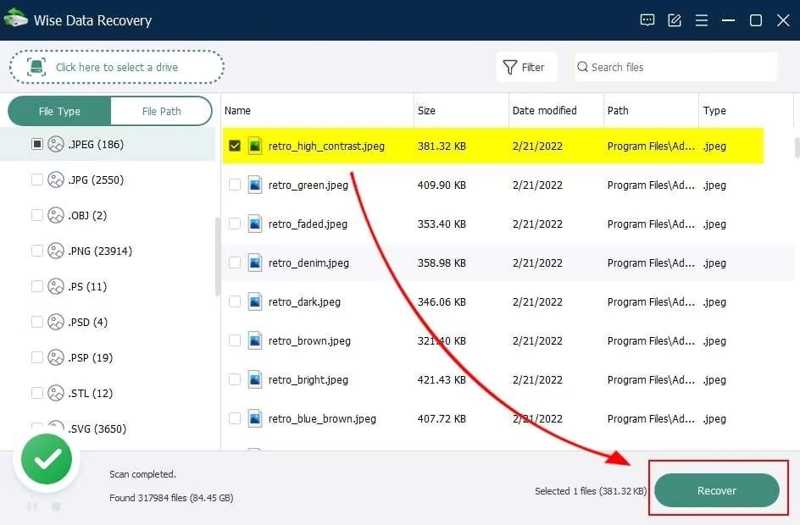
Wise Data Recovery is one of the best Android phone data recovery software programs. It offers a free version, but you need to purchase a paid version if you need to save the recoverable files from Android.
- Affordable and provide flexible plans.
- Restore both phone memory and the SD card.
- Easy to use.
- Provide a free version.
- It lacks a deep scan mode.
- It only provides customer support via email.
Top 7: DiskDigger
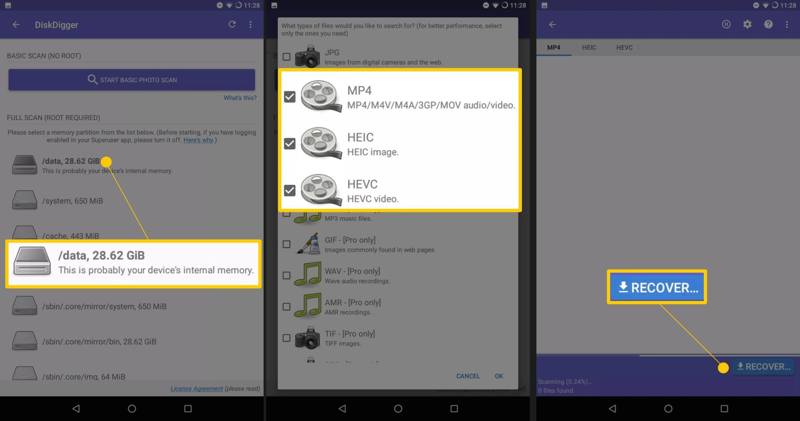
DiskDigger is an Android device data recovery free for use. It can retrieve multimedia files from your Android device, SD card, memory card, and more. Plus, it works on all popular file systems.
- Portable and no installation required.
- Small and work fast.
- Come with a free version.
- Support multiple languages.
- The quick scan gives bad results.
- The file types are limited.
Top 8: Recuva
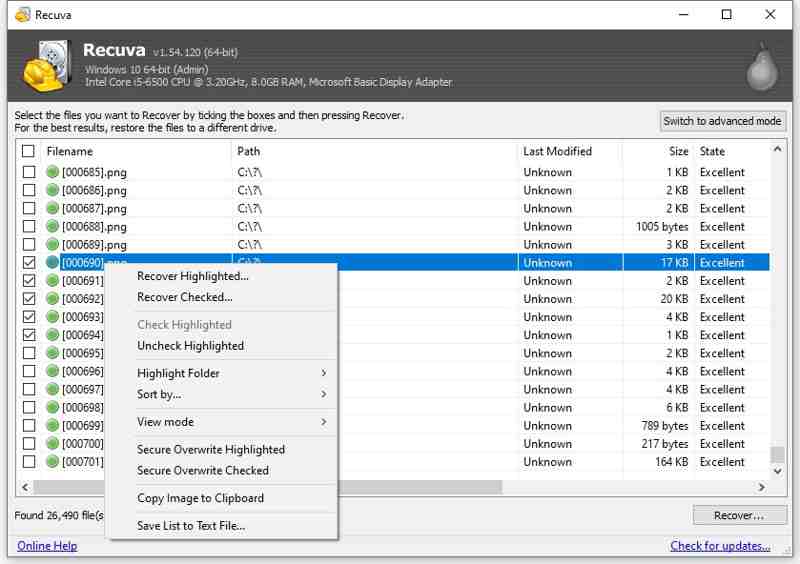
Recuva is Android phone data recovery software. It can treat your Android device as a drive, scan lost data, and recover media files. Furthermore, it works on both your phone memory and SD card.
- Free and quick to use.
- Come with an intuitive interface.
- Preview photos before recovery.
- Support a wide range of multimedia file formats.
- It cannot recover as much data as its competitors.
- It is only available on PCs.
Top 9: RecoverMyFiles
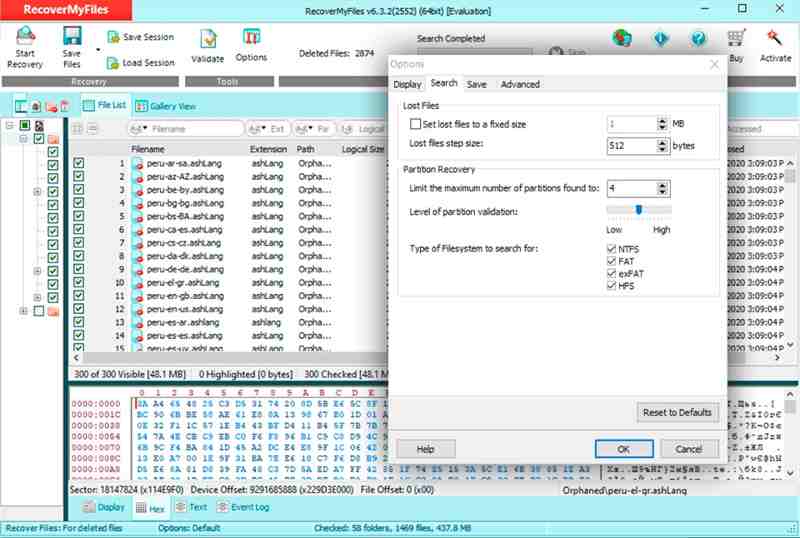
RecoverMyFiles is one of the best Android data recovery software programs. It is cloud-based and designed for small or medium businesses. It works for over 200 file formats, including photos, videos, music, and more.
- Recover data from Android and SD card.
- Easy to use.
- Save scan results.
- Come with bonus features.
- It is expensive.
- The interface looks messy.
Top 10: UndeleteMyFiles Pro
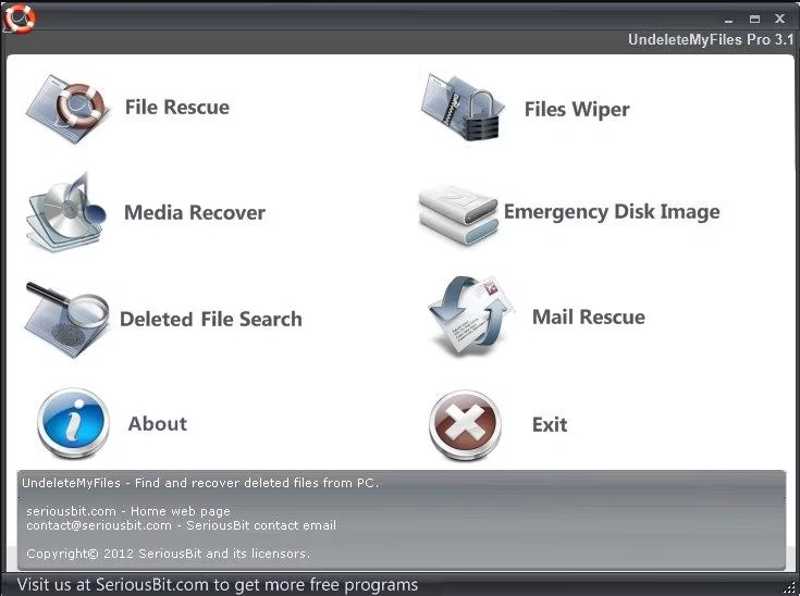
UndeleteMyFiles Pro is a free Android data recovery service. It can discover and restore the deleted files from your Android phone or tablet quickly. Plus, it lets you preview the lost files before recovery.
- Free of charge.
- Filter files by type.
- Create snapshots of your device.
- Recover deleted emails.
- The file quality is not indicated.
- The success rate is low.
Part 3: How to Recover Data on Android
Step 1. Install Android mobile recovery software
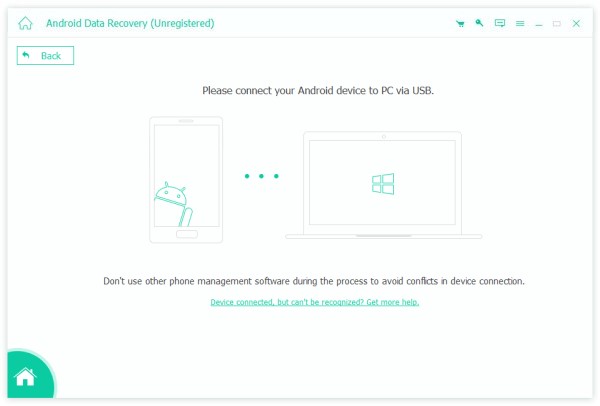
Launch the Android data recovery software, such as Apeaksoft Android Data Recovery, after installing it on your computer. Connect your phone to your computer with a USB cable. Permit the software to access your device.
Step 2. Scan lost files
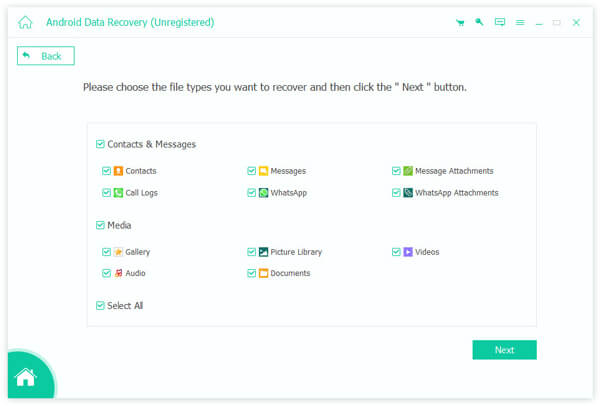
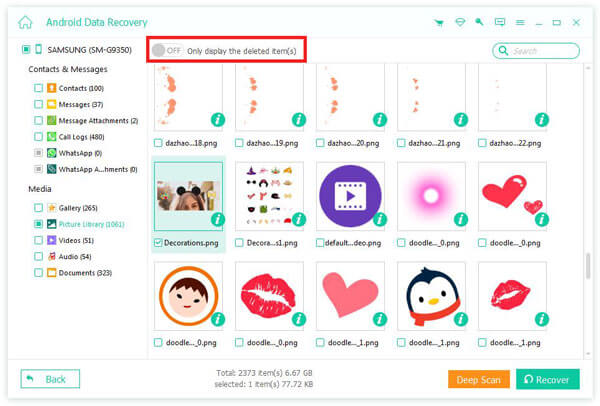
Select the data types you want to retrieve, like photos, videos, messages, and more. Click the Next button to begin scanning your device.
Step 3. Recover Android data
Then, preview the recoverable files and select the desired items. Click the Recover button, set an output folder, and hit Recover.
Conclusion
Now, you should learn at least 10 Android recovery software. Some of them are completely free to use. Others require you to purchase a license or subscribe to a plan for data recovery. You can discover an appropriate one based on our review. Apeaksoft Android Data Recovery is the best option for ordinary people.
Related Articles
Forgot your password and locked out of your phone? We share guides to unlock Android phone by carrier unlock, Android screen and more.
Have you lost messages, photos, and videos on WhatsApp and want to recover them? This article will introduce 3 Android WhatsApp Recovery software.
Discover 4 effective ways to recover deleted Google history on Android, from My Activity to backups and synced devices, with a step-by-step guide.
If you have an old Android phone, you can still see the fingerprint scanner lock screen for Android. This article will offer a detailed guide to it.



