


9 Best Paid and Free Hard Drive Recovery Software Tools

Hard drives are essential to store operating systems, personal files, and a variety of programs. Much like most hardware, your hard drive may not always perform well. For example, sudden disk errors or accidental deletion can cause data loss. However, there is no need to feel frustrated after losing essential data on your hard drive. This article identifies the top 9 best hard drive data recovery software for Windows, macOS, and Linux.
PAGE CONTENT:
Part 1: Comparison of Best Hard Drive Recovery Software
Methodology
We researched the popular hard drive data recovery software and collected hundreds of users’ reports. When we identified the top list, we concentrated on a few factors, including performance, versatility, scanning speed, success rate, price, preview, UI, supported file types and formats, and more.
| Price | Success Rate | Best for | |
| Apeaksoft Data Recovery | $22.45 monthly, $55.96 yearly, $71.96 lifetime | 98.7% | Internal and external hard drives |
| OnTrack EasyRecovery | Free Start at $59.99 | 95.4% | Damaged drive recovery |
| Klennet Recovery | $79 to $499 | 92.0% | Fast results |
| DMDE | Free $20 yearly | 90.0% | File recovery |
| DiskDigger | Free $19.99 | 89.5% | Unlimited recovery |
| Disk Drill | Free $89.00, $499.00 | 89.0% | Disk recovery |
| Windows File Recovery | Free | 89.0% | Windows users |
| TestDisk | Free | 86.0% | Tech savvy |
| UnDeleteMyFiles Pro | Free | 85.0% | Fast results |
Apeaksoft's editorial team independently tests every tool. We verify compatibility, success rates, ease of use, and overall performance using real devices and the latest operating systems. Our reviews are based on hands-on experience, technical analysis, and user feedback. We regularly review and update the content to reflect software updates, operating system changes, and user feedback.
- Test Environment: Windows 10/11 Pro (24H2), macOS Ventura & Sequoia 15, multiple internal and external hard drives with mainstream file systems including NTFS, FAT32 and exFAT
- Simulated Data Loss Scenarios: Accidental file deletion, quick disk formatting, damaged or lost partitions, system crash failure
- Photos: JPEG compressed snapshots (10 KB-5 MB), RAW camera photos (20-80 MB)
- Documents: DOCX, XLSX, PDF (20 KB-20 MB)
- Videos: MP4, MOV footage (500 MB-5 GB)
- Audio: MP3, M4A audio clips (1 MB-30 MB)
- Testing Rules: Each software is tested at least three times. Only if the restored files open normally without corruption and retain original filenames, the recovery is counted as successful.
- Reminder: Actual recovery success rate depends on different device models, OS versions, and whether deleted files have been overwritten by new data.
Part 2: Top 6 Paid Hard Drive Recovery Software
Top 1: Apeaksoft Data Recovery
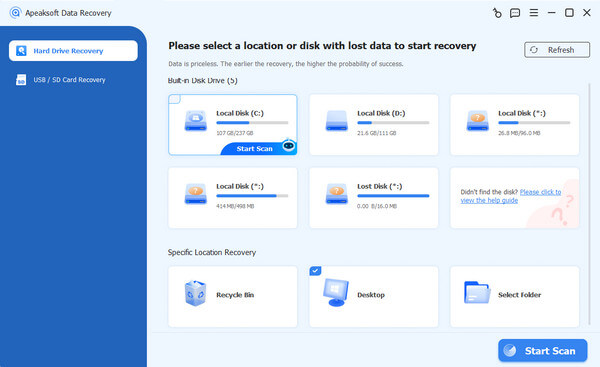
Apeaksoft Data Recovery is one of the best hard disk drive recovery software for Windows and macOS. It is able to quickly scan your local or external hard drive and look for lost files due to various factors. The user-friendly interface makes it easy to use for beginners.
Secure Download
Secure Download
- Recover all file types.
- Integrate a quick scan and a deep scan.
- Work for both local and external hard drives.
- Easy to navigate.
- Compatible with Windows 11 and macOS.
- It may take time if you have lots of data on your hard drive.
Here are the steps to recover files from your hard drive:
Step 1. Scan your hard drive
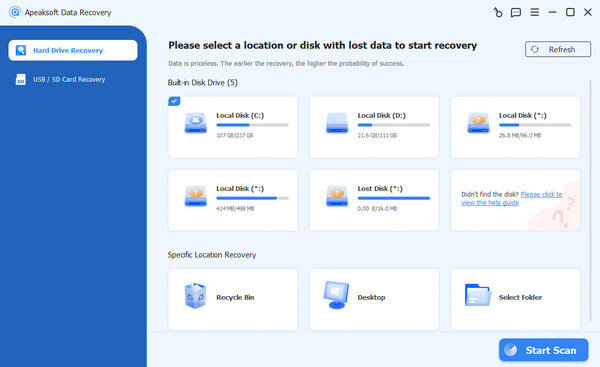
Launch the hard drive recovery program once you install it on your computer. Go to the Hard Drive Recovery tab on the sidebar, select the desired drive, and click the Start Scan button.
Tips: For data recovery from an external hard drive, go to the USB / SD Card Recovery tab and connect to your hard drive.
Step 2. Preview files
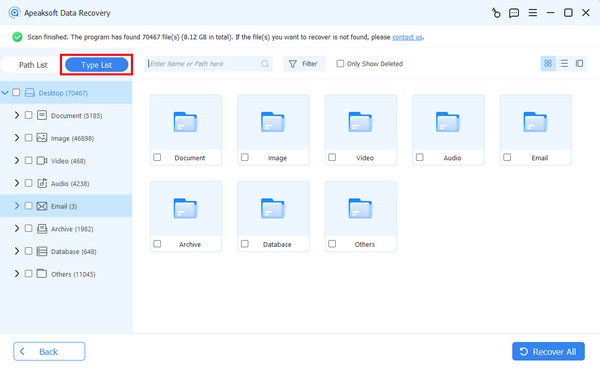
Once the quick scan finishes, the software will perform a deep scan automatically. When it is done, go to the Type List tab and view your files by type, or go to the Path List tab and view files by location.
Step 3. Recover the hard drive
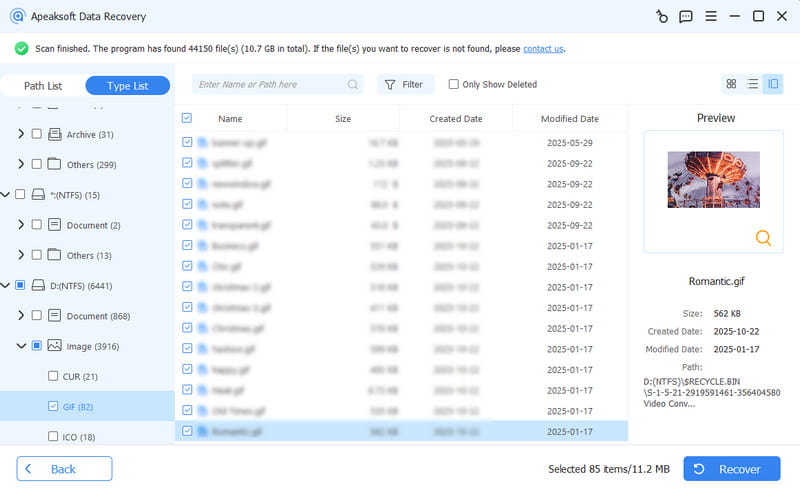
Select the files you want to retrieve and hit the Recover button. Set another location to save the files and confirm your action.
Top 2: OnTrack EasyRecovery
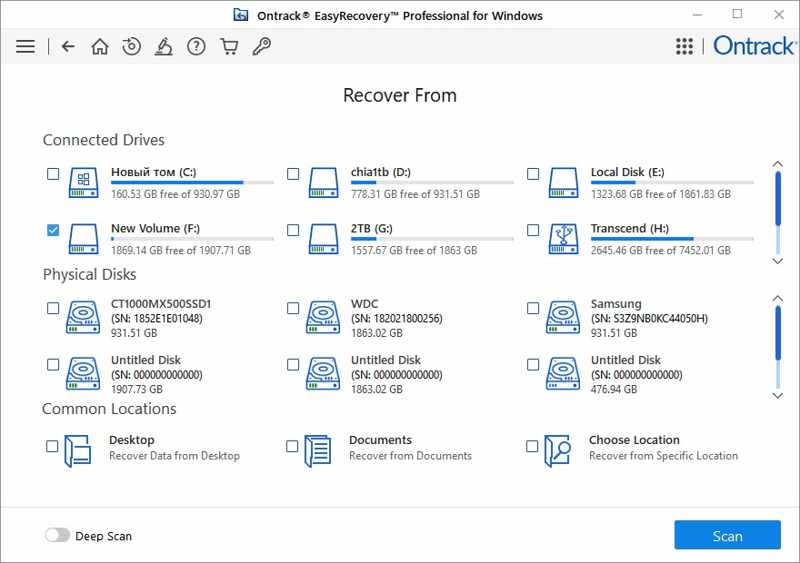
OnTrack EasyRecovery is one of the best hard drive recovery tools. It offers a free plan to recover up to 1GB of data on a local or external hard drive. It enables users to preview lost files for selective recovery.
- Impressively fast for data recovery.
- Rich in technically advanced options.
- Include secure deletion features.
- Back up hard drive with OnTrack’s mail-in disk recovery.
- It integrates an unclear interface.
- It cannot create an image from a damaged disk.
Top 3: Klennet Recovery
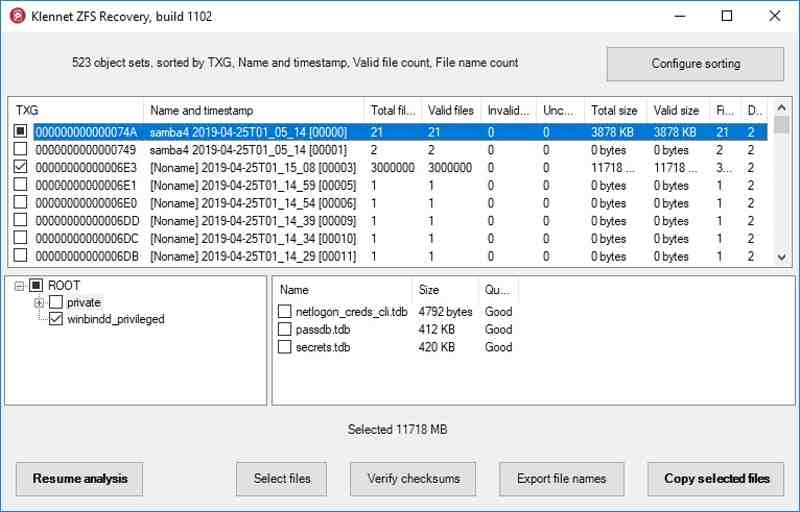
Klennet Recovery is a popular hard disk drive recovery tool. It can handle difficult hard drive recovery challenges due to its support for RAID configurations. It provides a free version and flexible plans.
- Offer fast scanning speed.
- Recover data from RAID arrays.
- Estimate the odds of file recovery with algorithms.
- Specify initial sector.
- It consumes a significant amount of RAM.
- It takes time to analyze the likelihood of success.
Top 4: DMDE
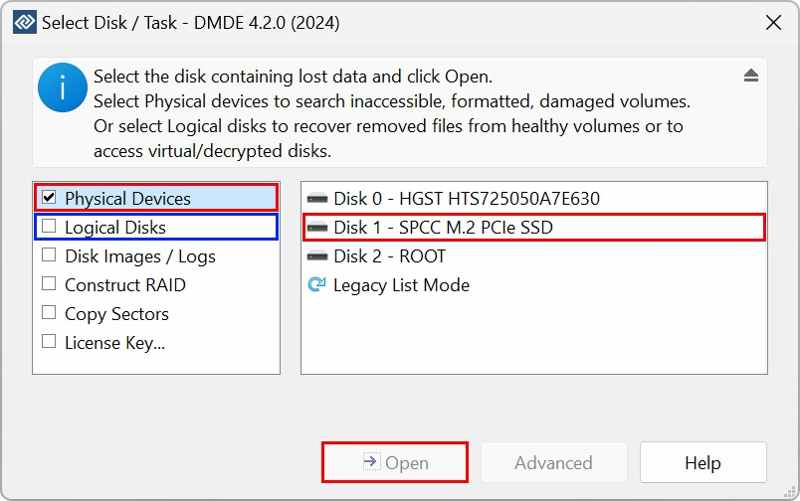
DMDE is a reputable data recovery tool for external hard drives and internal hard disks. The free version is available for personal use. It enables users to recover up to 4,000 files at one time. The pro versions can unlock all features.
- Reconstruct RAID.
- Offer a bootable version.
- Support byte-to-byte backups.
- Provide high performance.
- It is difficult to master.
- It lacks smart analytics and advanced previews.
Top 5: DiskDigger
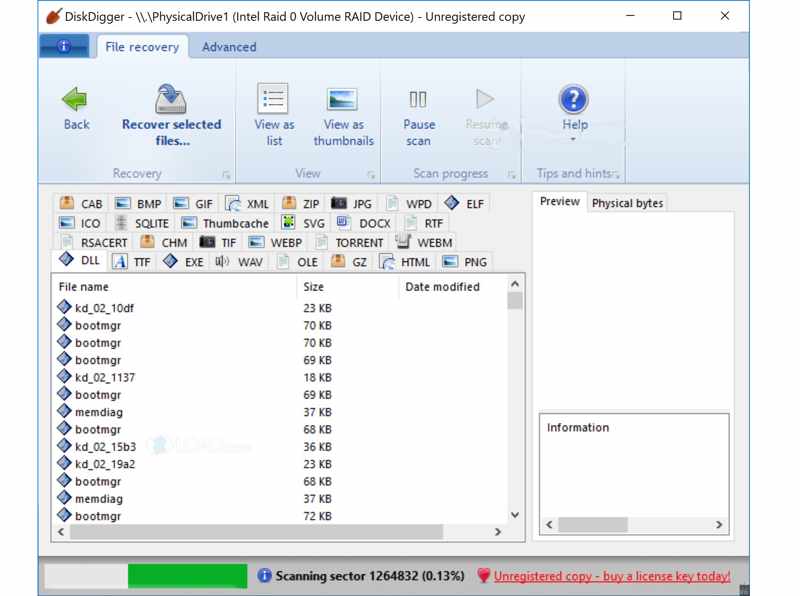
Overall, DiskDigger is an excellent hard disk drive recovery software that provides a good balance of features, usability, and affordability. Users can select the drive, recovery mode, and start the hard drive scanning process.
- Portable and compact.
- Recover unlimited files for free.
- Support multiple file formats.
- Integrate deep scanning capability.
- The interface is blurry and unclear for navigation.
- The scanning options are too limited.
Top 6: Disk Drill
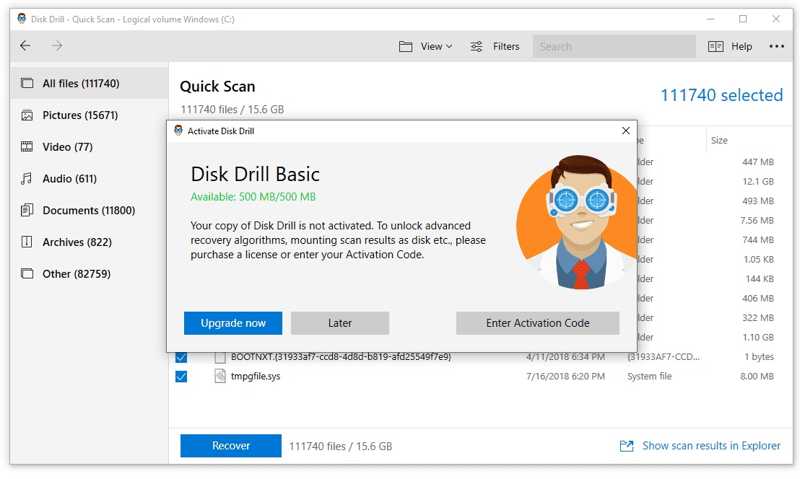
Disk Drill Hard Drive Recovery was designed for data recovery from hard disks, flash drives, SD cards, digital cameras, and more on macOS first. Now, it is available on Windows. The free version enables you to recover up to 500MB of data.
- Support RAW photos and videos.
- Include a unique Recovery Vault feature.
- Offer a limited free edition.
- Deliver excellent data recovery results.
- It is ineffective for file recovery on SSDs.
- It only offers email support.
Further Reading
Part 3: 3 Best Free Hard Drive Recovery Tools
Top 1: Windows File Recovery
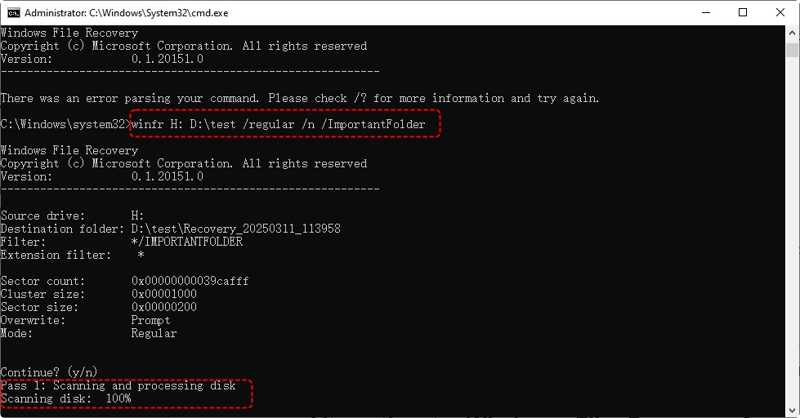
Windows File Recovery is a free hard drive recovery software developed in 2020 by Microsoft for Windows 11 and 10. It helps users recover lost files on their PCs from internal and external hard drives without paying a penny.
- Completely free to use.
- Available in the Microsoft Store.
- Create decent results for recently deleted files.
- Support partial recovery from BitLocker drives.
- It only works through command lines.
- Users cannot preview files before recovery.
Top 2: TestDisk
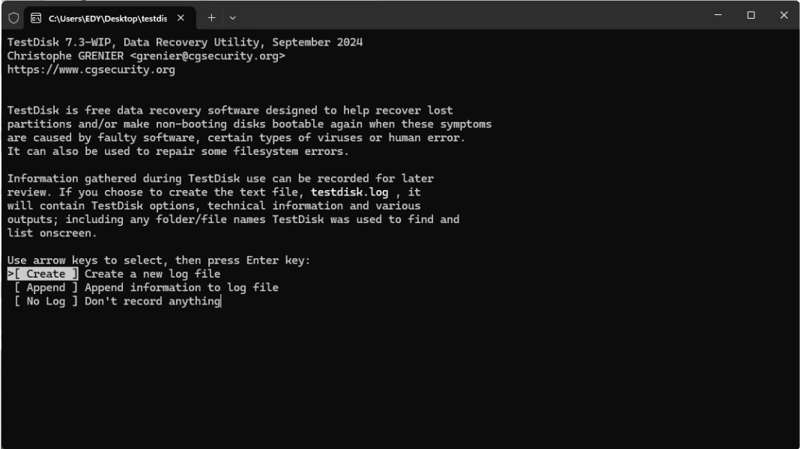
TestDisk is a free hard drive recovery software for macOS, Linux, and Windows. This open-source program is distributed under the terms of the General Public License. It is designed to recover lost disk partitions and fix bootable disks.
- Open source and free.
- Repair the partition and recover the boot sector.
- Lightweight, portable, and cross-platform.
- Work on RAW and unmountable drives.
- It lacks a GUI.
- Users must have technical knowledge to operate confidently.
Top 3: UnDeleteMyFiles Pro
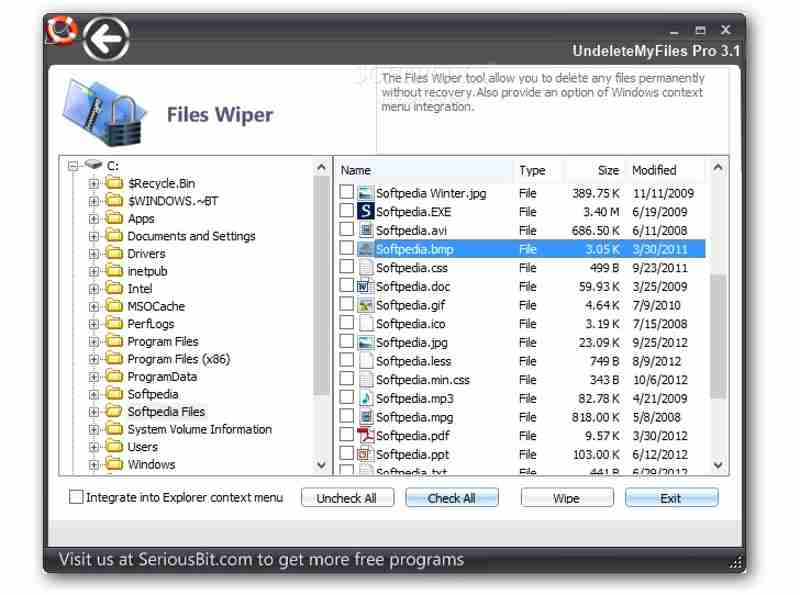
UnDeleteMyFiles Pro is another tool for damaged hard drive recovery. It is 100% free with no hidden costs or limitations. In addition to hard drive recovery, it also includes bonus features, like a file wiper and disk image creator.
- Preview lost files by type.
- Create a disk snapshot and image.
- Free of charge.
- Find recently deleted files on NTFS.
- It only integrates a quick scan.
- The success rate is not high.
Conclusion
This article shared the top 9 best hard drive recovery software. Some of them are completely free to download and use. Others require a license or subscription. You can discover an appropriate one based on our reviews and get back your lost files from internal or external hard drives quickly. Apeaksoft Data Recovery is a good option for beginners and ordinary people due to the user-friendly design. Moreover, it can find all lost files before they are overwritten.
Related Articles




