

10 Best Memory Card Recovery Software on Windows/Mac

Today, data loss is a common problem. According to our survey, nearly one in two respondents has experienced data loss. More specifically, data loss on memory cards can be frustrating. Many people store backup, photos, documents, and more on memory cards, SD cards, MicroSD, and more. The good news is that a good memory card recovery tool can help you resolve this problem. This article identifies and reviews the top 10 list.
PAGE CONTENT:
Part 1: Comparison of the Best Memory Card Recovery Software
| Price | Memory card types | Success Rate | |
| Apeaksoft Data Recovery | $22.45 monthly, $55.96 yearly, $71.96 lifetime | SD, MicroSD, CF, SDHC, SDXC, and more | 99% |
| Disk Drill | Start at $89.99 | SD, MicroSD, CF, SDHC, SDXC | 95% |
| R-Studio | Start at $49.99 | SD, MicroSD | 78% |
| Data Rescue | Free and start at $79 | SD, MicroSD | 75% |
| DiskGenius | Start at $69.9 | SD, MicroSD | 73% |
| DiskDigger | Free and $14.99 | SD, MicroSD | 70% |
| UFS Explorer | Free and start at $24.95 | SD, MicroSD | 80% |
| Recuva | Free and $49.95 | SD, MicroSD | 60% |
| IObit Undelete | Free | SD, MicroSD, CF, SDHC, SDXC | 60% |
| PhotoRec | Free | SD, MicroSD, CF, SDHC, SDXC | 60% |
Part 2: Top 10 Memory Card Recovery Applications
Top 1: Apeaksoft Data Recovery
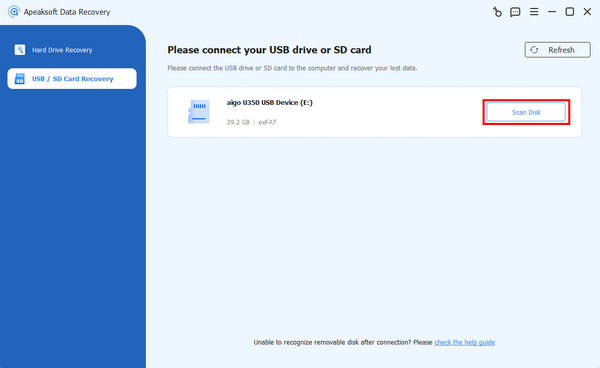
As one of the best SD memory card recovery software, Apeaksoft Data Recovery can meet almost all your needs. It delivers a high success rate. The user-friendly interface is easy to navigate, even for beginners. It works for various situations, like accidental deletion, card formatted, and more.
Secure Download
Secure Download
- Recover all file types on memory cards.
- Retrieve data from almost all memory cards.
- Available for a wide range of situations.
- Provide a high success rate and recovery speed.
- Easy to use for ordinary people.
- It may take a while if you have lots of files on your memory card.
Top 2: Disk Drill
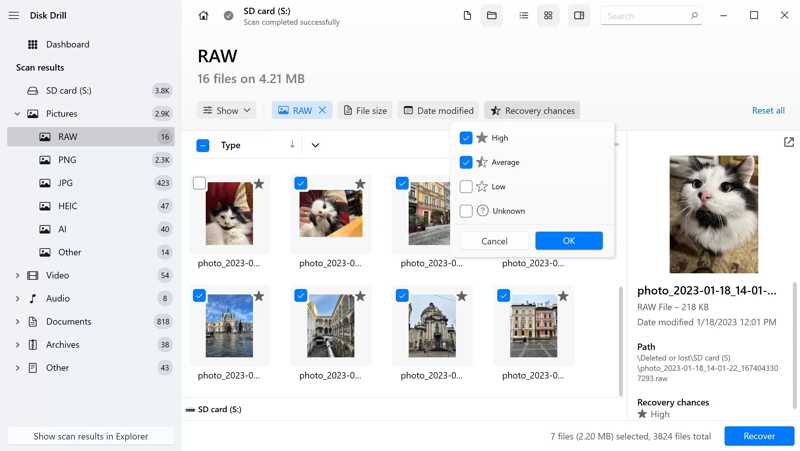
Disk Drill is a reputable recovery solution for memory cards. It presented with a clear, intuitive UI. Users can try the free trial, but only the premium version can recover data from a memory card.
- Offer an advanced camera recovery feature.
- Recover data up to 100MB for free.
- Achieve a high success rate.
- Preview the files that will be recovered.
- It only offers email support.
- It doesn’t support photo repair.
Top 3: R-Studio
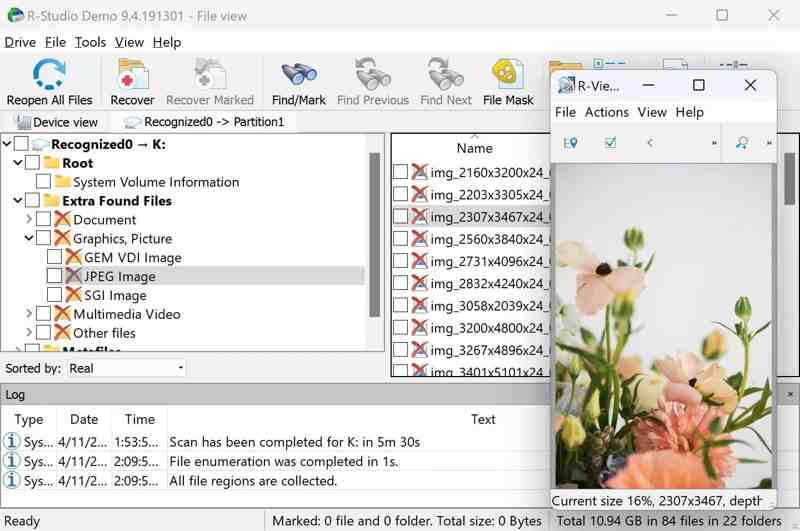
R-Studio is a professional data recovery software for memory cards. It can recover lost data from memory cards on Windows, Mac, and Linux. Plus, it equips extensive recovery options for different data loss scenarios.
- Support extensive file systems.
- Work on all major operating systems.
- Scan a specific portion of your SD card.
- Work on custom file formats.
- The messy interface is difficult to navigate.
- The file preview capabilities are limited.
Top 4: Data Rescue
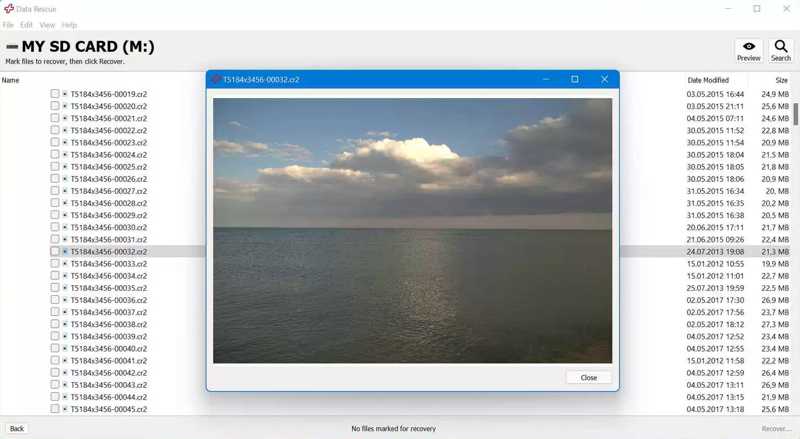
Data Rescue is a great memory card recovery application. It works on a variety of machines, especially on old PCs and Mac computers. Furthermore, it caters to both ordinary and advanced users with two modes.
- Include two modes for different users.
- Come with bonus features.
- Do a solid job for memory card recovery.
- Recover files up to 1GB for free.
- The preview feature is inconvenient.
- It requires an internet connection.
Top 5: DiskGenius
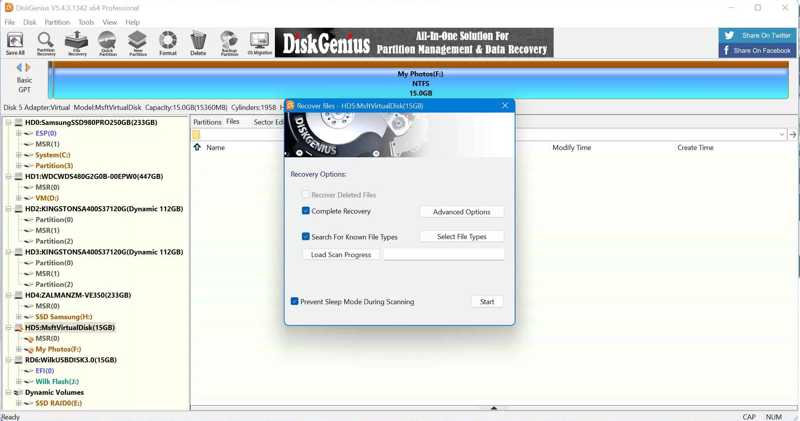
DiskGenius is far more than a simple memory card recovery program. Many users highlight successful outcomes after using this tool for recovering data on their memory cards. Plus, it equips extra features, like disk management.
- Data recovery on memory cards.
- Offer fast data recovery performance.
- Boot into a modified version of WinPE.
- Come with data-saving features.
- It integrates a complicated user interface.
- It doesn’t work on Mac and Linux.
Top 6: DiskDigger
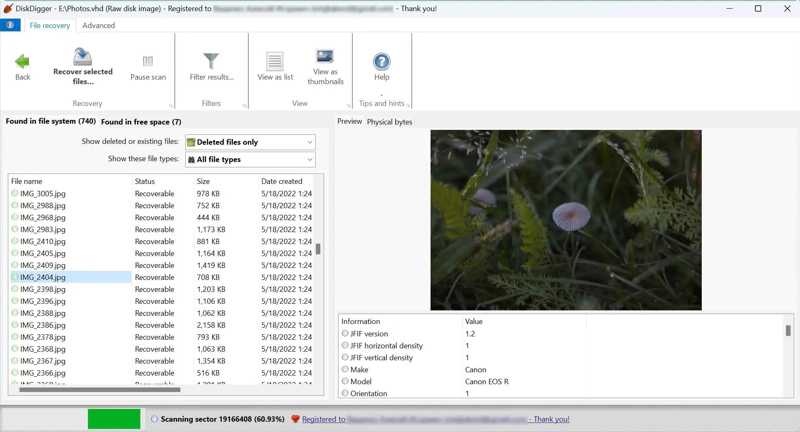
DiskDigger is a Windows-based memory card recovery tool. It supports multiple file systems and storage devices, including photos, documents, videos, music, and more. It can scan your memory card at a deep level.
- Support multiple file formats.
- Scan your memory card at a deep level.
- Preview the recoverable files.
- Offer reasonable prices.
- It offers limited data scanning options.
- It is only available on Windows.
Top 7: UFS Explorer
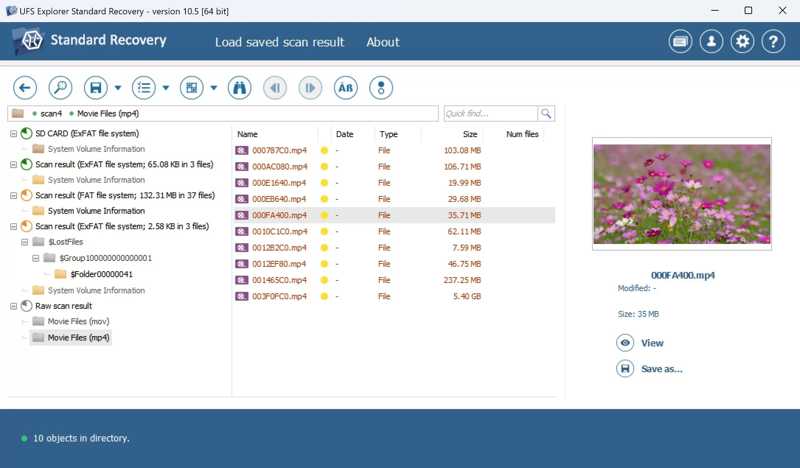
UFS Explorer is an SD memory card recovery for Mac, Windows, and Linux. It can retrieve files from a variety of file systems, like NTFS, FAT, exFAT, HFS+, XFS, and more. It means that you can recover files from memory cards with metadata.
- Support SD card file systems.
- Retrieve lost files with their metadata.
- Scan a specific portion of the SD card.
- Offer advanced features.
- The free version can recover nothing.
- It comes with a steeper learning curve.
Top 8: Recuva
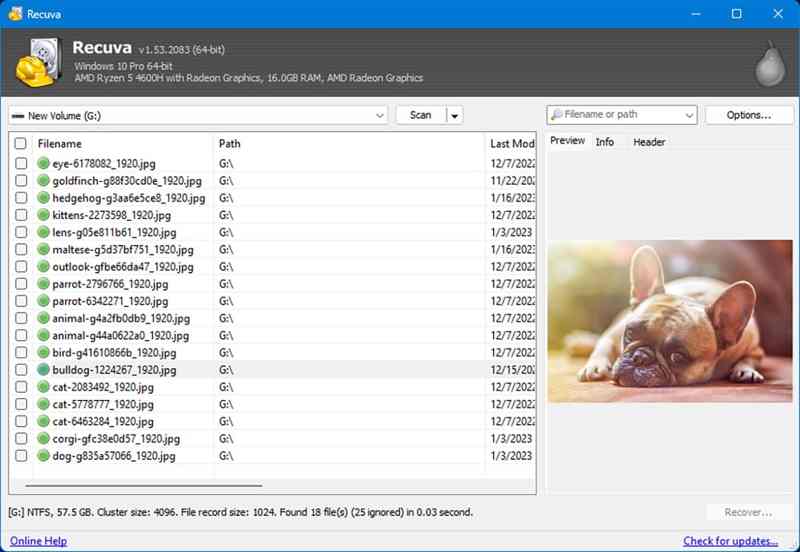
Recuva is a free SD memory card recovery tool for PCs. It can recovery images and videos from memory cards. While the success rate is not high, it is completely free to use because it is open source.
- Provide a portable version.
- Completely free of charge.
- Recover images and videos quickly.
- Preview files before recovery.
- The data recovery chance predictions are inaccurate.
- It hasn’t been updated for years.
Top 9: IObit Undelete
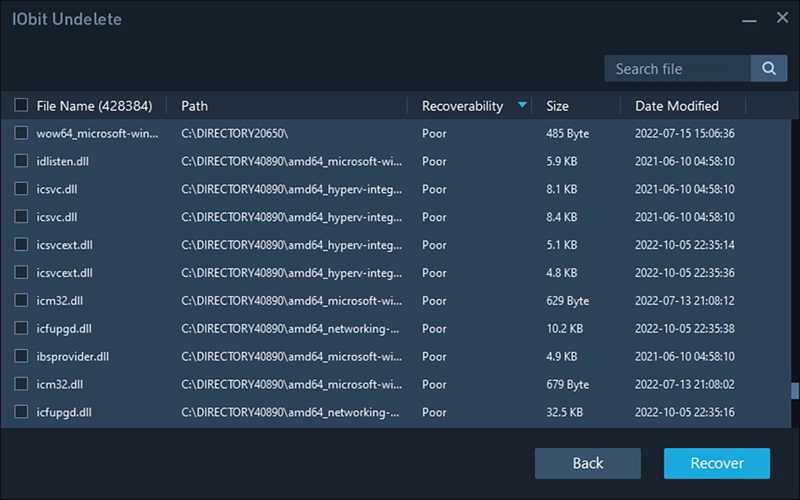
IObit Undelete is another free memory card recovery solution for Windows 10 and earlier. It can extract documents, videos, images, and audio files from a memory card quickly. It is a great tool for novice users.
- Support one-click recovery.
- Offer a portable mode.
- Lightweight and work fast.
- Work on standard file formats.
- It lacks advanced options.
- It doesn’t provide the preview feature.
Top 10: PhotoRec
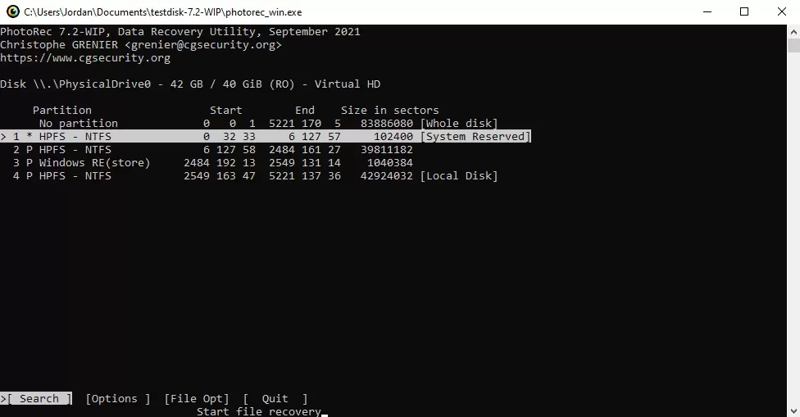
PhotoRec is a free memory card recovery tool for tech-savvy. It lacks a UI. Alternatively, users need to perform data recovery using command lines. It works on a wide array of file formats and operating systems.
- Recover over 480 file formats.
- Work on Windows, macOS, and Linux.
- Free and open source.
- Repair the file system.
- Users cannot preview files.
- It requires technical skills.
Part 3: How to Recover Data from a Memory Card
Step 1. Install the memory card recovery tool
Launch the best memory card recovery software after installing it on your computer. We use Apeaksoft Data Recovery as an example. Insert your memory card into your computer.
Step 2. Scan your memory card
Go to the USB / SD Card Recovery tab on the sidebar, and the software should detect your memory card. Click the Scan Disk button to begin scanning your memory card.
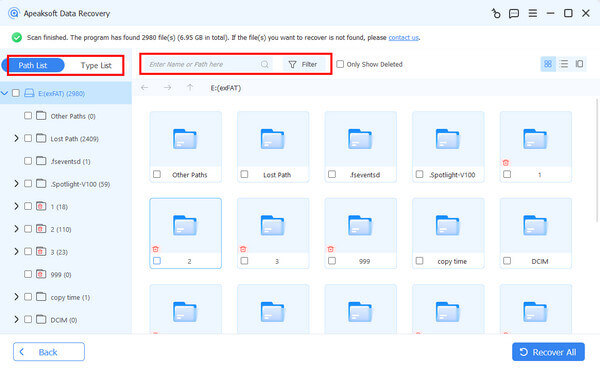
Step 3. Recover data from the memory card
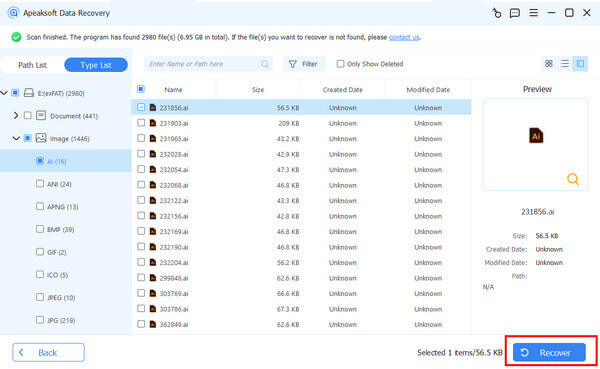
When scanning finishes, you can preview the lost files by type or location. Plus, you can use the Filter option to quickly locate specific files. Select the desired files and click the Recover button. Set an output folder and confirm data recovery.
Conclusion
Now, you should learn at least the top 10 memory card recovery software. Some of them are free to use or provide a free version. Others require you to purchase a license for data recovery. You can pick an appropriate one according to our review. Apeaksoft Data Recovery is the best one for both ordinary and advanced users.
Related Articles
Whether you emptied your Recycle Bin, you can recover files from Recycle Bin on Windows and Mac following our concrete guide.
When you are ready to watch the video but find it broken, it can be quite annoying. However, MP4 recovery can help you solve this problem.
Have SDHC cards that contain essential content but encounter data issues? Don't worry. This article will help you with SDHC data recovery.
If your CF card contains important data, in addition to making backups, you also need to learn compact flash data recovery in advance.



