Best Data Recovery Software in 2026: 6 Top Picks for Windows & Mac

One wrong click, a sudden system error, or a broken external drive can wipe your important personal data in seconds. Finding a trustworthy data recovery tool online isn't easy. Many tools make big promises but deliver terrible results.
We tested dozens of the best data recovery software so you don't have to waste time on the bad options! In this review, we'll show you exactly how we rank these tools, and share the top 6 reliable picks to help you recover data easily.
PAGE CONTENT:
Part 1: Our Criteria for Ranking Data Recovery Software
We evaluate the most popular data recovery software on the market and rank the best-performing software. To help you choose the best data recovery software, we ranked each tool based on several key factors.
- Recovery Capability: How well can the software restore different types of files from various storage devices?
- Speed & Efficiency: How long does it takes to scan large drives?
- Ease of Use: Is the process user-friendly?
- Compatibility: Does the software work with different versions of Windows and Mac systemsz?
- Pricing & Value: Is there a free trial version, or premium features worth the cost?
By combining these factors, we were able to rank the top 6 software fairly and provide recommendations for your real needs.
We tested each data recovery software under the same controlled environment using consistent methods to ensure fair results.
- Test Environment: All tests were performed on Windows 11 (24H2) and macOS Sequoia 15.
- File Type: Documents (DOCX, PDF, XLSX), photos (JPG, PNG), videos (MP4, MOV), audio files (MP3, WAV), and compressed archives (ZIP, RAR).
- File Size: Ranged from small documents of around 10 KB to large media files exceeding 1 GB.
- Test Method: Each tool was tested three times using the same dataset and storage devices. We permanently deleted sample files to test whether they can be recovered successfully.
- Verification Method: Recovered files can be opened and accessed without errors.
- Important Note: Results may vary depending on the device model and system version.
Part 2: 6 Best Data Recovery Software You Should Try
Best Overall
 Apeaksoft Data Recovery
- Platform
- Best for
Beginners and everyday use.
- Price $22.45/Month
Most Versatile
 Stellar Data Recovery
- Platform
- Best for
Users want more recovery features.
- Price $49.99/Month
Best Format Coverage
 EaseUS Data Recovery Wizard
 - Platform
- Best for
Various file type recovery
- Price $69.95/Month

Top 1: Apeaksoft Data Recovery
Platform: Windows/macOS
Key Features
- Recover all popular types of files without overwriting the existing data.
- Recover lost or deleted data from internal and external disks.
- Retrieve files due to a factory reset or accidental deletion.
- Scan your PC or Mac quickly and let you recover data selectively.
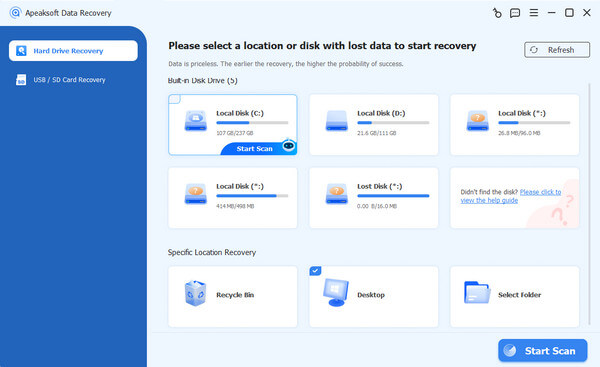
Apeaksoft Data Recovery is a versatile data recovery software available for both Windows and macOS. It can recover more than 200 file formats from hard drives, SSDs, USB flash drives, memory cards, and other storage devices without overwriting existing data. The software can fast scan your device, find your recoverable data, and allow you to recover then selectively. What's more, it's user-friendly and easy for beginners.
Top 2: Disk Drill
 Disk Drill
 Platform: Windows/macOS
Key Features
- Recover data from any storage device.
- Restore files from formatted, damaged and failed drives.
- Create byte-to-byte backup to protect failing drives.
- Monitor the health status of any storage device with S.M.A.R.T.
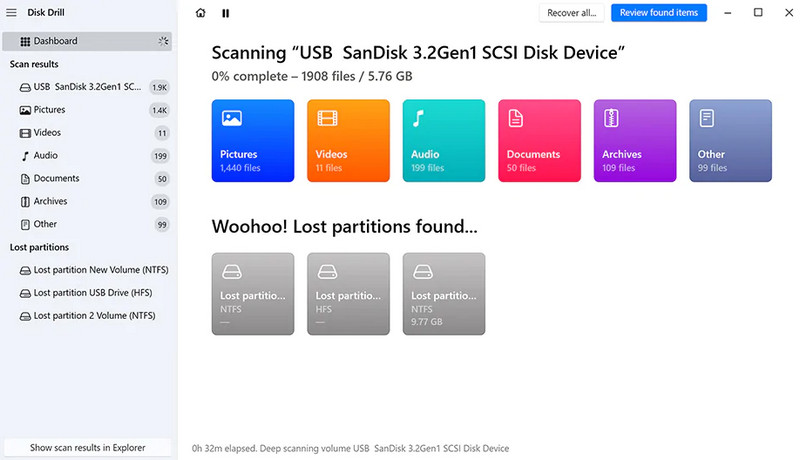
Disk Drill is a professional and user-friendly data recovery tool developed by Cleverfiles. Its basic version allows users to recover up to 100 MB for free. It supports recovering deleted, formatted, or lost files from a wide range of devices, with a high success rate of around 95-97%. Disk Drill offers enhanced data protection features like SMART monitoring, Recovery Vault, and byte-to-byte backup technology.
Top 3: Stellar Data Recovery
Stellar Data Recovery Platform: Windows/macOS
Key Features
- Recover data from various storage media, like HDDs, SSDs, and USB drives.
- Provide quick scan and deep scan modes for faster recovery.
- Repair partially damaged JPEGs, AVI files, and other formats after recovery.
- Create byte-to-byte backups of storage devices.
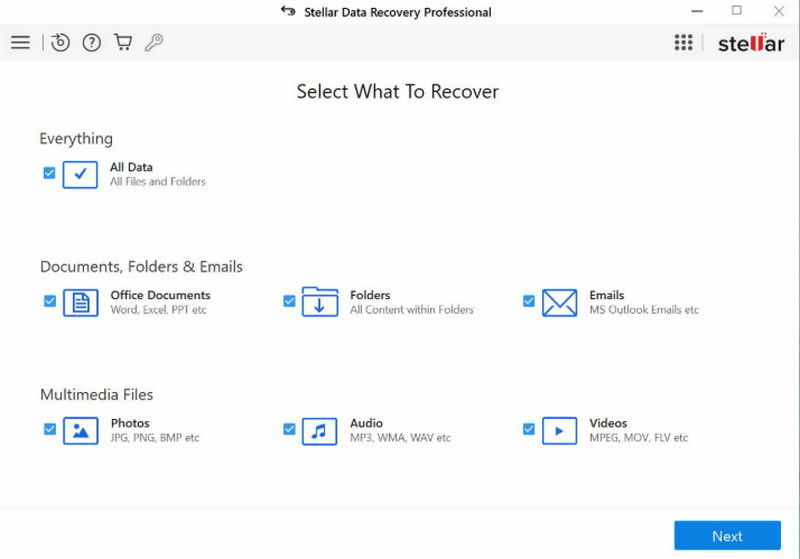
Stellar Data Recovery is a data recovery software for Windows and macOS, first released in 2000. It supports a wide range of devices, including hard drives, SSDs, USB flash drives, and various memory cards and CF cards. Its premium versions can restore partially corrupted photos and videos after recovery. The free version can recover up to 1 GB of data, but you can only preview up to 100 MB of data. During testing, the software occasionally crashed while recovering files.
Top 4: R-Studio
 R-Studio
 Platform: Windows/macOS/Linux
Key Features
- Works on Windows, macOS, and Linux.
- Compatible with almost all file systems.
- Equipped with advanced features to fix damaged RAIDs.
- Users can preview recoverable files with various parameters.
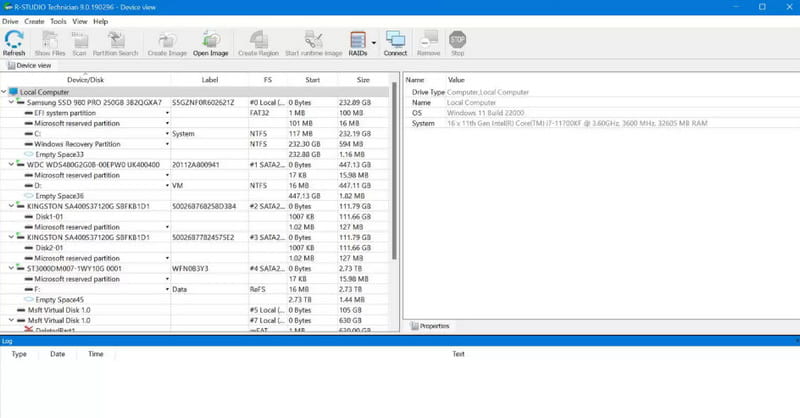
R-Studio is a cross-platform recovery software available for Windows, macOS, and Linux. R-Studio is quite complex, so it's more suitable for professionals. The software supports a wide range of file systems, so it works with most storage devices. It also has strong RAID recovery features that can automatically detect and rebuild broken RAID arrays. With its Demo version, you can only recover very small files (under 256KB) and preview limited recoverable data. Its pricing is also higher than most tools, and full-feature licenses can become expensive.
Top 5: EaseUS Data Recovery Wizard
EaseUS Data Recovery Wizard Platform: Windows/macOS
Key Features
- Recover data from damaged hard drive, emptied recycle bin, and deleted files.
- Restore deleted data from a PC/laptop from Dell, HP, Lenovo, and more.
- Retrieve lost data due to a system crash or a virus attack.
- Restore and repair corrupted videos, photos, and documents.
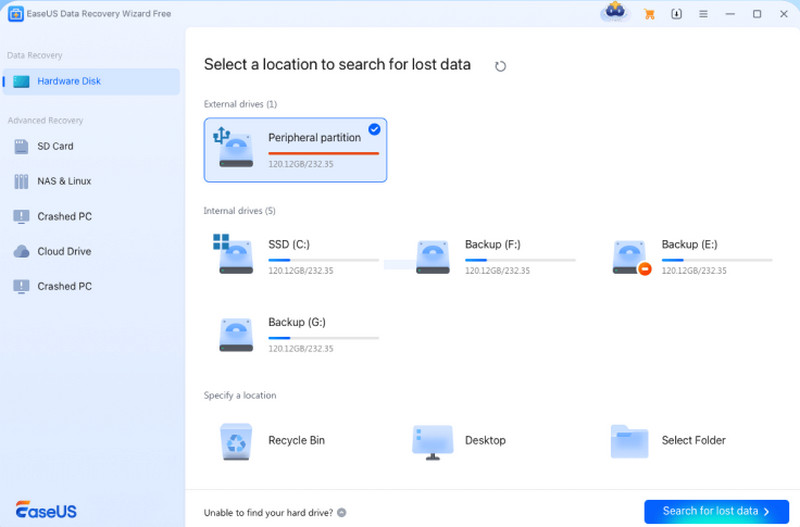
EaseUS Data Recovery Wizard is an easy-to-use data recovery software for Windows and macOS. It supports the recovery of over 1,000 file formats from hard drives, SSDs, USB drives, memory cards, and other storage devices. Its free version allows you to recover up to 2 GB of data, but you can only preview a limited number of files. Also, some advanced recovery features also require a paid license. Sometimes, it will display pop-up ads to encourage users to upgrade.
Top 6: Recuva
 Recuva
 Platform: Windows
Key Features
- Provide basic recovery functionality without file limits.
- Offer an intuitive, user-friendly interface for easy navigation.
- Include a deep scan mode for searching residual data thoroughly.
- Translated into 30+ languages, making it accessible to users worldwide.
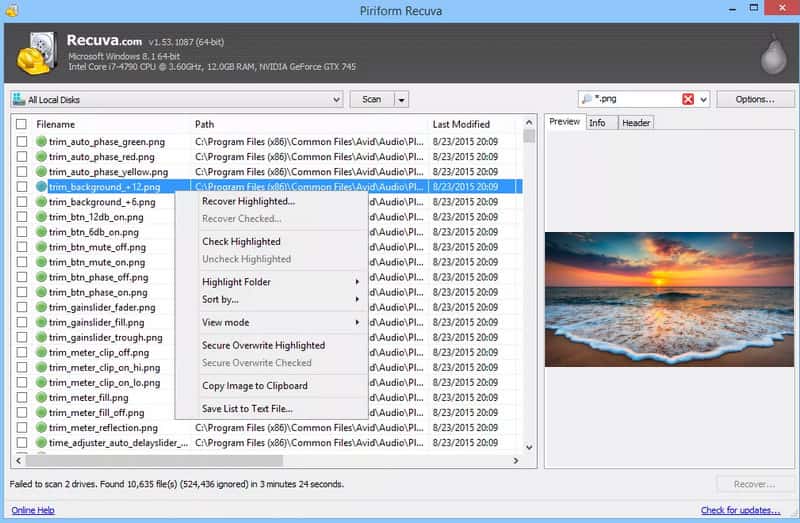
Recuva is one of the best data recovery software for Windows, developed by Piriform (now part of the CCleaner ecosystem). Its biggest advantage is that it's completely free and easy to use. You can recover an unlimited amount of data at no cost. Recuva is more suitable for lightweight data recovery needs. But the software's last major update was in June 2024, so the interface feels outdated now. Its recovery success rate is much lower than many paid tools, and its performance becomes poorer in complicated data loss situations.
Part 3: Top 6 Recovery Software Comparison: How to Choose
The table below compares six popular data recovery tools based on their ease of use, pricing, supported platforms, and free version limits. Use this as a quick guide to identify which software fits your needs.
| Software | Platforms | Ease of Use | Lifetime License | Free Version |
| Apeaksoft Data Recovery | Windows, macOS | Easy | $71.96 | Preview files only |
| Disk Drill | Windows, macOS | Moderate | $199.00 | Up to 500 MB recovery |
| Stellar Data Recovery | Windows, macOS | Moderate | $99.99 | Up to 1 GB recovery |
| R-Studio | Windows, macOS, Linux | Advanced | $79.99 | Recover files under 256KB |
| EaseUS Data Recovery Wizard | Windows, macOS | Easy | $149.95 | Up to 2 GB recovery |
| Recuva | Windows | Easy | $0 | Unlimited |
Conclusion
Data loss doesn't have to be permanent. You can get most of your deleted or lost files back with a proper recovery tool. The 6 best data recovery software for Windows and Mac in this review are tested and proven effective for different data loss scenarios. Whether you're recovering files or tackling complex drive errors, there's a perfect solution for you here.
Apeaksoft Data Recovery Recover deleted or lost data on Windows and Mac computer.
Secure Download
Secure Download
Related Articles